Skip to content
  • Categories
  • Recent
  • Tags
  • Popular
Collapse
Just Flight Community Forum
  1. Home
  2. Just Flight
  3. MSFS Products
  4. Black Square Add-Ons
  5. Piston & Turbine Dukes
  6. How keep ignition switch in Start position

How keep ignition switch in Start position

Scheduled Pinned Locked Moved Piston & Turbine Dukes
7 Posts 4 Posters 1.9k Views 1 Watching
  • Oldest to Newest
  • Newest to Oldest
  • Most Votes
Reply
  • Reply as topic
Log in to reply
This topic has been deleted. Only users with topic management privileges can see it.
  • hangar_101H
    hangar_101H
    hangar_101
    wrote on last edited by
    #1

    I use both L:BKSQ_IgnitionPosition_1 (left switch) and L:BKSQ_IgnitionPosition_2 (right switch) to control the switch positions. But I cannot manage to keep the switches in the START position till engine start.
    Is there another event I can use to control it?

    Hangar 101

    1 Reply Last reply
    0
    • Black SquareB
      Black SquareB
      Black Square
      Black Square Developer
      wrote on last edited by
      #2

      You either need to configure your controller to send the command continuously when the button/switch is held, or I believe others discovered that setting the L:Var above 4 has the effect of holding the switch. If it doesn't, I might be able to implement this in the future. I haven't looked into it. Also, the default bindings for magneto and starter controls should work, so using the native "starter held" command should also work.

      hangar_101H 1 Reply Last reply
      0
      • B
        B
        brennan
        wrote on last edited by
        #3

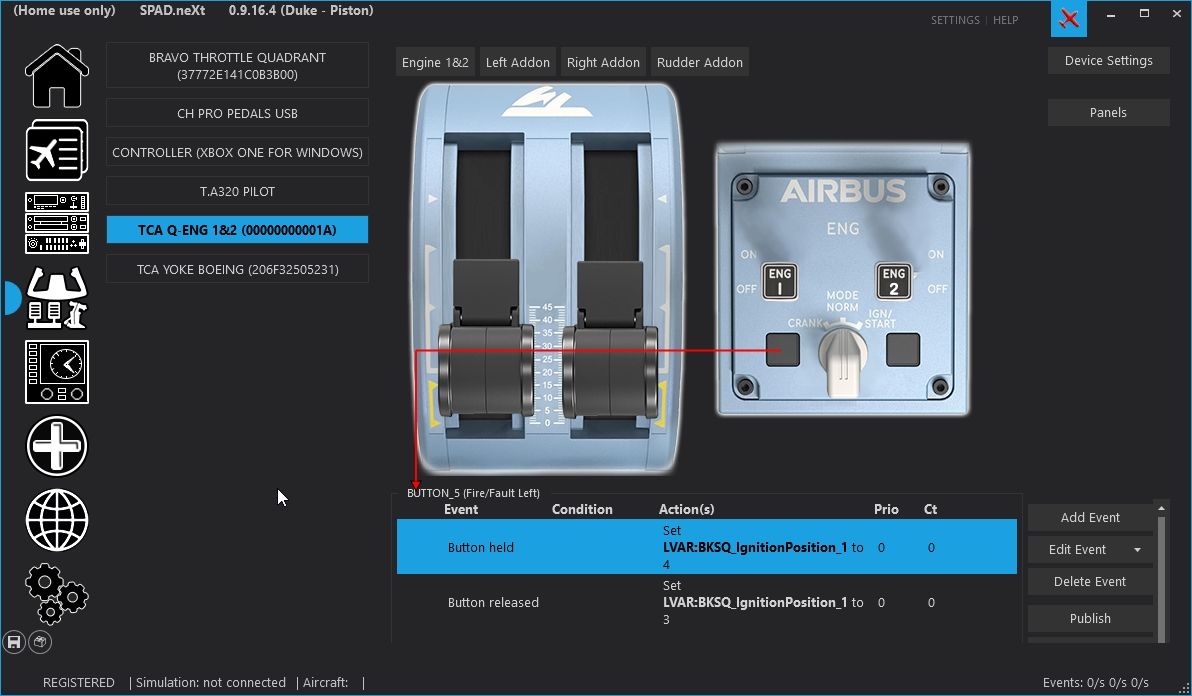
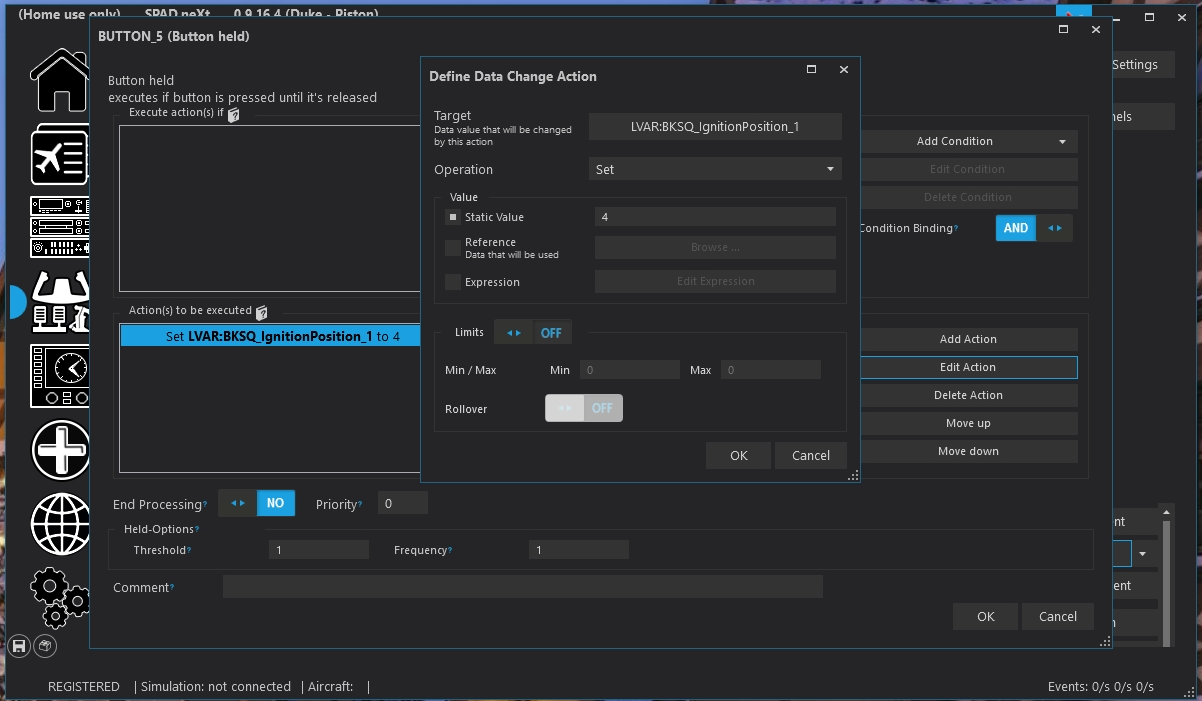
        I bound it in spad with button held at 4 with end processing set off - can't remember the parameters I set but am about to fire it up so I'll add my config here shortly.

        1 Reply Last reply
        1
        • Black SquareB Black Square

          You either need to configure your controller to send the command continuously when the button/switch is held, or I believe others discovered that setting the L:Var above 4 has the effect of holding the switch. If it doesn't, I might be able to implement this in the future. I haven't looked into it. Also, the default bindings for magneto and starter controls should work, so using the native "starter held" command should also work.

          hangar_101H
          hangar_101H
          hangar_101
          wrote on last edited by
          #4

          @Black-Square thank you!

          I managed to get it working by setting the L:Var above 4 together with the switch held status.

          Just for information the "starter held" did not work, neither the default bindings for magneto and starters.

          Hangar 101

          1 Reply Last reply
          0
          • B
            B
            brennan
            wrote on last edited by
            #5

            Great! - for anyone elese - here's what worked for me:

            2024-05-11 17_50_50-SPAD.neXt.jpg

            image.png

            1 Reply Last reply
            0
            • hangar_101H
              hangar_101H
              hangar_101
              wrote on last edited by hangar_101
              #6

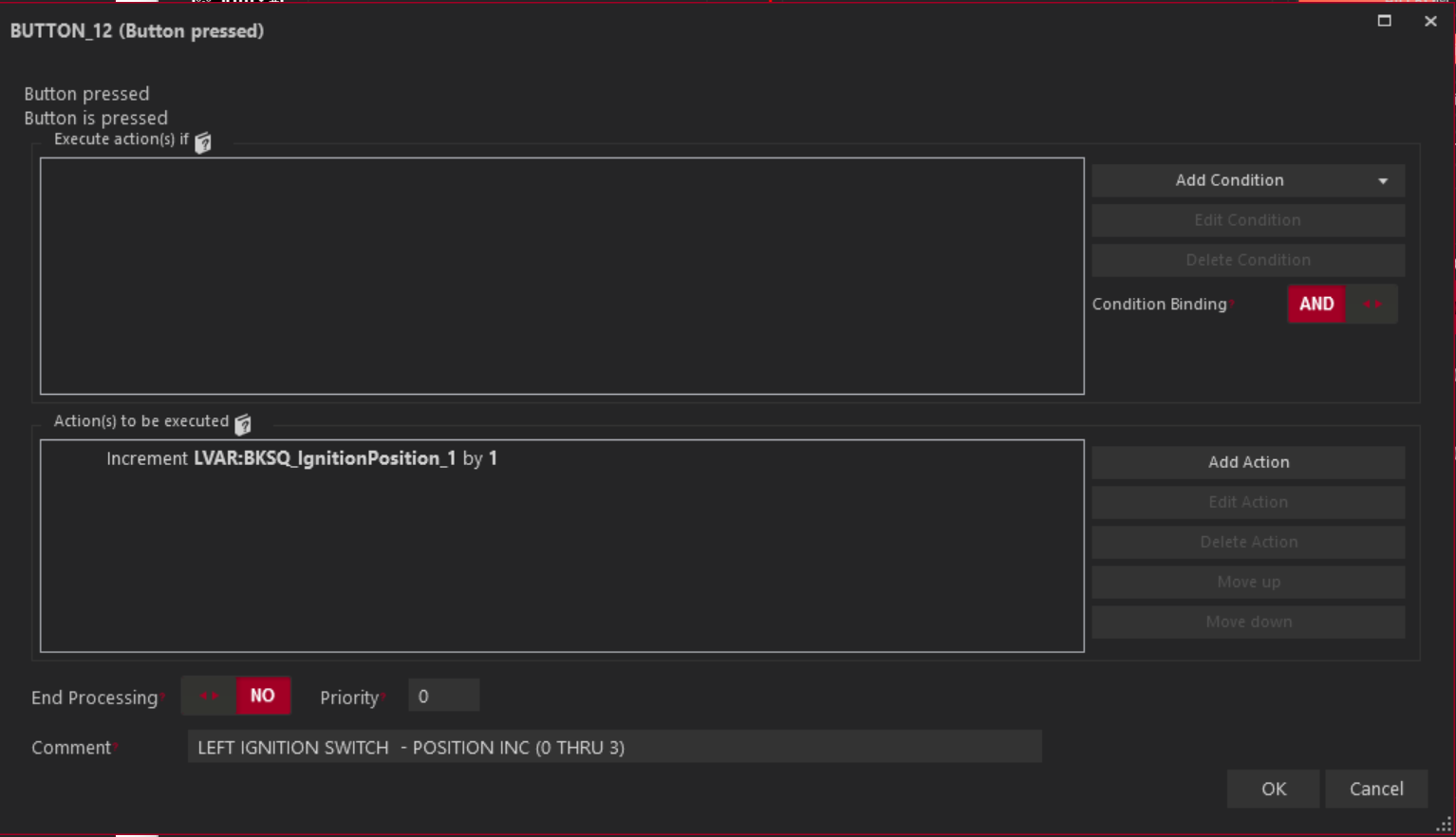
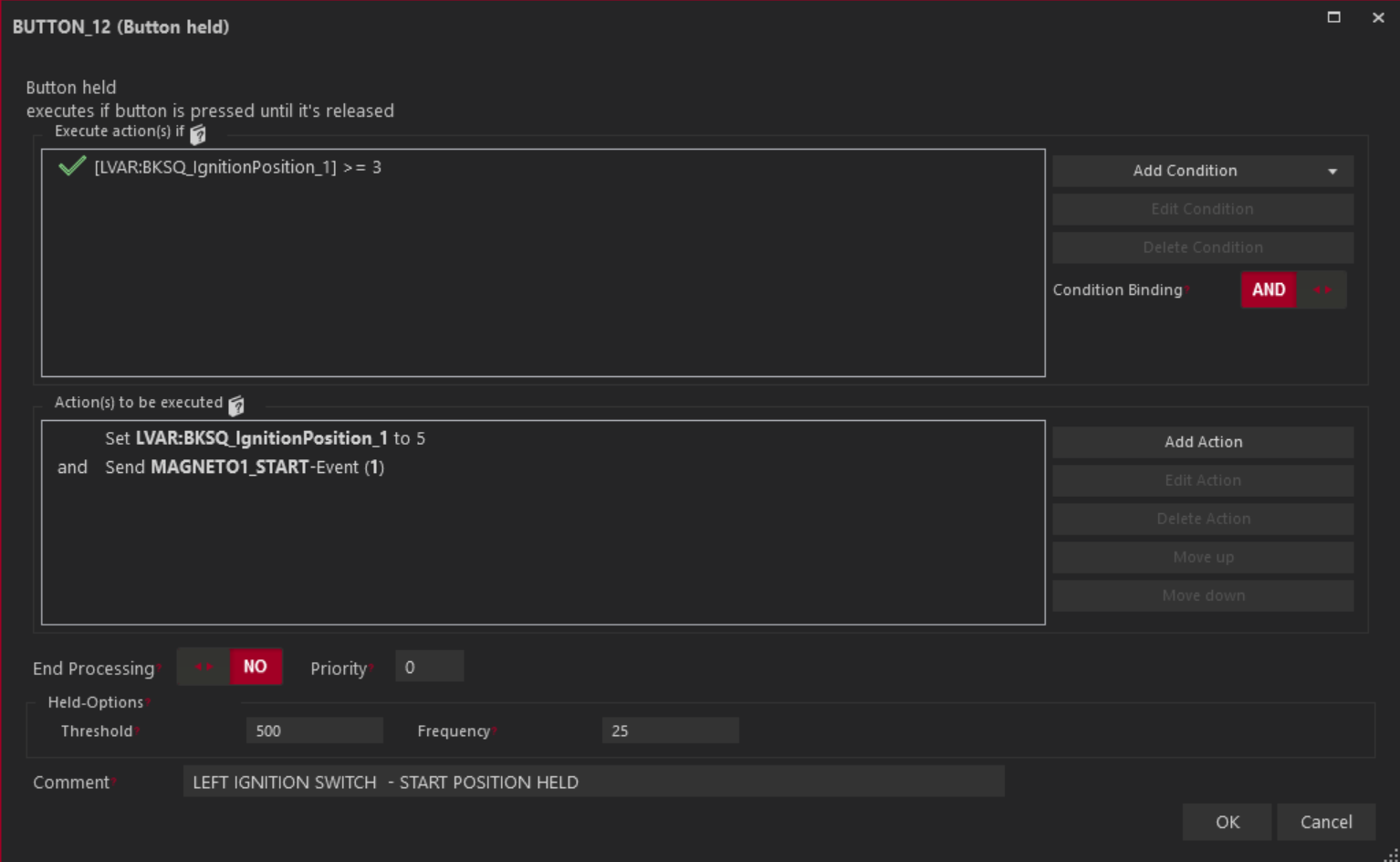
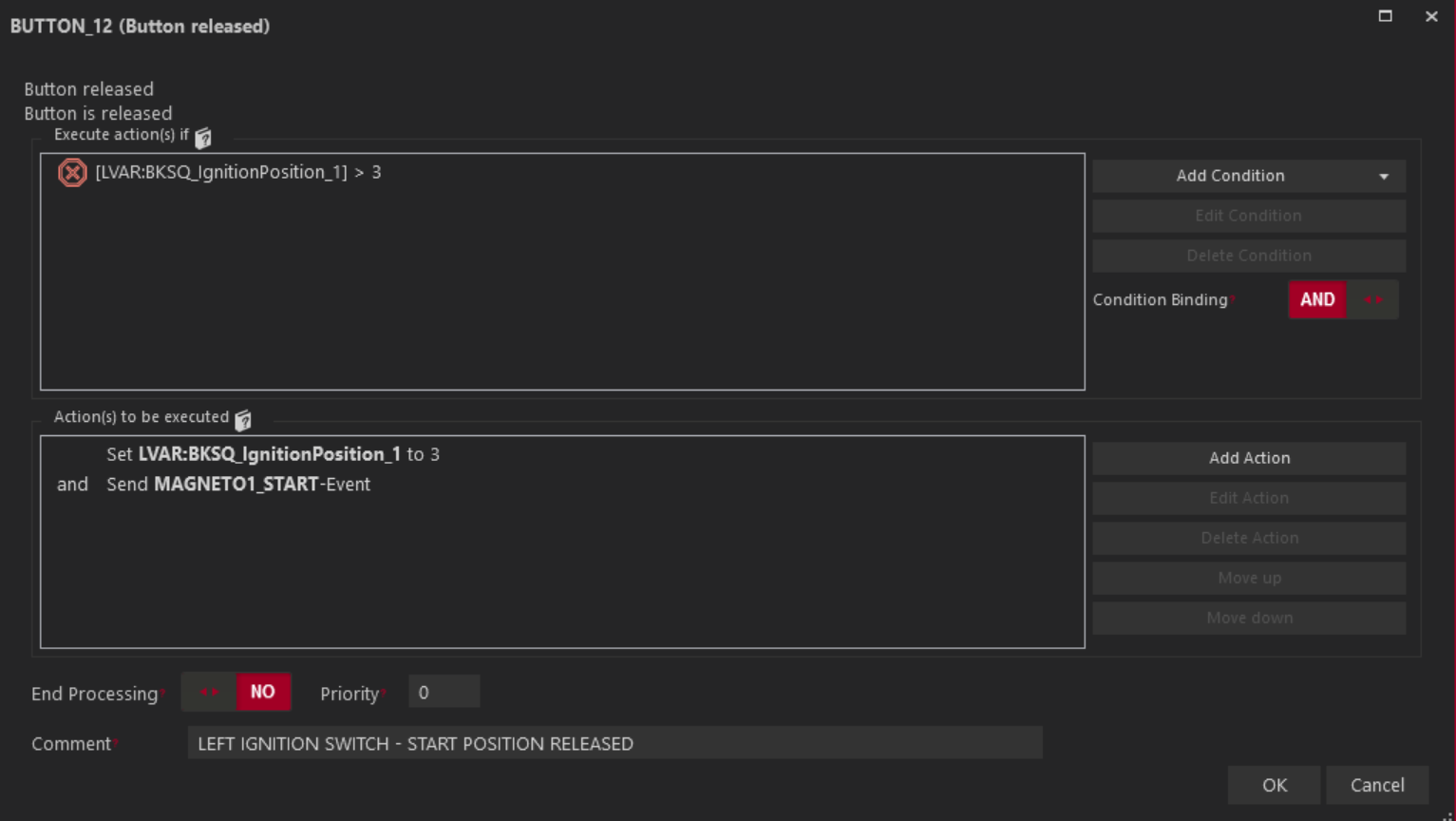
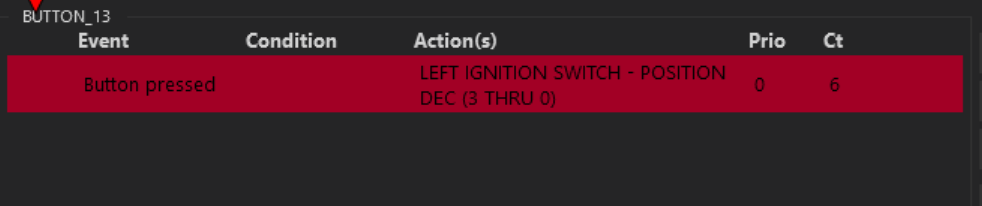
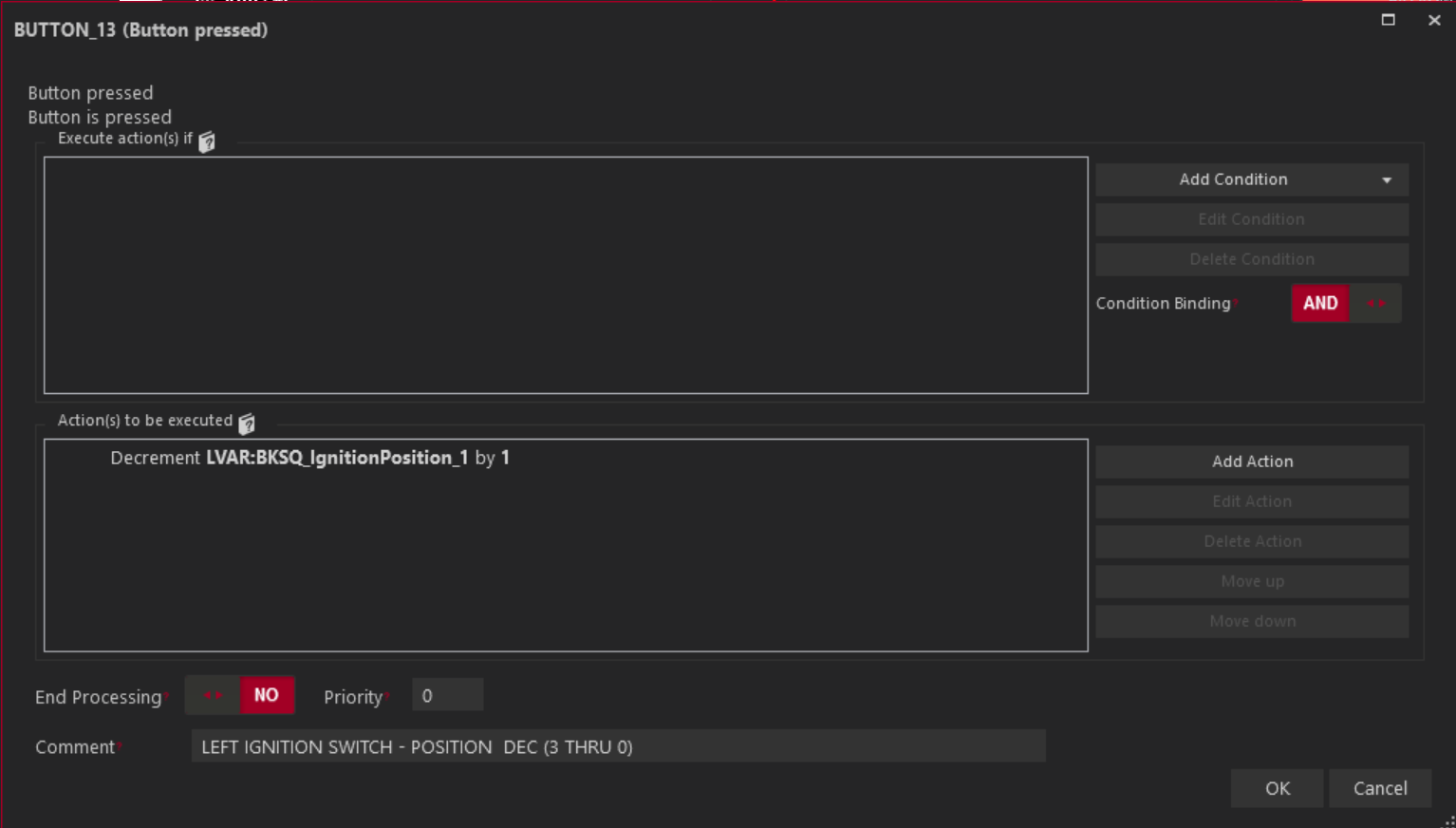
              For those looking for details below follows the solution implemented via Spad.Next for the Left Engine Switch

              Engine Switch UP
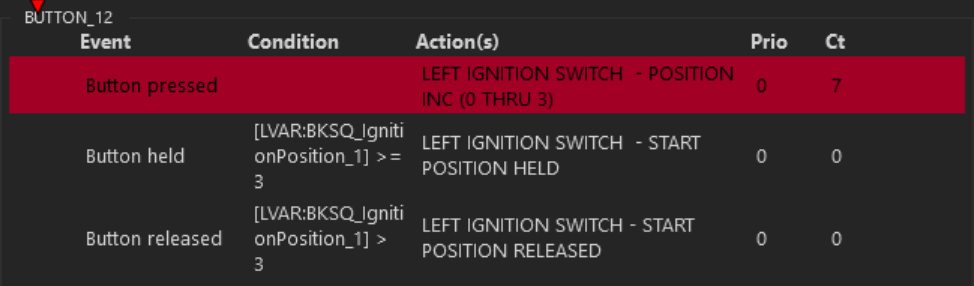
              image.png

              image.png

              7e2ba5c8-642c-482d-925b-bf8eecdbf36b-image.png

              eb65a87f-c36e-4863-9532-b1c4ee0a76b0-image.png

              Engine Switch DOWN

              image.png

              image.png

              Hangar 101

              1 Reply Last reply
              0
              • F
                F
                FlyinLow
                wrote on last edited by
                #7

                I wasn't able to hold the starters to on until the engines started, in the piston duke today. I use the left mouse button. A couple of other guys in the group had the same problem.

                1 Reply Last reply
                0

                Hello! It looks like you're interested in this conversation, but you don't have an account yet.

                Getting fed up of having to scroll through the same posts each visit? When you register for an account, you'll always come back to exactly where you were before, and choose to be notified of new replies (either via email, or push notification). You'll also be able to save bookmarks and upvote posts to show your appreciation to other community members.

                With your input, this post could be even better 💗

                Register Login
                Reply
                • Reply as topic
                Log in to reply
                • Oldest to Newest
                • Newest to Oldest
                • Most Votes


                • Login

                • Don't have an account? Register

                • Login or register to search.
                • First post
                  Last post
                0
                • Categories
                • Recent
                • Tags
                • Popular