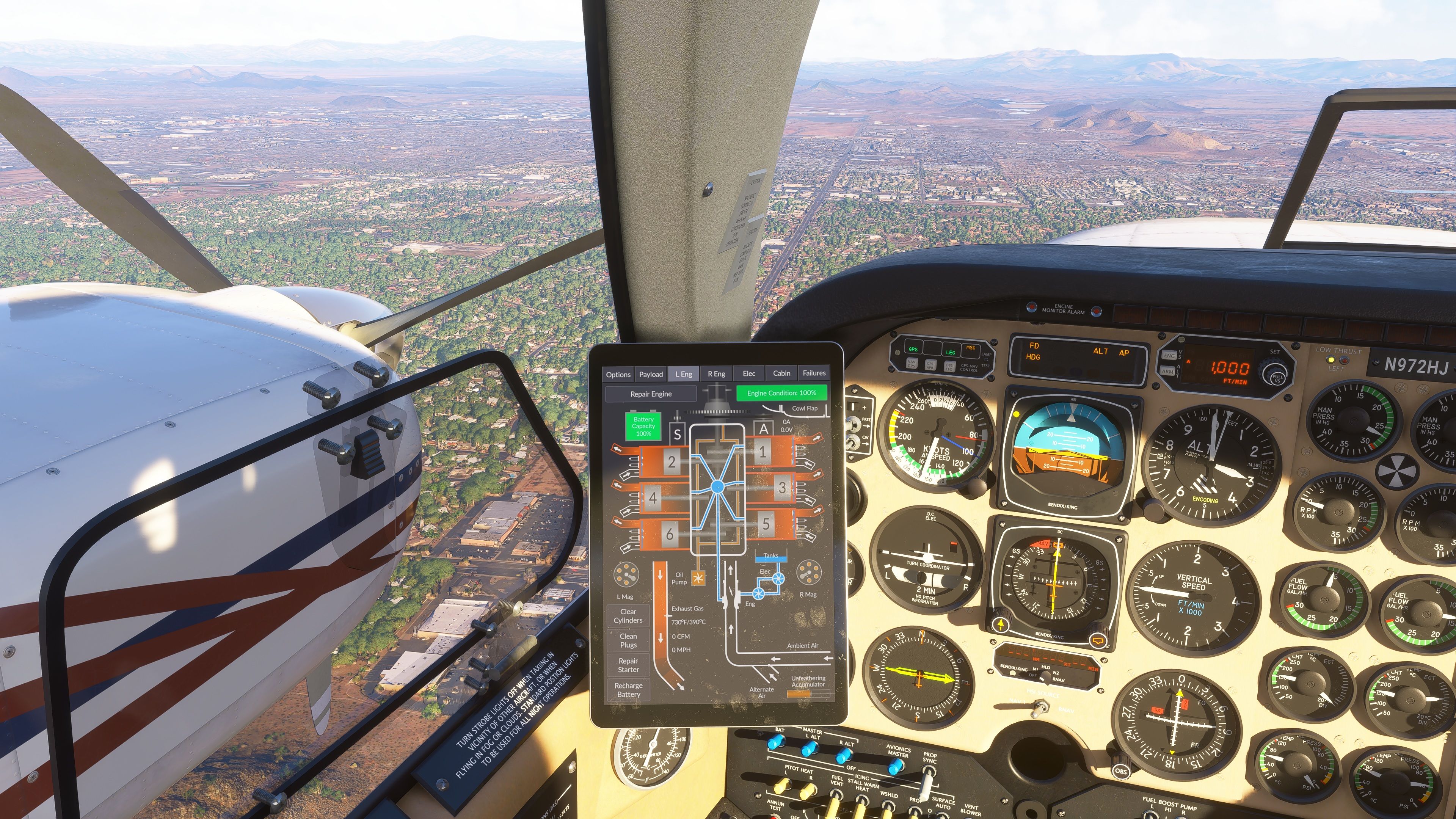
Propeller feathering in flight
-
@MiRexer are you able to feather already right after takeoff? or just once in the air?
-
Theoretically the locking pins will not activate so long as the prop lever is moved back from the full fine setting, and then a simple looking and movement of the prop lever with a mouse will allow the engine to be feathered... Other wise for feathering one engine and keeping the other one at high rpm is currently not possible natively in any MSFS version. If this matters to you I highly recommend Spad.neXt
-
Theoretically the locking pins will not activate so long as the prop lever is moved back from the full fine setting, and then a simple looking and movement of the prop lever with a mouse will allow the engine to be feathered... Other wise for feathering one engine and keeping the other one at high rpm is currently not possible natively in any MSFS version. If this matters to you I highly recommend Spad.neXt
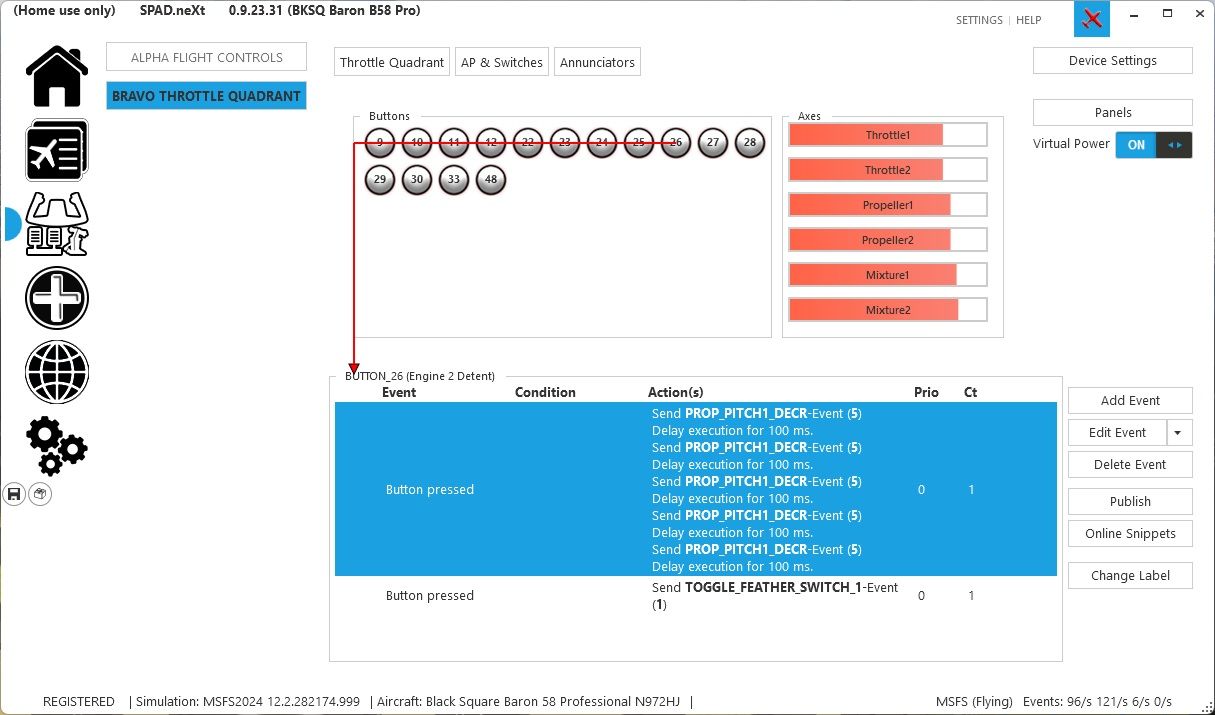
@SadBucket I have my bravo throttle configured with spad.next and i have to send the prop leveler quite fast to the bottom where the button there activates the feather position. So i dont do it with the mouse. Any suggestion on what can be improved?
here is what i do there.
-
@SadBucket I have my bravo throttle configured with spad.next and i have to send the prop leveler quite fast to the bottom where the button there activates the feather position. So i dont do it with the mouse. Any suggestion on what can be improved?
here is what i do there.
@gustavpicora I don't use Spad, but in my FSUIPC binding I use a value greater than 25. I think I decrease by 30 or 50.
-
@gustavpicora I don't use Spad, but in my FSUIPC binding I use a value greater than 25. I think I decrease by 30 or 50.
@jmarkows ok thanks, I will set to higher.. one question tou. do you set the value right away or with some internval as I saw somewhere in another post?
-
My binding is just Propeller X Pitch Decrease 30 or so, no delay. The button is at the end of my propeller axis lever so it's already in coarse pitch at that point.
On release I have it set to Propeller X Pitch Hi, which returns it to full coarse. I've had mixed experience trying to simply add the value I subtract back, especially with twins.
-
Thanks, that gives me a little bit more time, still need to be fast, like within 1-2 secs, so if i follow the memory items for this emergency procedure (if it were to happen randomly), is never gonna get feather as I wouldn't be able to go from step one to 5 in time.
-
I love this plane - Black Square always consistently delivers high quality stuff. Nevertheless, the feather issues do not seem to be resolved. Maybe this is an issue with MSFS 2024. Here is a synopsis of what I've read above and the issues I am seeing (with MSFS 2024 SU4, Baron Pro 58):
-
Native MSFS 2024 profile settings do not seem to work to feather the props. One has to either use the mouse to pull the prop levers back in the sim, or use another utility such as spad.next. I use the latter, but am teaching some other folks on this plane who might not have that. The manual is great and has lots if info on control bindings, but nothing on feathering that I have seen.
-
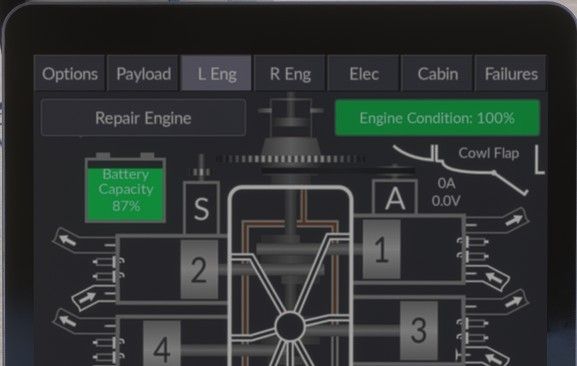
Even using spad.next or using mouse to feather, the prop doesn't always feather. I can monitor the engine analyzer page and confirm under many circumstances that the feather locking pins have not engaged -e.g. if you have the prop pitch not fully fine and the piston is past the locking pins, and then attempt to feather. Even if oil leaves the propeller hub, there is often a gap between piston and oil. Maybe this is the way the real plane works - I'm not sure what actual force moves the piston to feathered position without oil pressure. See photo of engine analyzer below:
-
-
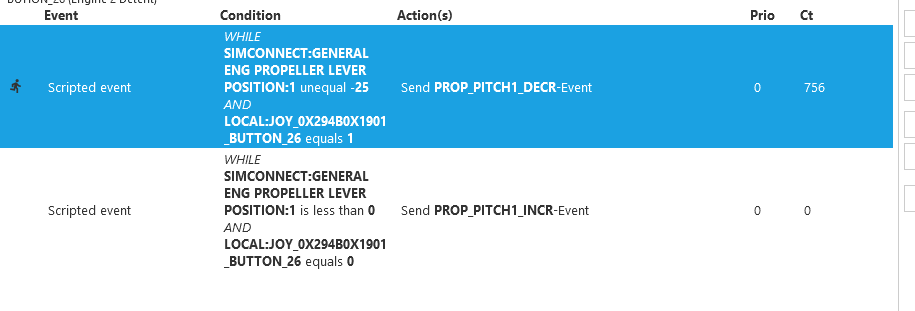
Hi @meh1951. That worked! I had the event with the "PROP PITCH DECR" actions and it put the prop lever in the feather position, but didn't always feather. This worked right off the bat. Thanks.