Skip to content
  • Categories
  • Recent
  • Tags
  • Popular
  • Users
Collapse
Just Flight Community Forum
  1. Home
  2. Just Flight
  3. MSFS Products
  4. Black Square Add-Ons
  5. Starship
  6. Throttle quadrant will not 'reappear'

Throttle quadrant will not 'reappear'

Scheduled Pinned Locked Moved Starship
7 Posts 3 Posters 197 Views 1 Watching
  • Oldest to Newest
  • Newest to Oldest
  • Most Votes
Reply
  • Reply as topic
Log in to reply
This topic has been deleted. Only users with topic management privileges can see it.
  • toby23T Offline
    toby23T Offline
    toby23
    wrote last edited by
    #1

    I find myself back in the Starship, trying (again) to master this wonderful aircraft.
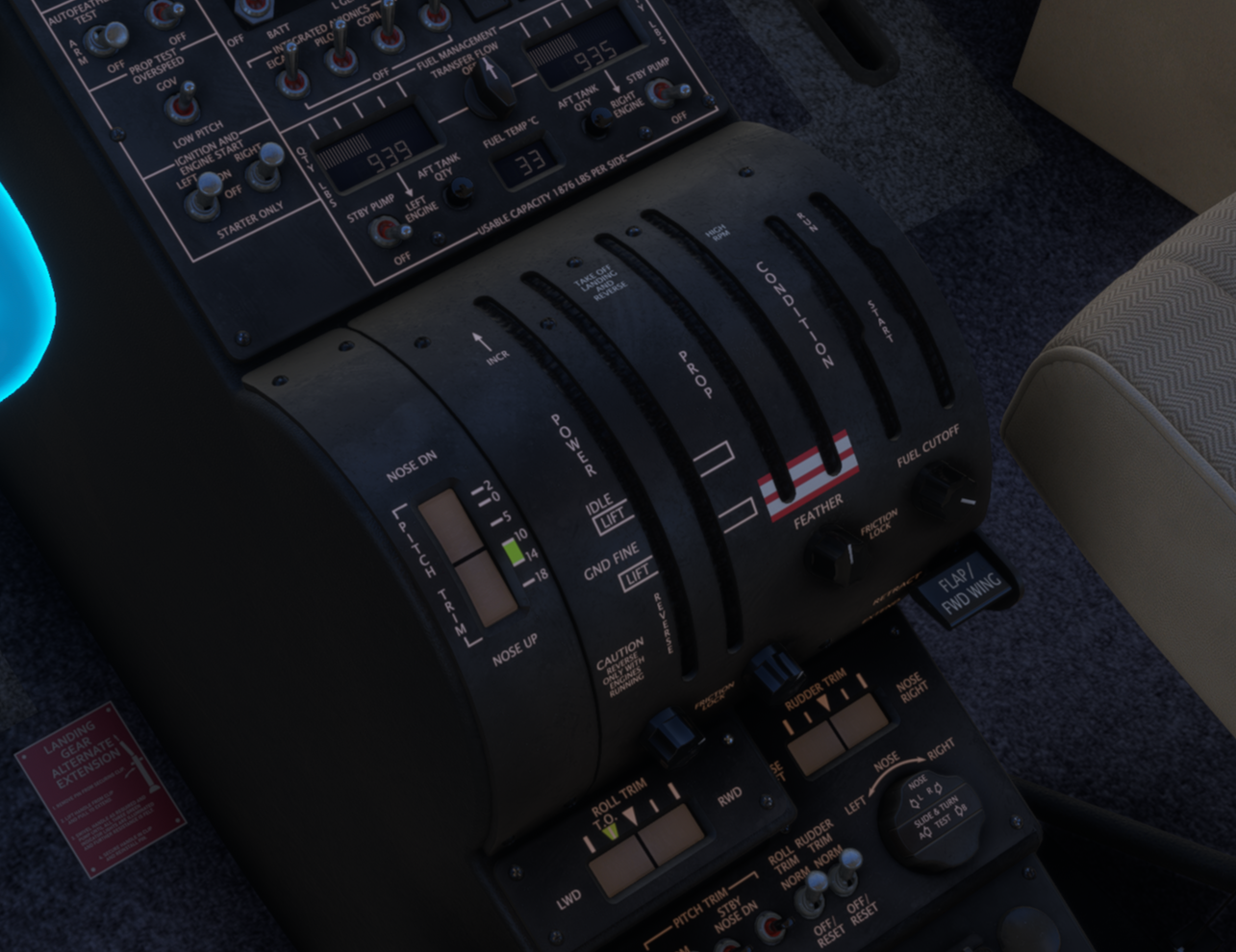
    Sat on the ground running through start up procedure and I have clicked the throttle quadrant 'away' but when I click on the 'hide/unhide' spot, nothing happens. Engines are running but I can't see my controls! Help!
    This is not related to this post as I know where the clickspot is, it just isn't working (MSFS 2024 latest version).
    Any help much appreciated.
    b9c89346-d051-4a4b-b6f9-18aeb6985dcc-image.png

    Ryzen 5800X3D, 64GB RAM, RTX 4090, Windows 11

    1 Reply Last reply
    0
    • toby23T Offline
      toby23T Offline
      toby23
      wrote last edited by
      #2

      I think this might be related to Chase Plane, which is a shame, disabling and then renabling Chase Plane brought the throttle quadrant back.

      Ryzen 5800X3D, 64GB RAM, RTX 4090, Windows 11

      Black SquareB 1 Reply Last reply
      0
      • toby23T toby23

        I think this might be related to Chase Plane, which is a shame, disabling and then renabling Chase Plane brought the throttle quadrant back.

        Black SquareB Online
        Black SquareB Online
        Black Square
        Black Square Developer
        wrote last edited by
        #3

        @toby23 Interesting.... thanks for letting me know. I've seen that chaseplane does some strange things, like showing interior models when you should be seeing exterior models. I've come to take this as the way thing are, but I would love to know why.

        1 Reply Last reply
        0
        • S Offline
          S Offline
          sbanks75
          wrote last edited by
          #4

          Yeah this happens to me with the yoke on the Commander. Using Chaseplane

          1 Reply Last reply
          0
          • S Offline
            S Offline
            sbanks75
            wrote last edited by
            #5

            @toby23 did you ever get to the bottom of this? Is the only resolution disable/enable Chaseplane?

            1 Reply Last reply
            0
            • toby23T Offline
              toby23T Offline
              toby23
              wrote last edited by
              #6

              I'll be honest, I bought the Bonanza and haven't flown anything else since, so didn't try to get this working without Chaseplane which I rely on nowadays as it is SO much better than the default camera implementation for editing and saving cameras reliably.

              Ryzen 5800X3D, 64GB RAM, RTX 4090, Windows 11

              1 Reply Last reply
              0
              • S Offline
                S Offline
                sbanks75
                wrote last edited by
                #7

                @toby23 ah Ok. I’m having a similar problem with the Commander so was hoping you’d stumbled across something. I shall keep digging

                1 Reply Last reply
                0
                Reply
                • Reply as topic
                Log in to reply
                • Oldest to Newest
                • Newest to Oldest
                • Most Votes


                • Login

                • Don't have an account? Register

                • Login or register to search.
                • First post
                  Last post
                0
                • Categories
                • Recent
                • Tags
                • Popular
                • Users