Skip to content
  • Categories
  • Recent
  • Tags
  • Popular
  • Users
Collapse
Just Flight Community Forum
  1. Home
  2. Just Flight
  3. MSFS Products
  4. Black Square Add-Ons
  5. Baron Professional
  6. Bendix/King KI 525A Horizontal Situation Indicator (HSI) out of sync

Bendix/King KI 525A Horizontal Situation Indicator (HSI) out of sync

Scheduled Pinned Locked Moved Baron Professional
7 Posts 3 Posters 123 Views 1 Watching
  • Oldest to Newest
  • Newest to Oldest
  • Most Votes
Reply
  • Reply as topic
Log in to reply
This topic has been deleted. Only users with topic management privileges can see it.
  • M Offline
    M Offline
    meh1951
    wrote last edited by
    #1

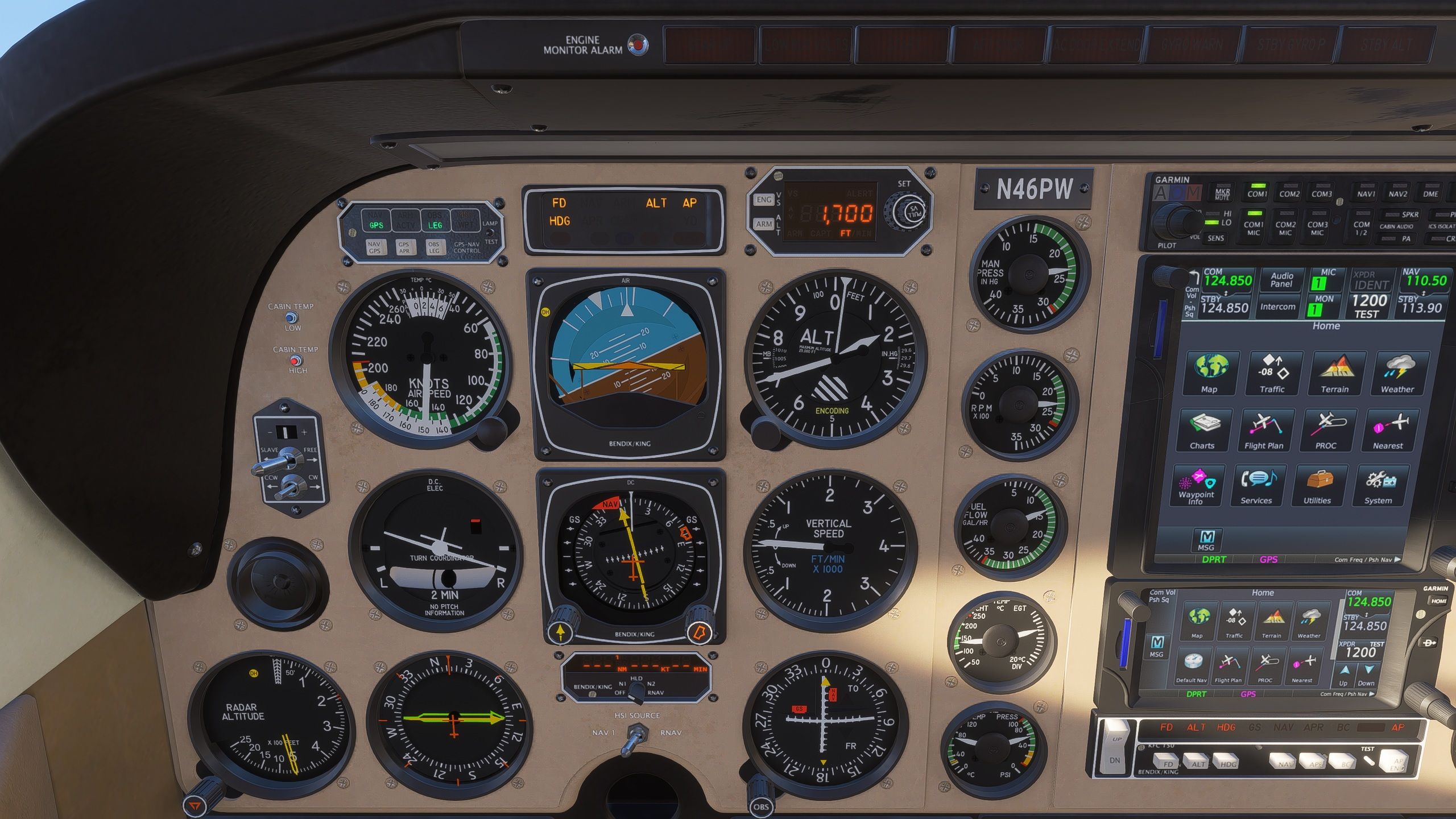
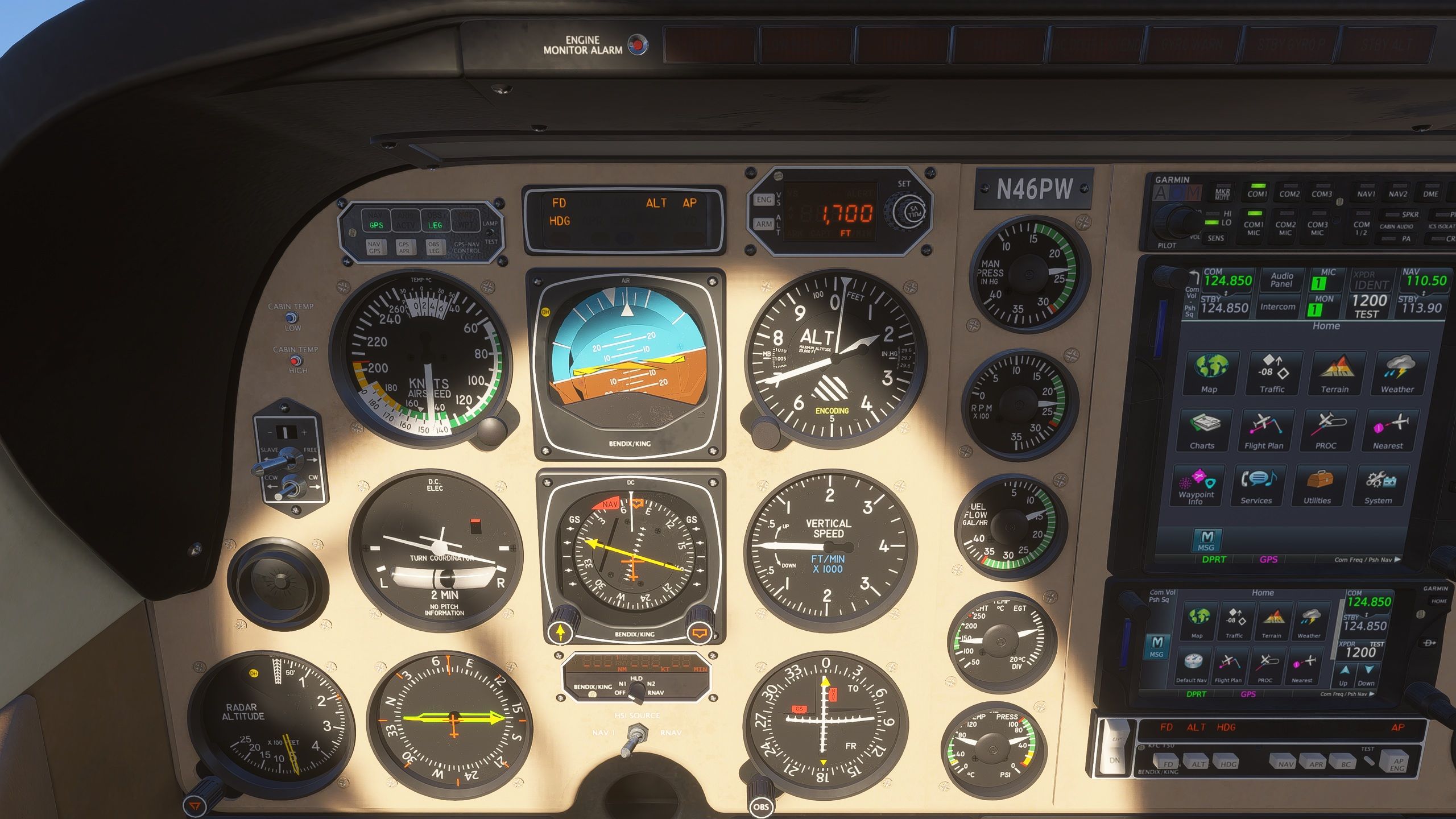
    If I am headed 360 deg and use the heading beg to turn to 260deg it actually gets out of sync and ends up at 265 deg or so. This has been going on since switching to FS2024. You can kind of seen it happen..
    Microsoft Flight Simulator 2024 Screenshot 2026.06.29 - 16.40.35.48.jpg
    Microsoft Flight Simulator 2024 Screenshot 2026.06.29 - 16.40.54.53.jpg

    1 Reply Last reply
    0
    • P Offline
      P Offline
      ploodovic
      wrote last edited by
      #2

      Are you saying that the headig bug moves on its own, after you set it? I’ve never had that happened, from what I can recall. Have you checked if you have any conflicting control bindings?

      1 Reply Last reply
      0
      • Black SquareB Offline
        Black SquareB Offline
        Black Square
        Black Square Developer
        wrote last edited by
        #3

        Unless there is something going on locally, as ploodovic suggestions, I'm reasonably sure the variable is not changing value, so I'm inclined to believe that you're just looking at the parallax effect of the 3D gauge. They can be surprisingly deep in the real aircraft! I actually tend to underrepresent the depth in my aircraft for fear of complaints about excessive parallax.

        1 Reply Last reply
        0
        • M Offline
          M Offline
          meh1951
          wrote last edited by meh1951
          #4

          There is no conflicts. I'm pretty sure I've reported this before. This has been go on since the release.
          Please try it and see for yourself.

          Black SquareB 1 Reply Last reply
          0
          • M meh1951

            There is no conflicts. I'm pretty sure I've reported this before. This has been go on since the release.
            Please try it and see for yourself.

            Black SquareB Offline
            Black SquareB Offline
            Black Square
            Black Square Developer
            wrote last edited by
            #5

            @meh1951 I have examined the Bonanza under the exact conditions as your original post. MSFS 2024, PMS50 GTN, turning from 360 to 075. I monitored the underlying variable and the animation code while the autopilot executed the turn. Such measures were ultimately unnecessary, as the heading bug position remains rock solid on the intended heading as long as your view is perpendicular to the HSI card. As I said, this is merely a parallax effect.

            1 Reply Last reply
            0
            • P Offline
              P Offline
              ploodovic
              wrote last edited by
              #6

              Oh, I misunderstood the situation. Apologies for the confusion.

              If you turn on Instrument Description Tooltips, it will show you the exact values of the instrument.

              When viewed from normal pilot angle, it looks like the heading bug is set to 80°, but the tooltip tells a different story.
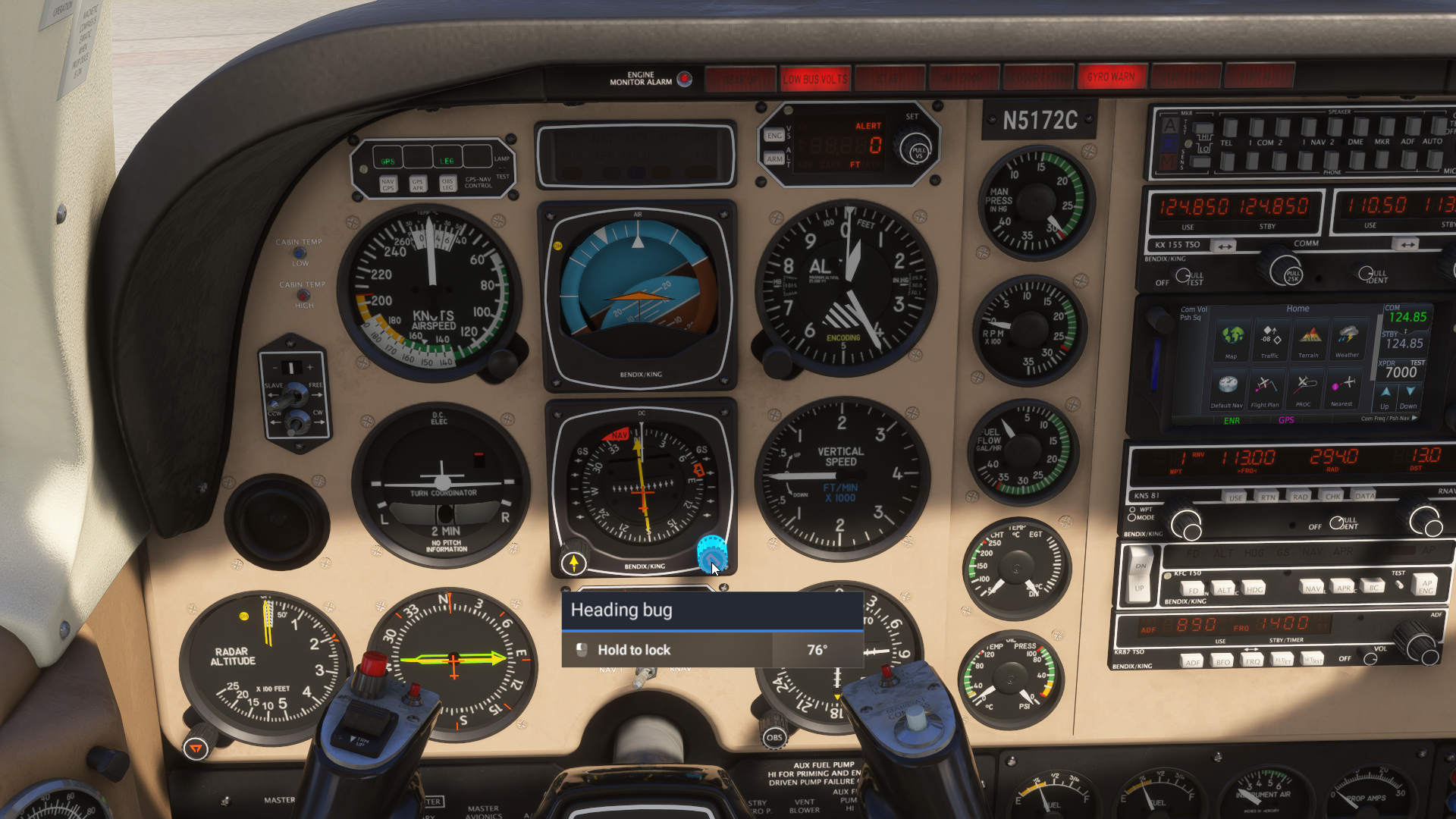
              45F746F5-C4A4-4E5D-9254-3A6E2C49CD2D.png

              When viewed straight from the front, the perspective shifts, no more parallax effect.
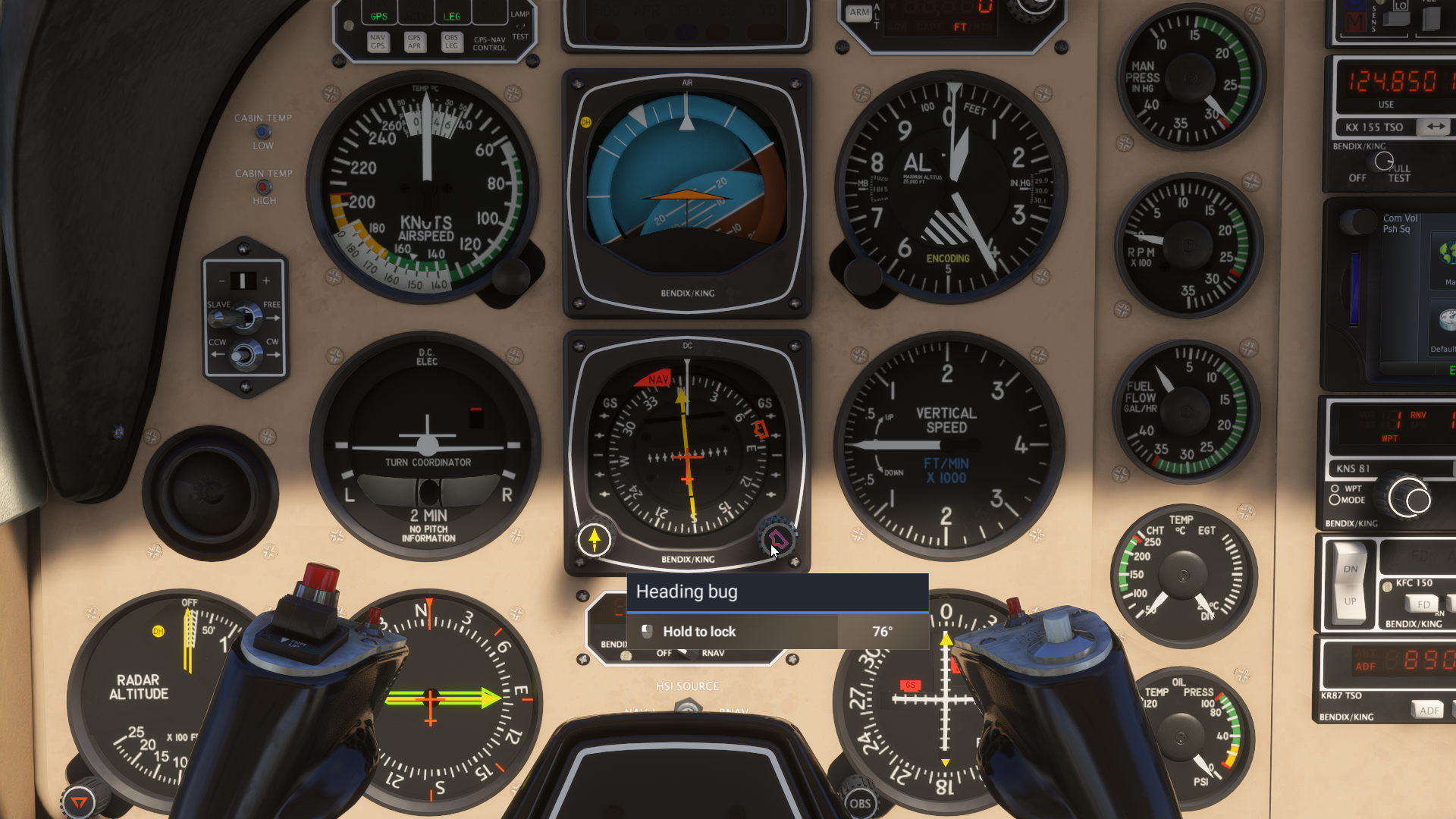
              034607CD-8400-4D54-A8B5-67F13FD12122.png

              1 Reply Last reply
              0
              • M Offline
                M Offline
                meh1951
                wrote last edited by meh1951
                #7

                OK then, I guess it's my bad. Sorry for this 76 year old's misunderstanding.

                1 Reply Last reply
                1
                Reply
                • Reply as topic
                Log in to reply
                • Oldest to Newest
                • Newest to Oldest
                • Most Votes


                • Login

                • Don't have an account? Register

                • Login or register to search.
                • First post
                  Last post
                0
                • Categories
                • Recent
                • Tags
                • Popular
                • Users