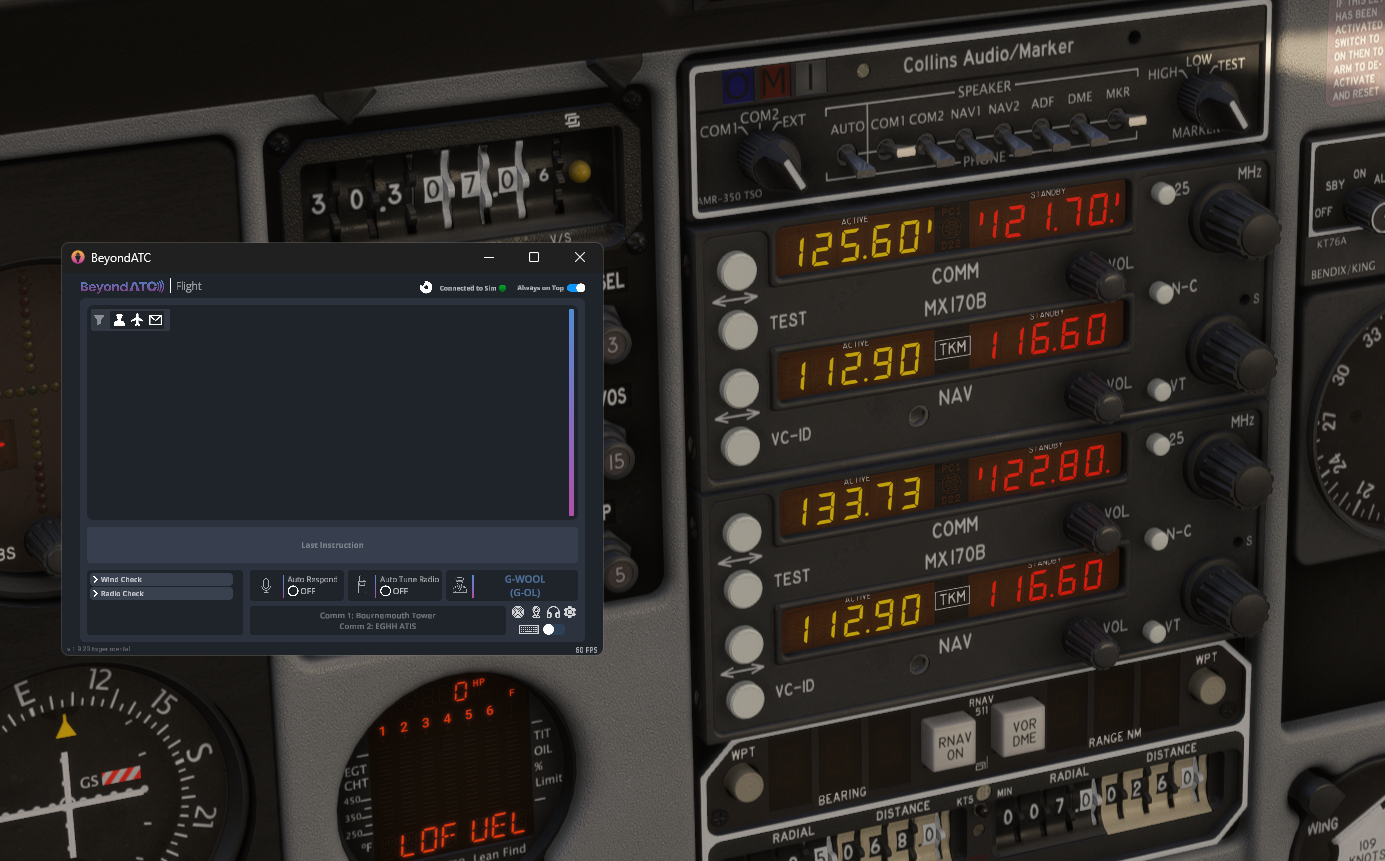
BATC not Recognizing COM2
-
I’ve posed the question. When I receive an answer, I’ll get back to you,
Thanks!
@NixonRedgrave Thank you!!
-
I suppose I ought to add that there’s another issue I’ve never seen with an aircraft until the 114.
I can tune COM1 to ATIS (again, via BATC). When I tune COM1 to Tower or Ground, and switch it to active, BATC doesn’t see the frequency — it acts like it’s an unknown frequency. This is extra odd given it can see and recognize the ATIS frequency.
Ok, so I can go into BATC and click the frequency for ground or tower there and it’s able to automatically tune the in-sim radio to that frequency. When I do this, BATC tunes the standby frequency. Upon doing this, suddenly the ground or tower frequency is recognized. I can even retune standby to ATIS and the active, still tuned to ground or tower, will continue to be recognized by BATC. I can even swap between ATIS and ground/tower with no issue.
I saw this today at both my departing and arrival airports.
I’m unsure why this would be, but perhaps a glance at the incoming VARs that are able to tune the radios from external apps might be in order?
-
Here it is:
COM STATUS:index
COM VOLUME:index
COM TRANSMIT:index
COM RECEIVE:index
COM ACTIVE FREQUENCY:index“These are what BATC is looking at in an aircraft to enable the functionality. These are default sim variables - if an aircraft is not writing/updating these then BeyondATC won't know about what is entered or happening on the radio panel. The index is the COM number effectively. 1 for COM1, 2 for COM2 etc.
More info in the MSFS SDK but I would think an aircraft dev would be using most of these already.”Thanks for looking into this!
-
Thanks for getting that information. I checked all those variables, including CIRCUIT NAVCOM1 ON, CIRCUIT NAVCOM2 ON, CIRCUIT AVIONICS ON, COM AVAILABLE:1, and COM AVAILABLE:2. All of them appear to be working correctly. The frequencies seem to be populated correctly, as well.
I assume we're talking about the MX170B's, btw? I'm sure you know what you're doing, but do you think you could send some screenshots of the radios, and whatever interface you're looking at with BATC? Sometimes I can see things that lead to a solution, even if they might go unnoticed to anyone who didn't program the aircraft.
-
Yes. I was using the MX170Bs.
There is a planned power is outage here most of the day, so I will get to this when it come back on this afternoon (Pacific Time).
As I’m thinking on this, I wonder if any of my troubles were due to after effects of “hot swapping” the avionics. On initial load, it had the TDS unit, and I switched it to the MX. However, my initial load of the aircraft was in a different flight session (same sim session, though) than when I actually flew the aircraft. On that second flight session, the MX units were already enabled, so you’d think there would have been no after effects, as such. It will be interesting to see how it behaves with a fresh load cycle of the sim itself.
I just know that Matt at Working Title had mentioned that hot swapping wasn’t a clean solution in 2020. I’m unsure if that continues to be so with 2024.
Anyhow, I’ll get back when I can.
-
Apologies for how long this took to get back to you on. Life must be lived...
Anyhow, I did a test just now and the MX170Bs are the issue here. I swapped in the GTN and I was able to tune the radios and have BATC see them tuned as such.
With the MX170B, BATC doesn't see what is tuned. However, swapping back from the GTN caused the MX170B to be recognized. There is something off about having them as the default radios, I think.
I didn't test any other avionics besides these two.
-
I was using both MX170B the other day with BATC with no issues. Had radio comms on 1 and ATIS on 2
Just logged in quickly. In attached, EGHH Ground on Comm1 and EGHH ATIS on Comm2. All coming through fine.
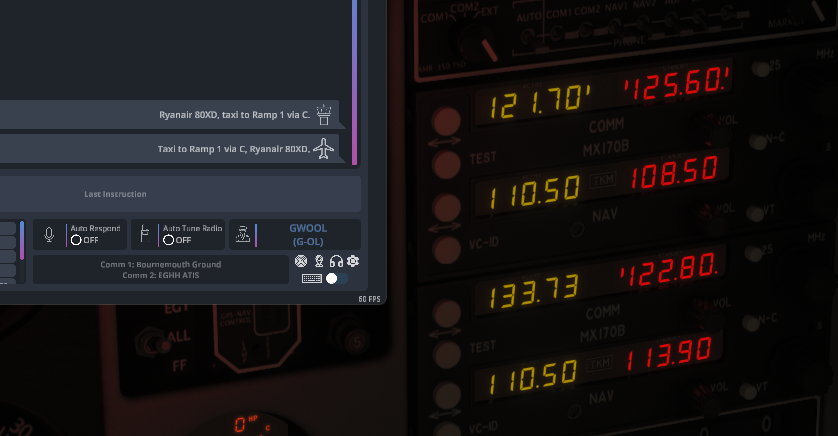
Not sure what to say. This is what I see right now.
Default is the MX170B set. Swapped to TDS GTN set. Same message for COM2 with either set.

There are some inconsistencies here, for me. For example, in this thread I've noted that the COM1 won't see the tuned frequency without messing about with BATC's in-app tuning function and/or swapping avionics. Today, I launch the sim, load into the 114 with the MX170B as the default and it's seeing COM1 tuned correctly, but no COM2.
It's inconsistent for me.
-
Hi, it is very strange. For me every time I have used BATC and the Commander all has worked perfectly. So the hooks between the 2 are definitely there correctly.
Are you running any other apps that could be interfering with the setup somehow? I am not sure what but there must be something creating this issue for you somehow.
-
BATC currently doesn't recognize Comm 2 unless you're listening to an ATIS frequency. You cannot receive or transmit on comm 2 otherwise. Actually just read that this morning, while reading about their VFR progress. I can't for the life of me find a link to the article now, but I know that's what it said.
-
Hi, it is very strange. For me every time I have used BATC and the Commander all has worked perfectly. So the hooks between the 2 are definitely there correctly.
Are you running any other apps that could be interfering with the setup somehow? I am not sure what but there must be something creating this issue for you somehow.
I’m not running any apps. I have a very lean system with minimal add-ons, and those from highly reputable developers.
I can trim everything away and retest with just the 114 installed.
I had ATIS tuned on COM2 when I made my post today, yet it indicated COM2 was off.
I don’t know if the issue is the experimental version of BATC vs. the early access version, but I’d really doubt it since the radios aren’t what BATC are even working on within the experimental branch.
I’m also on SU6 beta, so I don’t know if that is also a differing factor.
-
I am using the experimental BATC so wouldn't seem to be an issue with that version. I am on the SU5.1. Perhaps it is SU6 related then. Didn't realise you were on the beta. I wouldn't normally expect everything to work correctly on the beta channel of MSFS.
-
I am using the experimental BATC so wouldn't seem to be an issue with that version. I am on the SU5.1. Perhaps it is SU6 related then. Didn't realise you were on the beta. I wouldn't normally expect everything to work correctly on the beta channel of MSFS.
If it's SU6 Beta, then it's still the 114. I'm flying the A2A Comanche, and its radios behave as expected.
Again, I'll look further into the 114 and do some testing when I'm in the mood for it. For now, I'd rather be flying.
-
SU6 now installed as live and BATC still working just fine with EGHH Tower on Comm 1 and EGHH ATIS on Comm 2. So doesn't seem to be a general issue. Must be something in your install of MSFS or the 114 that is causing you the issue? Hope you resolve soon.