
Messed up fonts if selecting commander 114
-
After selecting commander 114, my whole UI's fonts got messed up like:
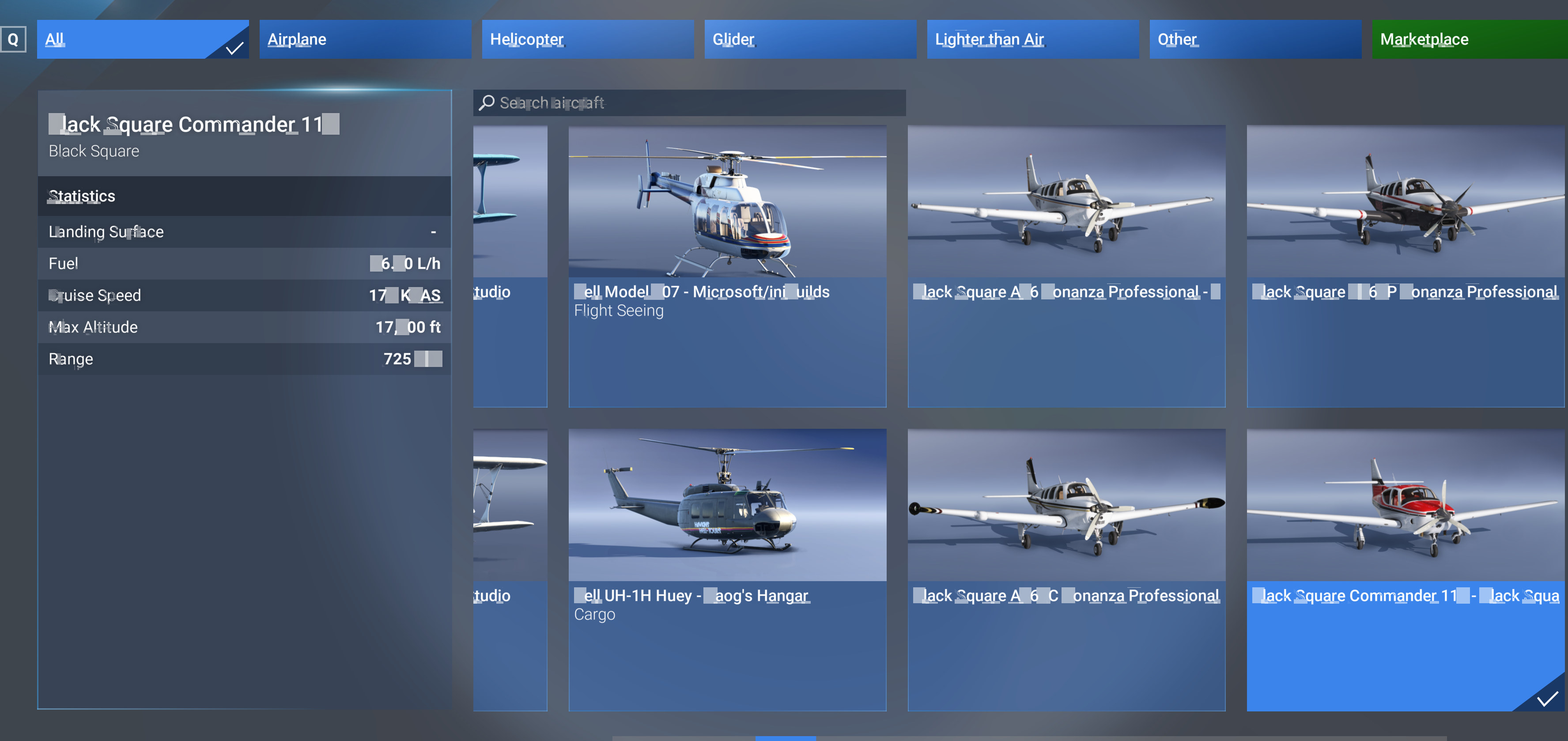
Not only this page, but everywhere in MSFS now showing thes messy fonts.
Please check this issue.@jiangnan22406 That looks like more than a font issue. If you look at each glyph, there are ragged edges missing in the middle of volumes, and there is a lack of consistency between the same glyphs. I find it hard to believe that one of my aircraft could cause this, but let me know if you see it more than once, please.
-
@Black-Square it just happens only on commander 114. I have flied your bonanza pro for a long time and it ran just perfectly well. But after I installed commander 114 today, as long as I pick commander 114 (NA or turbo), my UI crashes. Here is another exmample:
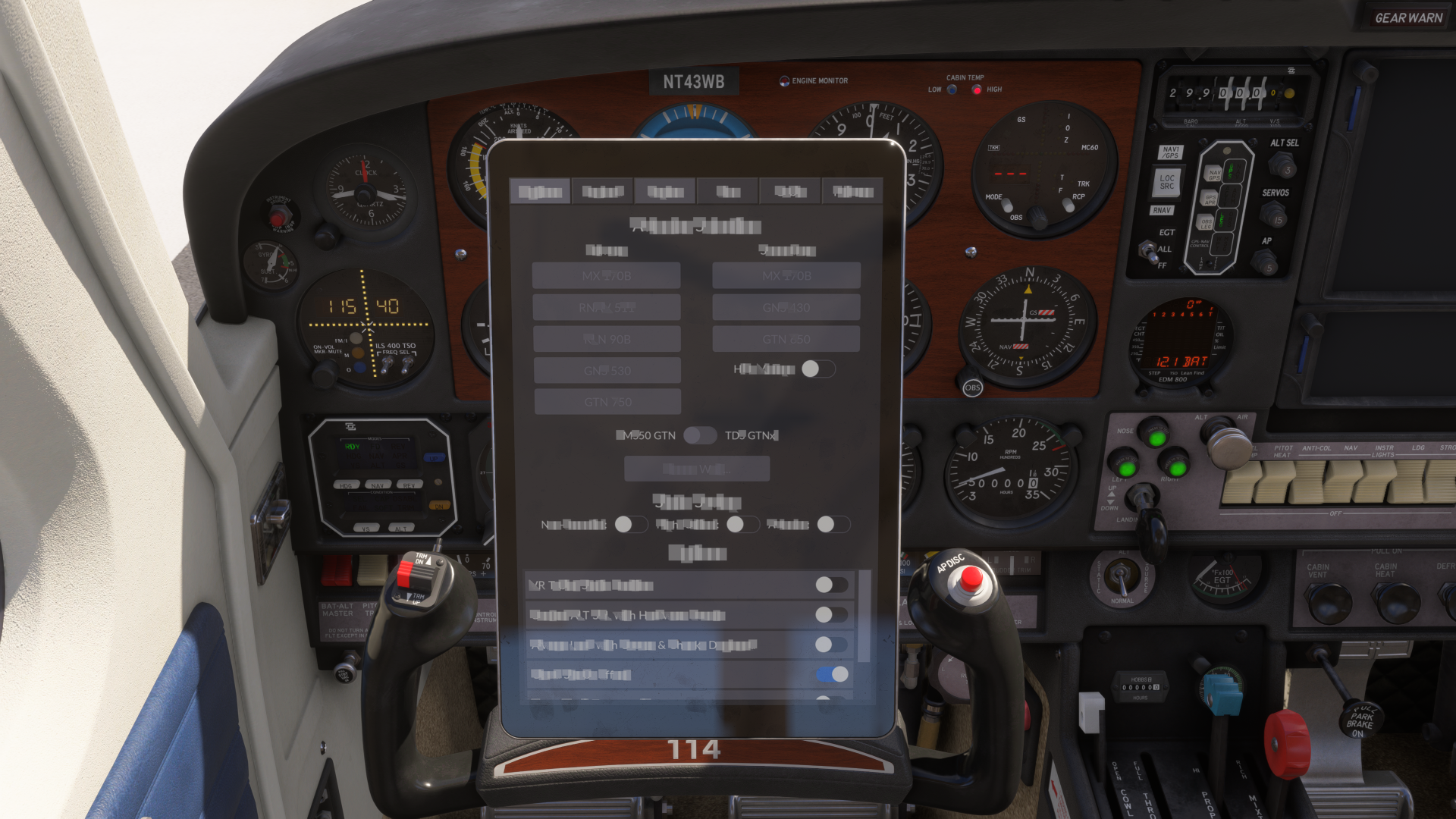
If I pick another airplane (anyother one including black square bonanza pro) and reenter the game, everything returns good. I don't know if there are some conflict in my MSFS with this perticular airplane. But that's is the very first time I get this problem. -
I've never seen anything remotely like this either. How did the installation go? Any errors? I would recommend rerunning the installer as my very first advice.
-
I installed with "custom path" in the first place. Then I uninstalled it, moved community folder to a short path, reinstalled it with default option. The problem persists.
-
I installed with "custom path" in the first place. Then I uninstalled it, moved community folder to a short path, reinstalled it with default
-
I installed with "custom path" in the first place. Then I uninstalled it, moved community folder to a short path, reinstalled it with default
@jiangnan22406 Sorry you're dealing with this. Never seen anything remotely like it... Please contact Just Flight support about this. They have much more experience with simulator level issues, while I specialize in my specific aircraft. There's a chance they've seen this before with some other addon. I'll write back if I hear anyone else with this issue, or can learn anything myself.
-
This post is deleted!
-
I installed with "custom path" in the first place. Then I uninstalled it, moved community folder to a short path, reinstalled it with default
This definitely sounds like a problem for Just Flight Support.
-
@jiangnan22406 Sorry you're dealing with this. Never seen anything remotely like it... Please contact Just Flight support about this. They have much more experience with simulator level issues, while I specialize in my specific aircraft. There's a chance they've seen this before with some other addon. I'll write back if I hear anyone else with this issue, or can learn anything myself.
@Black-Square Same issue here mate. Exactly the same. Only get this issue with the Commander installed
-
I installed with "custom path" in the first place. Then I uninstalled it, moved community folder to a short path, reinstalled it with default option. The problem persists.
@jiangnan22406 Exactly the same here
-
@Black-Square Same issue here mate. Exactly the same. Only get this issue with the Commander installed
-
What was the ticket number?
-
It looks like that ticket was raised on Sunday, so you won't necessarily hear anything for a day or two and that will most likely be an acknoweldgement that the matter is being loked into. We are a UK-based company and work normal business hours Mon-Fri with some extra coverage on Saturdays.
Looking at the thread above, it doesn't look like there is a 'fix' available. I imagine that support will collate the instances of this and pass the data to Black Square for investigation.


