Grey instruments in King Air
-
Hello
Do anyone know why this happens from time to time?
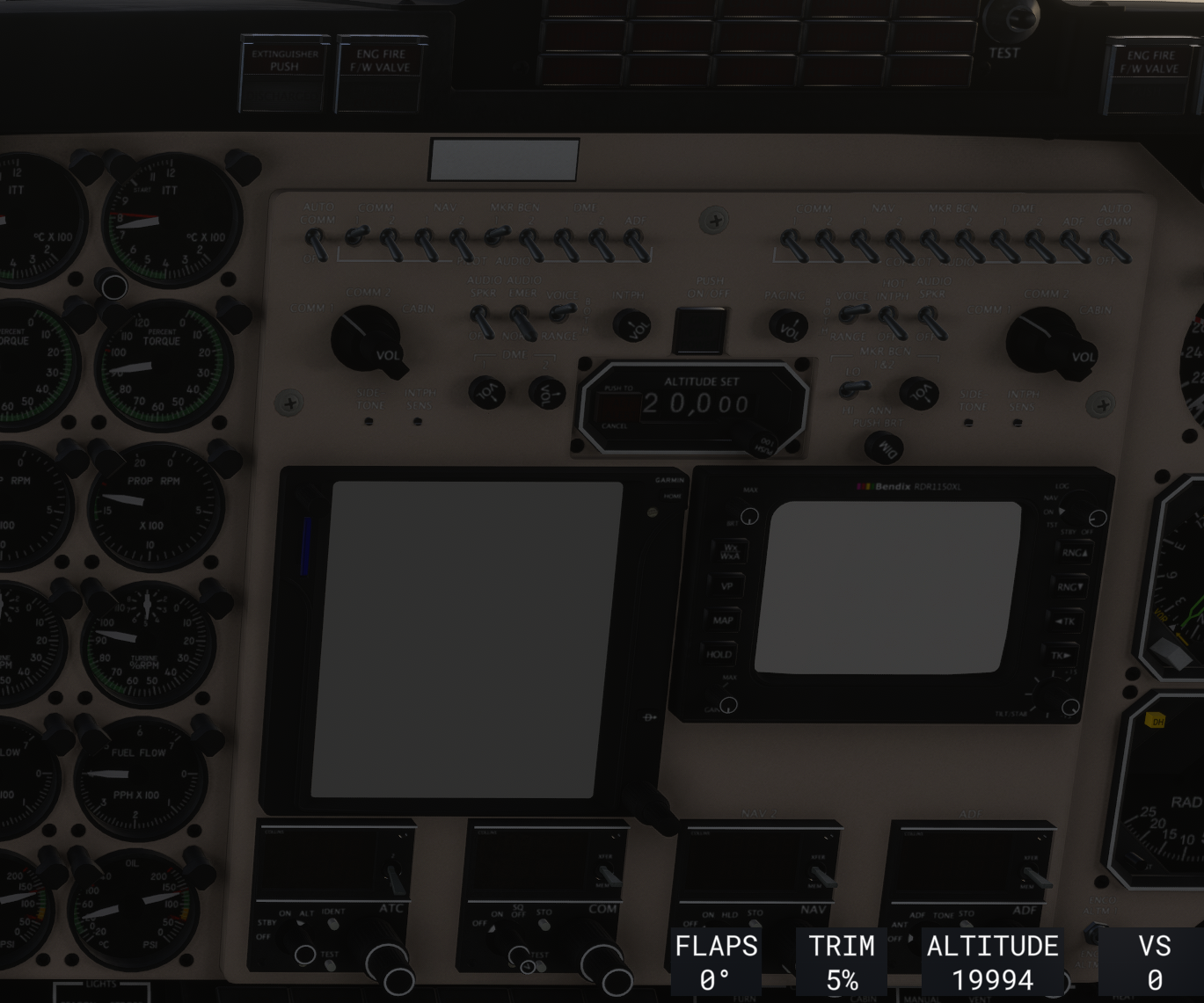
It is KA in MSFS2024, most of the time it works fine, but sometimes the instruments have grey screens, the popout 750 is working.
I don't do anything, only special thing is that I have 2 PC's where I fly.
The solution is to copy the KA files again to 2024 Community folder
-
I can't believe I'm the only one in the world that has this problem?
Now I can't fix the problem, and it has the drawback that I can not repair the engines, because I cen not work on the Bendix radar.
Is the a way to disable the engine wear in an inifile or something?
-
I can't believe I'm the only one in the world that has this problem?
Now I can't fix the problem, and it has the drawback that I can not repair the engines, because I cen not work on the Bendix radar.
Is the a way to disable the engine wear in an inifile or something?
@reiler said in Grey instruments in King Air:
I can't believe I'm the only one in the world that has this problem?
Agh, I know that feeling well. Sorry you're dealing with this. Unfortunately, I have purposefully chosen not to provide support for my Analog aircraft in MSFS 2024, as there is just so much that can go wrong with these "legacy mode" home-brew ports to MSFS 2024 that I fear I would spend all of my time tracking down issues like this and never creating natively supported aircraft for MSFS 2024.
Explanation aside, I can make an exception here and try to help you. You say that this is definitely fixed by copying the files into your community folder again? Would it continue to be broken every time afterwards if you didn't copy these files again?
-
@Black-Square Thanks for the reply

I have tried copying before, where it did help, maybe I even reinstalled MSFS2024, but after I did something(sadly, I can't remember exactly what), the instruments worked again.
Unfortunately it does not help now, I have tried to copy Asobo King Air files, BSQ King Air files and PMS50 files, but to no help.
I have also tried to remove the PMS50 (I could still get the 750 bezel to be shown in the cockpit, but I guess it is the design, even if you have not installed a 750?)I even deleted MSFS2024 and reinstalled it again, but no luck.
The 750 works in the pop out version, I have that on a separate screen, but my biggest problem is that I sometime need to repair the engines (I know, my bad :-)), and I can't do that because I can't operate the weather radar.
Please note that the radios and the Reg-no are also blanked, if I look at the plane from the outside, the Reg-no is also missing there.
I use MSFS2024 on 3 computers, and they all suddently have the problem, so it could maybe be something related to the sync between the 3 computers?
BTW, and maybe related: the plane do not remember my GPS setup anymore, it (sort of) used to do that, but now I have to select GPS setup every time.
Thanks for using your time to help, I am defenitly also giving a +1 to the wishes of a 2024 version of the King Air
-
I had a similar issue in the Analog Caravan, which I only discovered because someone posted about it on the MSFS forums. For me, the problem seems to have started around the time SU4 released, but since I hadn't flown it in 2-3 weeks I can't pinpoint the time exactly.
What I discovered in my digging, and the other person then confirmed they found as well, is that even with the 2020 Caravan model in my Community folder, the 2024 Asobo Caravan was listed in my library as "streamed" -- in fact, both were listed, and I didn't have the option to disable the 2024 Caravan. I assumed this was related to the problem, and decided not to worry about it because the Caravan Professional is on the way.
The King Air is a different matter though, because whatever Nick is doing King Air-wise is probably further off. Unfortunately, I can't help you investigate further because I've deleted all 2020 items from my addons. But maybe it will help with trouble-shooting if you look in your Library and double check which King Air(s) is/are enabled. Maybe it's the same issue and both are enabled.
-
But also, in case you didn't see it, there's another thread further down about this issue. Might be a related cause, or might not.
https://community.justflight.com/topic/9140/king-air-have-grey-displays-in-2024
-
But also, in case you didn't see it, there's another thread further down about this issue. Might be a related cause, or might not.
https://community.justflight.com/topic/9140/king-air-have-grey-displays-in-2024
@RPGamerous Sorry for the late response, the former post was also from me, and I did not get a solution then

-
@Black-Square (or other that can help on this one): Since it seems like an unsolvable problem, can you please help me with info about the engine wear.
Since I can't control the weather radar, I can't repair the engines, and that is a big problem.
It is very annoying setting up a flight, load Beyond ATC, Garmin GPS popout with Pop Out Manager, and then after some time find out that I have to restart again, because one of the engines have an error
I can not start from Cold and dark as I prefer, but can only fly from the end of a runway with the plane running.
Where is the setting for engine wear stored, so I can disable it, and be able to fly?
Thanks for you help
-
Engine condition is stored in state.cfg, which is in your AppData folder for MSFS. The location differs based on your platform, so it's best to google it for the most accurate location. You should be able to make this change to get the effect you're looking for, but I still feel bad about your original problem, even if I'm not supporting the aircraft in MSFS 2024. It seems that many user are still able to use the aircraft in MSFS 2024 with no problems, so I do have to suspect that this is something local. The best guess I can offer is that the grey screens are the result of an avionics server crash. In order for this to only affect you, then it must be some 3rd party application or avionics running on your side. I know that's a bit of a broken record, but it's the best I have to offer.
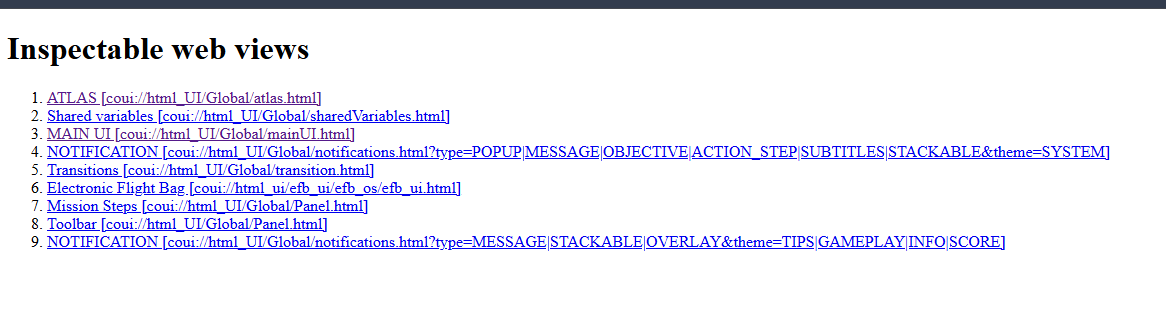
If you wanted to do some deeper exploring, the CoherentGT Debugger might offer some error messages that could be helpful in determining what's going on. I'm not sure if this will work without the SDK installed with developer mode running, but you can try entering http://127.0.0.1:19999/ into the URL bar in your web browser. If you get a bunch of blue links, please let me know, and I can tell you where to go from there.
-
@Black-Square Thanks for the answer.
Is this what I am looking for?
[engine.0]
accumulated_time=0.063041
accumulated_time_hobbs=0.176924
[engine.1]
accumulated_time=0.055691
accumulated_time_hobbs=0.197513Close. You're looking for
var_engineDamage_L, andvar_engineDamage_R.Interesting. Is that what the URL gave you while the aircraft was loaded and running, or was that only within the main menu?
-
Breaking: I found a way to solve the problem

It can probably be done smarter, but the way it was solved was to delete (or rename) the Packages folder, MSFS will rebuild it after a restart, copy Bsq King Air and Asobo King Air from MSFS2020 to the Community folder and restart the sim.
I am soooo happy, because now I can run the Gps via Glassout.
And it turned out that I was not the only one with this problem, my brother in law had the same problem.
But @Black-Square : pretty pretty please with sugar on the top: please release a 2024 version. I got cat pictures