
Continued WASM issues in SU4
-
Well I have nothing to offer because while I haven't taken her up in the air yet, the RJ does not load like that for me post-SU4 and appears to power up just fine.
But I'm mainly interested in your comment about Black Square because Nick made a deliberate choice to not use WASM in his aircraft, so that shouldn't be happening. Then again, there are a few posts you have out there that seem like weirdo one-off issues, which on the limited modability of a console you'd think couldn't happen.
Have you opened a ticket with Just Flight support? They may be familiar with things you can do on the console to clear the WASM cache(s) or force recompiles; stuff you can do on PC easily enough, but I can't offer instructions for Xbox.
-
Actually after thirty seconds of Google-fu, I came across a theoretical on how to clear the WASM cache on console. Yes, it comes from the AI, but the theory appears to be sound. It's up to you if you want to try it. I think from your other posts you've already uninstalled and reinstalled pretty much everything, but I don't know if this would get cleared while doing that.
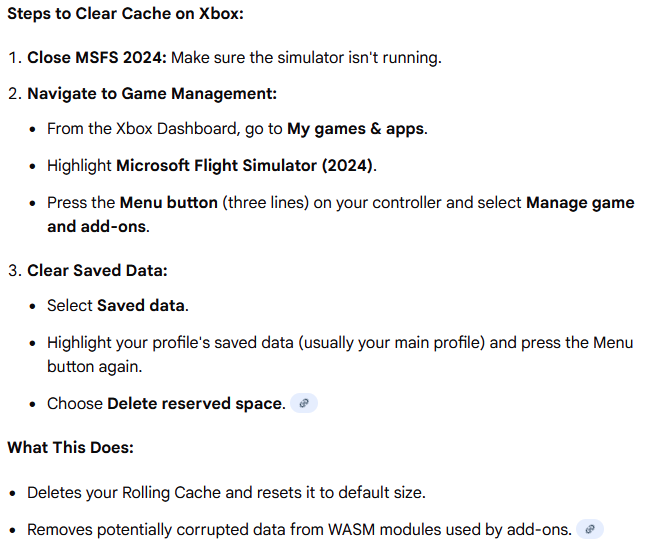
I would do a little digging on these steps in case there are unintended side effects.
-
Many thanks for the above. I did this a couple of days ago, no difference. My issues with my BlackSquare aircraft are the zoomed in registrations. Completely ruin them. At least we now know it’s not some weird issue only present on my Xbox. Again, I would appreciate this being recognised as a fault rather than well meaning suggestions my Xbox is somehow affected by some weird conflict.
As for Just flight. The Vulcan seems to work ok in SU4, but my tomahawk, 146, RJ, Arrows and Warrior do not work at all in SU4.
Fortunately I have a couple of A2A aircraft that work perfectly.
-
This post is deleted!
-
I have the same problem but the RJ85 does load correctly but otherwise i just see seats in mid air and no airframe
-
I have the same problem but the RJ85 does load correctly but otherwise i just see seats in mid air and no airframe
@RomeoEchoBravo The "seats in mid air" issue with some RJ liveries is likely related to an outdated version of GSX being installed, as this was previously caused by GSX Passengers not being compatible with MSFS 2024 native aircraft.
Mark - Just Flight
-
I would appreciate a response from JF, please. If only to acknowledge this is a known problem. The native 2024 RJ is currently unusable on Xbox ( orange screens, EFB facing the carpet, all controls unresponsive). Thanks.
-
Thanks mark, I have updated GSX a number of times to ensure this wasn't the case. As you say i checked again and a number of liveries work fine but there are a number that dont still. any other ideas would be grateful?
-
Mark, thanks for your help in this matter, reinstalling seemed to work and now i can atleast see the liveries in the main menu so hopefully this has corrected whatever went wrong. not sure what as i dont really touch any files as no idea what im doing lol but thanks again
-
Hi.
The RJ isn’t behaving for me in SU4 (Xbox):
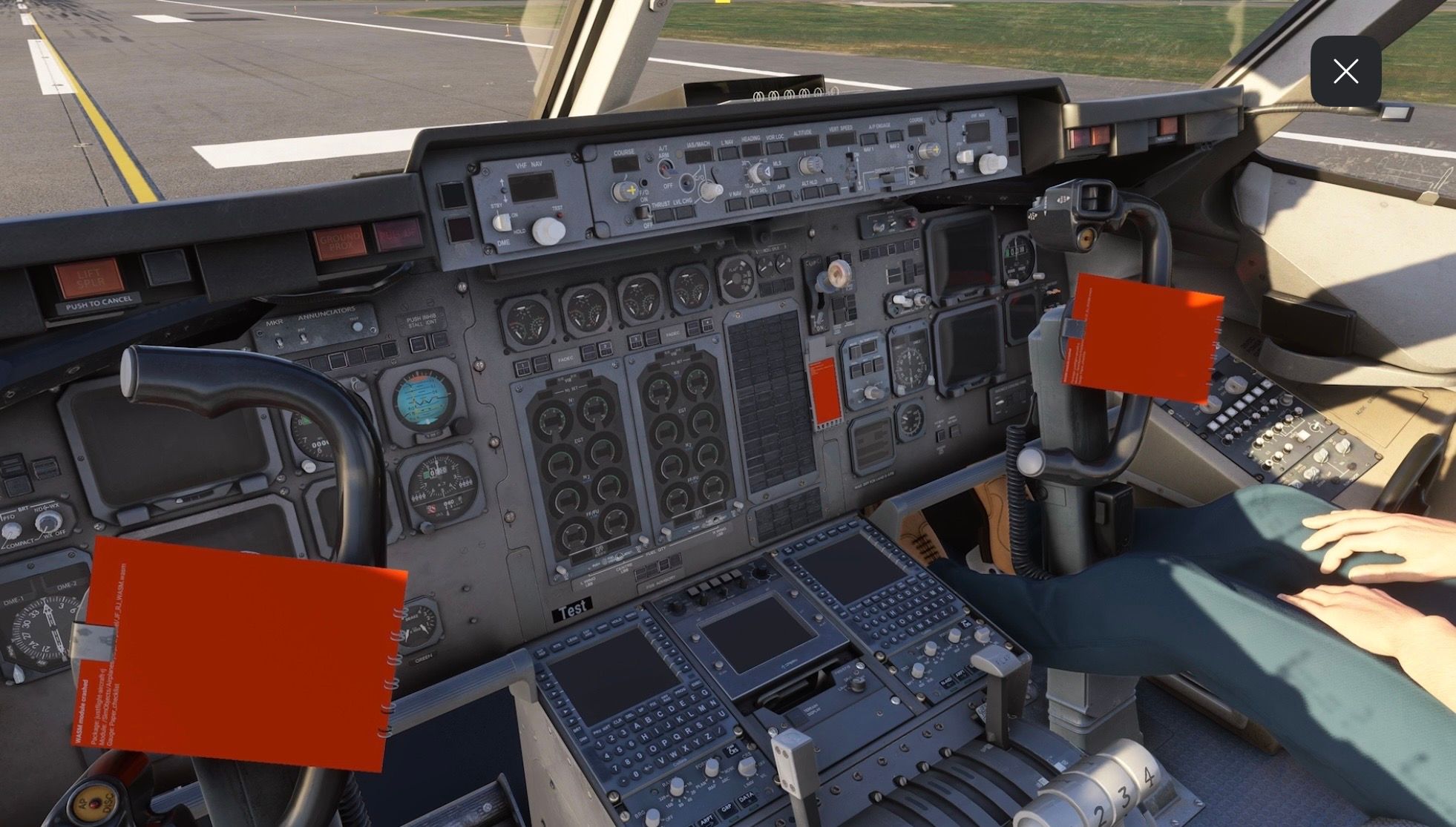
I’ve not seen this reported elsewhere so just wanted to ensure it’s known about.
Thanks.
@AlphaEcho I'm having this exact issue as well.
Seems like an issue stemming from SU4.
-
We are currently in the process of releasing updates to each of our MSFS 2024 products following a change in SimConnect behaviour in SU4. The following product updates are already available in your JustFlight.com accounts:
- 146 Professional (v2.5)
- Avro Vulcan B Mk.2, K.2 & MRR (v1.4)
- Hawk T1/A Advanced Trainer (v2.2)
- RJ Professional (v1.5)
- PA-38 Tomahawk (v1.5)
Updates for the rest of our MSFS 2024 products are currently in testing.
All these updates will make their way to the in-game marketplace and other third-party retailers as soon as possible. However, with the holidays fast approaching, it's difficult to say when these updates will appear on certain stores.
Mark - Just Flight
-
Hi - FYI. Yesterday my Arrows and Warrior received an update and today I’m having black screen issues and yoke stationary at full lock (although the ailerons still respond):
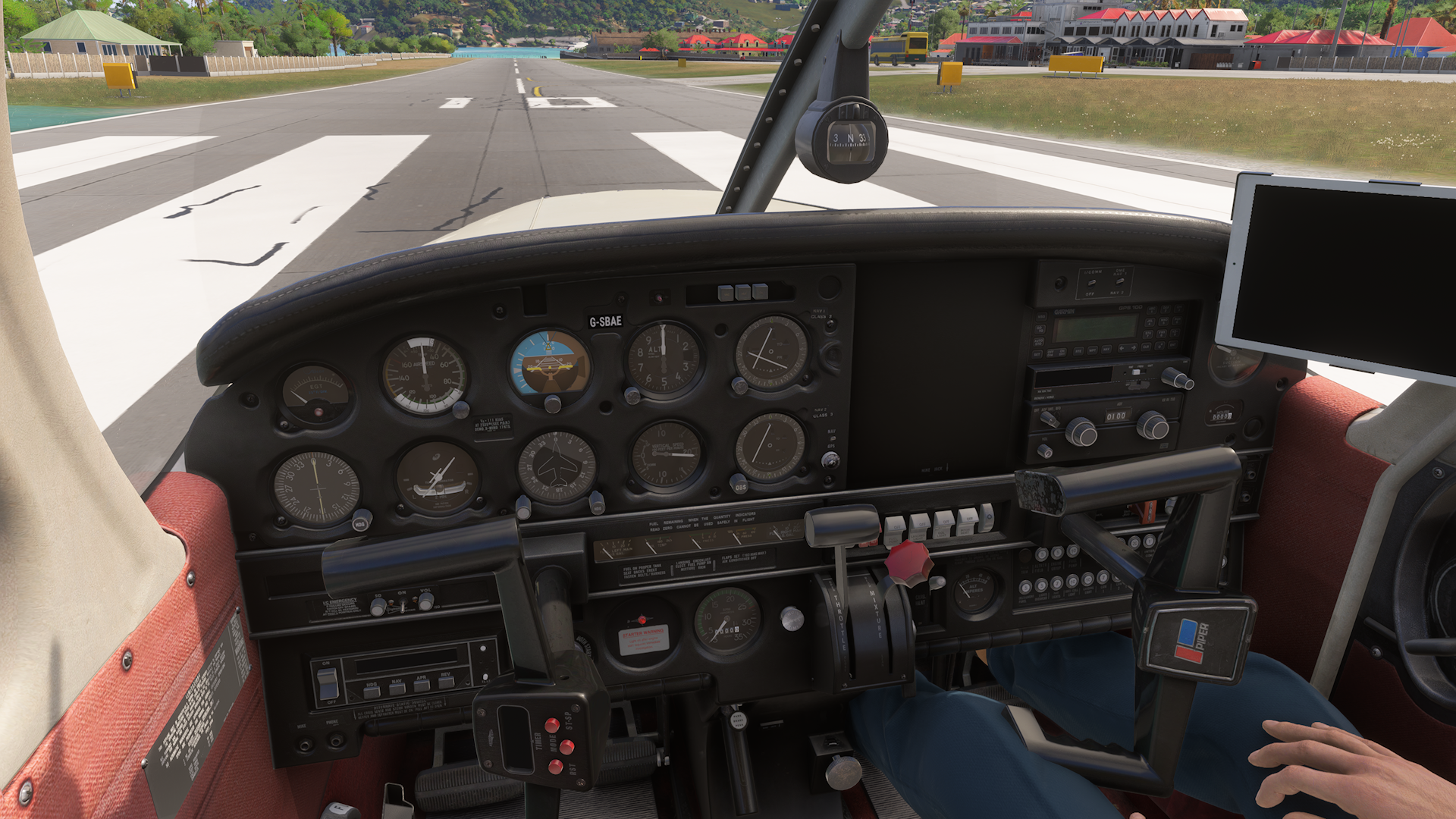
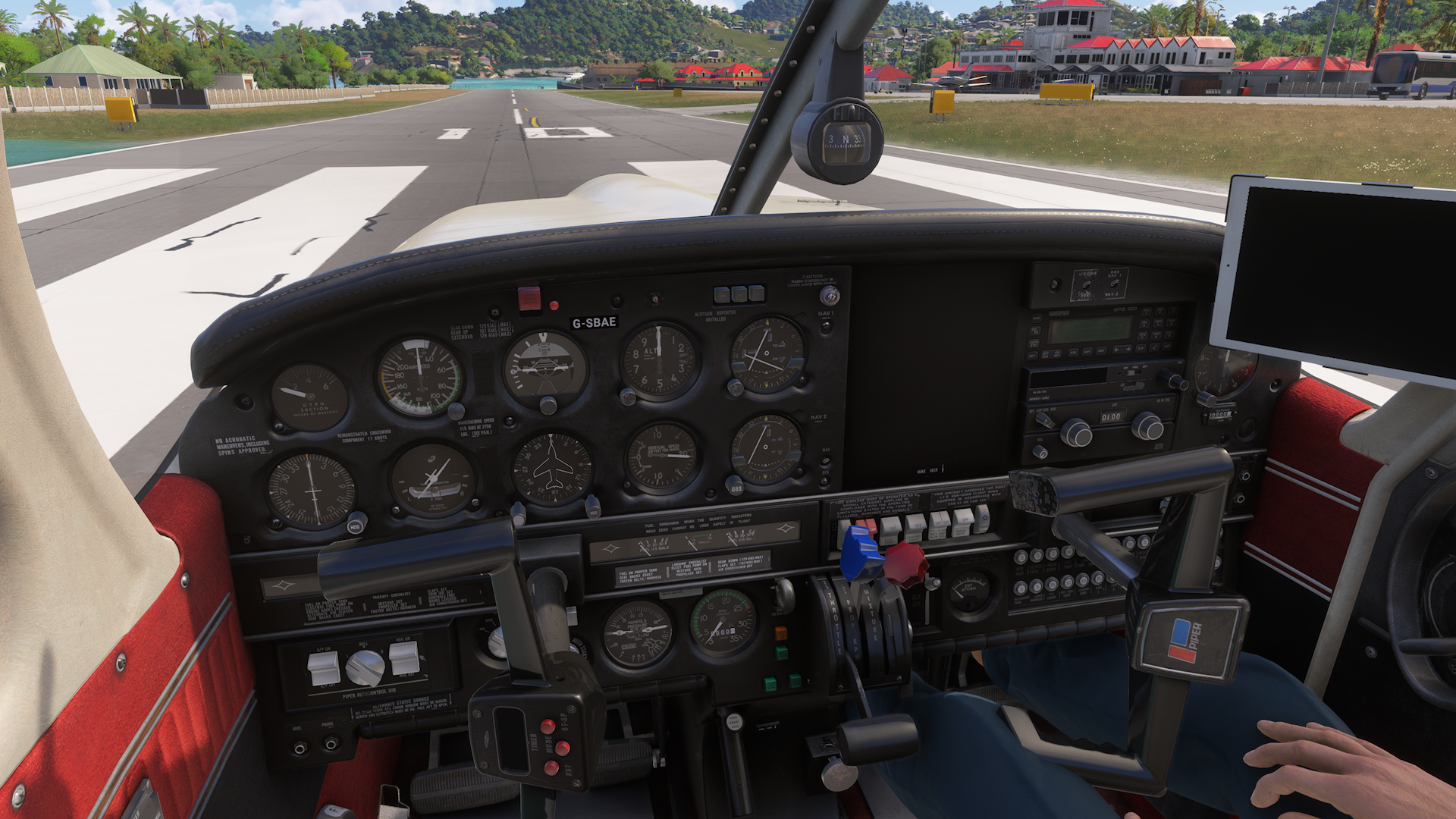
I’m on Xbox. Many thanks for the great support (and planes).
Regards.
Edit: For info the yoke simulates elevator movement, but not aileron.
-
I'm glad I found this , cause I thought it was just me. On Xbox Ive been trying to sort the 146, RJ, and Piper Arrows which keep telling me I require additional software and to restart the simulator or they make the sim unresponsive.
Since I'm on the Xbox I'm guessing I won't see a fix for a good while. I havent even gotten 146 2024 update yet.Whelp! Back to 2020!
-
I'm glad I found this , cause I thought it was just me. On Xbox Ive been trying to sort the 146, RJ, and Piper Arrows which keep telling me I require additional software and to restart the simulator or they make the sim unresponsive.
Since I'm on the Xbox I'm guessing I won't see a fix for a good while. I havent even gotten 146 2024 update yet.Whelp! Back to 2020!
@TJ-Turner 2024 should have the " Add-on Support" package. Have you installed that?
-
I'm glad I found this , cause I thought it was just me. On Xbox Ive been trying to sort the 146, RJ, and Piper Arrows which keep telling me I require additional software and to restart the simulator or they make the sim unresponsive.
Since I'm on the Xbox I'm guessing I won't see a fix for a good while. I havent even gotten 146 2024 update yet.Whelp! Back to 2020!
@TJ-Turner Hi. For the message regarding requiring additional software, just disable and re-enable the affected module(s).
Although you’ll still have black screens so we need to wait for the fix to propagate through.
Regards.
-
Update 12/26: Seems both the WASM and "Missing Content" issue have been fixed.
I have the Turbo Arrows and the RJ and all aircraft load and fly without issue.
Massive thanks to the Just Flight Team for getting these issues taken care of!
 ️
️

