
Dynamic registrations - problems still exist post-beta
-
Hi. During the SU4 Beta, I raised an issue on here regarding partial presence of registration numbers on my Black Square aircraft.
Now that the Beta is closed and I’m on the stable 1.6.32.0 build, I can confirm, sadly, that all the issues with Black Square registrations still exist (partial registration on port side, nothing on starboard side):
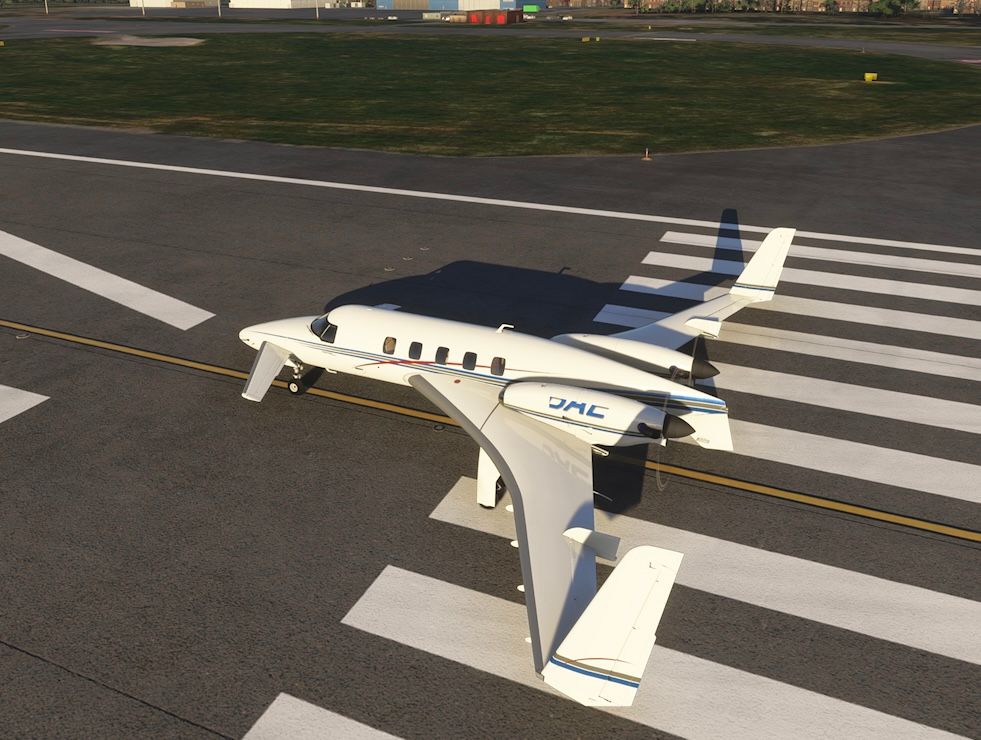
I have this issue on the Starship and Dukes. I also have the TBM but this shows no registration number whatsoever (presume the TBM should include dynamic regs?). Would really like to get to the bottom of this as it completely ruins the beautiful models. Obviously I was expecting SU4 to fix the issue. I’m on Xbox if that helps.
Many thanks.
-
I recall your post well. As I said back then, this does not present like any of the dynamic registration issues that I expected to be fixed in SU4. Unfortunately, I haven't seen anything else like this, or anyone else report these symptoms. I can only imagine one or two mechanisms that could cause this to happen. Did you try disabling all other addons in your library after your last post to ensure that there is nothing else interfering with the registration system?
-
I recall your post well. As I said back then, this does not present like any of the dynamic registration issues that I expected to be fixed in SU4. Unfortunately, I haven't seen anything else like this, or anyone else report these symptoms. I can only imagine one or two mechanisms that could cause this to happen. Did you try disabling all other addons in your library after your last post to ensure that there is nothing else interfering with the registration system?
@Black-Square Hi. Yes, tried disabling everything. I even reinstalled the entire game - in the end gave up with the understanding SU4 would fix all.
I too am flummoxed as to why others aren’t reporting this. My Xbox MSFS setup is pretty basic…….experimentally eliminating causes, beyond disabling the other aircraft, would literally be limited to disconnecting my Turtle Beach yoke (which I have done previously). I recall when I first mentioned this, the issue was seen as baffling as something that “shouldn’t be possible”, so I have absolutely no idea what to do to try and fix this.
Thanks.
-
FYI - Dynamic registration is working perfect on SU4 for me on the Starship and the Baron 58P (haven't tried others yet)
@MiRexer Thanks. I think it works for everyone except me for some yet unknown reason!
I’ve completely reset/reformatted my Xbox tonight and reinstalled MSFS. Same problems persist. No idea what on earth I could have actioned on the Xbox platform to cause this. My setup should be as close to a known baseline you could wish for. I’m sure it’ll get solved some day.
-
@MiRexer Thanks. I think it works for everyone except me for some yet unknown reason!
I’ve completely reset/reformatted my Xbox tonight and reinstalled MSFS. Same problems persist. No idea what on earth I could have actioned on the Xbox platform to cause this. My setup should be as close to a known baseline you could wish for. I’m sure it’ll get solved some day.
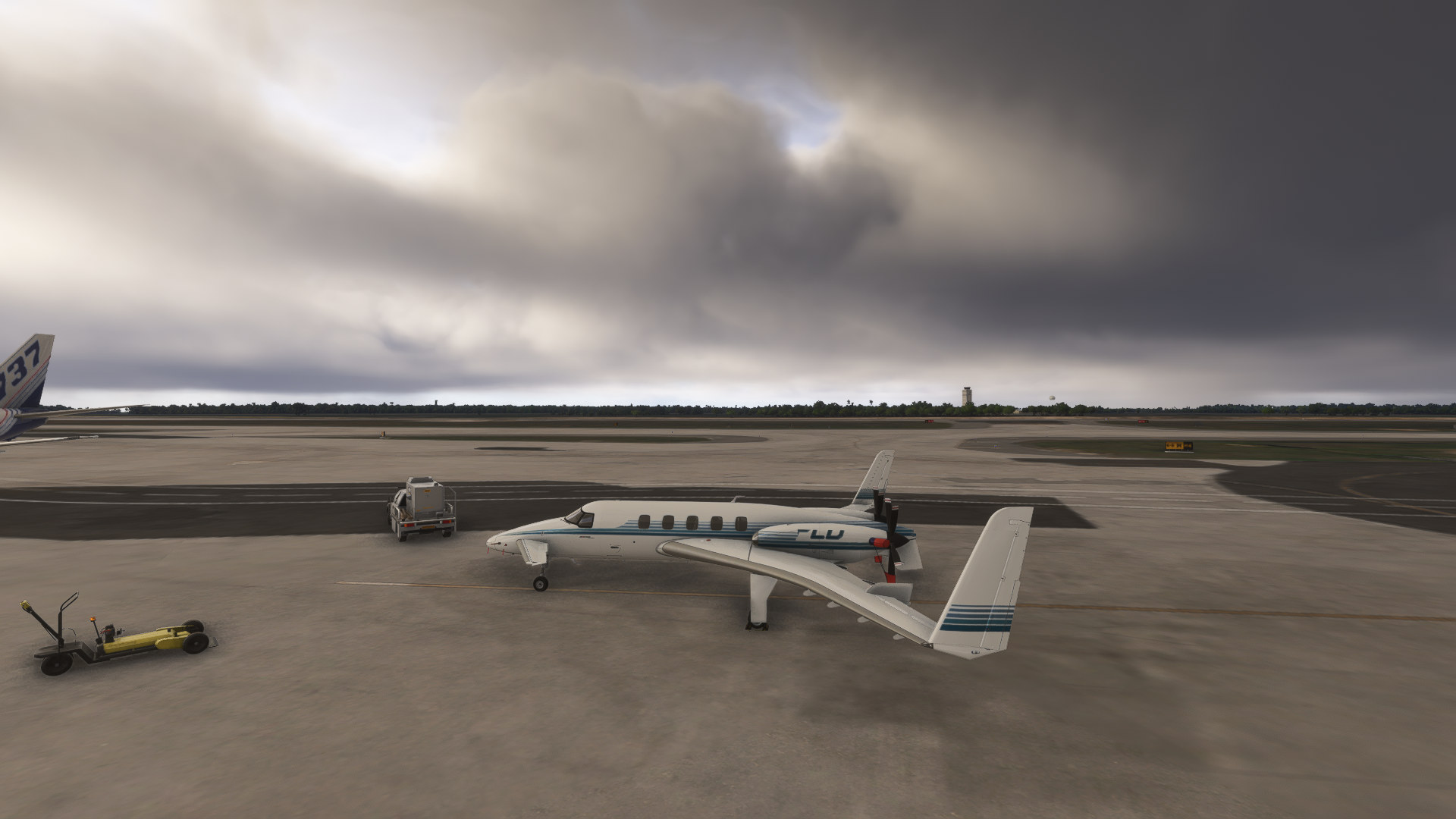
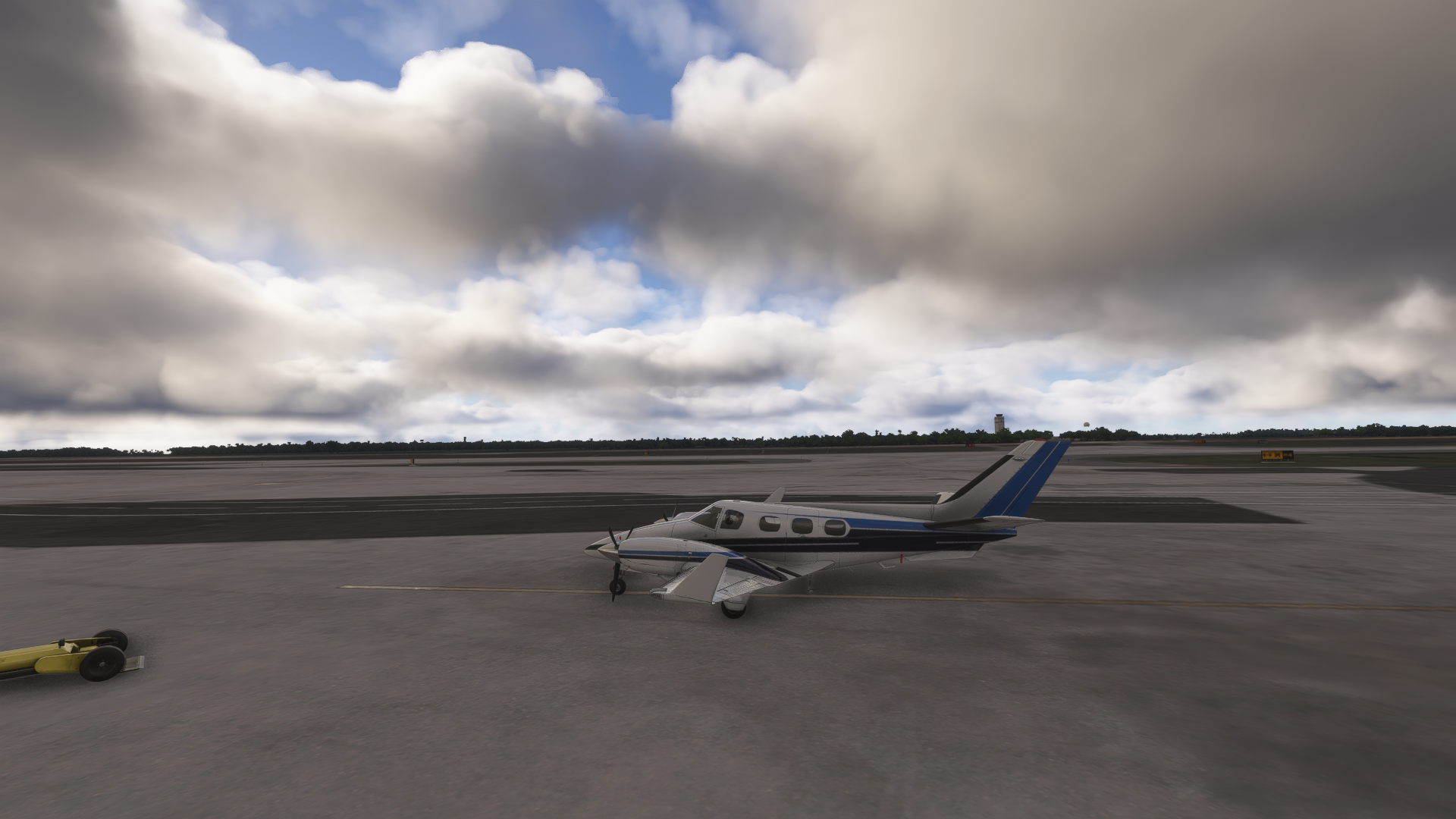
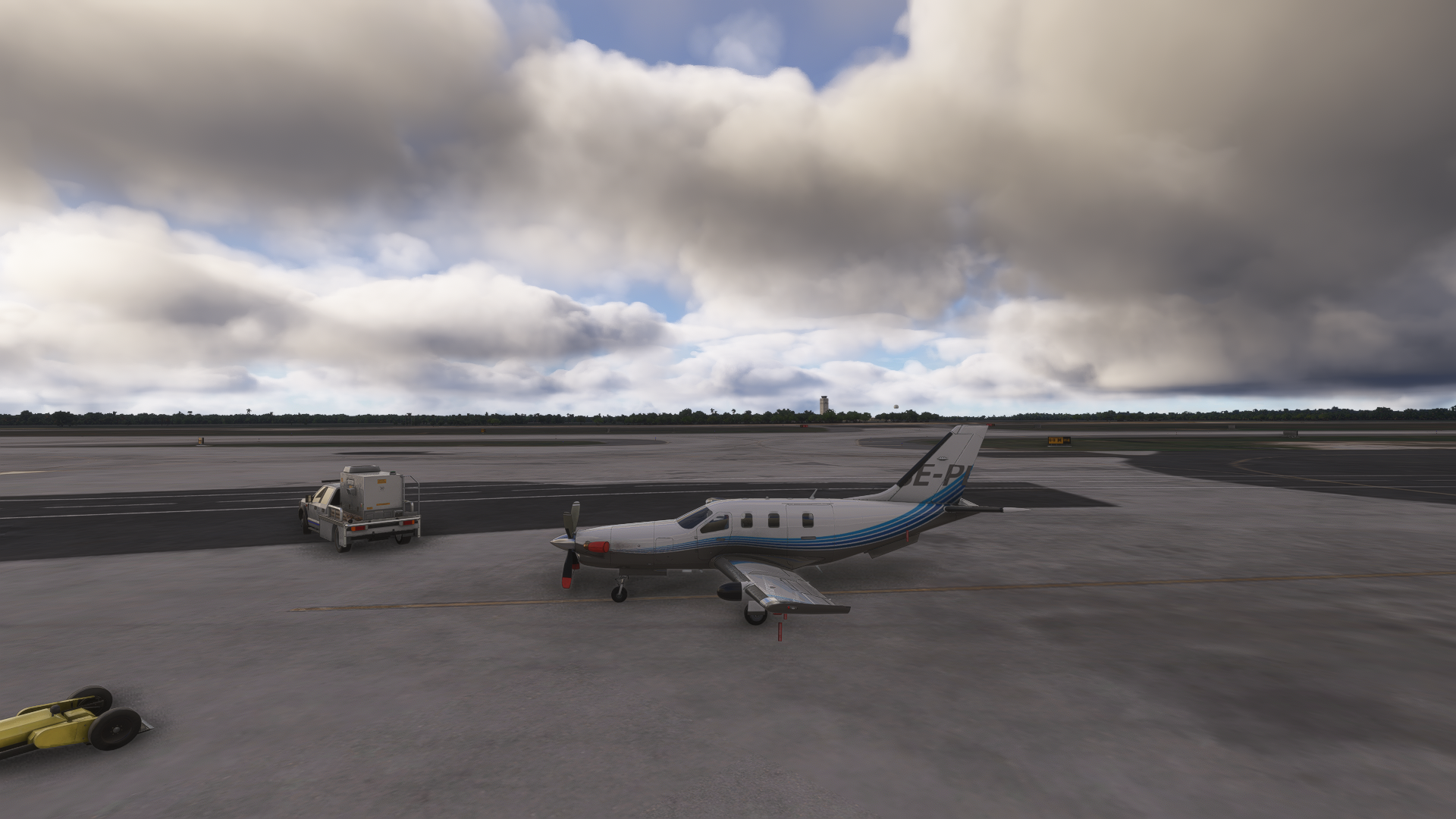
@AlphaEcho I’m seeing the same thing on Xbox. I wonder, if it has something to do with the Marketplace planes still being 2020 versions? But then again, the TBM has now been released in 2024, so probably not. I don’t even know if there’s any difference to the 2020 and 2024 versions, just spitballing here.
All screenshots from MSFS 2024, SU4, on a Xbox Series S. The TBM is the 2024 version, with “show dynamic registration” ticked in the EFB.
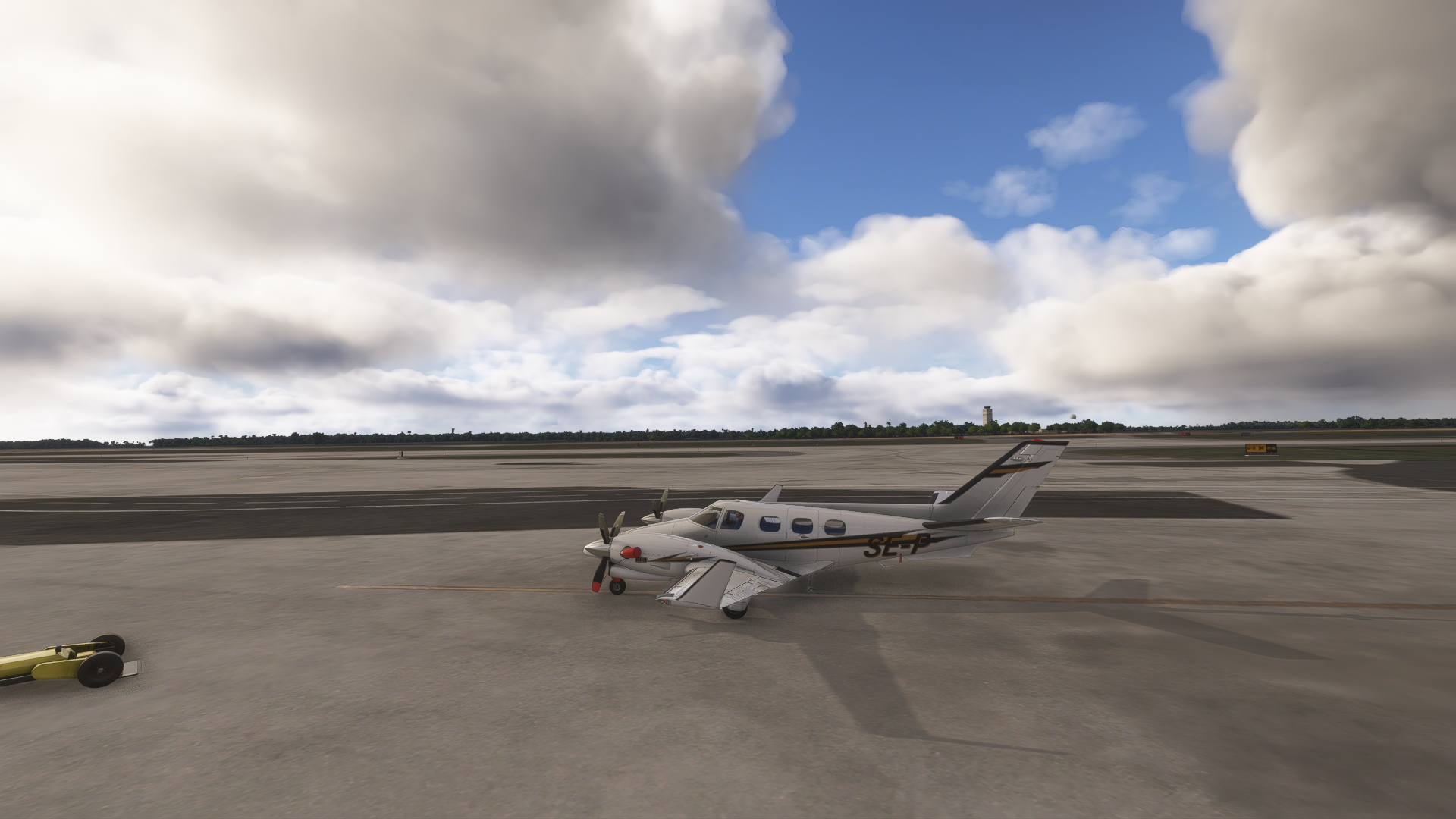
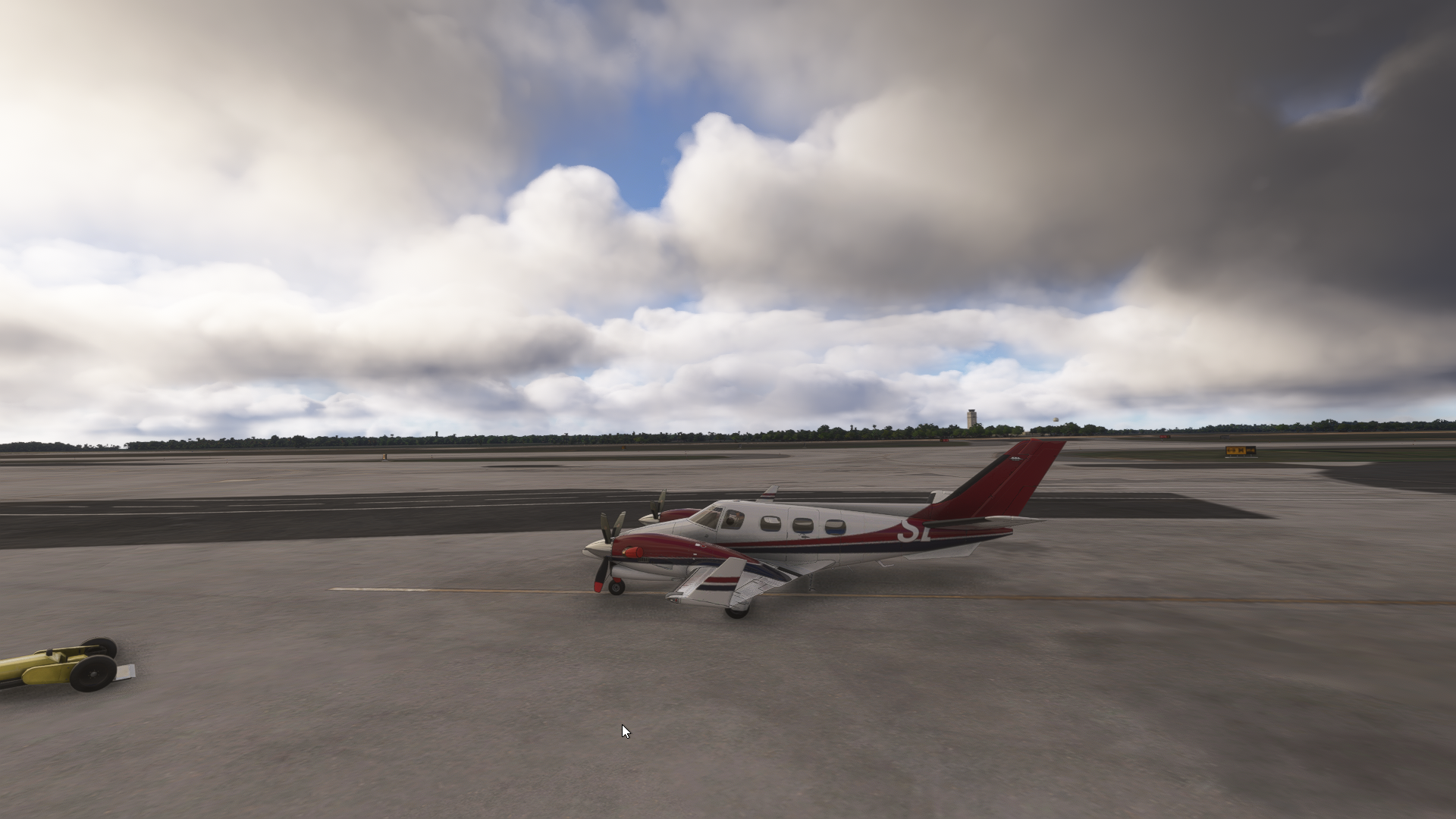
-
@AlphaEcho I’m seeing the same thing on Xbox. I wonder, if it has something to do with the Marketplace planes still being 2020 versions? But then again, the TBM has now been released in 2024, so probably not. I don’t even know if there’s any difference to the 2020 and 2024 versions, just spitballing here.
All screenshots from MSFS 2024, SU4, on a Xbox Series S. The TBM is the 2024 version, with “show dynamic registration” ticked in the EFB.
@ploodovic Hi - thanks for taking the time to take screen grabs and reply.
I’m really encouraged that others are having the same issue. It’s been driving me demented. I can only think the lack of reports is perhaps due, to some extent, to Xbox users not buying the volume of third party modules PC users do.
Hopefully this will be welcome news to Black Square and help them (him! - can never quite believe these beauties are the work of a single human) trace what causes this issue. Thanks again!!
-
Just as an aside - and something I’d like to be sure about. Should dynamic registrations be specific to each aircraft? It makes sense that they should be.
But for me, if I choose a dynamic registration for my A2A Comanche, for example, the same reg is applied to every aircraft I own in the sim. This seems odd as, for example, I chose a specific reg for the 172 I learned to fly in, which of course looks out of place on my RJ. I’m sure the developers intended users to be able to customise registrations on an aircraft by aircraft basis? Curious. Thanks.
-
Just as an aside - and something I’d like to be sure about. Should dynamic registrations be specific to each aircraft? It makes sense that they should be.
But for me, if I choose a dynamic registration for my A2A Comanche, for example, the same reg is applied to every aircraft I own in the sim. This seems odd as, for example, I chose a specific reg for the 172 I learned to fly in, which of course looks out of place on my RJ. I’m sure the developers intended users to be able to customise registrations on an aircraft by aircraft basis? Curious. Thanks.
@AlphaEcho said in Dynamic registrations - problems still exist post-beta:
Just as an aside - and something I’d like to be sure about. Should dynamic registrations be specific to each aircraft? It makes sense that they should be.
But for me, if I choose a dynamic registration for my A2A Comanche, for example, the same reg is applied to every aircraft I own in the sim. This seems odd as, for example, I chose a specific reg for the 172 I learned to fly in, which of course looks out of place on my RJ. I’m sure the developers intended users to be able to customise registrations on an aircraft by aircraft basis? Curious. Thanks.
The dynamic registrations should be whatever you put in the aircraft settings page (forgot the exact term, it's 1-2 tabs over from the variant and livery) before you load into a flight...
That said I should give this a try since SU4; unlike some others I was never able to trick SU3 into displaying them.
-
Thanks. I’m just curious as to whether the dynamic registration should be common to all aircraft? The fact that you input the reg on an aircraft-specific tab makes me think it should only be applied to that particular aircraft. But for me, if I input a reg for a given aircraft, the same reg then appears on all aircraft in the game automatically (zoomed in on Black Square aircraft).
-
I now get what you mean about thinking it's aircraft specific, but no, that field remains populated with what you put in manually until you change it again. I don't think that page is aircraft specific, even though it looks it.
The only time it changes aircraft by aircraft is if you clear it and let it auto populate, at least I think it does; my favorite Bonanza is N3518X, and I have gone over to that page and seen N3518X populated there on that livery without me putting it in there.
-
@AlphaEcho I’m seeing the same thing on Xbox. I wonder, if it has something to do with the Marketplace planes still being 2020 versions? But then again, the TBM has now been released in 2024, so probably not. I don’t even know if there’s any difference to the 2020 and 2024 versions, just spitballing here.
All screenshots from MSFS 2024, SU4, on a Xbox Series S. The TBM is the 2024 version, with “show dynamic registration” ticked in the EFB.
@ploodovic Having the same issue here.
I'm inclined to believe it is because they're still 2020 Native products.
-
@AlphaEcho Explains my the TBM doesn't do it for me, then.
-
@AlphaEcho Explains my the TBM doesn't do it for me, then.
@KAPA-Flyer Would you guys be able to confirm that the MSFS 2024 native TBM definitely does not exhibit this behavior? I was just about to make a post on the developer forums about this, since it seems to be a MSFS 2024 XBOX specific problem, since my code/resources(fonts) are identical on all platforms.
-
@KAPA-Flyer Would you guys be able to confirm that the MSFS 2024 native TBM definitely does not exhibit this behavior? I was just about to make a post on the developer forums about this, since it seems to be a MSFS 2024 XBOX specific problem, since my code/resources(fonts) are identical on all platforms.
@Black-Square The 2024 native TBM definitely does exhibit this behaviour. It’s irrelevant if it works for the person you quoted. Surely it’s best to seek confirmation from those having the problem?
Meant to add - a member above has kindly included a screenshot of the TBM exhibiting the partial zoomed-in reg.
-
For another confusing data point, I just loaded through every Black Square product I own in MSFS 2024 on PC. With the Dynamic Registration option enabled on the tablet, the results were:
- Bonanza v1.1: works, displayed on the fuselage in the approximate location and size the example in the manual shows
- Baron v1.1: works as the Baron, but not displayed on any winglets. Not sure if it's enabled on the included liveries
- Duke v1.2: same as the Baron
- Starship v1.2: works, displayed on each engine nacelle
- TBM v1.4: works, printed on the vertical stabilizer
I tried N8289A for a full-sized registry and N43DH for a shorter one (in case the winglets were size-limited). This is with 2024 v1.6.33.0 (post-SU4 hotfix) and the release branch, I was never in the beta.
-
I'm flying the Baron Professional on 2024 at the moment on a PC, and my dynamic registration doesn't work, so I don't think it's limited to the Xbox or the TBM.
@lilycrose By "doesn't work", do you mean that it isn't showing up, or that it's doing what you're seeing in this particular topic? Have you enabled it with the "Force MSFS 2024 Registration" setting in the tablet interface?
@AlphaEcho I'm just trying to understand the totality of the situation before I bring it to Asobo. It is difficult enough to obtain recognition of a problem from them, let alone providing a convincing argument to investigate and fix, so I try to be very concise when describing issue to them. I've had good luck with providing my best guesses for them to explore, such as you will find below.
@jmarkows Sound like everything is working as intended there. None of the Baron paint schemes make use of the winglet registrations. Thanks for checking on things, though. I expect everything to be working well on PC now, but there seems to be some kind of HTML/CSS rendering issue with XBOX, because the only way to see what we're looking at here is for the "structure" of the HTML "page" that the registrations are rendered onto to be different than what we're seeing on PC. I haven't seen any evidence of this in other gauges, so I suspect whatever fix they finally applied for the dynamic registrations may have missed the CSS file that defines this structure. I suspect that what you're seeing on XBOX is exactly what you would see on PC if you deleted the CSS file, in other words.
-
I traced the panel.cfg file to the Registration folder and found the .css file. I renamed it .css.old and then loaded back into the sim. This is the result, same as what it looks like above. Deformed on the left side, nothing on the right.

Are there also no winglets or tail numbering on the Duke, as well? Just the fuselage?
EDIT: here it is again with the .css re-enabled


