
Dynamic registrations - problems still exist post-beta
-
Just as an aside - and something I’d like to be sure about. Should dynamic registrations be specific to each aircraft? It makes sense that they should be.
But for me, if I choose a dynamic registration for my A2A Comanche, for example, the same reg is applied to every aircraft I own in the sim. This seems odd as, for example, I chose a specific reg for the 172 I learned to fly in, which of course looks out of place on my RJ. I’m sure the developers intended users to be able to customise registrations on an aircraft by aircraft basis? Curious. Thanks.
@AlphaEcho said in Dynamic registrations - problems still exist post-beta:
Just as an aside - and something I’d like to be sure about. Should dynamic registrations be specific to each aircraft? It makes sense that they should be.
But for me, if I choose a dynamic registration for my A2A Comanche, for example, the same reg is applied to every aircraft I own in the sim. This seems odd as, for example, I chose a specific reg for the 172 I learned to fly in, which of course looks out of place on my RJ. I’m sure the developers intended users to be able to customise registrations on an aircraft by aircraft basis? Curious. Thanks.
The dynamic registrations should be whatever you put in the aircraft settings page (forgot the exact term, it's 1-2 tabs over from the variant and livery) before you load into a flight...
That said I should give this a try since SU4; unlike some others I was never able to trick SU3 into displaying them.
-
Thanks. I’m just curious as to whether the dynamic registration should be common to all aircraft? The fact that you input the reg on an aircraft-specific tab makes me think it should only be applied to that particular aircraft. But for me, if I input a reg for a given aircraft, the same reg then appears on all aircraft in the game automatically (zoomed in on Black Square aircraft).
-
I now get what you mean about thinking it's aircraft specific, but no, that field remains populated with what you put in manually until you change it again. I don't think that page is aircraft specific, even though it looks it.
The only time it changes aircraft by aircraft is if you clear it and let it auto populate, at least I think it does; my favorite Bonanza is N3518X, and I have gone over to that page and seen N3518X populated there on that livery without me putting it in there.
-
@AlphaEcho I’m seeing the same thing on Xbox. I wonder, if it has something to do with the Marketplace planes still being 2020 versions? But then again, the TBM has now been released in 2024, so probably not. I don’t even know if there’s any difference to the 2020 and 2024 versions, just spitballing here.
All screenshots from MSFS 2024, SU4, on a Xbox Series S. The TBM is the 2024 version, with “show dynamic registration” ticked in the EFB.
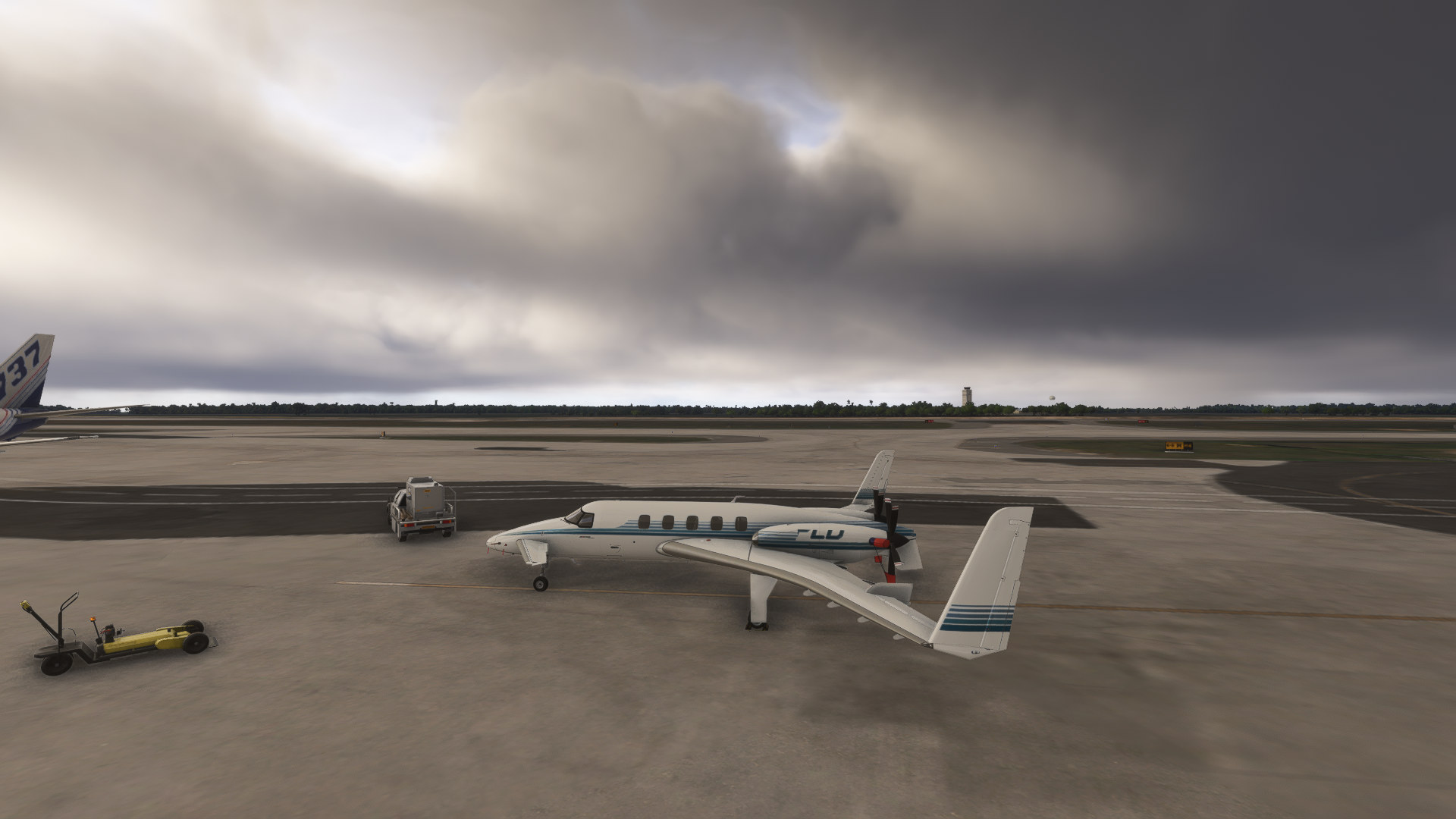
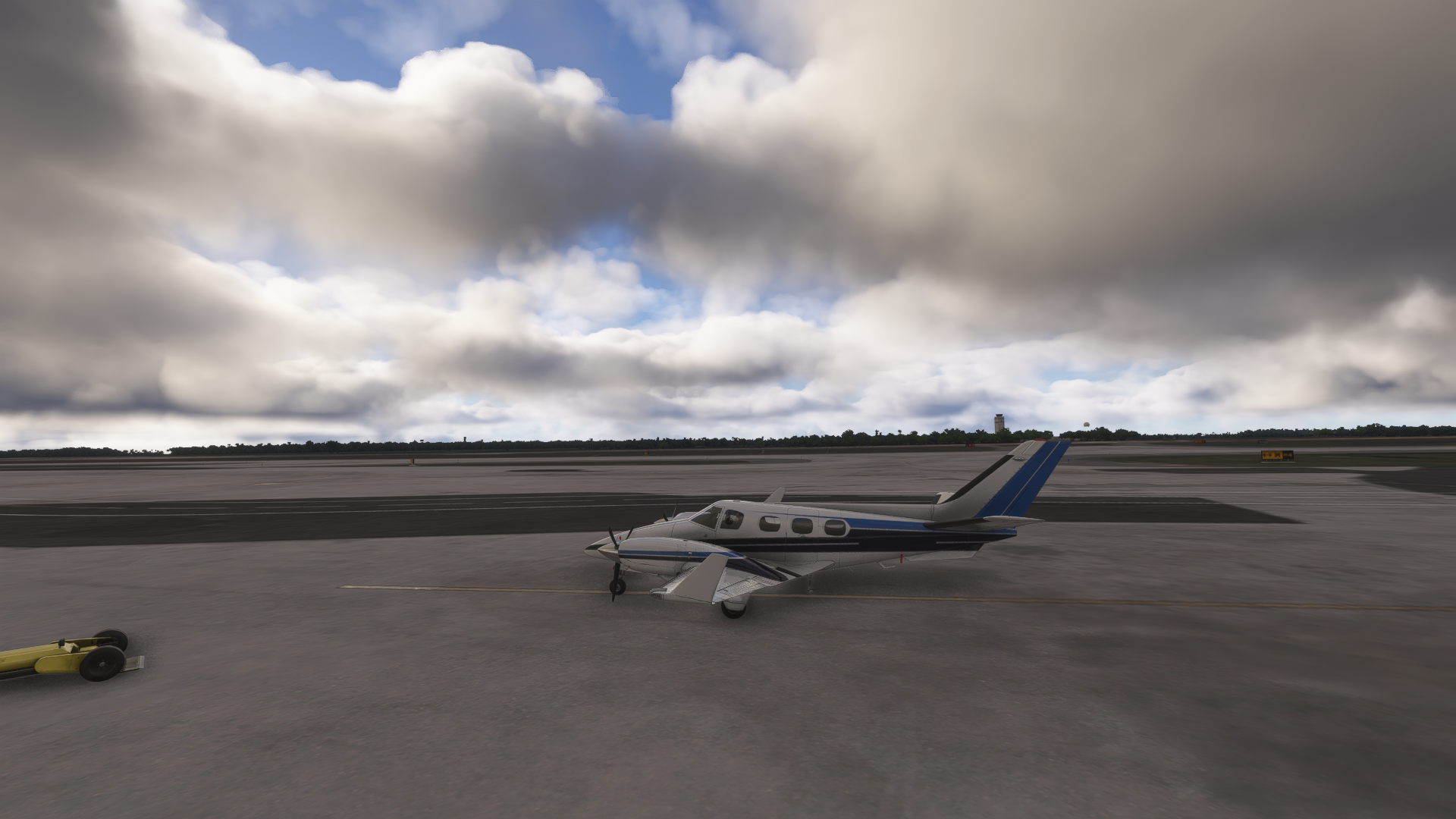
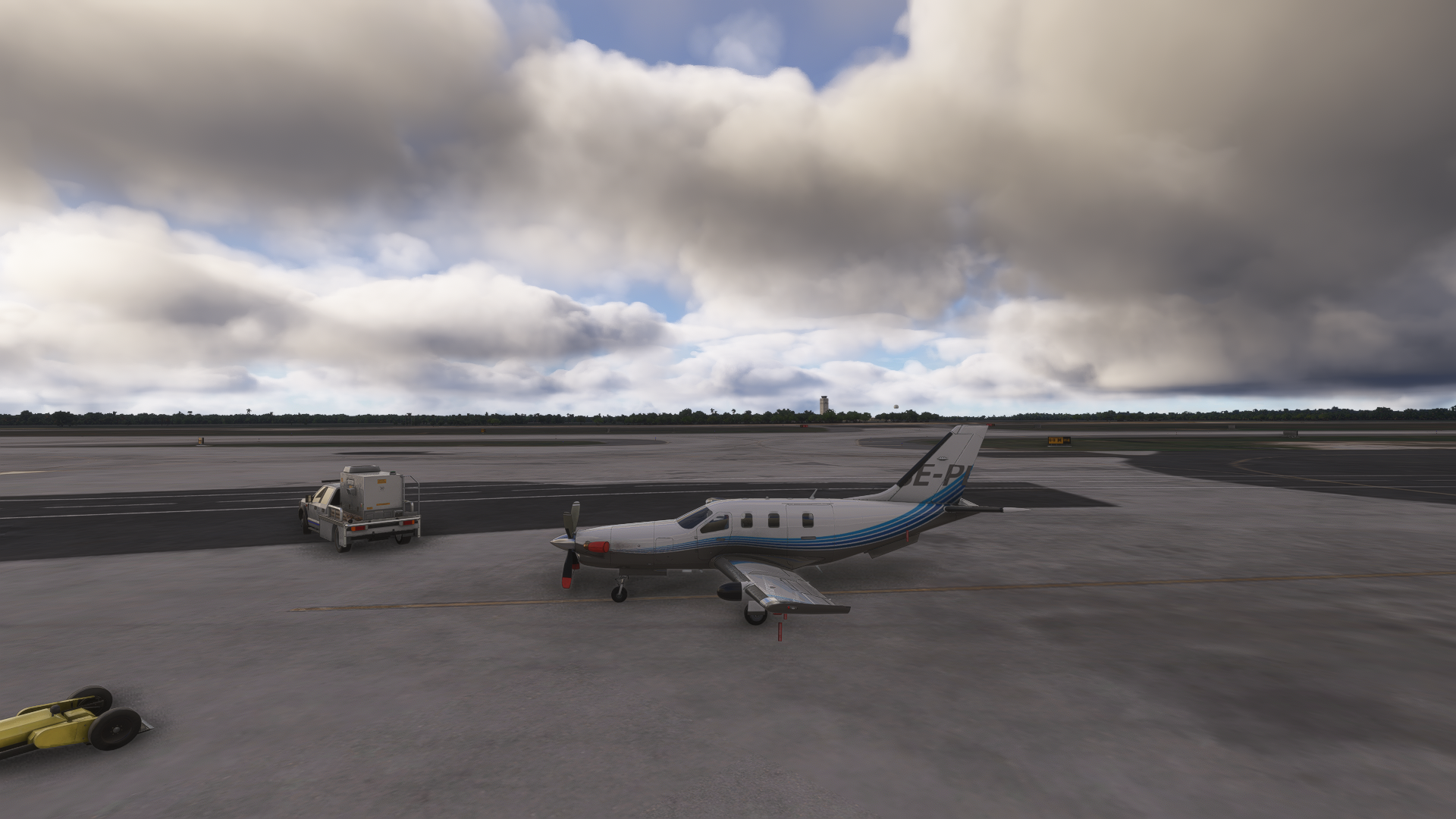
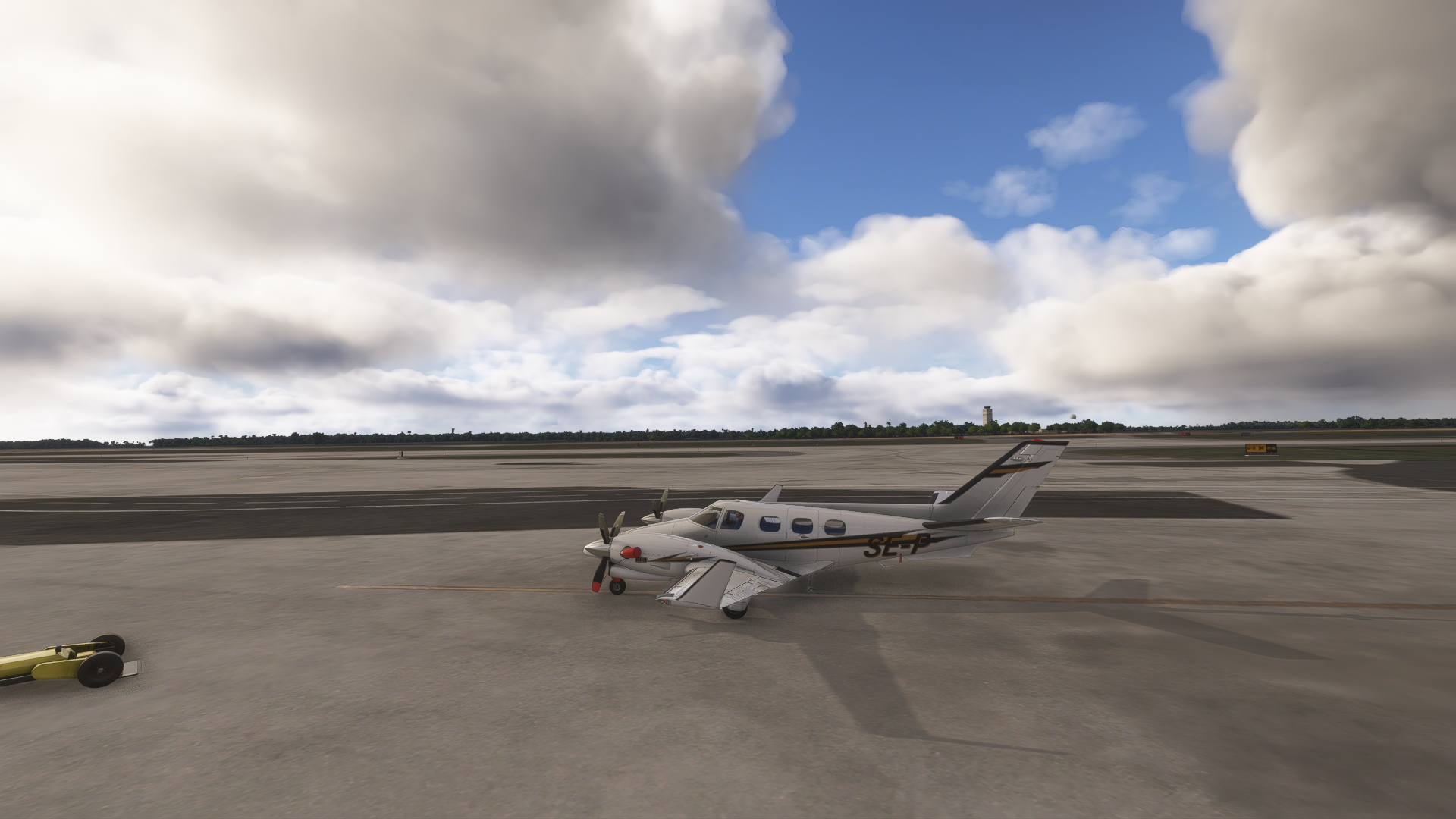
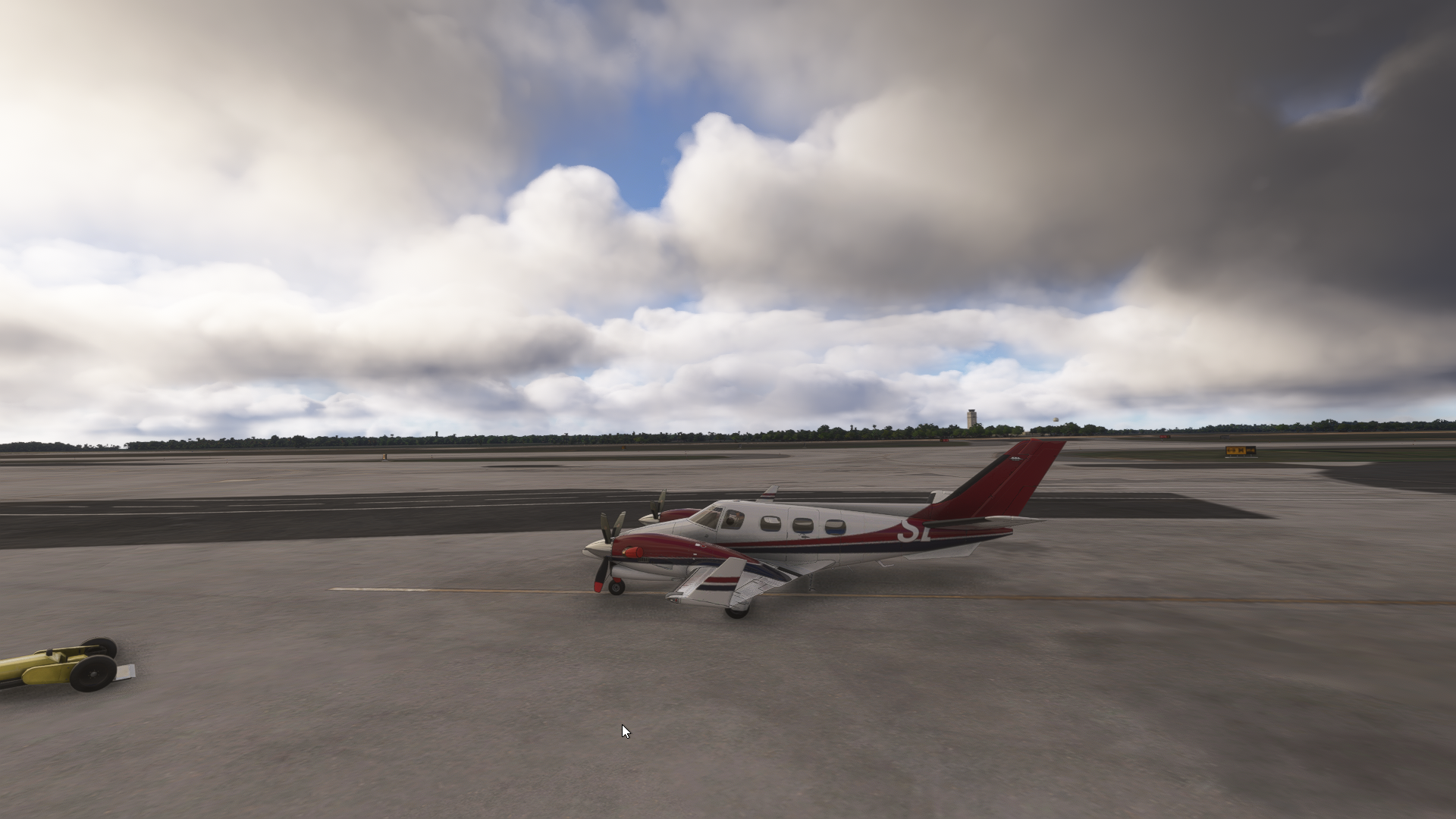
@ploodovic Having the same issue here.
I'm inclined to believe it is because they're still 2020 Native products.
-
@AlphaEcho Explains my the TBM doesn't do it for me, then.
-
@AlphaEcho Explains my the TBM doesn't do it for me, then.
@KAPA-Flyer Would you guys be able to confirm that the MSFS 2024 native TBM definitely does not exhibit this behavior? I was just about to make a post on the developer forums about this, since it seems to be a MSFS 2024 XBOX specific problem, since my code/resources(fonts) are identical on all platforms.
-
@KAPA-Flyer Would you guys be able to confirm that the MSFS 2024 native TBM definitely does not exhibit this behavior? I was just about to make a post on the developer forums about this, since it seems to be a MSFS 2024 XBOX specific problem, since my code/resources(fonts) are identical on all platforms.
@Black-Square The 2024 native TBM definitely does exhibit this behaviour. It’s irrelevant if it works for the person you quoted. Surely it’s best to seek confirmation from those having the problem?
Meant to add - a member above has kindly included a screenshot of the TBM exhibiting the partial zoomed-in reg.
-
For another confusing data point, I just loaded through every Black Square product I own in MSFS 2024 on PC. With the Dynamic Registration option enabled on the tablet, the results were:
- Bonanza v1.1: works, displayed on the fuselage in the approximate location and size the example in the manual shows
- Baron v1.1: works as the Baron, but not displayed on any winglets. Not sure if it's enabled on the included liveries
- Duke v1.2: same as the Baron
- Starship v1.2: works, displayed on each engine nacelle
- TBM v1.4: works, printed on the vertical stabilizer
I tried N8289A for a full-sized registry and N43DH for a shorter one (in case the winglets were size-limited). This is with 2024 v1.6.33.0 (post-SU4 hotfix) and the release branch, I was never in the beta.
-
I'm flying the Baron Professional on 2024 at the moment on a PC, and my dynamic registration doesn't work, so I don't think it's limited to the Xbox or the TBM.
@lilycrose By "doesn't work", do you mean that it isn't showing up, or that it's doing what you're seeing in this particular topic? Have you enabled it with the "Force MSFS 2024 Registration" setting in the tablet interface?
@AlphaEcho I'm just trying to understand the totality of the situation before I bring it to Asobo. It is difficult enough to obtain recognition of a problem from them, let alone providing a convincing argument to investigate and fix, so I try to be very concise when describing issue to them. I've had good luck with providing my best guesses for them to explore, such as you will find below.
@jmarkows Sound like everything is working as intended there. None of the Baron paint schemes make use of the winglet registrations. Thanks for checking on things, though. I expect everything to be working well on PC now, but there seems to be some kind of HTML/CSS rendering issue with XBOX, because the only way to see what we're looking at here is for the "structure" of the HTML "page" that the registrations are rendered onto to be different than what we're seeing on PC. I haven't seen any evidence of this in other gauges, so I suspect whatever fix they finally applied for the dynamic registrations may have missed the CSS file that defines this structure. I suspect that what you're seeing on XBOX is exactly what you would see on PC if you deleted the CSS file, in other words.
-
I traced the panel.cfg file to the Registration folder and found the .css file. I renamed it .css.old and then loaded back into the sim. This is the result, same as what it looks like above. Deformed on the left side, nothing on the right.

Are there also no winglets or tail numbering on the Duke, as well? Just the fuselage?
EDIT: here it is again with the .css re-enabled

-
I traced the panel.cfg file to the Registration folder and found the .css file. I renamed it .css.old and then loaded back into the sim. This is the result, same as what it looks like above. Deformed on the left side, nothing on the right.
Are there also no winglets or tail numbering on the Duke, as well? Just the fuselage?
EDIT: here it is again with the .css re-enabled
@jmarkows I had a hunch you might do that
 Hm. Similar, but not identical. Maybe the font size is not being picked up, and the CSS doesn't properly constrain the container size, so the bounding box grows the font size until it pushes the other registrations out of frame? Since you're already in the Registration folder, you could try deleting this section from
 bksq_bonanza_registration.js.var sidesize = url.searchParams.get("ss"); if (sidesize) { this.sidesize = parseFloat(sidesize); } var tailsize = url.searchParams.get("ts"); if (tailsize) { this.tailsize = parseFloat(tailsize); } var wingsize = url.searchParams.get("ws"); if (wingsize) { this.wingsize = parseFloat(wingsize); }I'm not sure this is entirely useful testing, but you can see why I went here as a possible explanation for what we are seeing.
-
@lilycrose By "doesn't work", do you mean that it isn't showing up, or that it's doing what you're seeing in this particular topic? Have you enabled it with the "Force MSFS 2024 Registration" setting in the tablet interface?
@AlphaEcho I'm just trying to understand the totality of the situation before I bring it to Asobo. It is difficult enough to obtain recognition of a problem from them, let alone providing a convincing argument to investigate and fix, so I try to be very concise when describing issue to them. I've had good luck with providing my best guesses for them to explore, such as you will find below.
@jmarkows Sound like everything is working as intended there. None of the Baron paint schemes make use of the winglet registrations. Thanks for checking on things, though. I expect everything to be working well on PC now, but there seems to be some kind of HTML/CSS rendering issue with XBOX, because the only way to see what we're looking at here is for the "structure" of the HTML "page" that the registrations are rendered onto to be different than what we're seeing on PC. I haven't seen any evidence of this in other gauges, so I suspect whatever fix they finally applied for the dynamic registrations may have missed the CSS file that defines this structure. I suspect that what you're seeing on XBOX is exactly what you would see on PC if you deleted the CSS file, in other words.
@Black-Square No registration shows on the exterior of the aircraft until I enable it in your EFB. Is that what you are looking for?
Addendum: The hours do not increment either. When I land and check the HOBBS it shows the updated hours, but when I restart the sim the hours have reverted to 0. I have to assume the state saving isn't updating either, but I can't swear to that.
As a reminder, this is the normally aspirated Baron on a PC.
-
@jmarkows I had a hunch you might do that
Hm. Similar, but not identical. Maybe the font size is not being picked up, and the CSS doesn't properly constrain the container size, so the bounding box grows the font size until it pushes the other registrations out of frame? Since you're already in the Registration folder, you could try deleting this section from bksq_bonanza_registration.js.var sidesize = url.searchParams.get("ss"); if (sidesize) { this.sidesize = parseFloat(sidesize); } var tailsize = url.searchParams.get("ts"); if (tailsize) { this.tailsize = parseFloat(tailsize); } var wingsize = url.searchParams.get("ws"); if (wingsize) { this.wingsize = parseFloat(wingsize); }I'm not sure this is entirely useful testing, but you can see why I went here as a possible explanation for what we are seeing.
@Black-Square said in Dynamic registrations - problems still exist post-beta:
@jmarkows I had a hunch you might do that
Hm. Similar, but not identical. Maybe the font size is not being picked up, and the CSS doesn't properly constrain the container size, so the bounding box grows the font size until it pushes the other registrations out of frame? Since you're already in the Registration folder, you could try deleting this section from bksq_bonanza_registration.js.var sidesize = url.searchParams.get("ss"); if (sidesize) { this.sidesize = parseFloat(sidesize); } var tailsize = url.searchParams.get("ts"); if (tailsize) { this.tailsize = parseFloat(tailsize); } var wingsize = url.searchParams.get("ws"); if (wingsize) { this.wingsize = parseFloat(wingsize); }I'm not sure this is entirely useful testing, but you can see why I went here as a possible explanation for what we are seeing.

I took out
        var sidesize = url.searchParams.get("ss");
        if (sidesize) {
            this.sidesize = parseFloat(sidesize);
        }
        var tailsize = url.searchParams.get("ts");
        if (tailsize) {
            this.tailsize = parseFloat(tailsize);
        }
from the TBM registration file and this was the result. I had the .css filed enabled originally, but even after disabling it it looks like this.
-
I, too, have been struggling with this mightily. Some of you may know that custom dynamic registrations are sort of my calling card as I utilize it in many, if not most, of my liveries. I keep looking for a way to fix this nagging issue.
I think I've narrowed it down to being a compatibility issue with 2020 aircraft in 2024. In short, I've had no problems with dynamic registrations in aircraft using the native 2024 folder structure, especially the modular format. Any 2020 aircraft or 2024 aircraft using the legacy (2020) folder structure either does not have working dynamic registration or is limited to just the default font and color (that is, black).
It might be that our hands are unfortunately tied with any 2020 aircraft being stuck with default dynamic registration and work around that or, again, we ask Asobo to look into this and hopefully fix it.
-
M MiRexer referenced this topic on
-
So, the dynamic registration still isn't working, but I use the tablet to set it and I'm okay with that. I also figured out, the state saving and hours issue is FS24, not BlackSquare. If I can get the program to shut down normally it saves the hours, etc, but most of the time it hangs and I have to shut it down through Steam, so no data is saved.
I assume nothing is written to the state.cfg file until FS24 shuts down, is that correct? It would be nice if it wrote when I exited back to the main menu, then I could copy the stage.cfg out and back in before the next flight. Not elegant, but it would work. -
Hi. Just wanted to mention the problem with the dynamic registrations is still present with the native 2024 Starship (Xbox).
I also bought the Bonanza and Baron last night and they too have the same registration issue (partial, zoomed in reg no.).
I have quite a large collection of a/c now (shhhhh) - I’ve only noticed a similar reg issue with the A2A Aerostar……but the Comanche has no dynamic registrations problem at all.
It would be really good to hear how this is going to be fixed. I’m guessing it’s a sim issue, although believed SU4 would fix this problem.
Thanks. Mike.
-
Hi. Just wanted to mention the problem with the dynamic registrations is still present with the native 2024 Starship (Xbox).
I also bought the Bonanza and Baron last night and they too have the same registration issue (partial, zoomed in reg no.).
I have quite a large collection of a/c now (shhhhh) - I’ve only noticed a similar reg issue with the A2A Aerostar……but the Comanche has no dynamic registrations problem at all.
It would be really good to hear how this is going to be fixed. I’m guessing it’s a sim issue, although believed SU4 would fix this problem.
Thanks. Mike.
@AlphaEcho I’m seeing the exact same thing on Xbox. The above theory, that it was caused by 2020 planes in 2024, wasn’t the whole truth.


