Skip to content
  • Categories
  • Recent
  • Tags
  • Popular
  • Users
Collapse
Just Flight Community Forum
  1. Home
  2. Just Flight
  3. MSFS Products
  4. Black Square Add-Ons
  5. Baron Professional
  6. Enable Visible Copilot

Enable Visible Copilot

Scheduled Pinned Locked Moved Baron Professional
7 Posts 3 Posters 670 Views 1 Watching
  • Oldest to Newest
  • Newest to Oldest
  • Most Votes
Reply
  • Reply as topic
Log in to reply
This topic has been deleted. Only users with topic management privileges can see it.
  • M Online
    M Online
    MiRexer
    wrote on last edited by
    #1

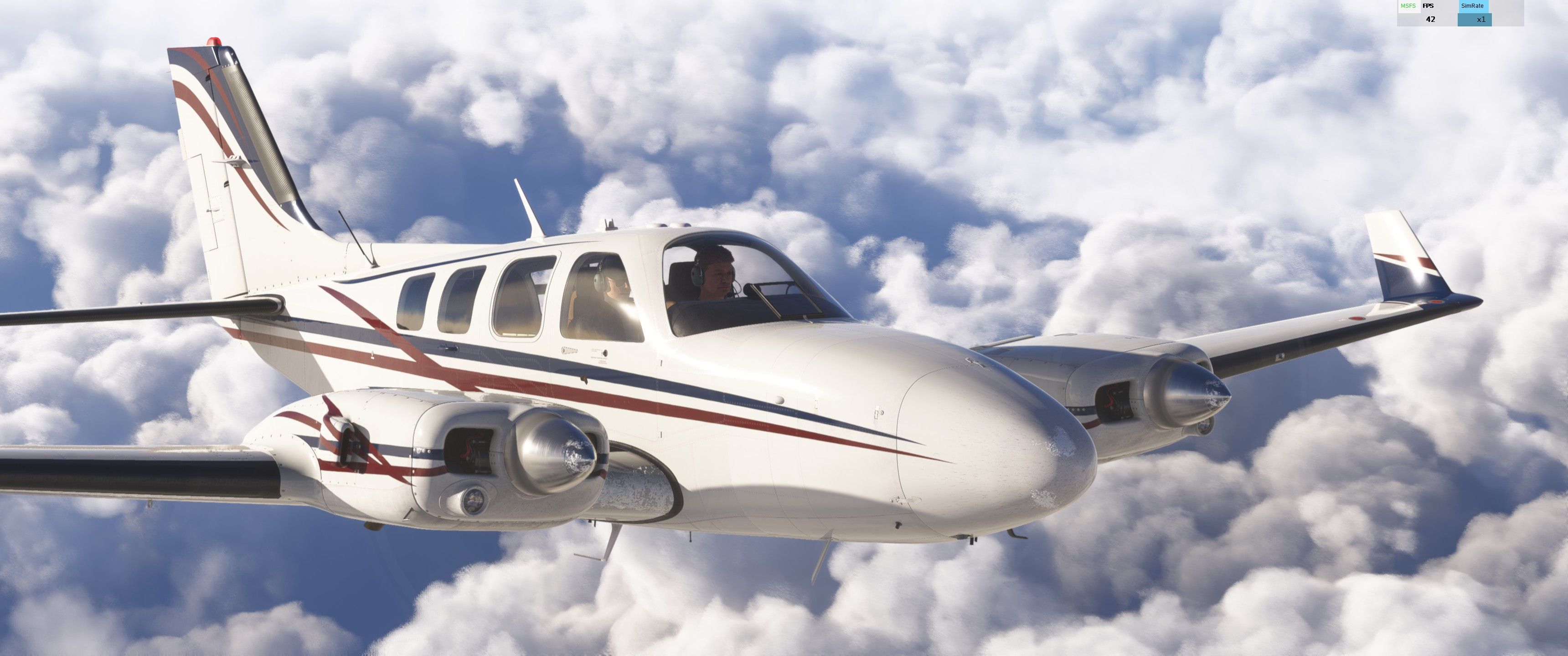
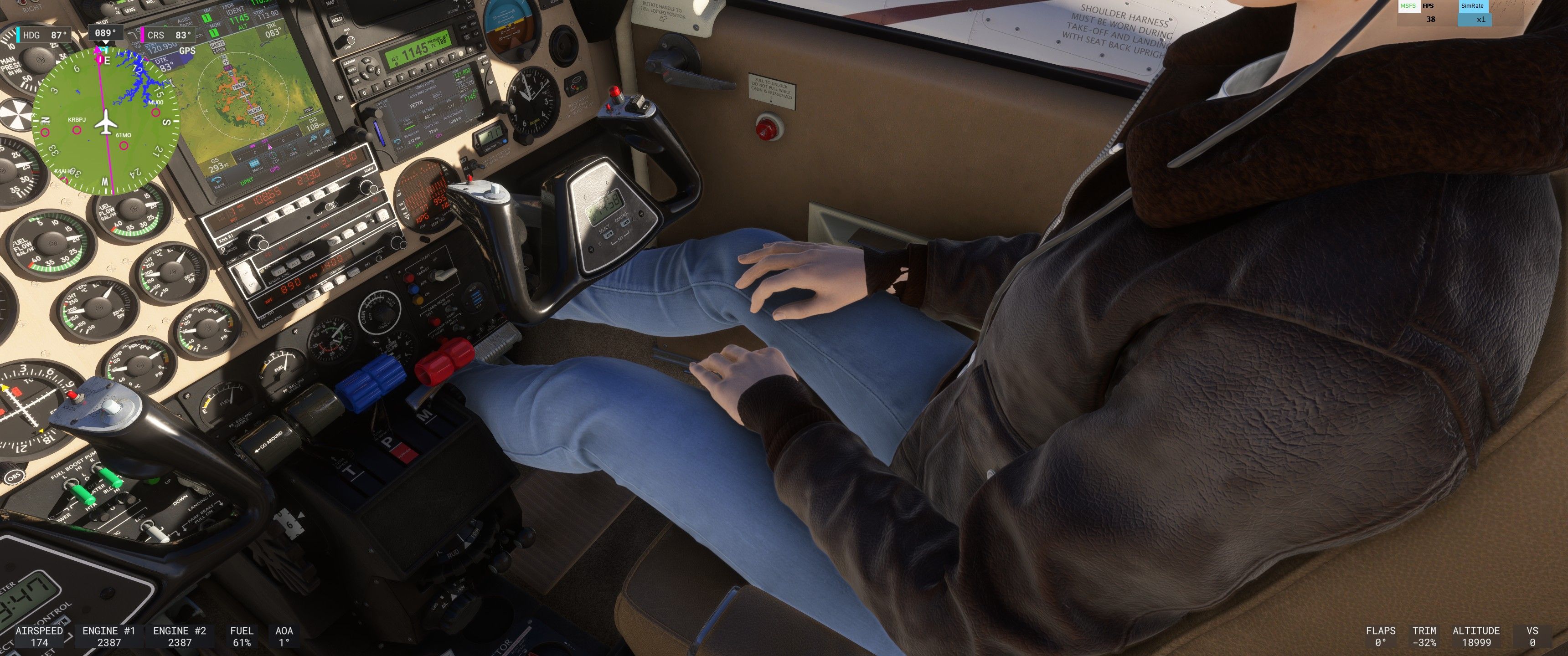
    I worked out getting a visible copilot (in MSFS2024 SU3 anyway) today. I couldn't get her to not interfere a little on either side so I averaged it out and made her interfere with the center of the panel just a bit and her elbow sticks out the door just a bit (at least on mine). Edit the navigation_graph_pilot.cfg file in the bksq-aircraft-baronpro\SimObjects\Airplanes\bksq-aircraft-baronpro*\navigation_graph folder. Towards the top add a ,2 to the nodes in the [MAINGRAPH.0] section:

    [MAINGRAPH.0]
    nodes = 0,1,2

    and then add the following:

    [NODE.2]
    name = 2
    tag = COPILOT
    ;modelnode = PILOT_1
    pos = 1.02,.4,-0.2
    massSection = Copilot
    interactiveObject = SEAT_DEFAULT_Copilot

    [MassSection.1]
    name = Copilot
    stationLoadName = TT:MENU.PAYLOAD.COPILOT
    maxMass = 220

    If you want to move the copilot a bit left or right adjust that first number after POS - I'd suggest starting with 1.019 or 1.021 if you want to nudge it just a bit.

    Black SquareB 1 Reply Last reply
    0
    • M Online
      M Online
      MiRexer
      wrote on last edited by MiRexer
      #2

      Screenshot 2025-12-01 155829.jpg

      Screenshot 2025-12-01 155806.jpg

      1 Reply Last reply
      0
      • M MiRexer

        I worked out getting a visible copilot (in MSFS2024 SU3 anyway) today. I couldn't get her to not interfere a little on either side so I averaged it out and made her interfere with the center of the panel just a bit and her elbow sticks out the door just a bit (at least on mine). Edit the navigation_graph_pilot.cfg file in the bksq-aircraft-baronpro\SimObjects\Airplanes\bksq-aircraft-baronpro*\navigation_graph folder. Towards the top add a ,2 to the nodes in the [MAINGRAPH.0] section:

        [MAINGRAPH.0]
        nodes = 0,1,2

        and then add the following:

        [NODE.2]
        name = 2
        tag = COPILOT
        ;modelnode = PILOT_1
        pos = 1.02,.4,-0.2
        massSection = Copilot
        interactiveObject = SEAT_DEFAULT_Copilot

        [MassSection.1]
        name = Copilot
        stationLoadName = TT:MENU.PAYLOAD.COPILOT
        maxMass = 220

        If you want to move the copilot a bit left or right adjust that first number after POS - I'd suggest starting with 1.019 or 1.021 if you want to nudge it just a bit.

        Black SquareB Offline
        Black SquareB Offline
        Black Square
        Black Square Developer
        wrote on last edited by
        #3

        @MiRexer said in Enable Visible Copilot:

        I couldn't get her to not interfere a little on either side so I averaged it out and made her interfere with the center of the panel just a bit and her elbow sticks out the door just a bit (at least on mine).

        Thanks for posting this so others who find this compromise acceptable will have the option. On the other hand, I'm sure you now see why I found this to be an unacceptable compromise due to MSFS 2024's more restrictive system.

        1 Reply Last reply
        0
        • M Online
          M Online
          MiRexer
          wrote on last edited by
          #4

          100% - if only they had a scale function

          1 Reply Last reply
          0
          • M Online
            M Online
            MiRexer
            wrote on last edited by
            #5

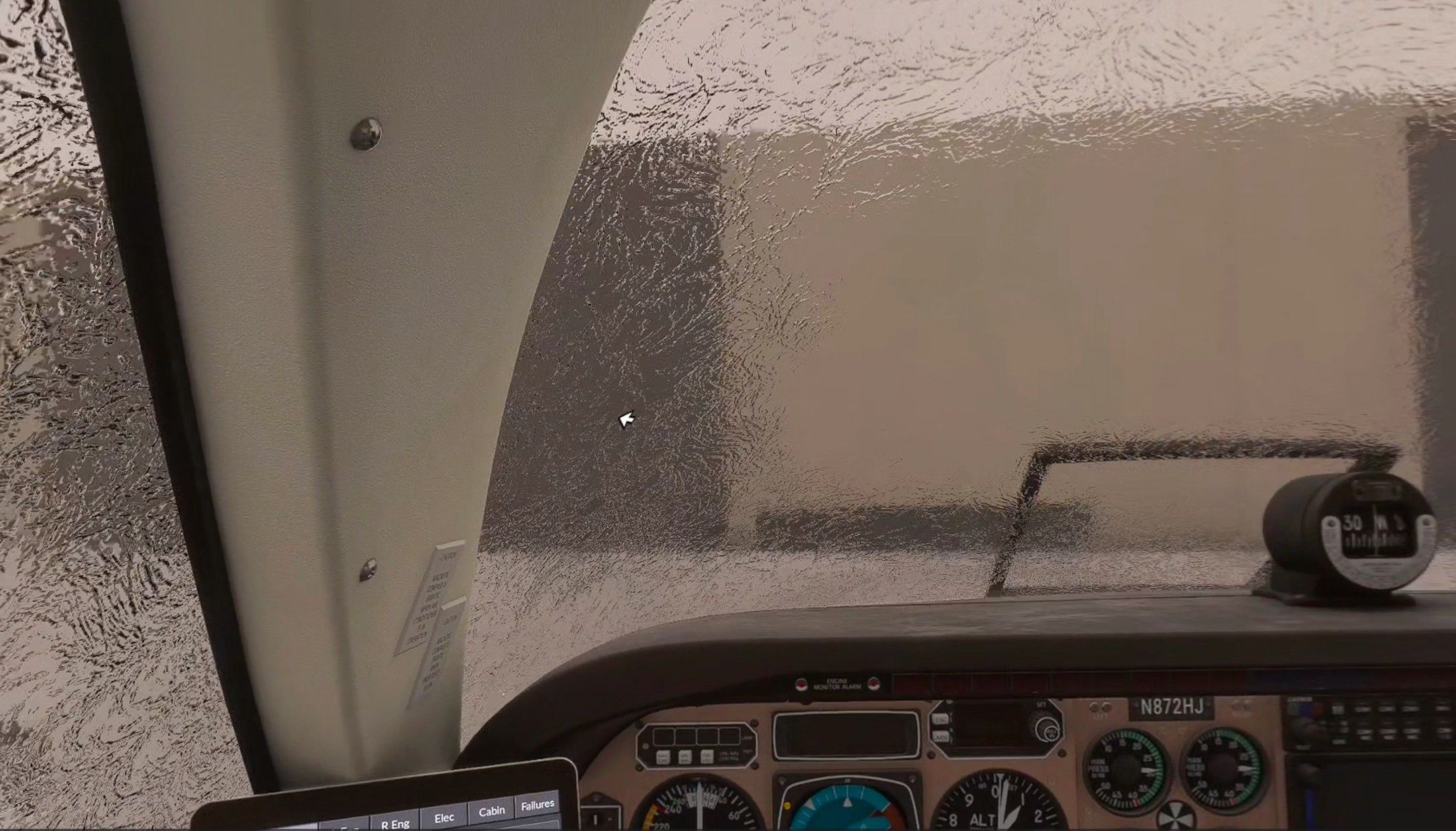
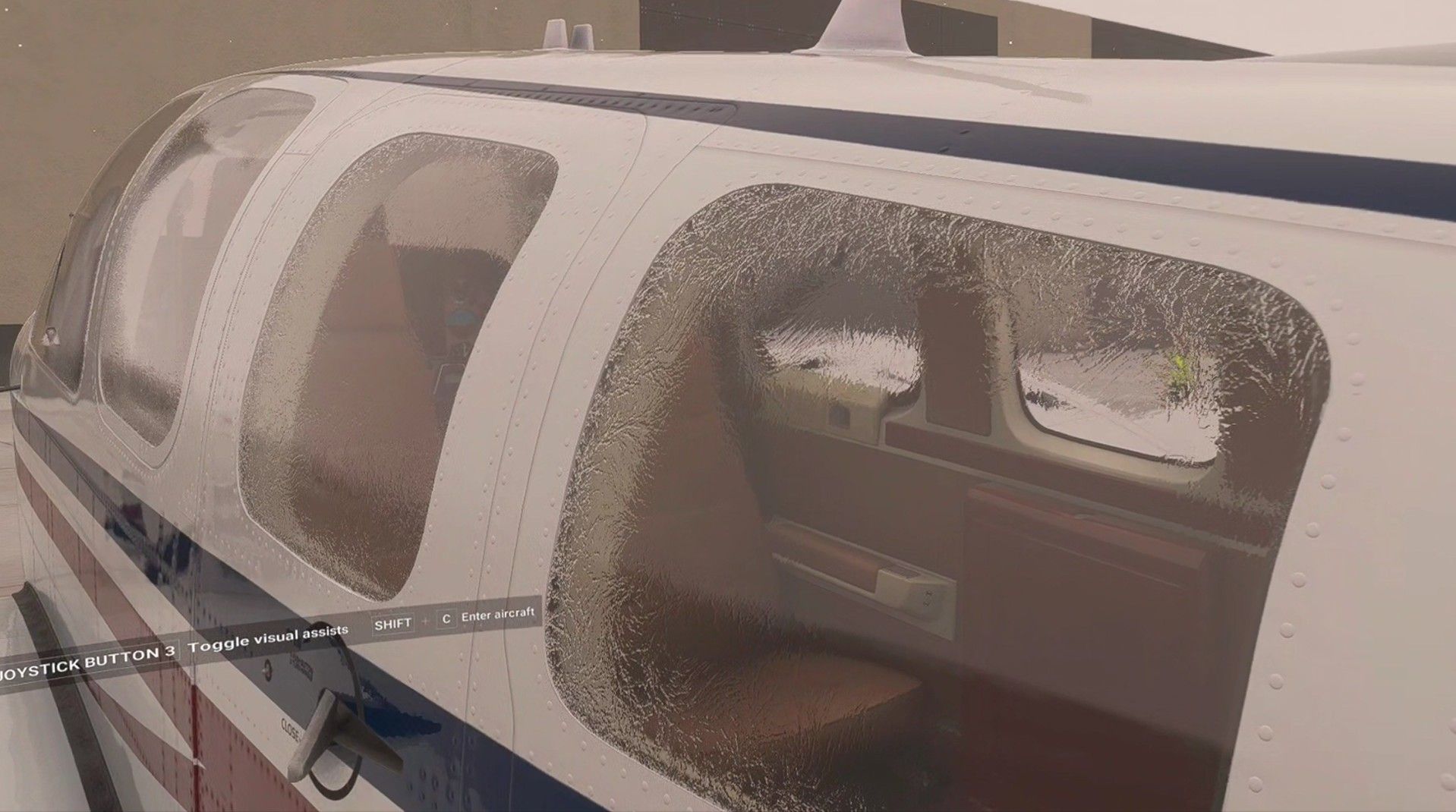
            I'm surprised she didn't bail on me today lol - it was a little icy in Kansas!! This was at startup - took a long time to get them to defrost so I could see enough to taxi - and almost all the way to the runway before it cleared.

            Screenshot 2025-12-01 194905.jpg

            Screenshot 2025-12-01 194805.jpg

            1 Reply Last reply
            0
            • M Online
              M Online
              MiRexer
              wrote on last edited by
              #6

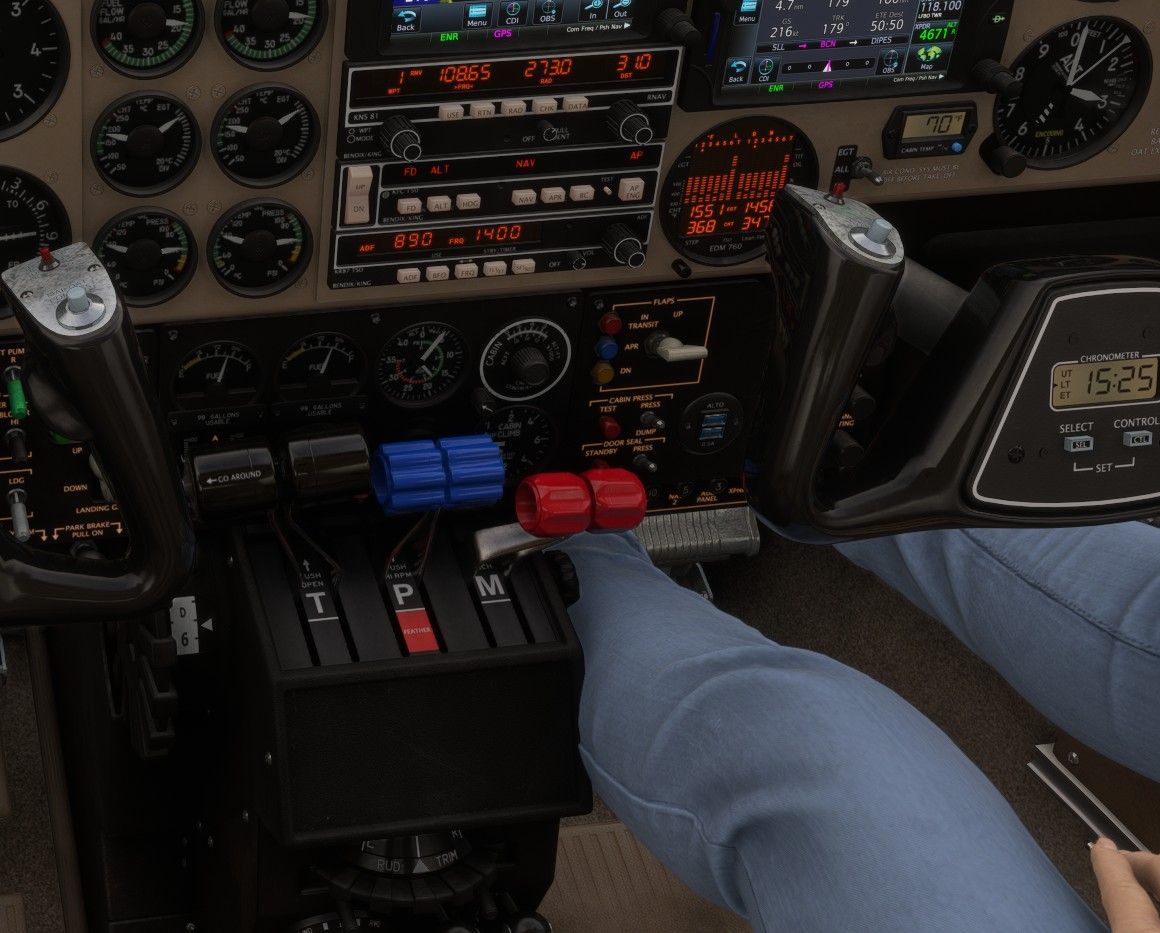
              If you want to have her completely inside the plane:

              pos = 1.005,.4,-0.2

              Screenshot 2025-12-04 092542.jpg

              1 Reply Last reply
              0
              • O Offline
                O Offline
                OrenJKaufman
                wrote last edited by
                #7

                Now that Got Friends Man's Best Friend is out, what are the chances we could get this back? It's got built in ability to adjust the position of the pet and since their legs are much much much shorter, I'm guessing clipping will be much less of a concern.

                1 Reply Last reply
                0
                Reply
                • Reply as topic
                Log in to reply
                • Oldest to Newest
                • Newest to Oldest
                • Most Votes


                • Login

                • Don't have an account? Register

                • Login or register to search.
                • First post
                  Last post
                0
                • Categories
                • Recent
                • Tags
                • Popular
                • Users