
Exiting the plane
-
Just a really minor observation: when exiting the plane you are standing on the other side of the plane and not on side of the door you exited. so when you exit the plane you have to go around and close the door. i can live with it but Nick the perfectionist maybe not

-
You're saying you spawn on the right side of Starship when you exit the cockpit? I've never seen that happen on my end. There's a file where I define the singular spawning position for each aircraft, so there might be something "interesting" happening on your side.
-
i am sorry Nick, i somehow posted in the wrong forum. i had this in the BaronP. i spawn left at the passenger door but i should spawn right behind the wing
@eltoppolino Ah. That makes more sense. I recall doing that on purpose. I guess I was just thinking of the passenger door as the "main entrance", though I suppose it makes just as much sense for the pilot door to be the "main entrance". If people want to chime in here and cast their vote, it's a very simple change.
(Also, if you want to make the change yourself, you can just copy the
navigation_graph_pilot.cfgfrom another variant of the Baron and overwrite the one for the P-Baron.) -
@eltoppolino Ah. That makes more sense. I recall doing that on purpose. I guess I was just thinking of the passenger door as the "main entrance", though I suppose it makes just as much sense for the pilot door to be the "main entrance". If people want to chime in here and cast their vote, it's a very simple change.
(Also, if you want to make the change yourself, you can just copy the
navigation_graph_pilot.cfgfrom another variant of the Baron and overwrite the one for the P-Baron.)@Black-Square said in Exiting the plane:
if you want to make the change yourself, you can just copy the navigation_graph_pilot.cfg...
After my earlier response in this thread, I actually found this file. Wondering if it would be possible to move the spawn location on the wing. I will experiment later when I get the chance but figured I'd drop a question in case this is something you've experimented with or perhaps simply know would not work well, so I don't waste my time (while I have found some position related tools in the dev tools, I have no experience with MSFS development) .
And, I'd also vote for the pilot door.
-
Apologies if I'm going too off topic here (please let me know if should create a new topic).
I've been looking into adjusting this spawn position, with low level of success, as I can't seem to figure out a reliable workflow for testing changes--restarting the flight seems to load changed values only sometimes, or does not apply them properly, and I can't figure out if there is a way to load the community package into the more capable dev tools editors. If anyone has tips, they would be greatly appreciated.
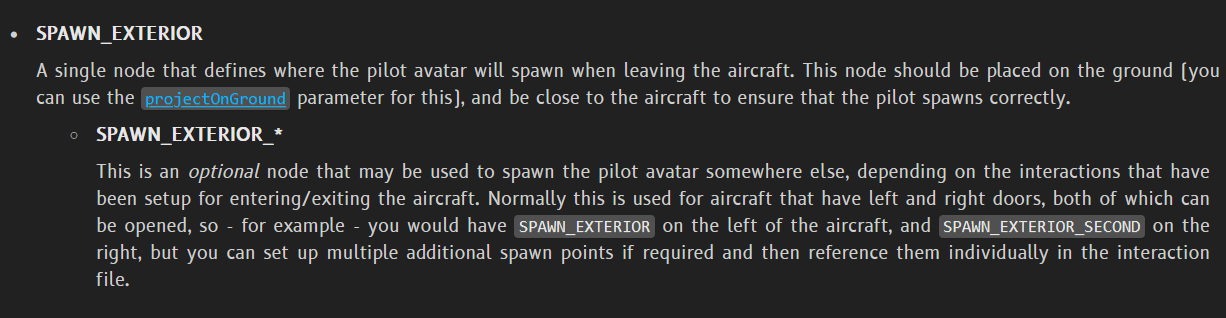
Nick, while looking into this, I came across the following. Am I understanding it correctly that it might be possible to have the default spawn be in front of the left door, but if exited via the pilot door, the avatar spawns on the right?
(docs link) -
The following position seems to work (spawn on wing). It's not perfect as the avatar seems to spawn on the ground and get translated up onto the wing. Tried setting
projectOnGroundto0and setting a z value, but the smallest adjustments seem to result in wildly different spawning behavior (the sim seems to arbitrarily modify entered values?), so I'm giving up.pos = 4.0, 0, -1.5Sharing in case it's helpful to someone.
EDIT: Never mind, loading again now, it doesn't seem to work...
-
My understanding (though I can't claim to have tested it myself) is that the SPAWN_EXTERIOR_SECOND can be used with additional exit doors, but this only works (the only way for it to know which door you triggered) with Asobo's (very poorly implemented, in my opinion) new door behaviors, which trigger the automatic entering/exiting of the cockpit. Not only is this restrictive for my aircraft, but I have also received many notes of gratitude for not implementing this system that forces your character out of the airplane when any door is opened. Unfortunately, this has been the case for most MSFS 2024 features. They sound great in theory, but when you see how they were implemented, it leaves you home-brewing your own solution to achieve similar results. That's only my opinion, of course. I'm sure there are developers who are using all the new features exactly as they were intended, but I suspect they would also struggle trying to implement some of the custom features alongside that my aircraft have become known for.

