Skip to content
  • Categories
  • Recent
  • Tags
  • Popular
  • Users
Collapse
Just Flight Community Forum
  1. Home
  2. Just Flight
  3. MSFS Products
  4. Black Square Add-Ons
  5. Baron Professional
  6. Graphics update for Baron

Graphics update for Baron

Scheduled Pinned Locked Moved Baron Professional
2 Posts 2 Posters 17 Views 1 Watching
  • Oldest to Newest
  • Newest to Oldest
  • Most Votes
Reply
  • Reply as topic
Log in to reply
This topic has been deleted. Only users with topic management privileges can see it.
  • A Offline
    A Offline
    afowle23
    wrote last edited by
    #1

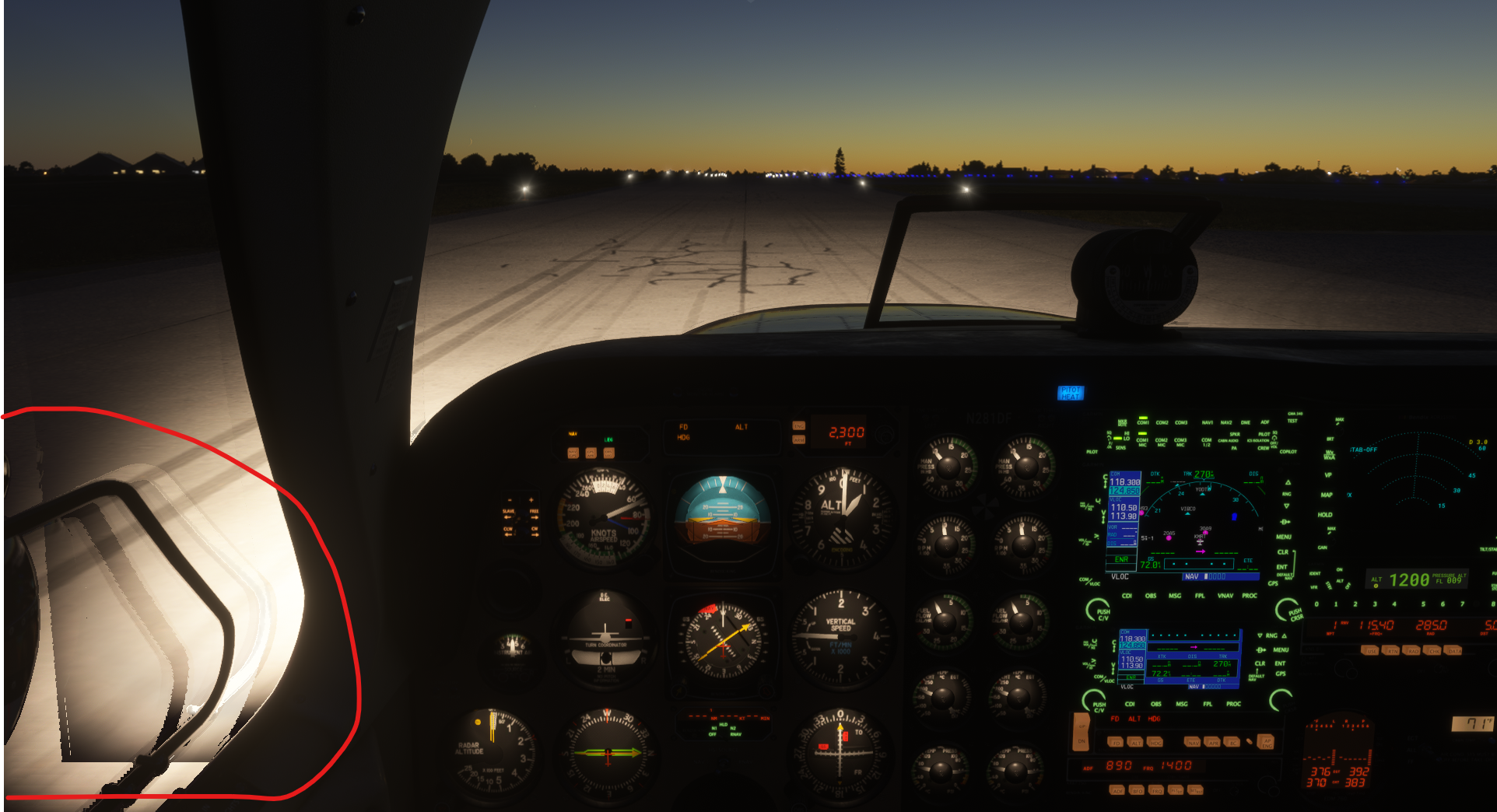
    Ever since the update there has been a very bad motion bug for the graphics of the window and the engine cowl on the pilots side while on the ground. I haven't noticed it in the bonanza but the Baron it is quite obvious.
    (Pic attached). It doesn't happen on any of the other plane I have and I have done everything on my end to eliminate any hardware issues or software (sim) issues.

    RTX 4060
    Intel i5-12400F
    32GB RAM

    Screenshot 2026-09-13 202703.png

    1 Reply Last reply
    0
    • Black SquareB Offline
      Black SquareB Offline
      Black Square
      Black Square Developer
      wrote last edited by
      #2

      This kind of artifact is solely the result of the simulator's renderer, and most likely from frame generation. If you're seeing this after a recent update, did you enable DLSS5, perhaps? Unfortunately, there is nothing an aircraft developer can do to combat this kind of artifacting.

      1 Reply Last reply
      0
      Reply
      • Reply as topic
      Log in to reply
      • Oldest to Newest
      • Newest to Oldest
      • Most Votes


      • Login

      • Don't have an account? Register

      • Login or register to search.
      • First post
        Last post
      0
      • Categories
      • Recent
      • Tags
      • Popular
      • Users