Skip to content
  • Categories
  • Recent
  • Tags
  • Popular
  • Users
Collapse
Just Flight Community Forum
  1. Home
  2. Just Flight
  3. MSFS Products
  4. Black Square Add-Ons
  5. Bonanza Professional
  6. Invisible Copilot

Invisible Copilot

Scheduled Pinned Locked Moved Bonanza Professional
4 Posts 3 Posters 64 Views 1 Watching
  • Oldest to Newest
  • Newest to Oldest
  • Most Votes
Reply
  • Reply as topic
Log in to reply
This topic has been deleted. Only users with topic management privileges can see it.
  • toby23T Offline
    toby23T Offline
    toby23
    wrote last edited by
    #1

    @Black-Square Can you see any reason why the co-pilot would not display in the Bonanza, using the code below?
    Thank you,
    Toby

    [MAINGRAPH.0]
    nodes = 0,1,2
    ;massSections = Pilot,Copilot
    coordinate_system = relative
    
    [NODE.0]
    name = 0
    tag = PILOT
    node_occlusion_factor = 1
    modelNode = PILOT_0
    massSection = Pilot
    interactiveObject = FilePath: InteractionsPreset\Asobo\Seat\Seat_without_seatbelt #Param:
    ANIMATION_SIT:Idle1_PosePropeller
    
    [NODE.1]
    name = 1
    projectOnGround = 1
    tag = SPAWN_EXTERIOR
    pos = 5.5, 0, -10.0 ;x,z,y (+x=right, +y=forward)
    pbh = -15,0,-25 ;pitch, beta, heading: clockwise
    
    [NODE.2]
    name = 2
    tag = COPILOT
    modelnode = PILOT_1
    ;pos = 1.35,0.93,14
    massSection = Copilot
    interactiveObject = SEAT_DEFAULT_Copilot
    
    [MassSection.0]
    name = Pilot
    stationLoadName = TT:MENU.PAYLOAD.PILOT
    maxMass = 300
    
    [MassSection.1]
    name = Copilot
    stationLoadName = TT:MENU.PAYLOAD.COPILOT
    maxMass = 220
    

    Ryzen 5800X3D, 64GB RAM, RTX 4090, Windows 11

    1 Reply Last reply
    0
    • 2LOW2 Offline
      2LOW2 Offline
      2LOW
      wrote last edited by
      #2

      i think you can activate the co-pilot in the black square tablet

      Black SquareB 1 Reply Last reply
      0
      • 2LOW2 2LOW

        i think you can activate the co-pilot in the black square tablet

        Black SquareB Offline
        Black SquareB Offline
        Black Square
        Black Square Developer
        wrote last edited by
        #3

        @2LOW That option was left in by mistake in the MSFS 2024 version. However, it will have no effect on inserting your own 2024 characters using navigation_graph.cfg.

        @toby23 Did you try using the same interactiveObject and ANIMATION_SIT as the pilot?

        toby23T 1 Reply Last reply
        0
        • Black SquareB Black Square

          @2LOW That option was left in by mistake in the MSFS 2024 version. However, it will have no effect on inserting your own 2024 characters using navigation_graph.cfg.

          @toby23 Did you try using the same interactiveObject and ANIMATION_SIT as the pilot?

          toby23T Offline
          toby23T Offline
          toby23
          wrote last edited by toby23
          #4

          @black-square-add-ons

          Thank you for your suggestion, which worked. I was able to get the co-pilot to show in all models of the Bonanza by only changing the main \bksq-aircraft-bonanzapro\navigation_graph\navigation_graph_pilot.cfg , which would indicate that the other model's navigation_graph_pilot.cfg files are being ignored.

          Unfortunately applying similar edits to the Baron, Duke and Turbine Duke packages does not work. There is no co-pilot visible at all.
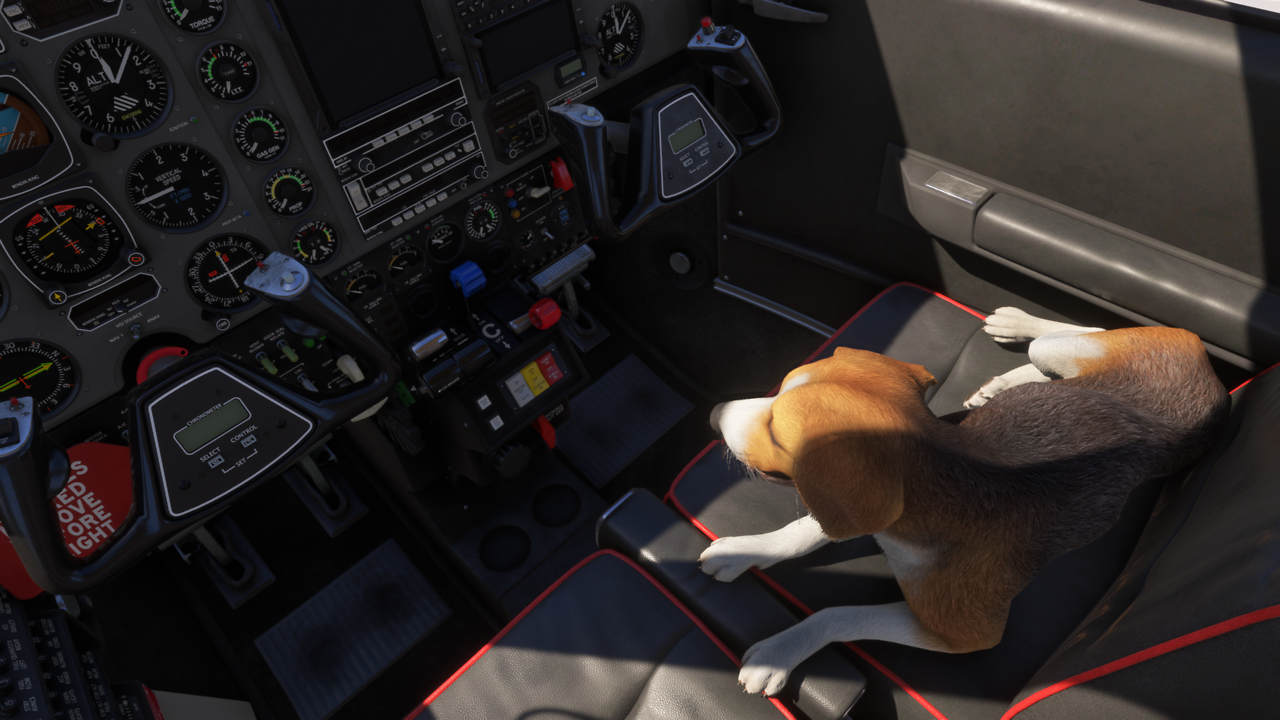
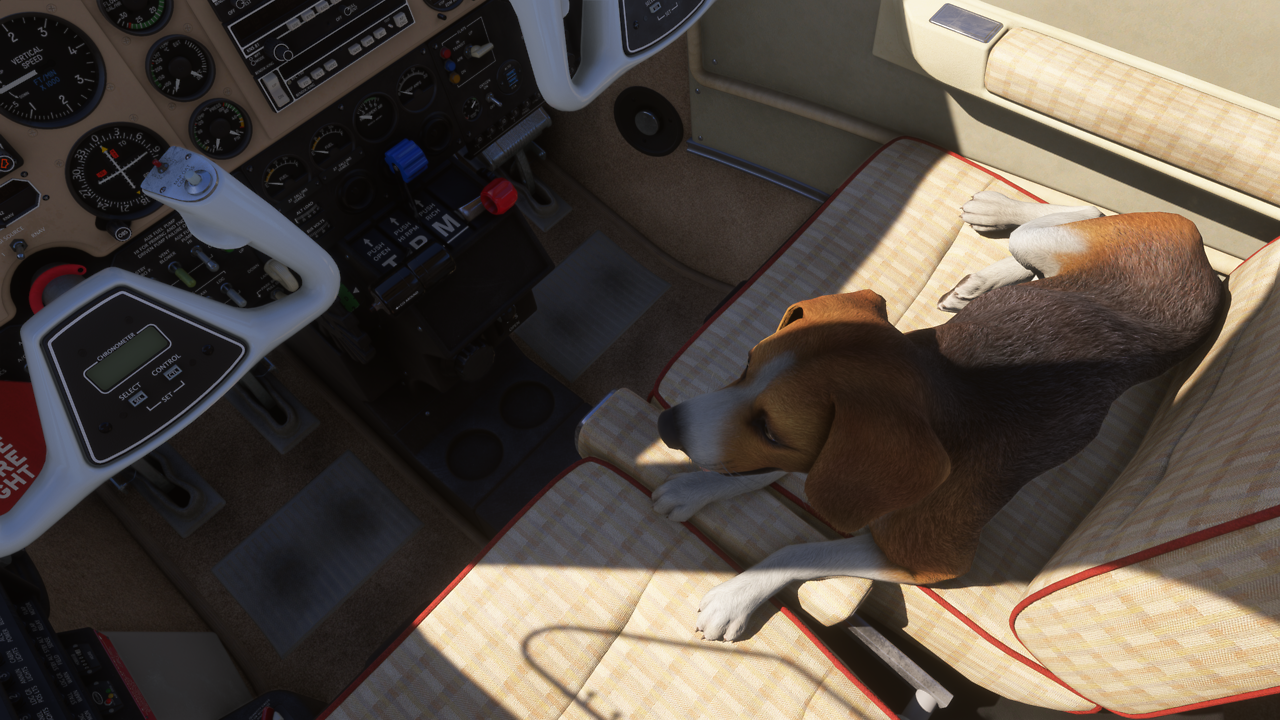
          Bonanza1.png

          Bonanza2.png

          [MAINGRAPH.0]
          nodes = 0,1,2
          massSections = Pilot,Copilot
          coordinate_system = relative
          
          [NODE.0]
          name = 0
          tag = PILOT
          node_occlusion_factor = 1
          modelNode = PILOT_0
          massSection = Pilot
          interactiveObject = FilePath: InteractionsPreset\Asobo\Seat\Seat_without_seatbelt #Param:
          ANIMATION_SIT:Idle1_PosePropeller
          
          [NODE.1]
          name = 1
          projectOnGround = 1
          tag = SPAWN_EXTERIOR
          pos = 5.5, 0, -10.0 ;x,z,y (+x=right, +y=forward)
          pbh = -15,0,-25 ;pitch, beta, heading: clockwise
          
          [NODE.2]
          name = 2
          tag = COPILOT
          modelnode = PILOT_1
          pos = 1.35,0.93,14
          massSection = Copilot
          interactiveObject = FilePath: InteractionsPreset\Asobo\Seat\Seat_without_seatbelt #Param:
          ANIMATION_SIT:Idle1_PosePropeller
          
          [MassSection.0]
          name = Pilot
          stationLoadName = TT:MENU.PAYLOAD.PILOT
          maxMass = 300
          
          [MassSection.1]
          name = Copilot
          stationLoadName = TT:MENU.PAYLOAD.COPILOT
          maxMass = 300


          Ryzen 5800X3D, 64GB RAM, RTX 4090, Windows 11

          1 Reply Last reply
          0
          Reply
          • Reply as topic
          Log in to reply
          • Oldest to Newest
          • Newest to Oldest
          • Most Votes


          • Login

          • Don't have an account? Register

          • Login or register to search.
          • First post
            Last post
          0
          • Categories
          • Recent
          • Tags
          • Popular
          • Users