
GNS 530 #2 is mirroring NAV/COM 1
-
I had to re-install MSFS 2024 and all aircraft following a drive failure and I'm running into a strange issue with the TBM 850 that I've not seen before. The number 2 GNS 530 seems to be mirroring the #1 unit whether I'm using the TDS GTN 750 or the GNS 530 as Nav/Com 1. If i use the TDS unit as #1 and the King Nav/Com as #2 both units work properly.
I've tried wiping (Including removing the state file manually) and re-installing and the problem persists. Does anyone have any idea what's going on here?
Scott
-
I can look into this later, but what exactly is mirroring? The radio frequencies?
-
Sorry - I mean no matter if the first GPS is the TDS GTN 750 or the WT GNS 530 the second WT GNS 530 always acts as Com1/Nav1, resulting in two #1s. If I swap out the second GNS 530 for the standard Nav/Com radio it behaves as Com2/Nav2 as it should.
Hope that's clearer.
-
I’m having the same issue.
Com and n.a.v. frequenties are taken over between units, both ways
Also changing cdi source is taken over, its mirroring the primary unit.
In my case the TDS 750 -
Same here when using dual GNS530s. If I change the Comm or Nav frequencies on the #1 unit it also changes them on the #2 unit as well...Searches suggest clearing the state file but I see the OP has tried that. Wonder if WT have changed something again with AAU5? was it that released recently?
-
Done some further testing....If I use the default "red feathers" livery then the GNS units are not mirrored and the Flight Director works independently of the Autopilot being engaged, however, if I use a custom livery (Raller's N851TB for instance) then I get the mirroring and FD not working independently of the autopilot being engaged
Video of symptoms here https://youtu.be/QqG5uaU8bkI
Regards
James -
OK seems to be sorted for me now (using Google AI) - Assuming you're all using custom liveries? If so and at your own risk
1 If there's a panel.N851TB folder (obviously name might be different depending on the livery) then check if there are any texture files in there like .dds/.json move them to the texture.N851TB folder then delete the entire panel.N851TB folder.
2 Edit the aircraft.cfg file in your custom livery folder, specifically the entry panel = "" (this may have had a reference to the deleted panel.N851TB folder)
3 Recompile the layout.json file by using MSFSLayoutGenerator.exeNo support provided

Not thoroughly tested either yet but for me, it's fixed the duplication of control on the GNS530s and the fact the FD wouldn't work without the AP being engaged -
First of all, I don’t think it’s due to the use of an external livery. The entries for the GNS530 for Unit 1 and 2 in my panel.cfg file are exactly the same as those in the original BKSQ panel.cfg file from the default liveries.
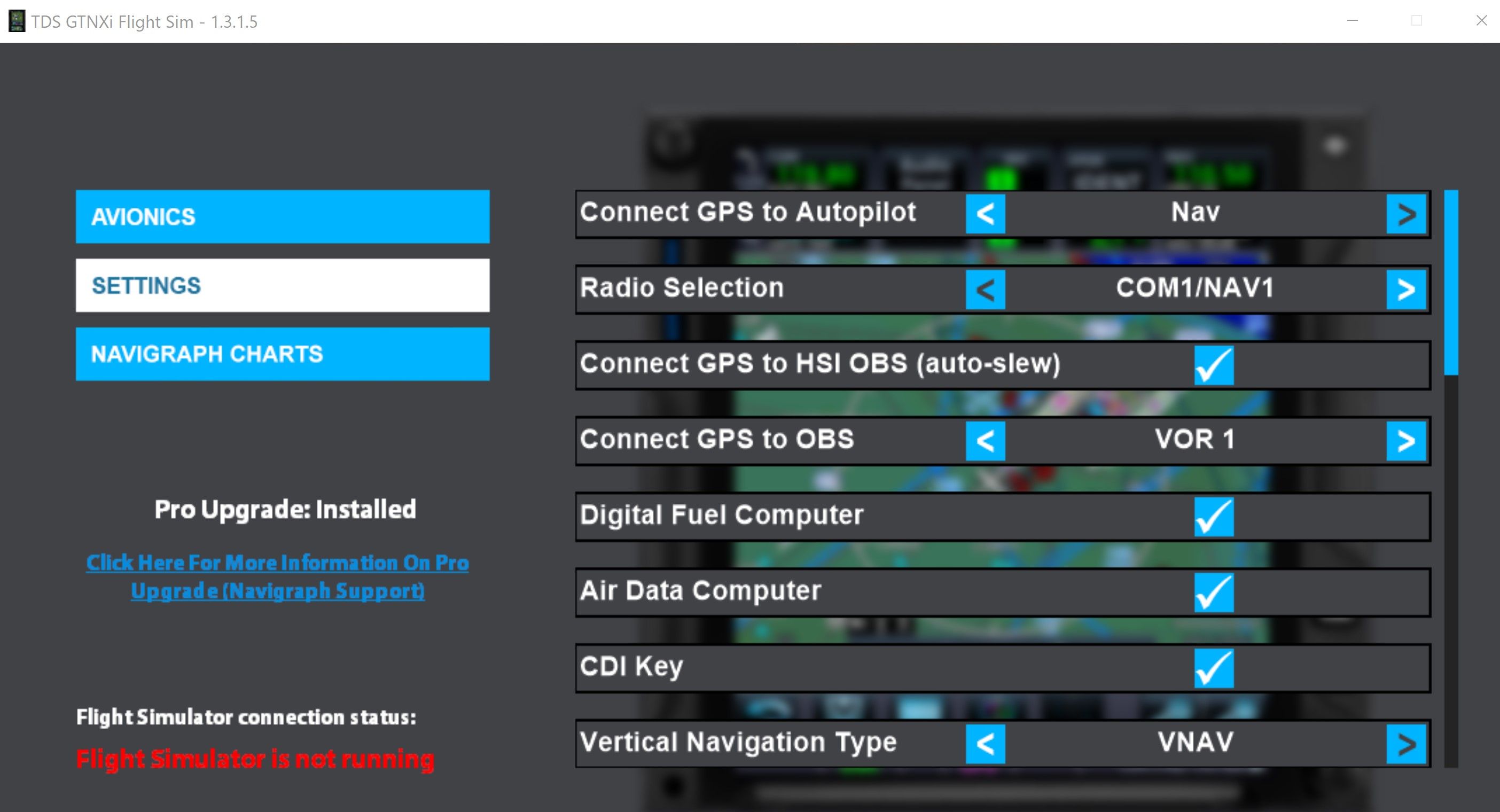
Anyone who owns a GTN750 knows that you can configure how Unit 1 and Unit 2 should behave (see screenshot). I think the issue described here stems from the fact that both units of the GNS530 are configured identically. However, I don’t know where you can change the behavior of GNS530 Units 1 and 2. Is there a configuration file or is it hard-coded?
Can anyone confirm that the issue is resolved or doesn’t occur when using the BKSQ original default livery?
-
First of all, I don’t think it’s due to the use of an external livery. The entries for the GNS530 for Unit 1 and 2 in my panel.cfg file are exactly the same as those in the original BKSQ panel.cfg file from the default liveries.
Anyone who owns a GTN750 knows that you can configure how Unit 1 and Unit 2 should behave (see screenshot). I think the issue described here stems from the fact that both units of the GNS530 are configured identically. However, I don’t know where you can change the behavior of GNS530 Units 1 and 2. Is there a configuration file or is it hard-coded?
Can anyone confirm that the issue is resolved or doesn’t occur when using the BKSQ original default livery?
-
@tttocs @hughesj2 I figured out what the problem is.
There are two files in the “panel” folder: panel.cfg and panel.xml. When we, as repainters, create a livery, we only include files that we've modified. In my livery, for example, I only modified the panel.cfg file to adjust the aircraft registration number to match my livery. Since nothing was changed in the other file (panel.xml), it doesn’t need to be included in the repaint, as it’s loaded from the aircraft’s original folder. That’s how it worked in MSFS 2020, and it always worked perfectly.MSFS 2024 works a little differently. The panel.xml file - which isn’t included in the livery - is no longer automatically loaded from the original aircraft folder; instead, it must now also be included in the repaint livery. Since this panel.xml file contains configuration details for the individual units, those settings weren’t loaded, and a default configuration for the GNS530 was used instead.
Long story short: I’ve now copied the file panel.xml into my livery, and the GNS530 Units 1 and 2 are now working as they should. I’ve successfully tested it myself.
This thread brought this change in MSFS 2024 to light. It certainly affects many of the 2024 custom liveries out there. I’ll be making my N851TB livery available on flightsim.to this weekend as a new update, and I’ll also be checking my other liveries for MSFS 2024.
-
-
@Raller that's it! I do, indeed, use your 851TB livery. Thanks so much for taking the time to figure this out. I've been flying the TBM quite a bit lately since the new sound pack was released, but I'd given up on the 530 as nav/com2. Looking forward to going back to it!


