F100 - ATS and Landing behaviour
-
Dear friends!
I've been flying your Fokker 100 and anso enjoying the experience. However, I would like to report a few issues and unexpected behaviors I have encountered during my flights.
Could you please look into the following points?
-
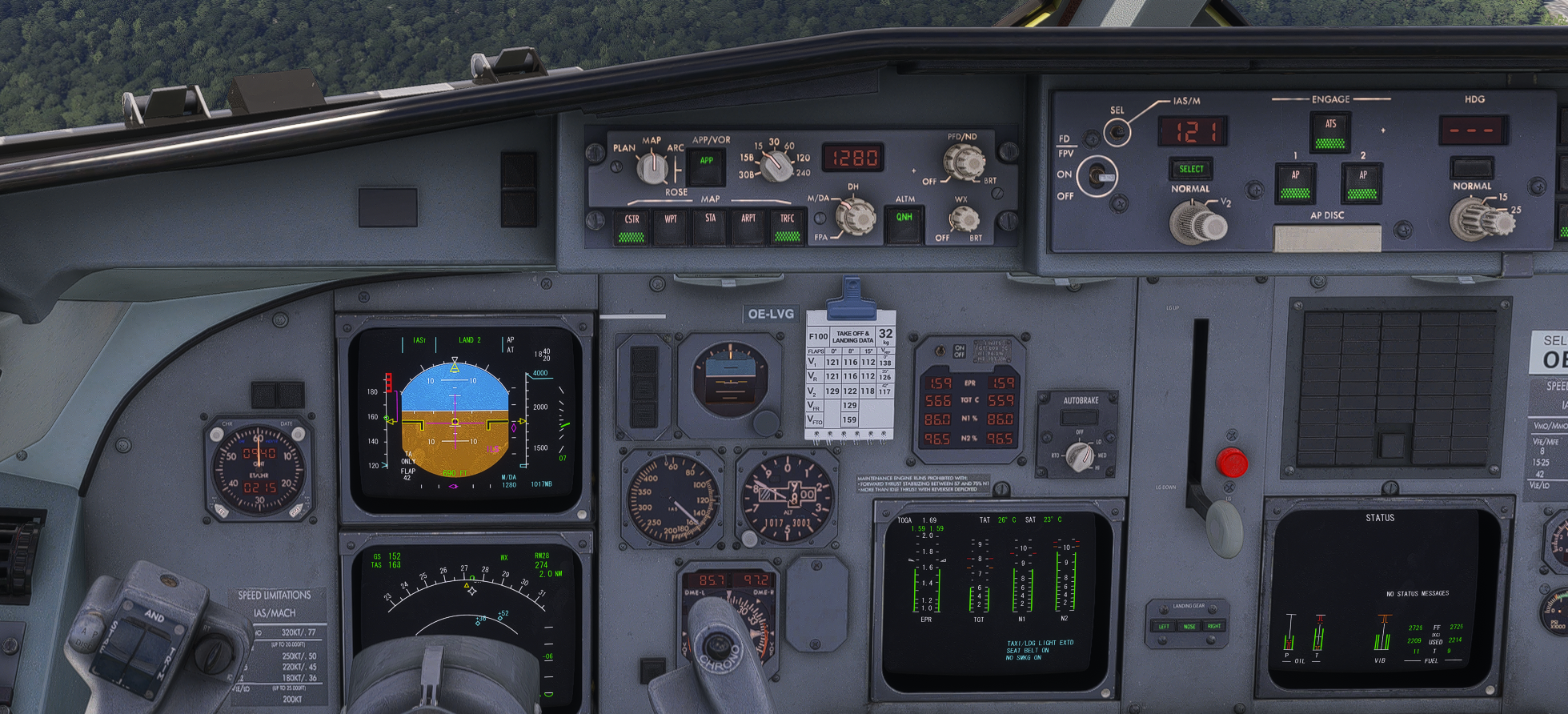
ATS Thrust Hunting and IAS Maintenance: The Auto Throttle System (ATS) struggles significantly to maintain the target Indicated Airspeed (IAS) during descent, approach, and at lower altitudes. There are large, continuous thrust variations (hunting), and the system fails to settle on the optimal power setting required for the desired speed.
-
AP Disconnect Pitch Down: When disconnecting the Autopilot (AP) on final approach, the aircraft exhibits a severe nose-down pitching moment. This requires an immediate and significant manual correction using the stabilizer trim to keep the aircraft on the glidepath.
I've recorded a short video regarding the points above: https://youtu.be/oYjhUXEw88M?si=rpanrQ58xDuZ0RR9
FMS Temperature and TROPO Inputs: The FMS occasionally rejects realistic temperature and Tropopause (TROPO) values extracted from my OFP/navlog, returning an "entry out of range" error message.
Low Cruise Altitude (CRZ ALT) Rejection: The FMS does not accept low cruise altitudes (e.g., FL080 for short local flights). I would like to ask: is this an accurate limitation of the real-world Fokker 100 FMS, or is it a software bug in the add-on?
FLCH Behavior: When using the Flight Level Change (FLCH) mode, I have noticed erratic speed variations and the application of engine thrust in situations where it seems completely unnecessary.
Thank you for your time and for the continued updates to this great aircraft. I look forward to your feedback on whether these are known issues being worked on or real-world quirks of the F100.
-
-
Hello there, I was about to write something very similar.
First of all, and most important to me, it is noticiable how hard it is for the aircraft to maintain a constant IAS speed, that being via the ATS or via the level change.
In ATS part, thrust takes to long to be applyed or removed, resulting in IAS droping to low from the selected IAS, and while accelerating it takes to long for it to decrease the power, resulting the IAS to extrapolate +/-15kts over the selected speed.I have also noticed the lack of agility from the aircraft to keep speed while in FLCH, that resulting in speeds al the way to 30kts below the selected altitude for descent (still need to try in climb mode).
-
CRZ LVL out of range was also something I've noticed, also still not knowing if that's a feature or bug, but I couldn't insert any Cruise Level below FL100.
I've tried to insert as FL080, 080, 8000, none worked.Discovered that while short hopping and flying IFR paterns to practice this new airplane.
-
Thank you for your feedback. Tuning of various AFCAS and ATS modes is something that we anticipate will be a continual ongoing effort throughout the lifespan of the product. It is an area of the product that can vary so much based on a large number of factors, and now that the product is released and in the hands of an exponentially larger pool of users, it is only natural that we are going to find more of these scenarios that require further fine-tuning going forward.
I would just like to note, however, that slow throttle response and some throttle hunting are traits of the real aircraft. The following video is a good example of some throttle hunting during the approach phase: https://youtu.be/aqao0PWyLug
The slow throttle response in the real aircraft is also part of the reason why the landing gear takes 32 seconds to extend. We have cockpit videos from the real aircraft that show pilots controlling the throttles during the approach, even with ATS engaged, as it can sometimes not respond quickly enough. That's something that is very tricky to simulate in home flight simulators, as most users don't have servo-operated throttles that move with the throttle position in the simulator.
In terms of logging feedback, the very best thing that anyone could do is to collate all of your feedback and send it in a ticket to Just Flight Support via the following link: https://www.justflight.com/support
The F70 & F100 Professional are complex simulations, so in order to give our support team the best chance at offering speedy assistance, and to ensure that all feedback gets logged correctly, we would kindly ask that any screenshots/videos of the behaviour are also included with your ticket, as well as attaching the log file generated by the product.
Instructions for locating the log file can be found here: https://support.justflight.com/en/support/solutions/articles/17000152594-where-to-find-the-log-file-s-
Mark - Just Flight
-
CRZ LVL out of range was also something I've noticed, also still not knowing if that's a feature or bug, but I couldn't insert any Cruise Level below FL100.
I've tried to insert as FL080, 080, 8000, none worked.Discovered that while short hopping and flying IFR paterns to practice this new airplane.
Found the answers for that under the manuals
"The minimum accepted flight level is 10,000 ft." -
Thank you for your feedback. Tuning of various AFCAS and ATS modes is something that we anticipate will be a continual ongoing effort throughout the lifespan of the product. It is an area of the product that can vary so much based on a large number of factors, and now that the product is released and in the hands of an exponentially larger pool of users, it is only natural that we are going to find more of these scenarios that require further fine-tuning going forward.
I would just like to note, however, that slow throttle response and some throttle hunting are traits of the real aircraft. The following video is a good example of some throttle hunting during the approach phase: https://youtu.be/aqao0PWyLug
The slow throttle response in the real aircraft is also part of the reason why the landing gear takes 32 seconds to extend. We have cockpit videos from the real aircraft that show pilots controlling the throttles during the approach, even with ATS engaged, as it can sometimes not respond quickly enough. That's something that is very tricky to simulate in home flight simulators, as most users don't have servo-operated throttles that move with the throttle position in the simulator.
In terms of logging feedback, the very best thing that anyone could do is to collate all of your feedback and send it in a ticket to Just Flight Support via the following link: https://www.justflight.com/support
The F70 & F100 Professional are complex simulations, so in order to give our support team the best chance at offering speedy assistance, and to ensure that all feedback gets logged correctly, we would kindly ask that any screenshots/videos of the behaviour are also included with your ticket, as well as attaching the log file generated by the product.
Instructions for locating the log file can be found here: https://support.justflight.com/en/support/solutions/articles/17000152594-where-to-find-the-log-file-s-
Mark - Just Flight
Dear Mark,
Thank you for getting back to me and for sharing the reference video.
However, I would like to point out a few things regarding the video provided. Since it was recorded from the passenger cabin, it lacks the flight deck parameters (such as EPR, IAS trend, and wind vectors) necessary to make a direct and accurate comparison between the real aircraft's ATS behavior and the simulator.
Furthermore, the meteorological conditions in the video clearly show active weather, with nearby CBs and apparent turbulence. In an environment with shifting wind direction and speed, it is completely normal and expected for the ATS to make significant and continuous thrust adjustments to maintain the target speed.
This contrasts directly with the video I recorded and sent to you. In my simulator footage, you can see that the wind direction and speed are completely constant. While perfectly steady winds are too unreal, in this controlled environment, a stable wind vector should not trigger such erratic ATS responses and severe thrust hunting. Without external atmospheric disturbances, the system should be able to stabilize the power setting rather than continuously chasing the speed.
I'll sent a ticket as instructed!
Thank you again for your time and assistance.
-
Dear team, thank you for yet another amazing aircraft !!! Just wanted to confirm this issue on my side as well. Plane is very much struggling to keep speeds, both in speed by pitch modes and in speed by thrust modes.
-
I have a different issue, on disengaging the ATS, it randomly turns back on again on finals!
-
I have a different issue, on disengaging the ATS, it randomly turns back on again on finals!
-
I would like to chip in here with my modest observation - this might be an issue occurring only on MSFS 2024, imho.
I flew F100 in MSFS 2024, LOWW-EPKK, the turbulence settings set to low and nearly no wind, the plane climbed in profile mode, was unable to follow FMS selected IAS. Oscillations were always +/- 20 kts. The throttle was stable in climb thrust, but the plane was unable to follow the FD properly and was overshooting the selected speed until a cruise altitude was reached.
I flew F100 in MSFS 2020, the same route, the same conditions, the plane kept the speed in profile climb without any issues (tiny variations due to the wind, absolutely normal).
I also flew F70, only in MSFS2020 on LOWW-LZKZ-LOWW, different cruise altitudes and speeds, always flown accurately. Did not fly F70 in MSFS2024.
The ATS is sometimes slightly sluggish, but as Mark says, that is to be expected, and I did not find the ATS behaviour in MSFS 2020 particularly problematic (would say that 737s by a famous developer have a similarly sluggish auto throttle).
Could it be the difference between simulators?
-
@Damar_Rally The ATS will automatically engage to provide low speed protection if you decelerate into the amber VMA speed band.
@Martyn thank you for the information, but I am well above the amber band by 10kts when this happens.
-
I will have to finish reading the FCOM to verify this but in general, this is what happens when in a VNAV climb or Profile climb.
- The AT will set a climb thrust. This thrust will not vary during a climb, and it should not vary (altitude, temperature etc factors that affect engine performance aside).
- The AP will command a pitch in order to maintain the Profile speed. As you get higher, the pitch commanded will be lower until your reach cruise altitude.
- ALL A/T systems will seem sluggish. They are not designed to command extreme inputs. This could put an aircraft on a crazy roller coaster that no es bueno.
In other words, the FMC will determine the speed and then command a pitch to maintain that speed. Thrust should stay relatively the same until you reach cruise then cruise power is set.
Flying today, this is the exact behavior I saw. Yes, there were variations in pitch to maintain the speed, but it was always due to wind changes or local pressure changes. The AP compensated with pitch and my IAS did not get crazy.
Another point. Flight Directors do NOT actually command they direct. Pilots are taught to look through the flight directors and set attitude. If the FD directs pitch up and the pitch bar is on 30 degrees, do NOT pitch up 30 degrees nose up. Pitch up until the FD's settle down. You can get into crazy scenarios if you constantly try and chase the flight directors.
Guys/Gals, in the end automation is an assist for a pilot, not replacement. As a pilot you have to be able to do pilot crap at any time. If you find your automation not doing what you want it to do, fix it. I have had zero issues with the aircraft handling in any phase of flight. I will pay more attention on next flight and see if I can note something I am overlooking.
-
I will have to finish reading the FCOM to verify this but in general, this is what happens when in a VNAV climb or Profile climb.
- The AT will set a climb thrust. This thrust will not vary during a climb, and it should not vary (altitude, temperature etc factors that affect engine performance aside).
- The AP will command a pitch in order to maintain the Profile speed. As you get higher, the pitch commanded will be lower until your reach cruise altitude.
- ALL A/T systems will seem sluggish. They are not designed to command extreme inputs. This could put an aircraft on a crazy roller coaster that no es bueno.
In other words, the FMC will determine the speed and then command a pitch to maintain that speed. Thrust should stay relatively the same until you reach cruise then cruise power is set.
Flying today, this is the exact behavior I saw. Yes, there were variations in pitch to maintain the speed, but it was always due to wind changes or local pressure changes. The AP compensated with pitch and my IAS did not get crazy.
Another point. Flight Directors do NOT actually command they direct. Pilots are taught to look through the flight directors and set attitude. If the FD directs pitch up and the pitch bar is on 30 degrees, do NOT pitch up 30 degrees nose up. Pitch up until the FD's settle down. You can get into crazy scenarios if you constantly try and chase the flight directors.
Guys/Gals, in the end automation is an assist for a pilot, not replacement. As a pilot you have to be able to do pilot crap at any time. If you find your automation not doing what you want it to do, fix it. I have had zero issues with the aircraft handling in any phase of flight. I will pay more attention on next flight and see if I can note something I am overlooking.
Thanks for the refresher on VNAV and Flight Director operations, but I believe the main point of my report was missed.
I operate in virtual aviation with the exact same standards and rigor that I apply in the real-world aircraft I fly for a living.
I bring the same situational awareness and mindset to the sim as I would if the machine were real. I’m fully aware that automation is merely an assist and that reverting to manual flight (doing “””pilot crap”””) is the standard procedure when a system misbehaves.
The issue I am pointing out isn't a misinterpretation of the FD or a lack of understanding of basic autoflight logic. The problem is that the system responds aggressively and erratically in perfectly calm air. In a scenario with absolutely no variations in wind direction, wind speed, or local pressure, the system failing to manage basic pitch and power coordination is extremely strange. I am not looking for flawless automation to compensate for poor piloting technique, I am simply reporting an anomaly in the addon's flight control logic that behaves unrealistically in neutral atmospheric conditions.
-
I will have to finish reading the FCOM to verify this but in general, this is what happens when in a VNAV climb or Profile climb.
- The AT will set a climb thrust. This thrust will not vary during a climb, and it should not vary (altitude, temperature etc factors that affect engine performance aside).
- The AP will command a pitch in order to maintain the Profile speed. As you get higher, the pitch commanded will be lower until your reach cruise altitude.
- ALL A/T systems will seem sluggish. They are not designed to command extreme inputs. This could put an aircraft on a crazy roller coaster that no es bueno.
In other words, the FMC will determine the speed and then command a pitch to maintain that speed. Thrust should stay relatively the same until you reach cruise then cruise power is set.
Flying today, this is the exact behavior I saw. Yes, there were variations in pitch to maintain the speed, but it was always due to wind changes or local pressure changes. The AP compensated with pitch and my IAS did not get crazy.
Another point. Flight Directors do NOT actually command they direct. Pilots are taught to look through the flight directors and set attitude. If the FD directs pitch up and the pitch bar is on 30 degrees, do NOT pitch up 30 degrees nose up. Pitch up until the FD's settle down. You can get into crazy scenarios if you constantly try and chase the flight directors.
Guys/Gals, in the end automation is an assist for a pilot, not replacement. As a pilot you have to be able to do pilot crap at any time. If you find your automation not doing what you want it to do, fix it. I have had zero issues with the aircraft handling in any phase of flight. I will pay more attention on next flight and see if I can note something I am overlooking.
@Crabby A/T seems sluggish, but I don't think it's supposed to allow the speed to drop by as much as 30 knots below the selected value, leading to speeds even below VMA.
And then, according to the manuals:
ATS is supposed to be used in all flight modes, all the way to landing.As the manuals says:
"ATS during Landing
During landing, automatic thrust lever retardation to idle occurs below 50 ft AGL.
The FMA will show RET in the thrust window."And also:
"AUTOMATIC GUST CORRECTION
During approach in gusty wind conditions, ATS will control to a speed not below VMA +8. VMA and VSEL at the PFD are not affected."So, Guys and Gals, these passages give me reason to believe that, as sluggish as the AT may be, it shouldn't be that imprecise....
-
Thanks for the refresher on VNAV and Flight Director operations, but I believe the main point of my report was missed.
I operate in virtual aviation with the exact same standards and rigor that I apply in the real-world aircraft I fly for a living.
I bring the same situational awareness and mindset to the sim as I would if the machine were real. I’m fully aware that automation is merely an assist and that reverting to manual flight (doing “””pilot crap”””) is the standard procedure when a system misbehaves.
The issue I am pointing out isn't a misinterpretation of the FD or a lack of understanding of basic autoflight logic. The problem is that the system responds aggressively and erratically in perfectly calm air. In a scenario with absolutely no variations in wind direction, wind speed, or local pressure, the system failing to manage basic pitch and power coordination is extremely strange. I am not looking for flawless automation to compensate for poor piloting technique, I am simply reporting an anomaly in the addon's flight control logic that behaves unrealistically in neutral atmospheric conditions.
-
@Crabby A/T seems sluggish, but I don't think it's supposed to allow the speed to drop by as much as 30 knots below the selected value, leading to speeds even below VMA.
And then, according to the manuals:
ATS is supposed to be used in all flight modes, all the way to landing.As the manuals says:
"ATS during Landing
During landing, automatic thrust lever retardation to idle occurs below 50 ft AGL.
The FMA will show RET in the thrust window."And also:
"AUTOMATIC GUST CORRECTION
During approach in gusty wind conditions, ATS will control to a speed not below VMA +8. VMA and VSEL at the PFD are not affected."So, Guys and Gals, these passages give me reason to believe that, as sluggish as the AT may be, it shouldn't be that imprecise....
@pedropolak I am still not through with the actual FCOM, however, straight from the US Airways FCOM:
LANDING
Except for autoland approaches, switch off the ATS at 50 feet or above.
Start to initiate a flare at approximately 30 feet for a manual landing.
For autoland approaches, monitor the thrust lever movement to idle. For all
other approaches, retard the thrust levers manually back to idle. After an
autoland, the autopilot has to be switched off before 60 knots.Just got done scanning the Alliance FCOM and it reads the same. I understand the manuals provided may say different (I have not read them past recommended settings. I have various FCOMs and that is what I learn on), however there is no FCOM recommendation to use the ATS from start to finish.
Granted, there could be another operator SOP that says ATS is to always be used. I know that is the case for the 777. I just can't find reference to that in real documents.
-
I experience the same. Using MSFS 2024. The aircraft struggles to maintain speed, the autopilot seems to be too slow in response, resulting in unrealistic large pitch oscillations and large thrust corrections. It would be nice if JF could tweak this behaviour and make the autopilot more responsive.
-
Wanted to step in here too to report a surprisingly large variation of speeds during an approach in calm weather conditions.
Approach speed varies in a range of like 20 to 30kt when handled by ATS and I've found it to be super super difficult to manage energy on approach an landing.
I've done three flights so far and every APP was messed up to an extent that I should have gone around.
Been flying various sims and different aircraft (yep, Boeing and Airbus) for 20 years now and always been able to quickly get used to new environment. Sure, a part of my bad approaches are due to differences between Fokker and A/B which I just have to get used to but it feels like some parameters of the addon could use a little fine tuning too. -
I'm not sure it's all the ATS' and A/P's fault. I'm not sure how it's calculated in the real aircraft, but I've seen that the speed trend indication is very very responsive, much more so than in any other aircraft I've flown. I usually never use ATS on final (in any plane), but I've basically having to force myself to disregard the speed trend indication or I would end up doing some very excessive and unnecessary throttle changes myself (something that did happen for the first half of my first approach, before I noticed).
Also, even though it's slightly off topic, since someone mentioned FLCH, if you fly manually and have the F/D vertical mode in FLCH you'll see that the flight director has a similar problem, the commands are very large and vary very quickly. Maybe this can throw off the A/P and ATS?
Next flight I do I'll try to get some footage of both of these things.