
Question about "Update position"...
-
Greetings, everybody! I have been playing around with Starship and DR mode, and I am not sure what "update position" actually does and how error is actually accumulating in DR mode. Here is my actions:
-
I start in the middle of South Pacific with no ground navaids nerby with GPS and VLF/Omega on.
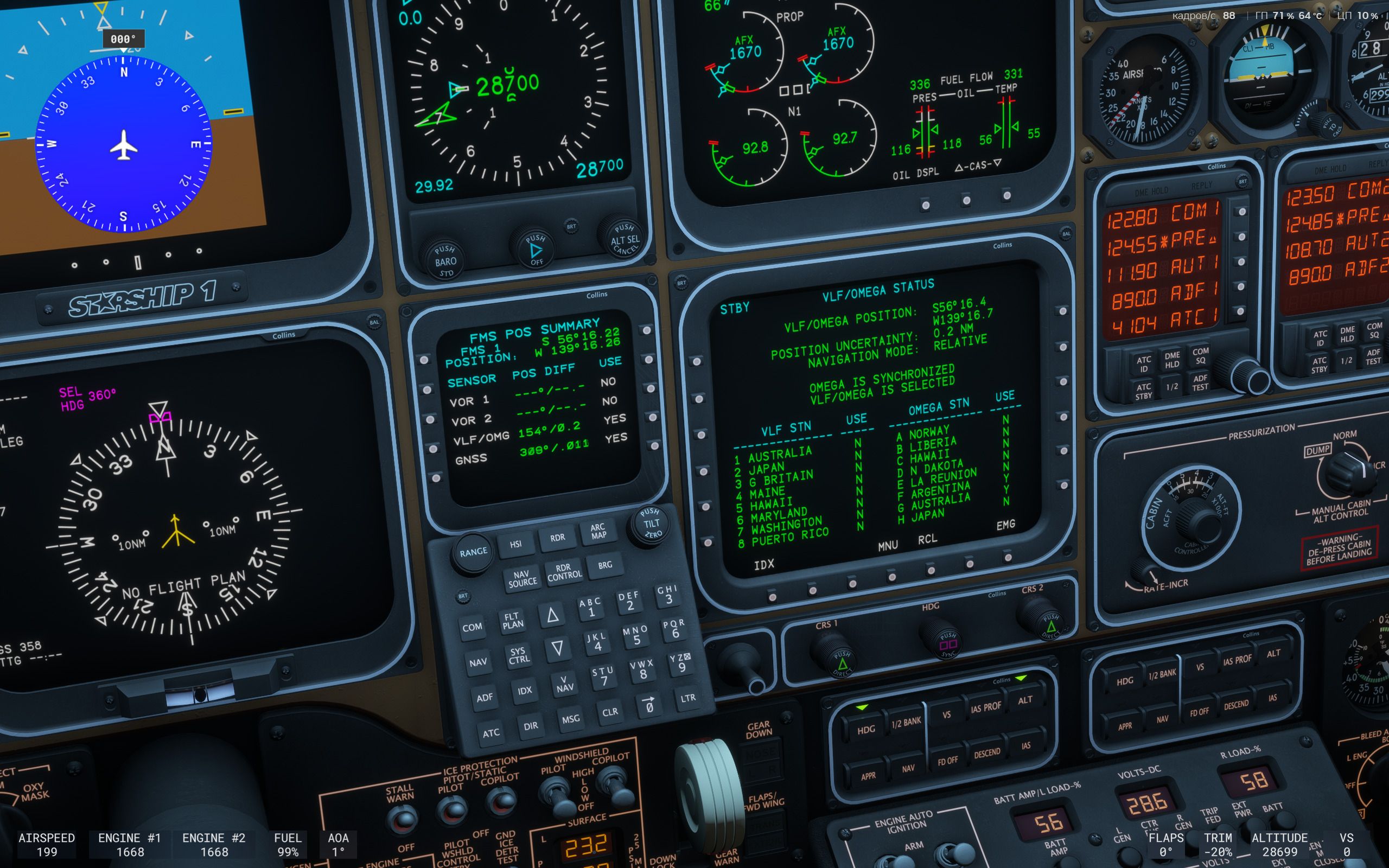
-
I turn off VLF/Omega and GPS and start observing.
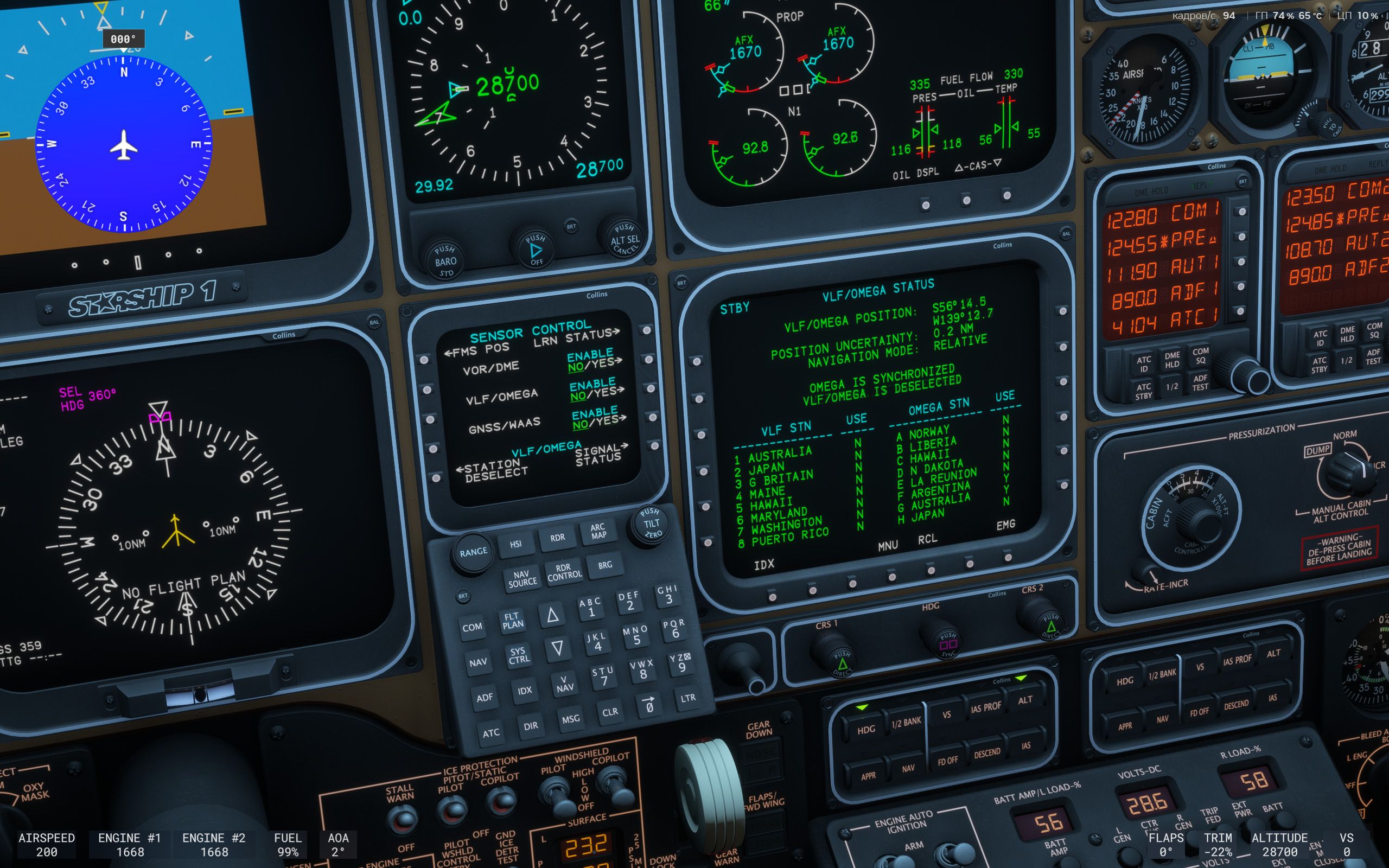
-
Eventually, "Position uncertain" pops up.
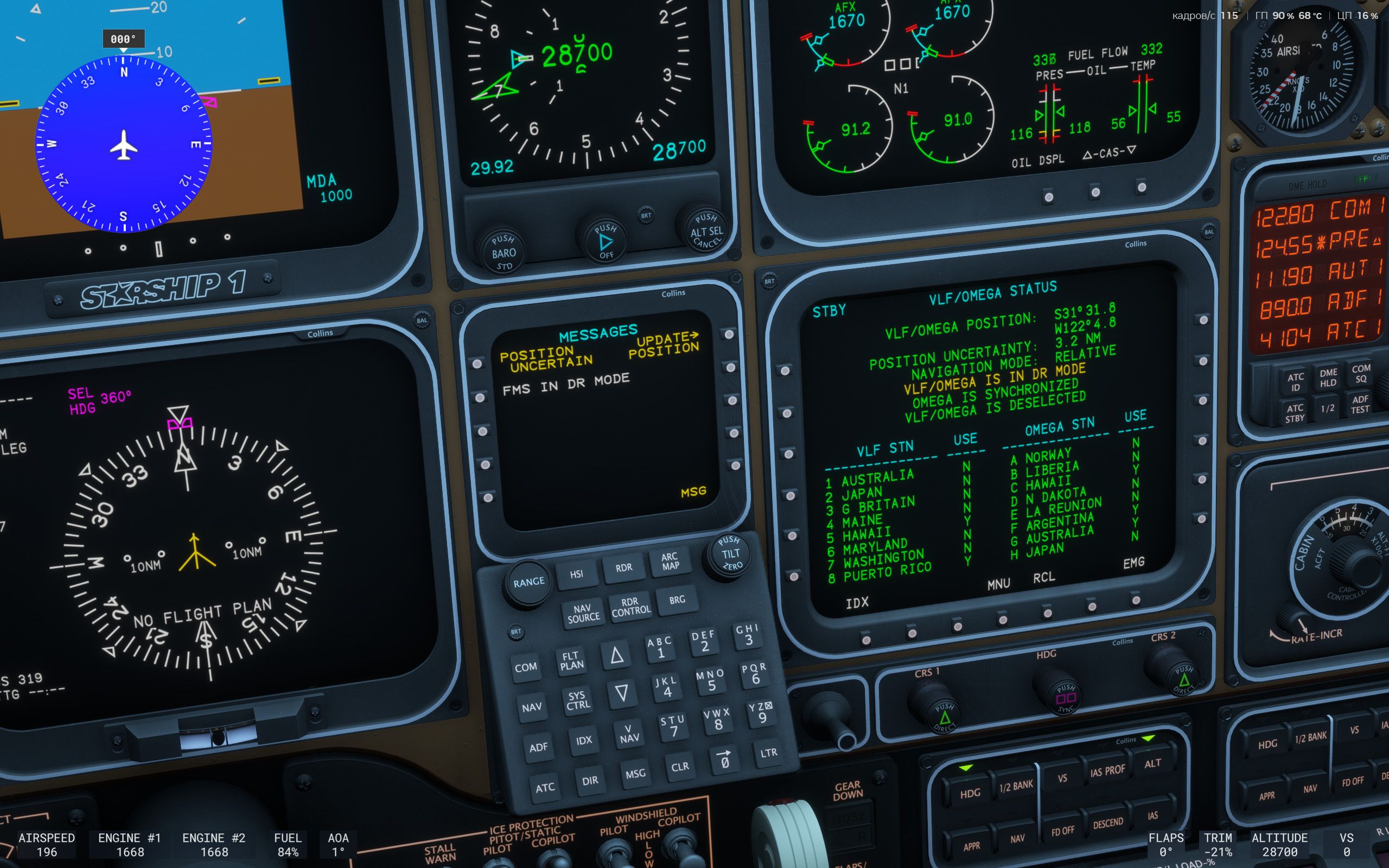
-
I do a position update by lat/lon entry. Notice how lat/lon are wildly off.
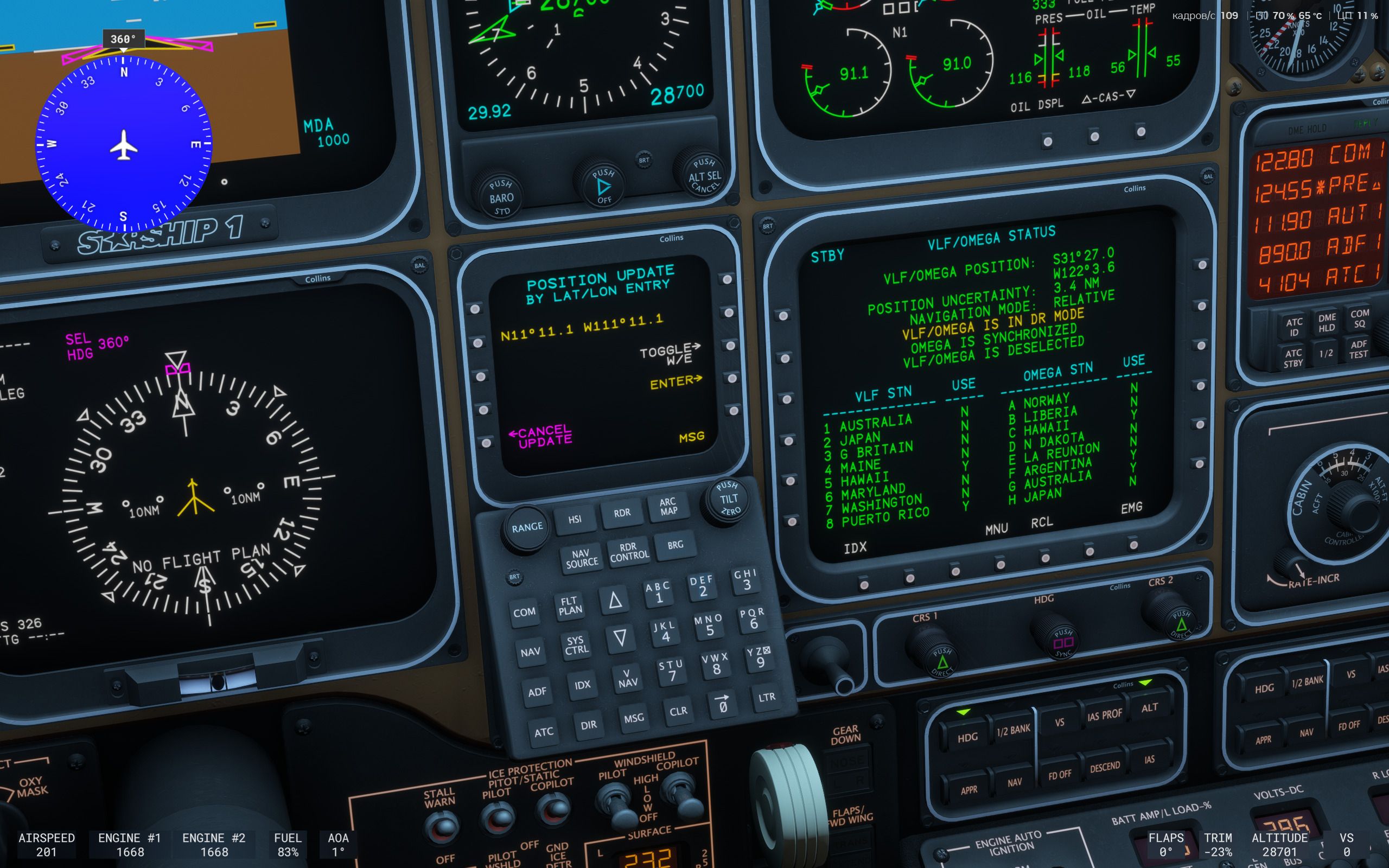
-
However, FMS position is not actually updated, however, VLF/Omega position uncertainty hits maximum of 99.9/300.0. Moreover, GPS error was constant throughout experiment.
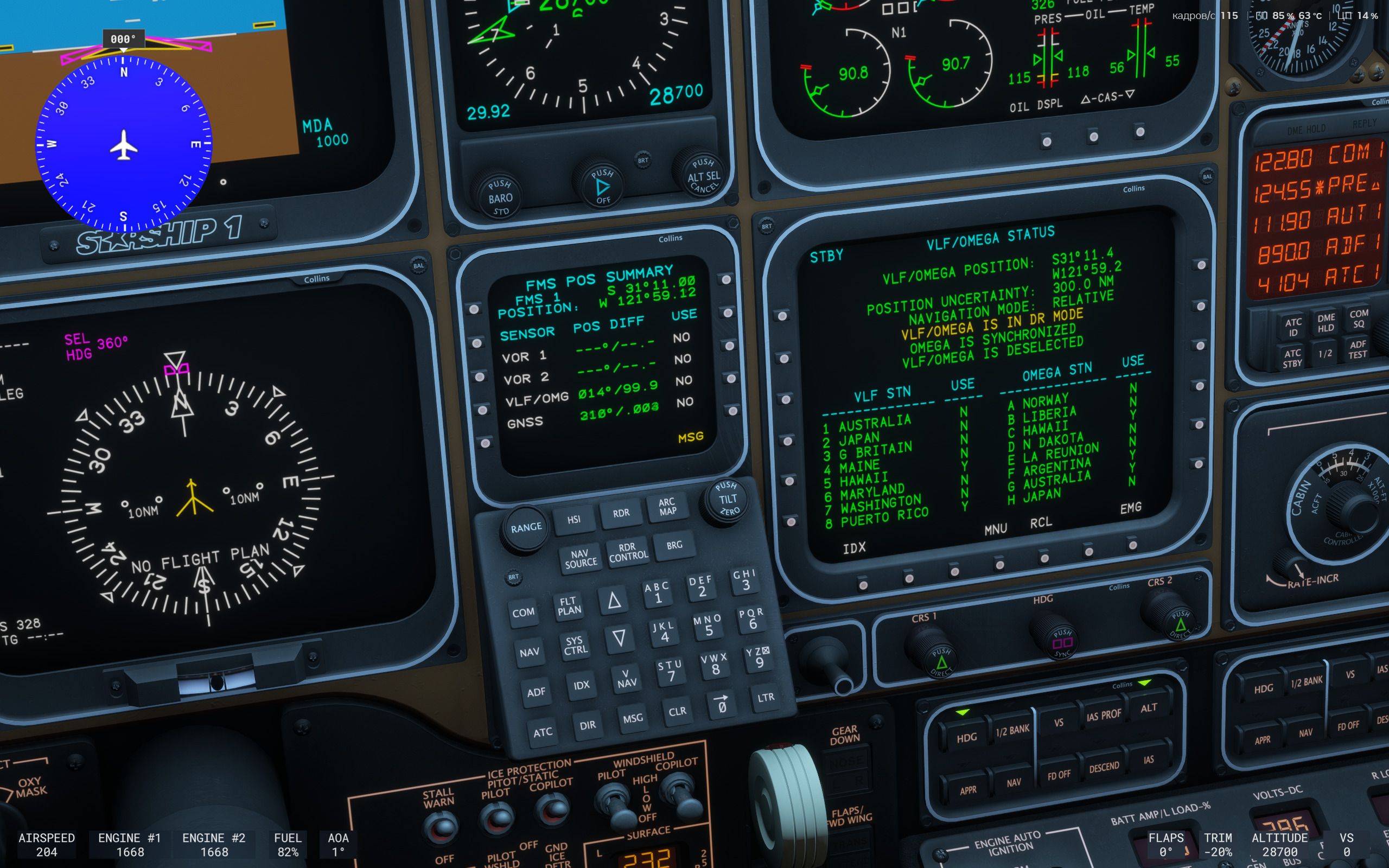
So, my question is, what "update position" actually does, and why GPS error remains more or less the same.
Thank you in advance! -
-
A quick note relevant to the following information: Starship is maintaining position estimates based on all sensor inputs (VOR1-2, DME1-6, VLF, OMEGA, and GNSS) at all times. These estimates, when available, are then integrated into the FMS position estimate, which is what you will see on the screens, and what the aircraft will fly.
I'll start with the easy one: The GPS position remains constant, because GPS position accuracy is very good, worldwide. Since you've deselected GNSS as a position source this good estimate will not be used by the FMS.
Since you've also deselected VLF/OMEGA, the FMS position can only be based on your initialized position (at the CDU initialization screen), and the inertial reference system (dead reckoning). You can update the current position estimate using any of the several position update functions, based on navigation aids, database position fixes, or known longitude and latitude.
From your screenshots, it seems the FMS position estimate went to maximum, because the longitude and latitude you entered were so far away from what the inertial reference system considered feasible. I say this only because I thought it was unlikely that you were actually located at N11°11.1, W11°11.1.
Does all of that make sense? I imagine you've already read through the manual, but I wanted to make sure you've also seen the video on position uncertainty on the Just Flight YouTube channel. The position update options are discussed in the manual, but if you still have questions, you know where to find me!
-
This post is deleted!
-
Thank you for quick response! I should have been more clear - I intentionally input (wildly) wrong coordinates basically to see what would happen. So, if I understand you correctly, FMS identified that inputs were significantly off and, more or less, discarded them? And if my inputs were more realistic, FMS would use them for an update?
-
Thank you for quick response! I should have been more clear - I intentionally input (wildly) wrong coordinates basically to see what would happen. So, if I understand you correctly, FMS identified that inputs were significantly off and, more or less, discarded them? And if my inputs were more realistic, FMS would use them for an update?
@chetocheto In so many words, yes. My position estimation code in Starship does not aim to be 100% accurate (sensor fusion and position estimation is an entire field of study to its own), so the FMS does always "know" where it is, just with an ever widening radius of uncertainty when operating without any sensor inputs. When you provide a position update, it's checking this relative to its "known" position (think of this as the centroid of the uncertainty radius), and the difference between the actual position, and your input position becomes the new uncertainty radius.
For instance, you might see something like this...
-
Position uncertainty: 3.2 NM.
-
You provide a position update via the Position Hold function, which is 0.1 NM away from the uncertainty centroid.
-
New position uncertainty: 0.1 NM, thereby resetting any uncertainty warnings.
Of course, during normal operation, the various sensor inputs and signal strengths are constantly influencing this uncertainty radius, and you can always augment their estimated position with a known fix of your own.
-
-
Okay, got it, thank you!
