
Left prop heat de-ices both props?
-
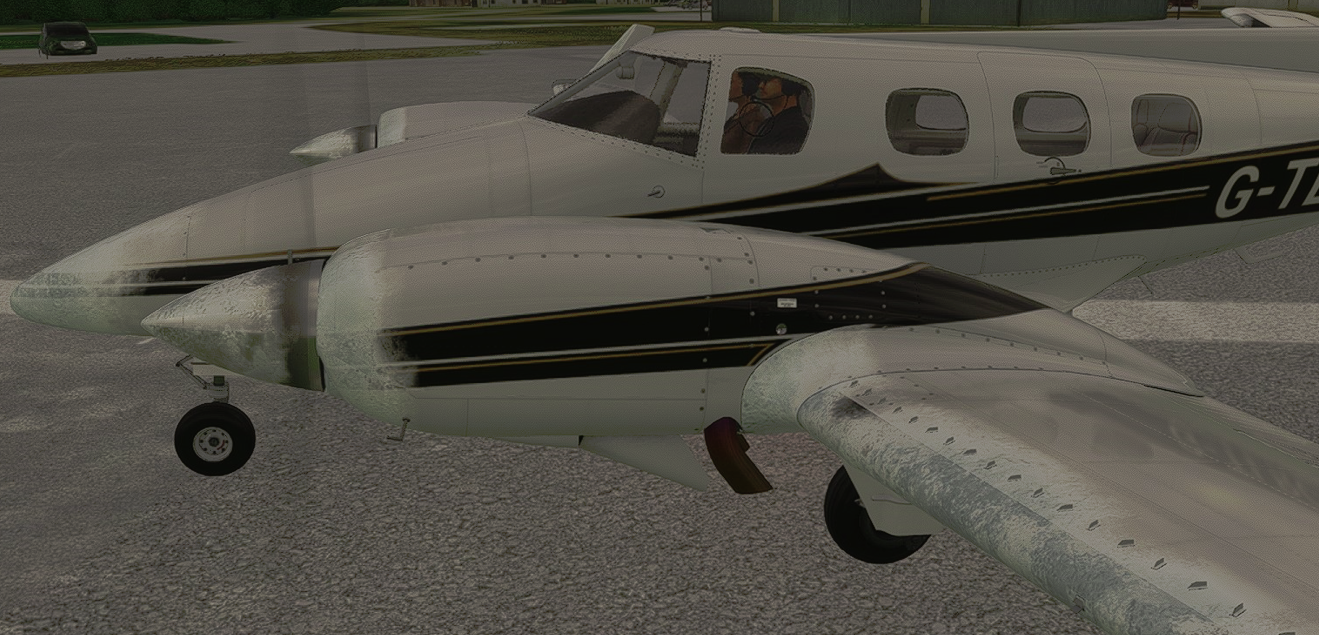
My Grand Duke heavily iced up while on the ground today, prior to flight. The windscreen frosted over within seconds of loading into the flight. Even before engine start, the nose, wings and cowlings were fully iced up - at least as much as I had ever seen in sim.
As I did my run-up checks, I switched on the left prop de-ice and hit the ground test button. As soon as I did that, both prop RPMs picked up from around 1500 to 1700 RPM. So I must have had quite a bit of icing there too.
Was that correct behaviour? I assume each prop de-ice switch is for each prop, rather than redundant systems that do both props. It might be a simulator limitation of course (either switch enables a 'general' prop de-ice function), but it's also possible there's a wrong line in the code so thought it worth a mention.
Here was the aircraft just after I'd started engines. MSFS 2020 version. OAT was around -3°C with dew point around -7°C.
Regards,
Martyn -
I suspect this might be a limitation at the simulator level, but I will look into it. Particularly I don't think there is any way for the simulator to know what ice material is on which propeller, so if they didn't think of the visual ramifications, they probably didn't think of the physical ramifications. Thanks!
-
Thanks Nick. Seems you may be right. I loaded up the 2024 version to use the 24hr historical weather, and tested it a little further. For reference it was at CYWL in the early hours just before sunrise yesterday (though dev mode might allow you to force icing).
This time, I ran the right prop heat. Same result. Both props picked up speed. So a single system for now.
The failures tab has only a single entry for "prop deice" so that is a clue too. Perhaps you ran into that when programming the aircraft. I also tried failing it, for science. To my surprise, the gauge still registered current and the system still worked - props picked up RPM. So that may be another one to check as part of the same investigation.
A somewhat unimportant detail not to lose sleep over, but I can imagine that it'll bug you now you know it's there (sorry)

Thanks,
Martyn
