Multiplayer & Dynamic Registration Problem
-
Is it possible to "switch off" the dynamic registration feature? Or does anyone know a work around to disable it?
Then I could apply the reg. 'old style' using Blender etc. and it would solve the problem...
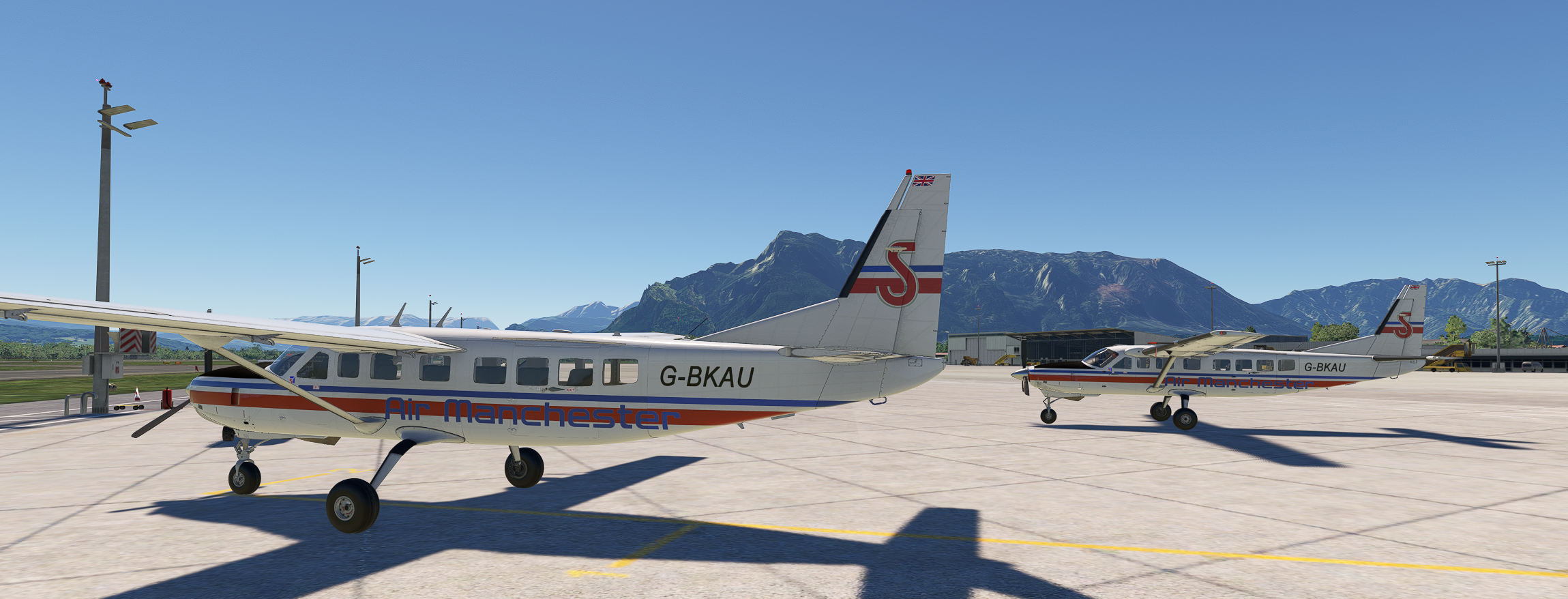
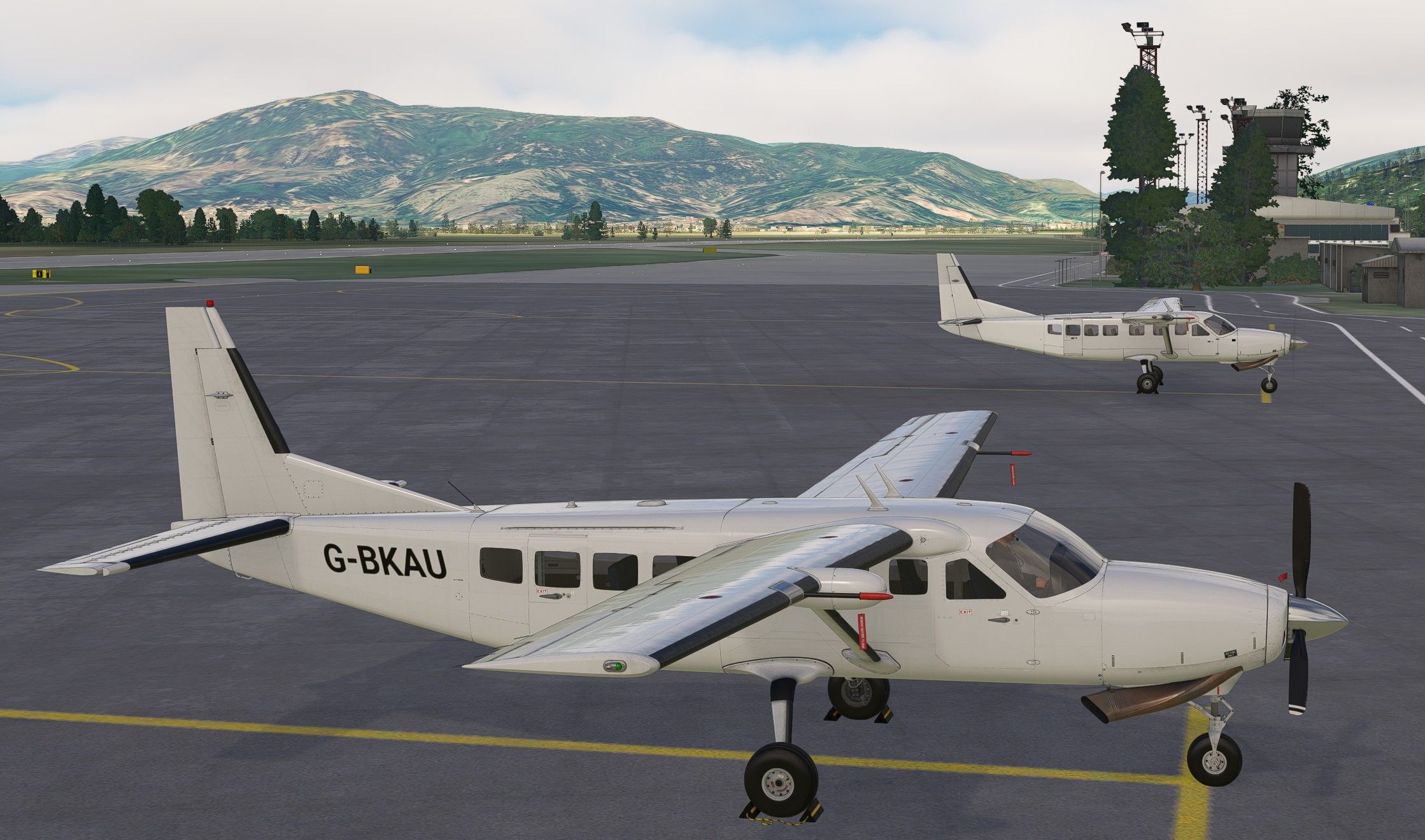
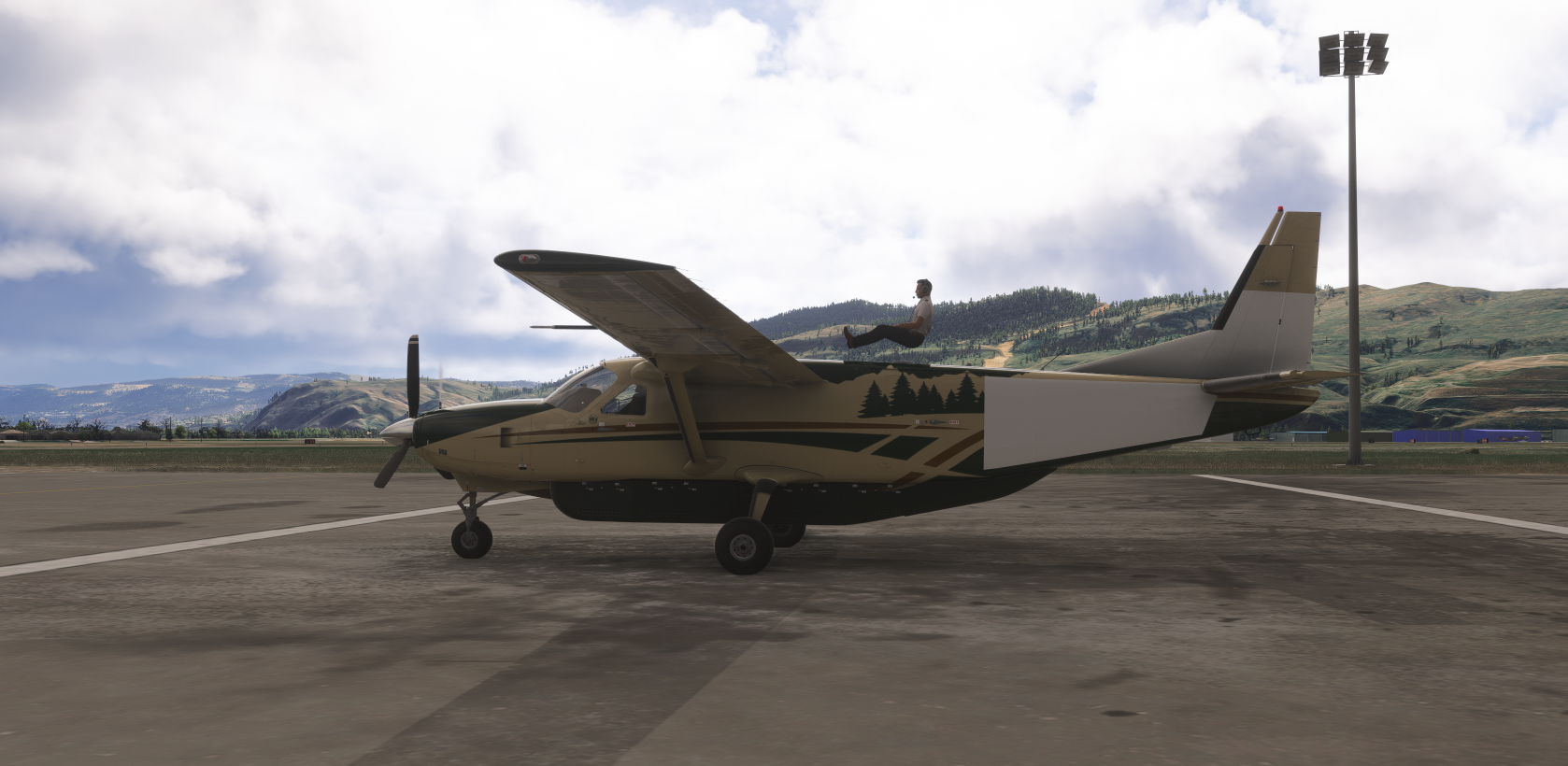
I am asking because in a Multiplayer Session the dynamic registration info. apparently cannot be relayed over the session and thus appears as blank glossy panels [see attached screenshot].
We are using MSFS 2020
Thanks, Dave.
-
Thank you everyone for viewing this post. Much appreciated!
Here's a screenshot of a Default Caravan, just to show how the Dynamic Registration appears in a Multiplayer MSFS 2020 session.
I can't fault Black Square at all apart from this detail, this is a superb model!
Dave.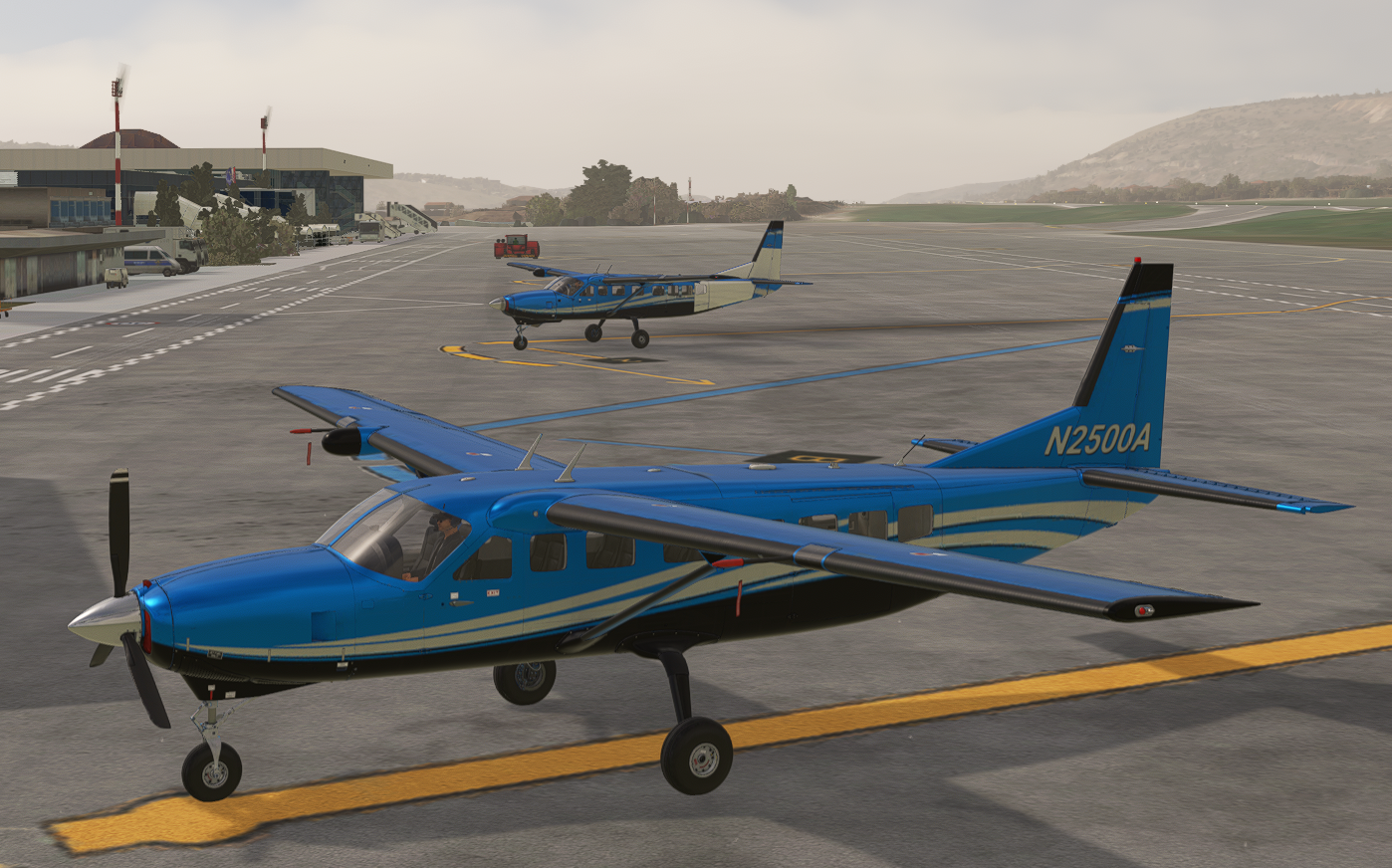
-
Hi there,
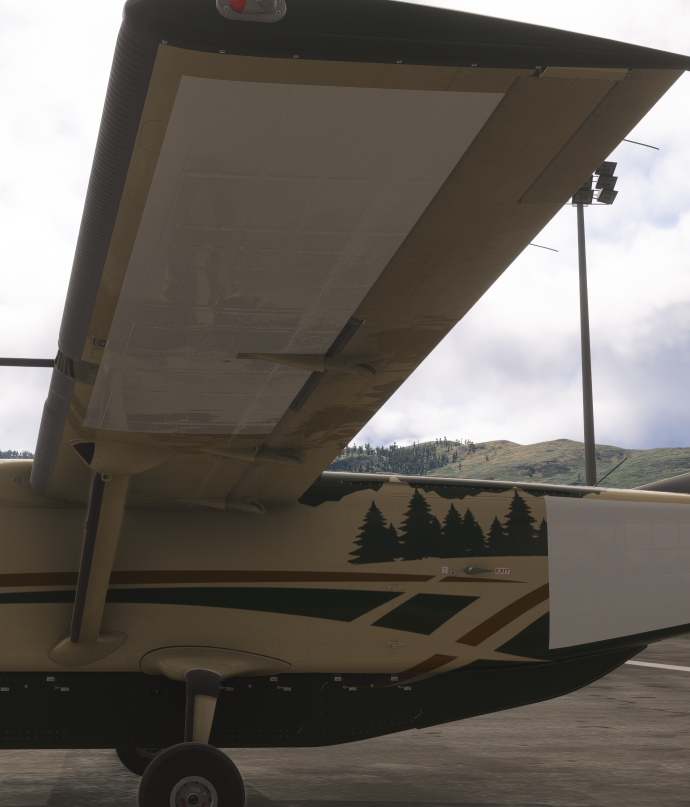
i am experiencing the same issue. We have tested with all variants and we are getting the same blank panels on the tail, lower wing on OEM liveries and community repaints.
We tested in MSFS 2024. This issue must be somehow connected to the model which is displayed in multiplayer. Furthermore, the avatar is sitting on top of the aircraft. Any fix for this?
Thank you
-
Hello everyone.
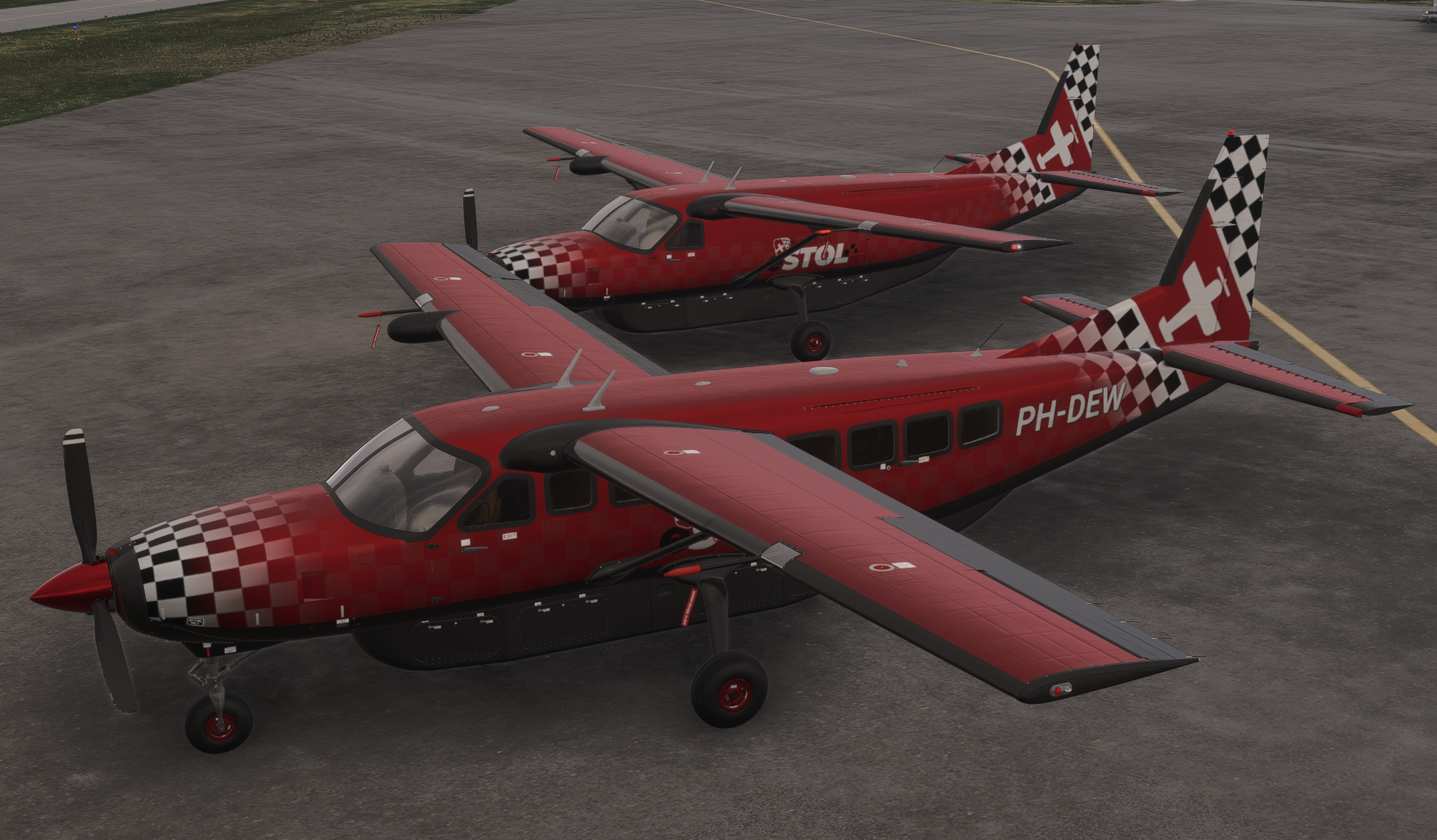
I noticed this same issue, and there is a way to remove that "White Registration Boxes".
For that I create a small AddOn. It wil remove the White Boxes from AI and MultiPlayer aircraft and not from the users aircraft.However , i'm not sure if the developers from Black Square agree if I publish this AddOn or the information on how to make it work ?
-
Hello everyone.
I noticed this same issue, and there is a way to remove that "White Registration Boxes".
For that I create a small AddOn. It wil remove the White Boxes from AI and MultiPlayer aircraft and not from the users aircraft.However , i'm not sure if the developers from Black Square agree if I publish this AddOn or the information on how to make it work ?
-
@DeWoert hi, that would be a nice workaround for now! However i would prefer to see the assigned dynamic reg. Any chance to get a reply from Blacksquare Devs?
@Coffeebreak2296 Unfortunately, I believe Asobo have made this decision purposefully, possibly to prevent lewd custom registrations.
@DeWoert I'm very curious how you accomplished this! I wasn't aware of any way that could be done, so please do share! I'm sure my community would be very grateful, and I can roll out the change to all my aircraft.
-
@Coffeebreak2296 Unfortunately, I believe Asobo have made this decision purposefully, possibly to prevent lewd custom registrations.
@DeWoert I'm very curious how you accomplished this! I wasn't aware of any way that could be done, so please do share! I'm sure my community would be very grateful, and I can roll out the change to all my aircraft.
@Black-Square Here is what I changed for the Caravan Pro:
For the caravanprofessional_ext.xml I added the following to the end of the .xml.
(For the other 2 variants it is the same, but different .xml file)<!-- ########################## Remove MP/IA White RegistrationBox ##################################### --> <Component ID="ExteriorRegistration_Tail" Node="ExteriorRegistration_Tail"> <UseTemplate Name="ASOBO_GT_Visibility_Code"> <VISIBILITY_CODE>(A:IS USER SIM, Bool)</VISIBILITY_CODE> </UseTemplate> </Component> <Component ID="ExteriorRegistration_Fuselage" Node="ExteriorRegistration_Fuselage"> <UseTemplate Name="ASOBO_GT_Visibility_Code"> <VISIBILITY_CODE>(A:IS USER SIM, Bool)</VISIBILITY_CODE> </UseTemplate> </Component> <Component ID="ExteriorRegistration_Wings" Node="ExteriorRegistration_Wings"> <UseTemplate Name="ASOBO_GT_Visibility_Code"> <VISIBILITY_CODE>(A:IS USER SIM, Bool)</VISIBILITY_CODE> </UseTemplate> </Component> <Component ID="ExteriorRegistration_GearRudder" Node="ExteriorRegistration_GearRudder"> <UseTemplate Name="ASOBO_GT_Visibility_Code"> <VISIBILITY_CODE>(A:IS USER SIM, Bool)</VISIBILITY_CODE> </UseTemplate> </Component> <!-- ########################## Remove MP/IA White RegistrationBox ##################################### --> </Behaviors> </ModelInfo>From the 3D model I got the 4 node names.
This works in most planes when they are not encrypted.
I use that on serveral planes for the eSTOL competition, so those (MultiPlayer) planes don't look weird on the live events. -
@Black-Square Here is what I changed for the Caravan Pro:
For the caravanprofessional_ext.xml I added the following to the end of the .xml.
(For the other 2 variants it is the same, but different .xml file)<!-- ########################## Remove MP/IA White RegistrationBox ##################################### --> <Component ID="ExteriorRegistration_Tail" Node="ExteriorRegistration_Tail"> <UseTemplate Name="ASOBO_GT_Visibility_Code"> <VISIBILITY_CODE>(A:IS USER SIM, Bool)</VISIBILITY_CODE> </UseTemplate> </Component> <Component ID="ExteriorRegistration_Fuselage" Node="ExteriorRegistration_Fuselage"> <UseTemplate Name="ASOBO_GT_Visibility_Code"> <VISIBILITY_CODE>(A:IS USER SIM, Bool)</VISIBILITY_CODE> </UseTemplate> </Component> <Component ID="ExteriorRegistration_Wings" Node="ExteriorRegistration_Wings"> <UseTemplate Name="ASOBO_GT_Visibility_Code"> <VISIBILITY_CODE>(A:IS USER SIM, Bool)</VISIBILITY_CODE> </UseTemplate> </Component> <Component ID="ExteriorRegistration_GearRudder" Node="ExteriorRegistration_GearRudder"> <UseTemplate Name="ASOBO_GT_Visibility_Code"> <VISIBILITY_CODE>(A:IS USER SIM, Bool)</VISIBILITY_CODE> </UseTemplate> </Component> <!-- ########################## Remove MP/IA White RegistrationBox ##################################### --> </Behaviors> </ModelInfo>From the 3D model I got the 4 node names.
This works in most planes when they are not encrypted.
I use that on serveral planes for the eSTOL competition, so those (MultiPlayer) planes don't look weird on the live events.@DeWoert Thank you for sharing! Ah, yes. This is what I thought you might have done. I was just surprised to see that you found the node names. I only had to start meticulously adding these when MSFS 2024 completely broke custom registrations for a while. I think it would be safe to add this back in for all my aircraft, which will give that code some purpose again. I'll add this to the list. Hopefully that SimVar is set consistently in MSFS 2024.
-
@DeWoert Thank you for sharing! Ah, yes. This is what I thought you might have done. I was just surprised to see that you found the node names. I only had to start meticulously adding these when MSFS 2024 completely broke custom registrations for a while. I think it would be safe to add this back in for all my aircraft, which will give that code some purpose again. I'll add this to the list. Hopefully that SimVar is set consistently in MSFS 2024.
@Black-Square There seem to be some issues with the "A:IS USER SIM", more info might be here https://devsupport.flightsimulator.com/t/is-user-sim-is-not-returning-correct-values-for-multiplayer-aircraft/16920
For the Caravan is seems to work fine (as far as I could test it) -
@Black-Square Here is what I changed for the Caravan Pro:
For the caravanprofessional_ext.xml I added the following to the end of the .xml.
(For the other 2 variants it is the same, but different .xml file)<!-- ########################## Remove MP/IA White RegistrationBox ##################################### --> <Component ID="ExteriorRegistration_Tail" Node="ExteriorRegistration_Tail"> <UseTemplate Name="ASOBO_GT_Visibility_Code"> <VISIBILITY_CODE>(A:IS USER SIM, Bool)</VISIBILITY_CODE> </UseTemplate> </Component> <Component ID="ExteriorRegistration_Fuselage" Node="ExteriorRegistration_Fuselage"> <UseTemplate Name="ASOBO_GT_Visibility_Code"> <VISIBILITY_CODE>(A:IS USER SIM, Bool)</VISIBILITY_CODE> </UseTemplate> </Component> <Component ID="ExteriorRegistration_Wings" Node="ExteriorRegistration_Wings"> <UseTemplate Name="ASOBO_GT_Visibility_Code"> <VISIBILITY_CODE>(A:IS USER SIM, Bool)</VISIBILITY_CODE> </UseTemplate> </Component> <Component ID="ExteriorRegistration_GearRudder" Node="ExteriorRegistration_GearRudder"> <UseTemplate Name="ASOBO_GT_Visibility_Code"> <VISIBILITY_CODE>(A:IS USER SIM, Bool)</VISIBILITY_CODE> </UseTemplate> </Component> <!-- ########################## Remove MP/IA White RegistrationBox ##################################### --> </Behaviors> </ModelInfo>From the 3D model I got the 4 node names.
This works in most planes when they are not encrypted.
I use that on serveral planes for the eSTOL competition, so those (MultiPlayer) planes don't look weird on the live events.@DeWoert Thank you for sharing this nice robust solution for the white boxes!
I hope you folks don't mind me sharing a little extra 'work around' [extract taken from https://forums.flightsimulator.com/t/white-box-over-vpilot-traffic-tail-number/312004/20] that disables the dynamic registration and thus enables us to paint a registration onto the appropriate texture, share the 'addon aliased' texture then have it visible in a Multiplayer Session as usual.
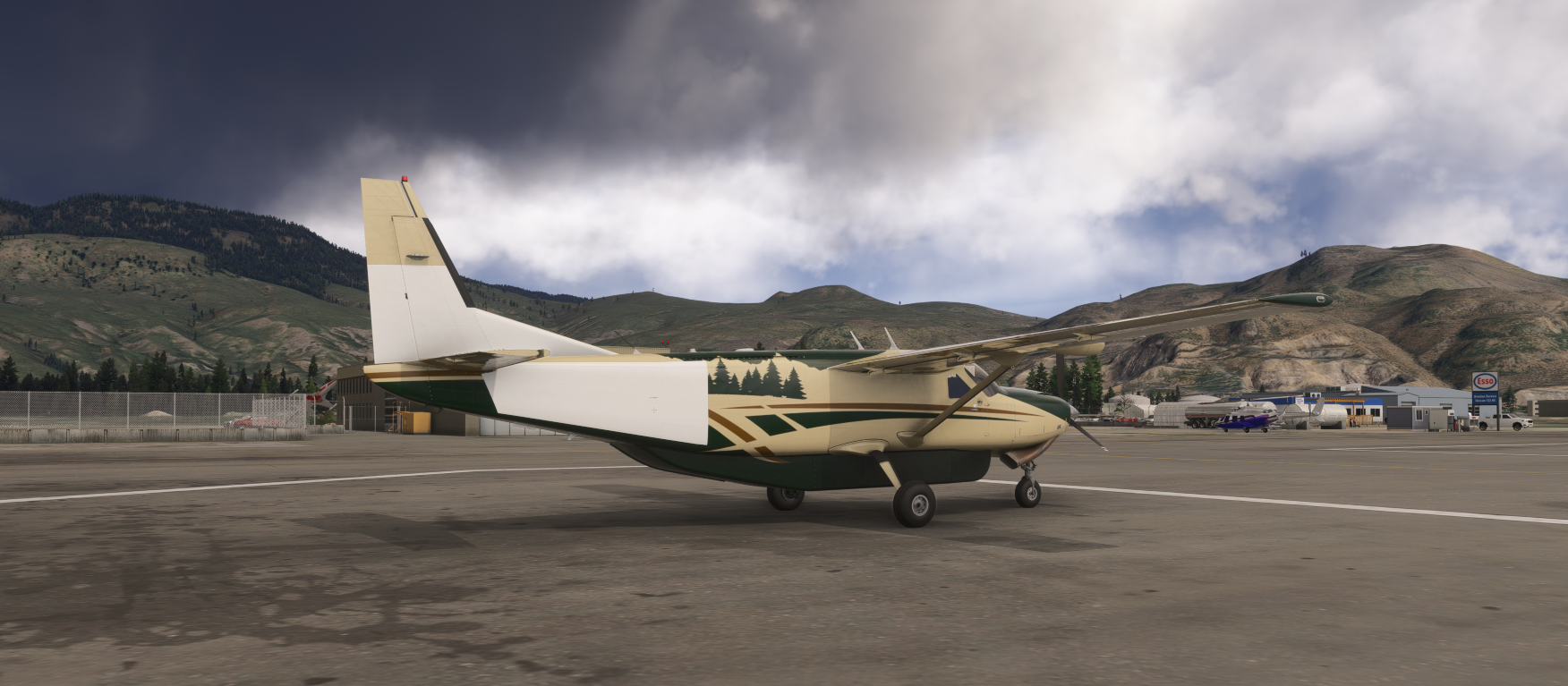
First, as you can see from the screenshot, apply your registration to the appropriate C208 Texture using your usual repaint software.
Then:
"In MSFS, when you go to World Map to launch a flight. Select an aircraft and a livery, then go to “customization” On “Tail Number” make sure your cursor is in the box and hit “ALT 255” on the number pad. This will create a “null” character in that box and will virtually create an empty box."Sorry that this is a 'messy' solution but it works fine in MSFS2020 [I don't have 2024]. Perhaps there's a cleaner solution...
Dave