
Radio dimming doesn't dim screen
-
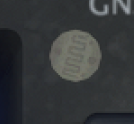
The screens on all the radios in my aircraft are dimmed by integrated photocells, not the dimmer knobs. If you see something like this on the face of an instrument, it's a photocell for light dimming.
-
The screens on all the radios in my aircraft are dimmed by integrated photocells, not the dimmer knobs. If you see something like this on the face of an instrument, it's a photocell for light dimming.
@Black-Square said in Radio dimming doesn't dim screen:
The screens on all the radios in my aircraft are dimmed by integrated photocells, not the dimmer knobs. If you see something like this on the face of an instrument, it's a photocell for light dimming.
For me they seem too bright in the dark. Is there a minimum that they don't dim enough?
-
@Persojet If you're asking how to dim the 530/430 screens I just tried loading them up to send a video to demonstrate, but I think it is bugged. You have to scroll the outer knob to the AUX page and scroll through the AUX pages until "Display" or "Display Backlight" is shown. Then click the knob in to scroll down to select that with the enter key, change the mode from AUTO to Manual, scroll to the brightness field and then scroll down like 7000 times to make it dimmer and do that for both units and yes that is how it is done IRL (F*** Garmin for that)... I will Message Matt at WT and see if there can be a fix made or if it's not going to be simulated.
-
@Black-Square Not sure if you can do anything about this, but this was Matts reply to another user regarding the same issue 2 years ago... I will probably mention in the A2A forums as well pending your response (if you have time to reply that is...). I don't really see how the AUX page not functioning can be an aircraft issue.


