
Few electrical things
-
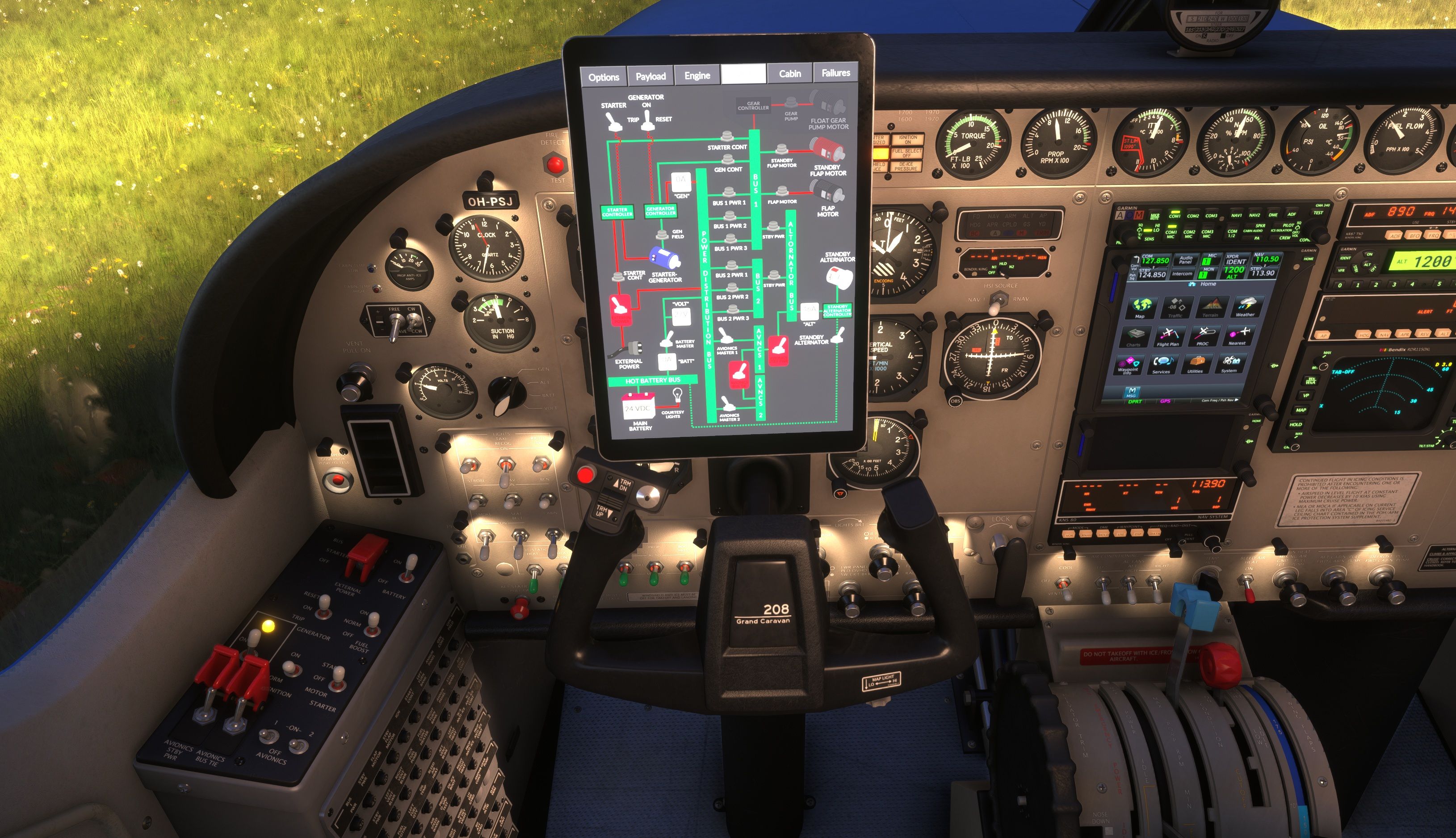
Just got this but noticed few issues. If you have pitot and stall heat on at the same time, neither work. You have to disable either to get pitot heating. I hope these electic anti-ice would be presented in electrical page on pad, but they are not, even though they are the most power hungry. Perhaps more detailed pages if you click the bus later on. Could give amp reading for those. (already mentioned on forum somewhere)
Other visual issue is that if you power the aircraft from external power source, it makes the battery bus green even if battery master is off. Either the battery master switch is misplaced or the bus should be red. I think there other things like this that doesn't make sense to me but I don't have the electrical diagrams for the plane, so they might be OK.
External power switch, avionics bus tie or avionics stby power doesn’t turn green when enabled, or maybe purple or something to indicate this is “unnormal“ state.
Found also a bug with avionics 2. Only powers on with master switch 2, can’ be turned on with bus tie. This is at least with list bottom selections of radios.
Also noted that the performance sheets doesn’t have metrics. Like if I have x meters runway, have to convert the manual values as they are not offered.
-
Thanks for posting your feedback. I hope you're otherwise enjoying the aircraft!
Indeed, we have already solved the pitot heat mystery in another thread. It was a single character error.
You're absolutely right with your next point. MSFS doesn't register any battery voltage unless the battery is actually in use, so I just needed a little workaround to get the hot battery bus to behave correctly. That will be in the first update.
Oh, I see what you mean. You're talking about the rounded, red rectangle behind the switches. That's meant to indicate a guarded or emergency switch, not to indicate the switch state (that's what the 2D switch animation is for). Since that's how they appear in all my other aircraft, I'm inclined to leave them as-is so my iconography is consistent.
I can't reproduce the next one, unfortunately. The avionics bus tie and avionics bus #2 seem to be behaving correctly for me.
As someone said on the Official Forums, I don't tend to supply different units for my manuals, since they are almost exclusively presented in imperial units by the manufacturers. I've had lots of requests for many different units and conversions in the past, but unfortunately, I am just one man, so I tend to spend my time working on the core features of the aircraft instead. I hope you understand.
Let me know if you have any other questions or thoughts! You know where to find me.
-
Hi,
I'm really enjoying the plane so far. Minor bugs here and there won't take that away!
Maybe still someday you'll bring more detailed bus views to electrical view

Yes I was talking about the red rectangles. I understand your reasoning about keeping products inline with each other, or maybe you'll change the view on all to more telling. Perhaps black rectangle when not enabled and red to alert raised lid.
Clearing the avinics2 situation. You need to be on standby power. Then I have 100% reproduction rate:
Those conversion numbers might help out too so I don't have to open browser but just could use calculator that's on the desk.
