Config buttom STDY ALT PWR Caravan C208BEX
-
Could someone help me understand the Grand Caravan's Standby Alternator button configuration? I've already configured it in the FS2024 controls and also tried configuring it using the manual's instructions: Standby Alternator Switch L:var_StandbyAlternatorSwitch Boolean, but it doesn't respond to the configured command either.
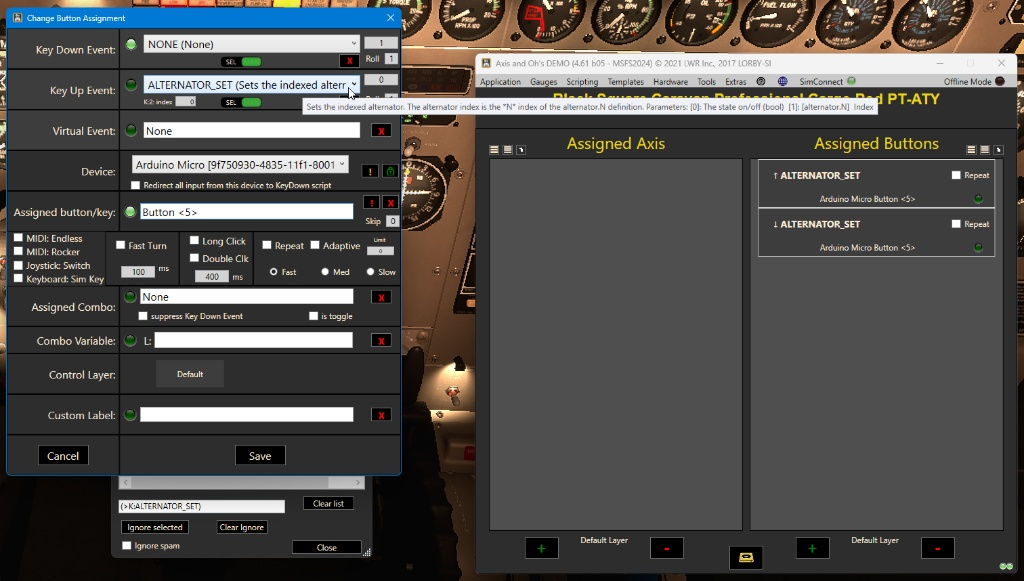
In the FS2024 settings, it alternates the button, but the animation doesn't move the button. I tried configuring it using the K: that I captured in FS, but it also doesn't move the button; it makes changes behind the scenes in other systems.
Could you help me configure it, or is this a bug?
Arduino na chave On Off
(>K:ELECTRICAL_BUS_TO_BUS_CONNECTION_TOGGLE)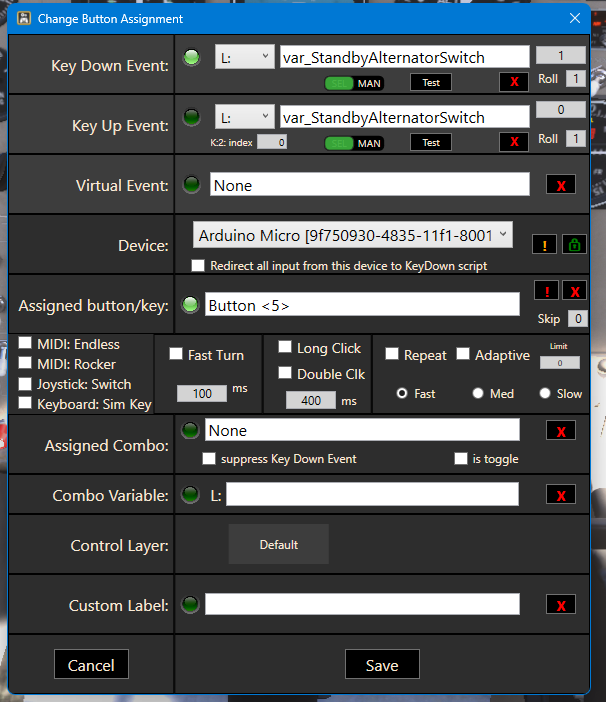
-
Could someone help me understand the Grand Caravan's Standby Alternator button configuration? I've already configured it in the FS2024 controls and also tried configuring it using the manual's instructions: Standby Alternator Switch L:var_StandbyAlternatorSwitch Boolean, but it doesn't respond to the configured command either.
In the FS2024 settings, it alternates the button, but the animation doesn't move the button. I tried configuring it using the K: that I captured in FS, but it also doesn't move the button; it makes changes behind the scenes in other systems.
Could you help me configure it, or is this a bug?
Arduino na chave On Off
(>K:ELECTRICAL_BUS_TO_BUS_CONNECTION_TOGGLE)@MarcosSantos Unfortunately, I'm not an expert at cockpit building, so hopefully someone else will chime in. I just wanted to confirm that I've looked at the code, and L:var_StandbyAlternatorSwitch is the correct way to interact with the system, and it will control the switch animation in the cockpit (they are directly connected). My only advice is to make sure you have the latest version of the Caravan, in case I changed something recently.
-
Hey guys, so I really hadn't updated to V1.3 and it still didn't work.
Today, with a fresh head from trying to configure it so many times, I managed to do it in 30 minutes lol...
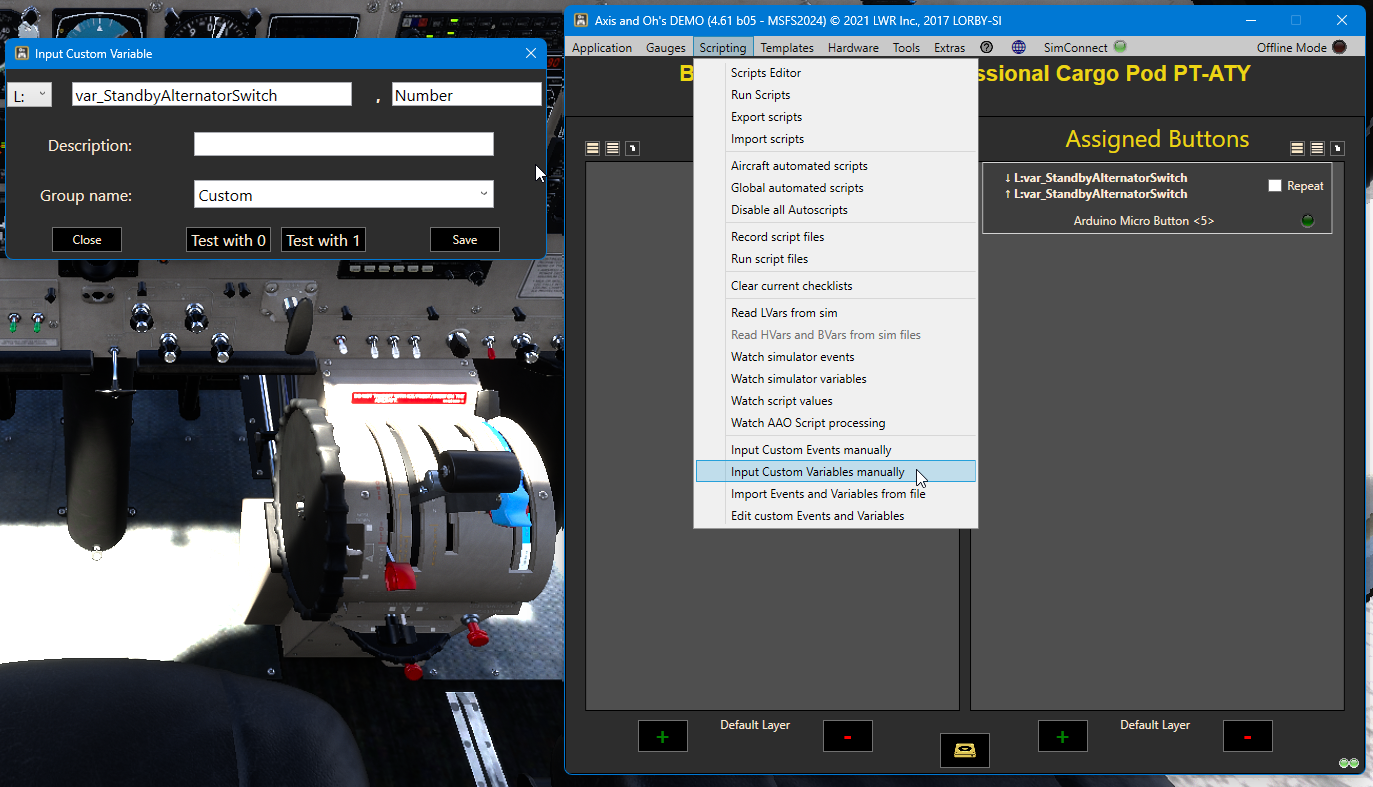
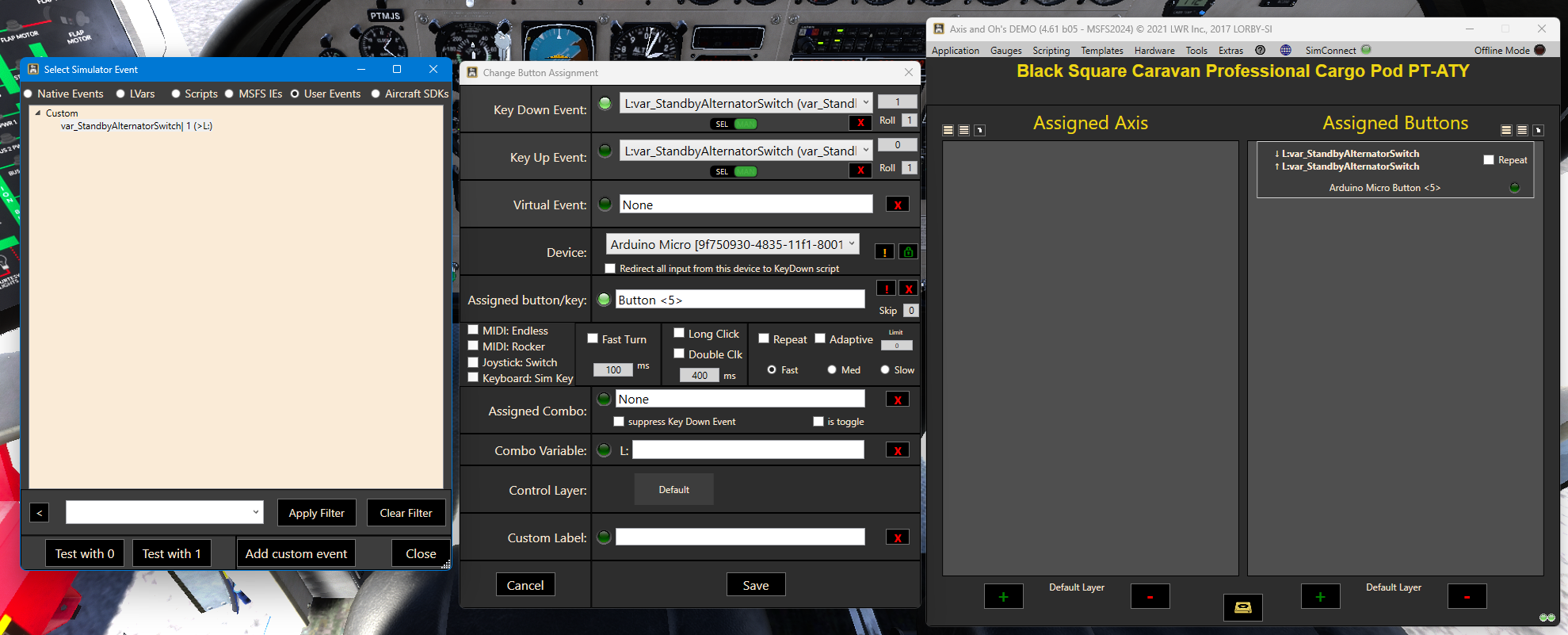
So, with the program I'm using, which is currently free but I intend to buy Axis and Oh's, I made a custom insertion of the path L:var_StandbyAlternatorSwitch and used it as I was doing before, and I don't know why it worked, but I was very happy, since the other configuration method also offers the same option.
So I'll attach the photo here in case it helps anyone else.
Thanks to @Black Square Developers for the support, the plane is wonderful.I believe in the end it was a lack of knowledge on my part lol.... hugs, Marcos from Brasil. (
 Ps.: Brasil is spelled with an 's' ).
-
Hey guys, so I really hadn't updated to V1.3 and it still didn't work.
Today, with a fresh head from trying to configure it so many times, I managed to do it in 30 minutes lol...
So, with the program I'm using, which is currently free but I intend to buy Axis and Oh's, I made a custom insertion of the path L:var_StandbyAlternatorSwitch and used it as I was doing before, and I don't know why it worked, but I was very happy, since the other configuration method also offers the same option.
So I'll attach the photo here in case it helps anyone else.
Thanks to @Black Square Developers for the support, the plane is wonderful.I believe in the end it was a lack of knowledge on my part lol.... hugs, Marcos from Brasil. (
Ps.: Brasil is spelled with an 's' ).
@MarcosSantos Glad you figured it out, Marcos! Let me know if there is ever anything else I can do for you, and happy flying