Autopilot goes from VOR to ROLL when tracking VOR
-
@FlightEngineer1 Thanks for your input. As an old real-time industrial automation engineer, I really wish they'd expose the tuning parameters in real-time, so those of us who truly understand how to tune a PID loop using one of the formal methodologies (aka "the right way"), as opposed to just guessing, winging it, or using the defaults as so often seems to be the case with some other aircraft.
</rant>
Edit to add: and they've been missing filter constants forever. Geez.
-
Hi Mark,
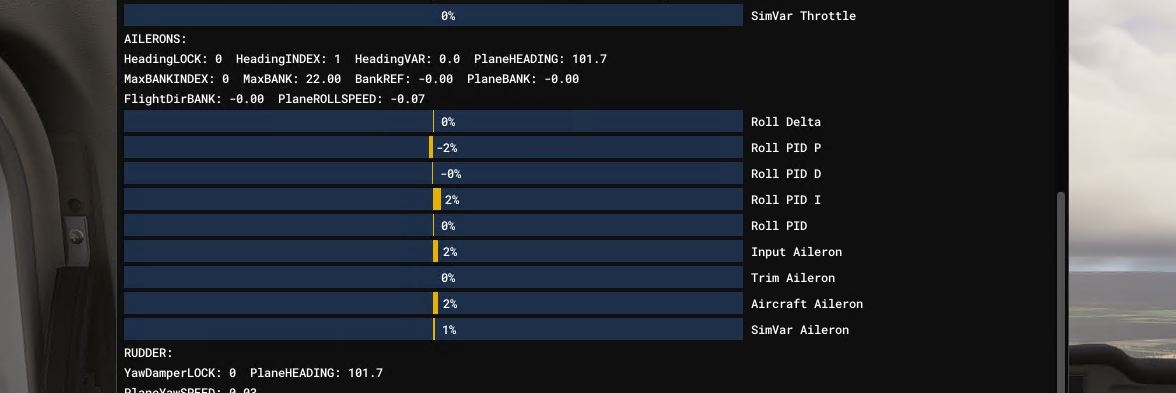
You can view the operation of the autopilot parameters in debug mode. Unfortunately, that's not very helpful for me.
-
Hi Mark,
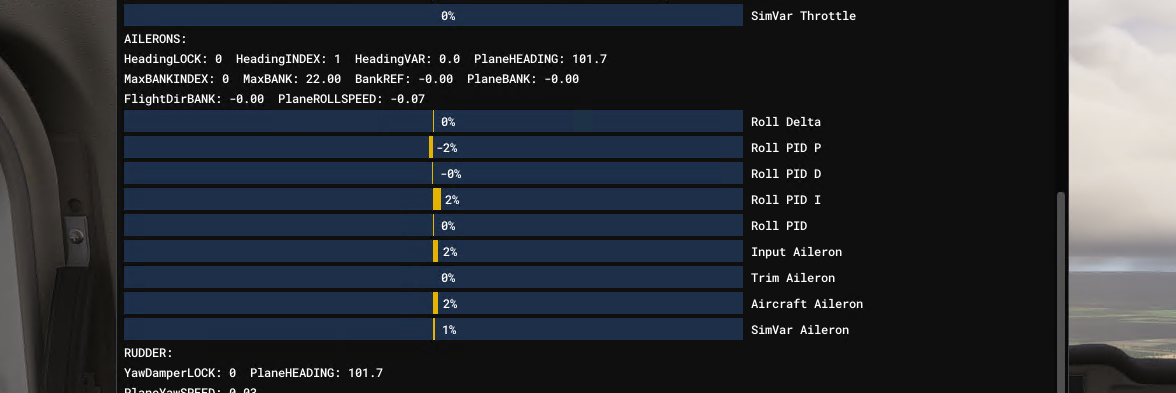
You can view the operation of the autopilot parameters in debug mode. Unfortunately, that's not very helpful for me.
@FlightEngineer1 yeah, no. I want an external interface where it reads/writes those vars in real time over SimConnect. Old-school me wants an Excel plug-in so I can run proper Ziegler-Nichols analysis tools. I keep dreaming, and nothing keeps happening.
-
@FlightEngineer1 yeah, no. I want an external interface where it reads/writes those vars in real time over SimConnect. Old-school me wants an Excel plug-in so I can run proper Ziegler-Nichols analysis tools. I keep dreaming, and nothing keeps happening.
@MarkS Yes, it would be nice if one could quickly determine reasonable PID values without constant testing. Strangely, this only occurs with the autopilot activated in the Cessna 152 when tracking VORs; everything is fine when tracking the GPS flight path. Therefore, I wondered if MSFS had artificially degraded the signal using a random number generator.
But that can't be the case, since the C172 doesn't have this problem.
What always works is the cone of confusion and, of course, the maximum range. To avoid triggering an error due to the missing line of sight, I also tested this at higher altitudes in flat terrain. Sometimes the autopilot tracks 50 NM without interruption, and then it cuts out for no apparent reason.
There's also a peculiarity with the C152 that I only discovered by constantly monitoring the bus voltage variable. For a few milliseconds, the bus voltage drops to zero. You can't see it on the instruments. But since a missing bus voltage triggers a restart of my autopilot in my LUA script, it keeps restarting. The autopilot in the Cessna remains switched on.
In summary, this means to me that clean tracking can only be achieved with correct PID values for navigation, roll, etc.
-
@MarkS Yes, it would be nice if one could quickly determine reasonable PID values without constant testing. Strangely, this only occurs with the autopilot activated in the Cessna 152 when tracking VORs; everything is fine when tracking the GPS flight path. Therefore, I wondered if MSFS had artificially degraded the signal using a random number generator.
But that can't be the case, since the C172 doesn't have this problem.
What always works is the cone of confusion and, of course, the maximum range. To avoid triggering an error due to the missing line of sight, I also tested this at higher altitudes in flat terrain. Sometimes the autopilot tracks 50 NM without interruption, and then it cuts out for no apparent reason.
There's also a peculiarity with the C152 that I only discovered by constantly monitoring the bus voltage variable. For a few milliseconds, the bus voltage drops to zero. You can't see it on the instruments. But since a missing bus voltage triggers a restart of my autopilot in my LUA script, it keeps restarting. The autopilot in the Cessna remains switched on.
In summary, this means to me that clean tracking can only be achieved with correct PID values for navigation, roll, etc.
Hi,
After spending a lot of time troubleshooting the abrupt switch from NAV to ROL of the autopilot, I've discovered the following:
In the system.cfg file, MSFS 2024 only uses a few parameters from the [autopilot] section; all others are obsolete. (https://docs.flightsimulator.com/msfs2024/html/5_Content_Configuration/CFG_Files/CFG_Files_Obsolete_Parameters.htm)
Instead, it uses the parameters from the ai.cfg file that are in the [STICKANDRUDDER] section for the autopilot. I'm currently testing the following settings for the C152.
;pitchPID = 1.8, 0.07, 2.4, 0.7, 10 rollPID = 1.9, 0.22, 2.4, 6, 100 headingPID = 1.5, 0.005, 1.6, 0.1, 1 ;verticalSpeedPID = 0.42, 0.035, 0.28, 250, 1000 nav_ex1PID = 3.0, 0.025, 6.0, 0.008, 50 nav_yawPID = 0.05, 0.02, 0.003, 1, 360 glideSlopePID = 5.8, 0.04, 2.4, 1.2, 60 The problem is just the fine Tuning. Sometimes I can fly 50 NM in NAV mode and then it disconnects. The most important setting for the aircraft is "nav_ex1PID". -
Hi,
After spending a lot of time troubleshooting the abrupt switch from NAV to ROL of the autopilot, I've discovered the following:
In the system.cfg file, MSFS 2024 only uses a few parameters from the [autopilot] section; all others are obsolete. (https://docs.flightsimulator.com/msfs2024/html/5_Content_Configuration/CFG_Files/CFG_Files_Obsolete_Parameters.htm)
Instead, it uses the parameters from the ai.cfg file that are in the [STICKANDRUDDER] section for the autopilot. I'm currently testing the following settings for the C152.
;pitchPID = 1.8, 0.07, 2.4, 0.7, 10 rollPID = 1.9, 0.22, 2.4, 6, 100 headingPID = 1.5, 0.005, 1.6, 0.1, 1 ;verticalSpeedPID = 0.42, 0.035, 0.28, 250, 1000 nav_ex1PID = 3.0, 0.025, 6.0, 0.008, 50 nav_yawPID = 0.05, 0.02, 0.003, 1, 360 glideSlopePID = 5.8, 0.04, 2.4, 1.2, 60 The problem is just the fine Tuning. Sometimes I can fly 50 NM in NAV mode and then it disconnects. The most important setting for the aircraft is "nav_ex1PID".@FlightEngineer1 Wait until you find out that most of the tables in ai.cfg are also unused, or are used in ways that their names suggest the exact opposite. I'm not convinced that anyone knows how those work anymore, to be honest. For instance, some of the PIDS are used in inner-loop control to drive the control surfaces, and some are used for outer-loop control to drive the flight director. Which ones are which depends on the autopilot mode selected. There also appear to be some guardrails on the loops, which interfere with the performance of the PID, and not all variables and windup are actually reset when they're supposed to be, so they are often impossible to tune externally. This is one of the most confused parts of the entire simulator, at least that I've encountered, so buckle up.
Sorry, that aside, thank you so much for your interest in this problem, and willingness to research it. Unfortunately, I believe that if this problem only exists in MSFS 2024, and depends on a PID loop that is otherwise able to steer the aircraft in a full circle to intercept, I think there is just something wrong at the simulator level that should be addressed, rather than crossing our fingers that some lateral guidance variable will remain within the desired bounds.
Either way, whatever you find here, I am happy to report to Asobo on the developer forums and try to get us a solution.
-
Hi,
After spending a lot of time troubleshooting the abrupt switch from NAV to ROL of the autopilot, I've discovered the following:
In the system.cfg file, MSFS 2024 only uses a few parameters from the [autopilot] section; all others are obsolete. (https://docs.flightsimulator.com/msfs2024/html/5_Content_Configuration/CFG_Files/CFG_Files_Obsolete_Parameters.htm)
Instead, it uses the parameters from the ai.cfg file that are in the [STICKANDRUDDER] section for the autopilot. I'm currently testing the following settings for the C152.
;pitchPID = 1.8, 0.07, 2.4, 0.7, 10 rollPID = 1.9, 0.22, 2.4, 6, 100 headingPID = 1.5, 0.005, 1.6, 0.1, 1 ;verticalSpeedPID = 0.42, 0.035, 0.28, 250, 1000 nav_ex1PID = 3.0, 0.025, 6.0, 0.008, 50 nav_yawPID = 0.05, 0.02, 0.003, 1, 360 glideSlopePID = 5.8, 0.04, 2.4, 1.2, 60 The problem is just the fine Tuning. Sometimes I can fly 50 NM in NAV mode and then it disconnects. The most important setting for the aircraft is "nav_ex1PID".@FlightEngineer1 yes, I'm aware of ai.cfg. I have used this to enable and tune (to an extent) autopilots in planes that don't have them natively, with mixed success but usually well enough to pass muster. This often also entails adding an autopilot electrical circuit to systems.cfg, and checking engines.cfg (why there?) to make sure that the param DisableAutopilotControls=0; sometimes a dev will explicitly set it to 1 and then no autopilot.
Maybe I'm just old and slightly bitter at this point, but I have no faith that Asobo will ever address this, are aware of it, or even know what they're doing in this regard. There are core algorithm parameters that were REQUIRED when I was doing industrial process control PIDs, which are utterly absent here. Which brings into question the form of the equation they are using. They're never going to expose the maths, and I have better things to do.
-
Re: the original post (VOR tracking goes from NAV to ROL spontaneously), I created a bug in the FS2024 Official forum. Feel free to add to that discussion.
One important piece of info is that it seems only to happen when one is using an external control mapper like Spad.Next or FSUIPC.
https://forums.flightsimulator.com/t/bug-multiple-planes-change-from-nav-to-rol-hdg-mode-when-tracking-vor/762974
-
Dang, I came back to this after flying the Starship a bunch recently, and deciding to go VOR to VOR today instead of following the FMS.
I had the same issue; frequent switches from Nav to Roll mode, so I eventually just went back to the FMS. It's a shame Asobo doesn't really want to look at it when they can just point the finger at FSUIPC.
-
J jmarkows referenced this topic
-
@Black-Square Nick, what AP code are you using in the Starship?
If I've learned my lessons correctly about how all this works under the hood, the WT 530 unit has different autopilot code compared to the basic nav radios or the various GTN750 units.
I'm in the TBM right now and I don't think I'm seeing the issue with the 530 as my primary stack, but with the 155B as the primary stack it's happening just like the Starship.