
Caravan Professional – Cargo normal interior showing passenger cabin and seats in EFB payload
-
Hi everyone,
I recently purchased the Cargo & Amphibian expansion for the Black Square Professional series in MSFS 2024. I already owned the Passenger version previously.
I am experiencing an issue with the interior configuration and payload:
When I select the Super Cargo Pod variant, the interior correctly reflects a cargo configuration.
However, when I select the standard Cargo variant, the 3D model still displays the full passenger cabin with seats.
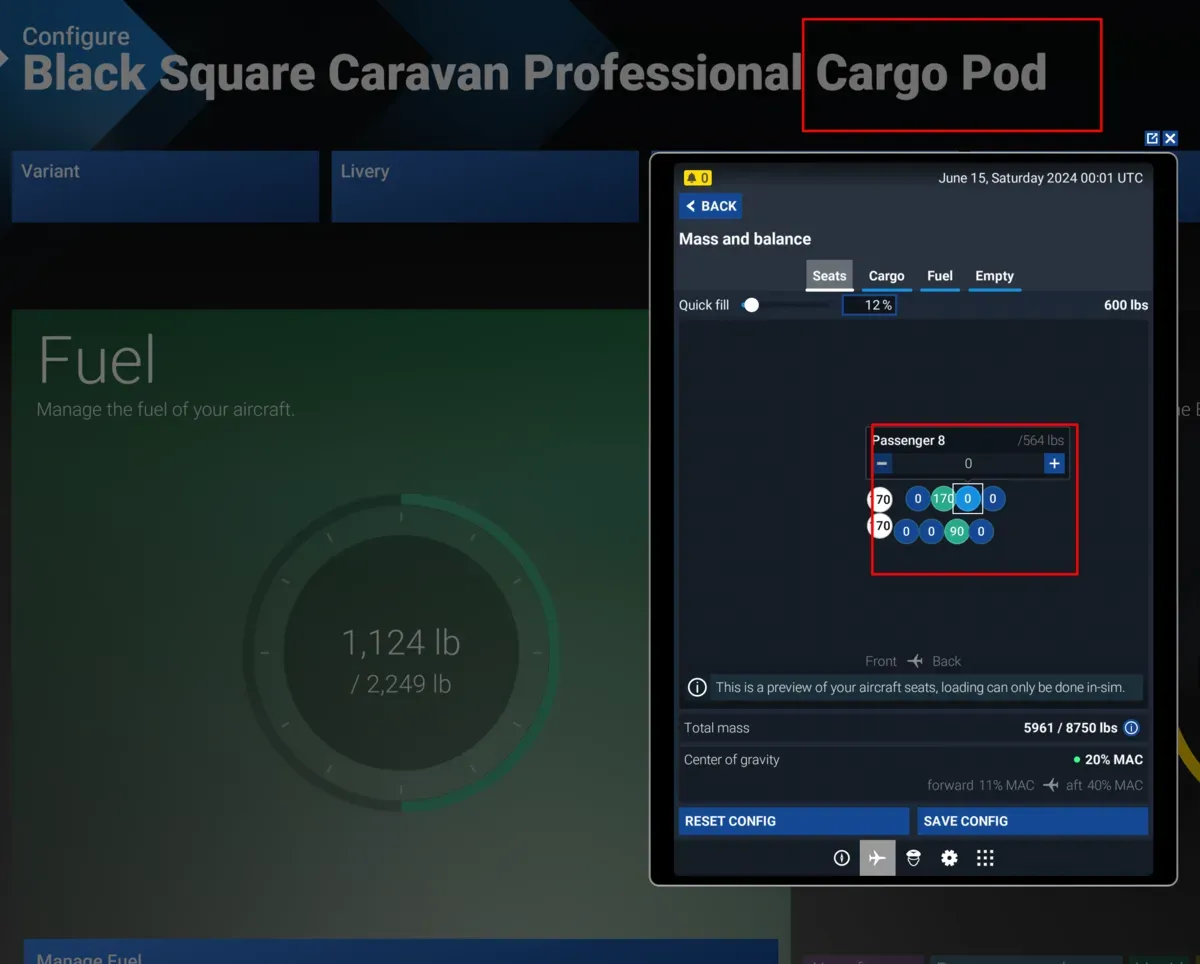
Furthermore, in the EFB / Weight & Balance page, it still lists the two pilots plus the 8 passenger seats to fill instead of a dedicated cargo station setup.
Additionally, even though I ran a clean install intending to only install the Cargo & Amphibian package, the Passenger variants still appear in my aircraft selection menu.
Has anyone encountered this issue? Is this a known livery/package conflict, or is there a specific step required (such as fully removing old files from Community/Official or toggling an option inside the tablet) to make the standard cargo cabin and payload stations register correctly?
Any guidance would be greatly appreciated.
Thanks in advance,
-
I can't say as I've heard of anything like that from anyone else, no. Do you think you could share some screenshots of your aircraft selection menu, and what tablet displays you're seeing, perhaps? I'm not sure I follow which models you're speaking of between the "Super Cargo Pod" and "standard Cargo". I'm always happy to help, though.
-
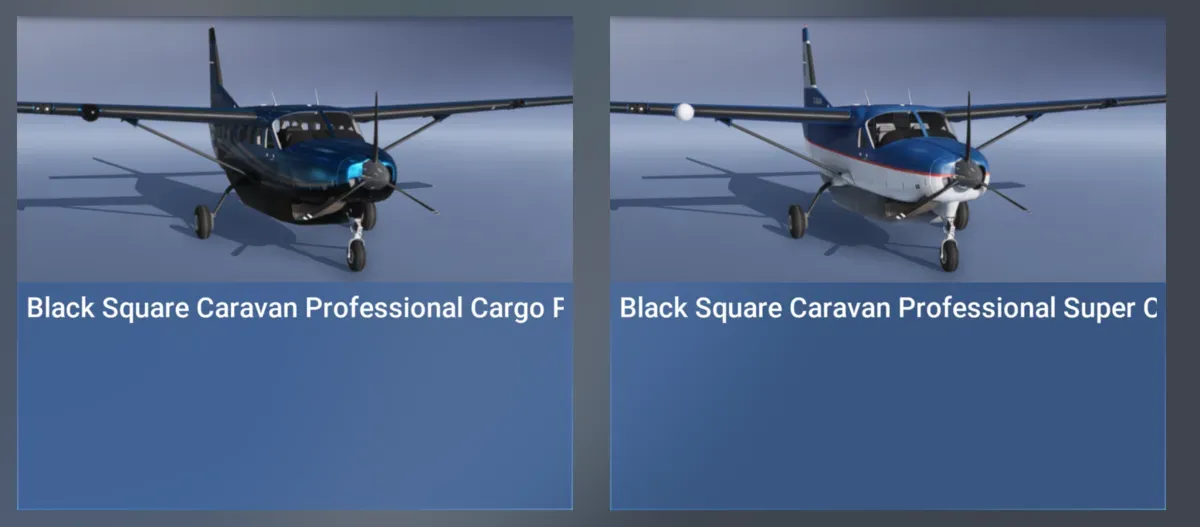
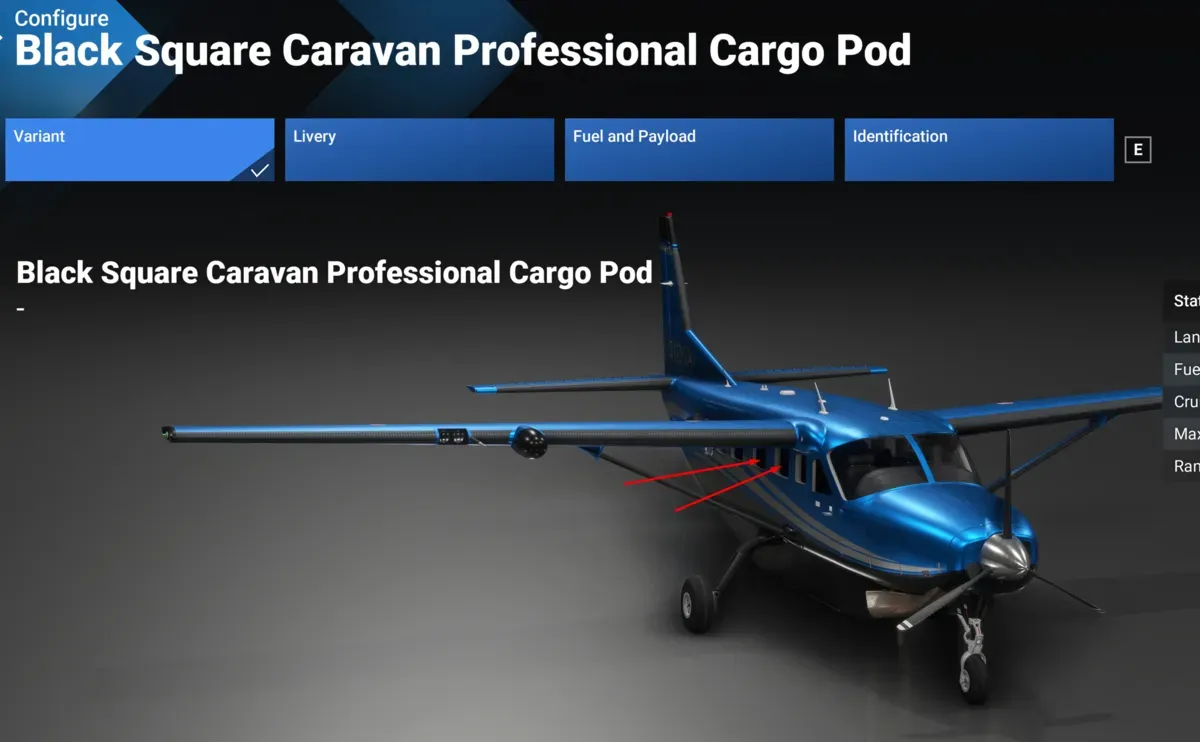
Sure! You can see that I have installed only the cargo pod and the Super Cargomaster (I uninstalled the passenger version to test).
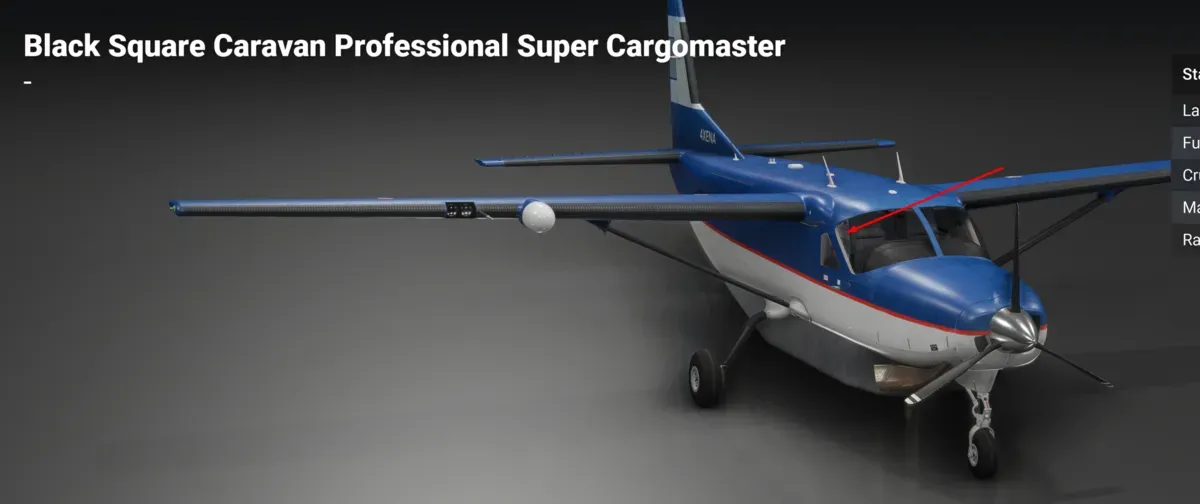
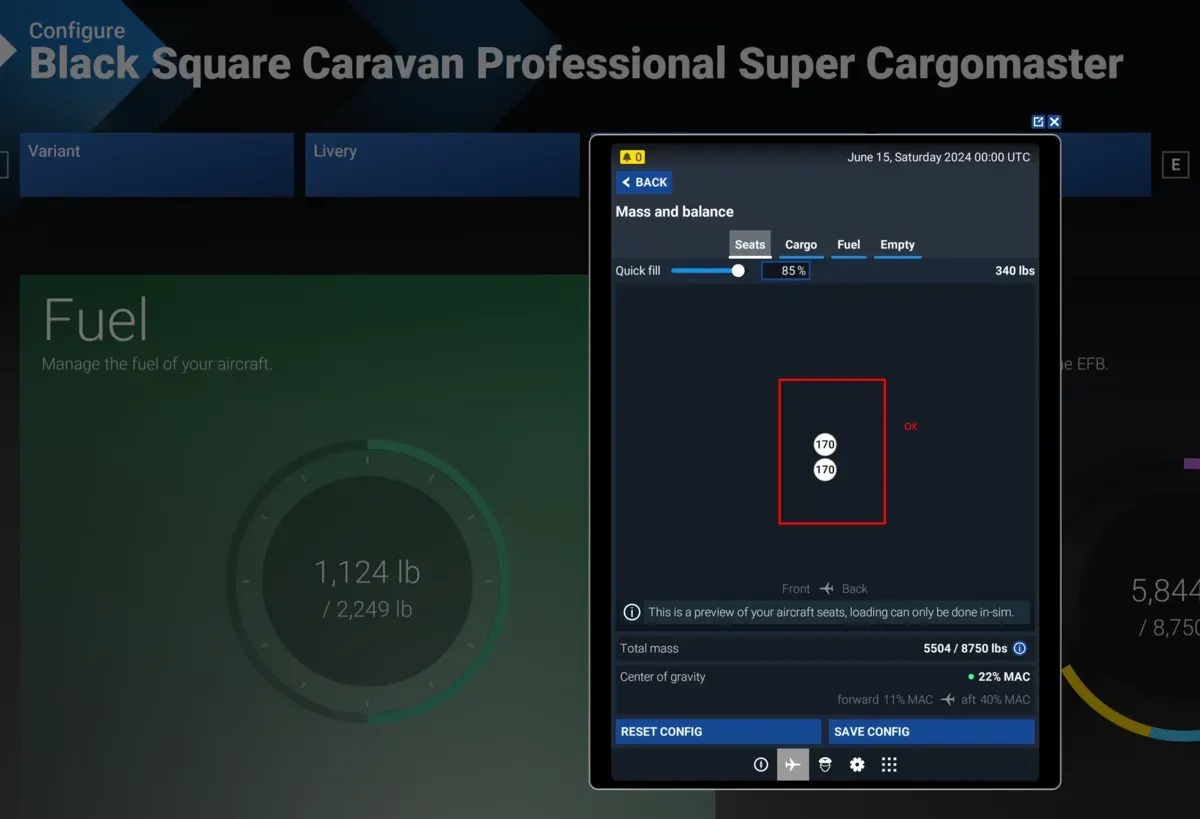
When I select the Super Cargomaster, you can see, even in the thumbnail, that there are no seats and no windows, as expected; and in the EFB I have only the positions for the pilot and copilot. However, for the cargo pod, in the thumbnail you already see that there are windows and seats, and in the EFB you can set the weight for up to 8 passengers.
(I can also add a screencapture from inside the plane in the simulator, but is the same situation)
Thanks in advance! -
Sure! You can see that I have installed only the cargo pod and the Super Cargomaster (I uninstalled the passenger version to test).
When I select the Super Cargomaster, you can see, even in the thumbnail, that there are no seats and no windows, as expected; and in the EFB I have only the positions for the pilot and copilot. However, for the cargo pod, in the thumbnail you already see that there are windows and seats, and in the EFB you can set the weight for up to 8 passengers.
(I can also add a screencapture from inside the plane in the simulator, but is the same situation)
Thanks in advance!@eaides Thank you very much for sharing. Pictures make it so much easier to troubleshoot. As I thought, there is actually nothing wrong here. The Cargo Pod is the fiberglass storage unit on the bottom of the aircraft, and has nothing to do with the interior. The only reason it has to be a separate aircraft in the menu from the passenger version without the cargo pod is because it has a substantial impact on the aerodynamics of the aircraft, which cannot be changed on the fly in MSFS. I hope that helps! Let me know if you have any more questions.
