
Autopilot Approach mode inoperative
-
Hi all,
today I noticed a strange behavior while flying ESNQ ILS Y Rwy 21. In the below screenshot I am fully established on both LOC and GS. However, upon selecting APP, the actually enrolled modes are ROL & VS (previous vertical mode). I tried re-cycling the autopilot without success. As a workaround I continued my approach using NAV & VS.
Does anyone have an idea what may cause this issue? I'm using the TDS GTNXi if that makes a difference.
Thanks,
Stefan
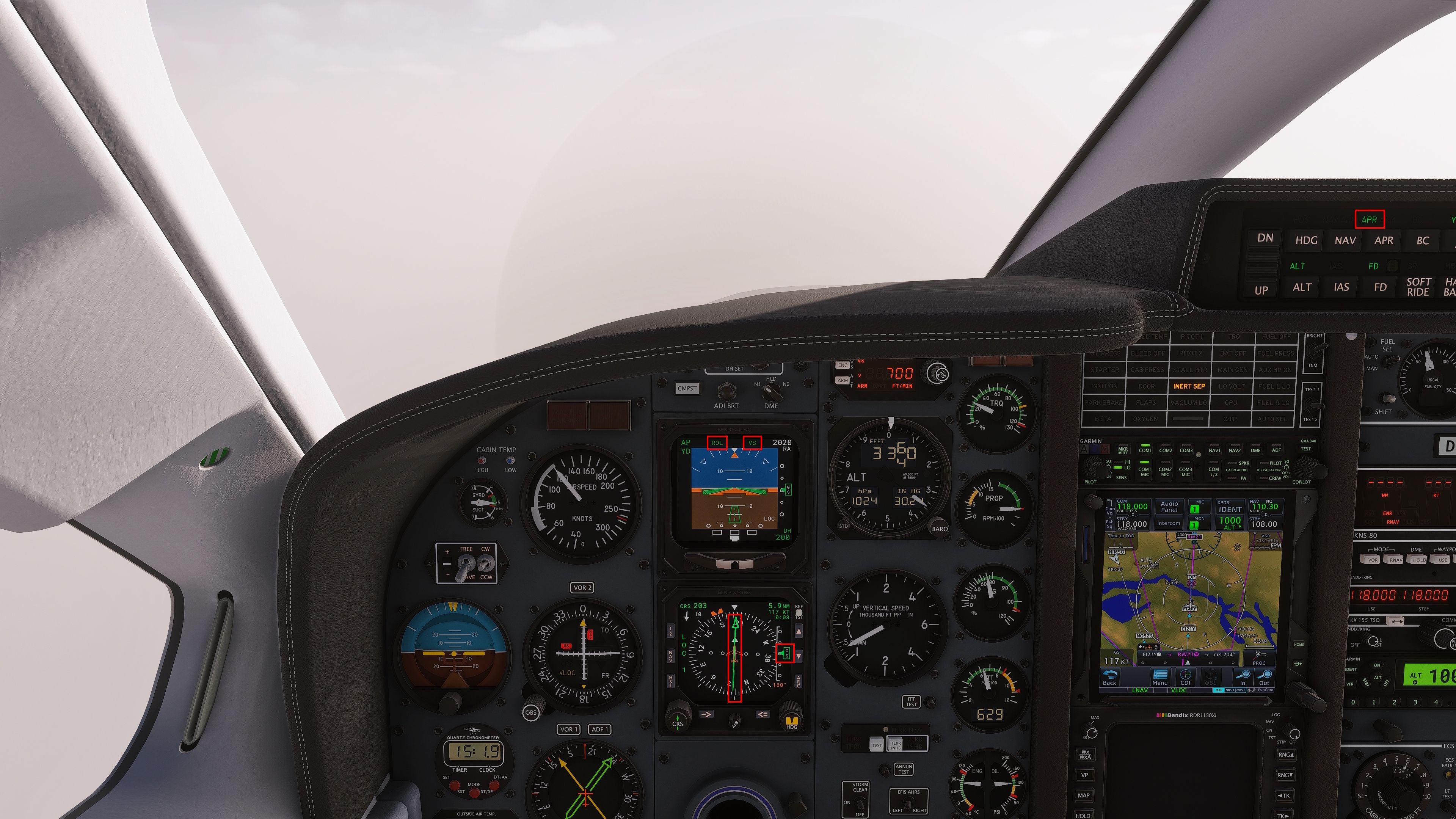
-
I seem to be getting the same thing, or similar. When I'm in HDG mode and trying to intercept the localizer/glideslope, I hit APP which arms it, but the plane goes right through the localizer and doesn't intercept the GS. This doesnt' always happen, though I'll tinker a bit more using FSI panel.
-
Honestly not even unrealistic for these old autopilots, just hand fly them and keep your skills sharp.
I had this issue in the Duke flying into london city and prince rupert in canada. I tried re-flying the approach after landing both times and had no issues capturing. Very frustrating as I can't seem to reproduce what's causing the issue. My best recommendation is to always attempt to capture as follows:
- Switch from GPS NAV to HDG mode before intercepting the LOC
- Allow the CDI source to automatically change from GPS to VLOC
- Activate NAV hold once establishing yourself on the localizer with HDG hold
- Activate APR mode when one dot above is indicating on the glideslope
This should consistently allow for the APR mode to capture. Tho IRL I'll never really trust it to work and just hand fly. Maybe I'll try it if I ever get to fly something with a new GFC lol.
-
@SadBucket That's the procedure, thanks! I actually did the following: leave in HDG mode, angled towards the localizer, in VLOC mode. Wait for the needle to get close, then put it in NAV mode so it intercepts the localizer. Then hit APR to arm glideslope mode, and let it descend. However, be ready to fly it manually if something's not quite working. I did three approaches with FSIPanel, worked each time.
This especially comes in handy when flying in IMC. I think I crashed my Caravan trying to follow ILS while hand flying in heavy precip into PANC on Vatsim once...very embarrassing.


