
Dynamic Livery Position Editing Question
-
Hello everyone,
Loving the Caravan, I'm figuring my way around making a livery for it.
Moving around the Dynamic Registration position and colour matching is a little tedious.
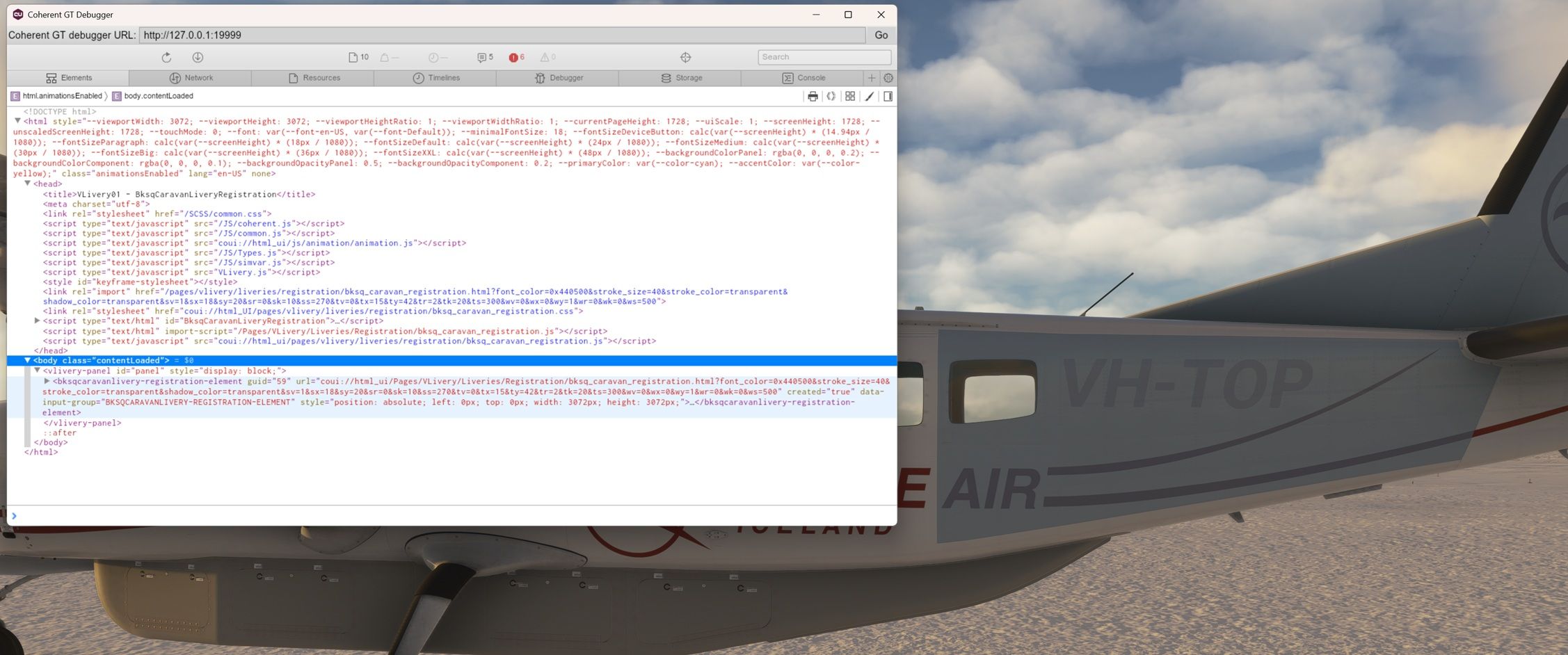
Nick mentions in the manual (page 21) that you can use Coherent GT Debugger to edit the Dynamic Reg values in realtime.Just looking for a little more guidance on how to do that, I've made it to here in GT Debugger, but when i replace a position value or color, and hit the reload button it just reloads the same values. I feel I'm not looking at the correct page.
Any guidance appreciated, thanks!
-
Glad to see someone is attempting the method I recommended
 I have the Baron open right now, but expand the section you have (lightly) highlighted in the screenshot, until you find names like, "LeftSide", or "RightTail". These are the sections in which you change the position and other values. Specifically, look for
 transform: translate(.... The percentages here are the same percentages as in panel.cfg. Just pressing enter should show the difference immediately. No need to reload (values will be reset, as you've seen.)Let me know where that gets you! Always happy to help.
-
Awwww i was so close!
It all makes sense now, you're the best. Thanks Nick.This is much better than taking a guess and reloading the sim everytime.
Looks like I can do colour matching here too with rgb values, that'll speed it up.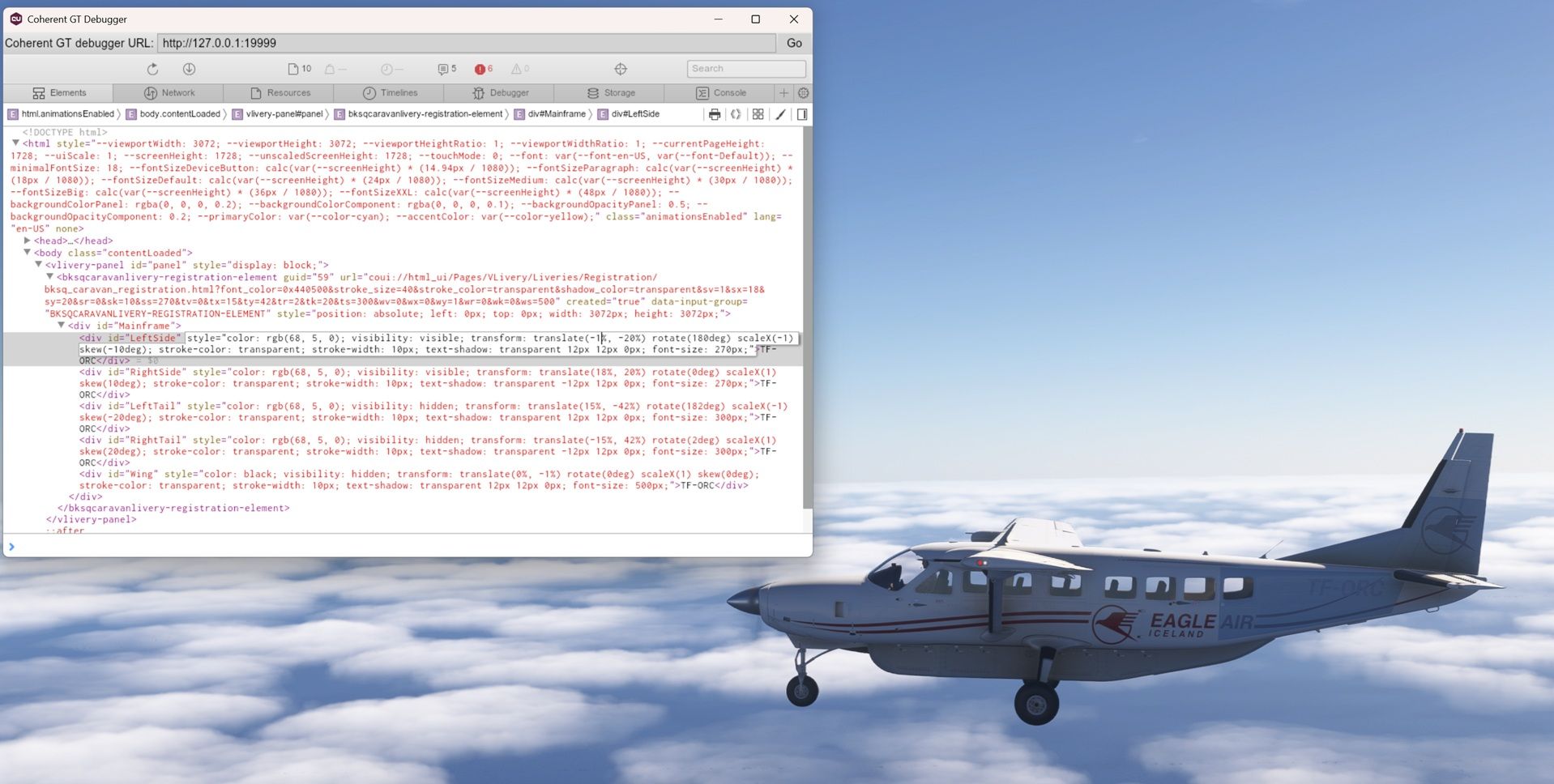
-
Awwww i was so close!
It all makes sense now, you're the best. Thanks Nick.This is much better than taking a guess and reloading the sim everytime.
Looks like I can do colour matching here too with rgb values, that'll speed it up.@Sunshine_db Yay! Glad I could help, and glad you were able to figure out the last bit on your own too! Indeed, I can't imagine doing those myself without the help of the debugger. Good luck, and you know where to find me if you need anything else
