Immersion suggestions
-
Great suggestions! I especially like the idea of click spots to enter and exit the cabin. When it comes to the wheel chocks, what I'd love to see is the left and right pair being set/removed independently - I hate when I click one wheel chock and all disappear ... same for 'remove before flight' items - although I like the idea of having to open the baggage compartment to retrieve the chocks.
-
I like the entry exit idea

-
Hi,
here a few suggestions to improve the immersion of this plane and all black square planes in general.
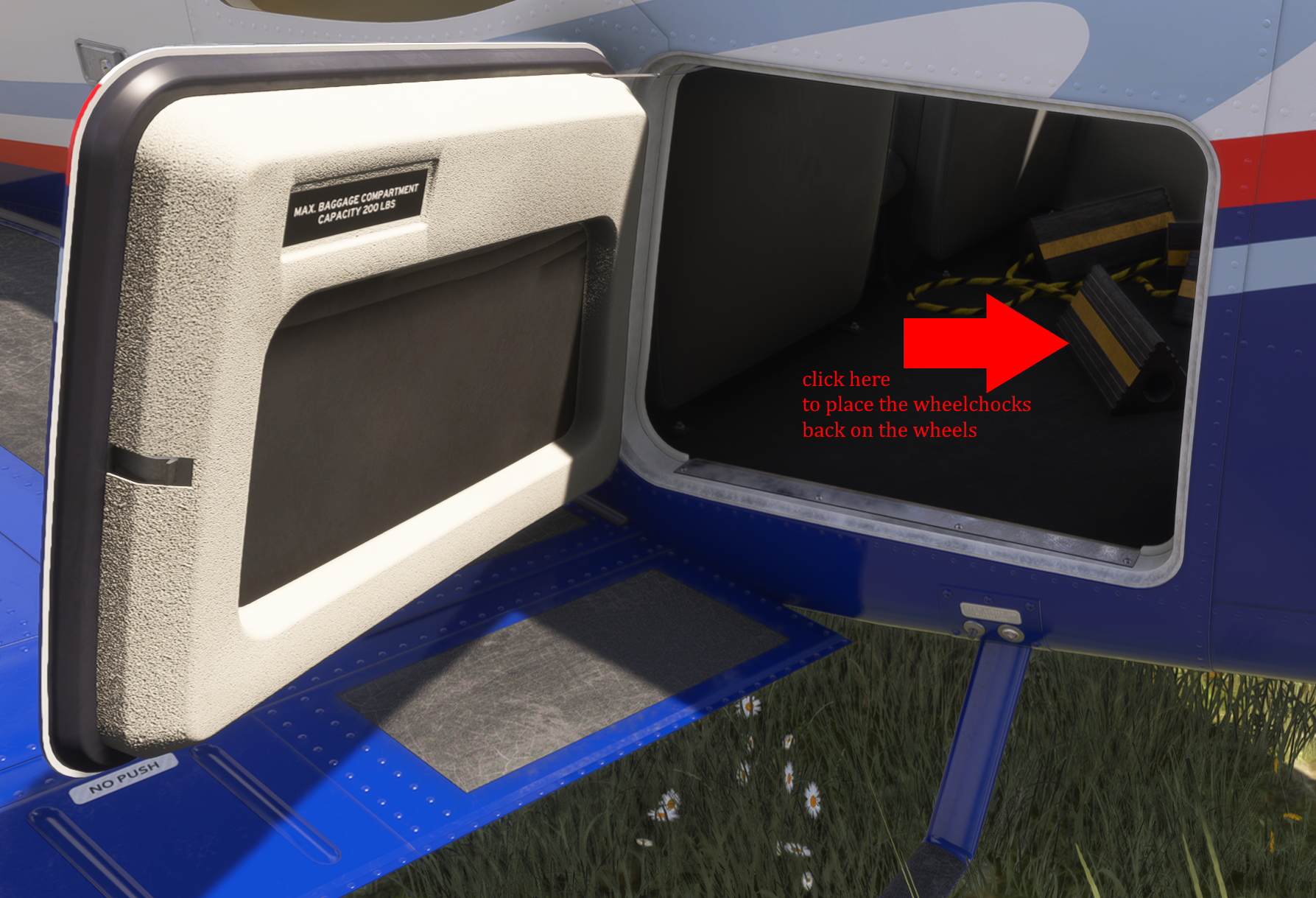
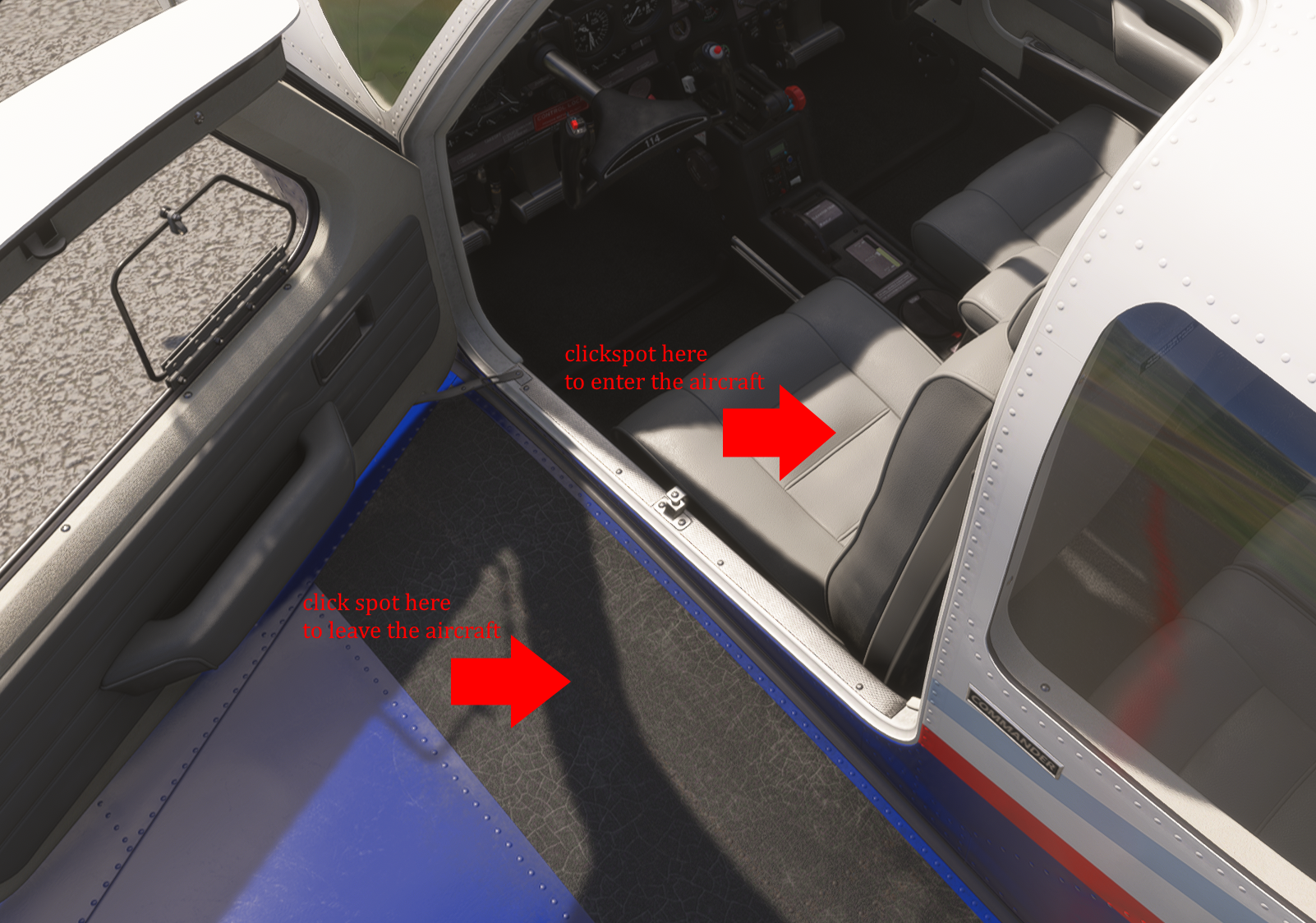
@2LOW I did the clickspot for the chocks on the Twin Commanders, so I'm not sure why I didn't do that here. It will be in the next update.
Edit: Oh, I see why... I can't make object on the interior highlight when you mouse-over on the exterior. The Twin Commander's baggage compartment is not accessible from the interior, so that wasn't a problem. Well, as long as you guys don't miss the highlight (it seems a surprising number of you despise the highlight), I'll add that too.
Also, all the exterior elements are separate (except the chocks) on the Twin Commanders. I haven't done that for my other aircraft, because I'm not sure if everyone will like that, and also it takes a quite substantial amount of work to do. With the LOD exports for MSFS 2024, probably a ten hour day for all my aircraft to make what seems like a simple change.
-
@2LOW I did the clickspot for the chocks on the Twin Commanders, so I'm not sure why I didn't do that here. It will be in the next update.
Edit: Oh, I see why... I can't make object on the interior highlight when you mouse-over on the exterior. The Twin Commander's baggage compartment is not accessible from the interior, so that wasn't a problem. Well, as long as you guys don't miss the highlight (it seems a surprising number of you despise the highlight), I'll add that too.
Also, all the exterior elements are separate (except the chocks) on the Twin Commanders. I haven't done that for my other aircraft, because I'm not sure if everyone will like that, and also it takes a quite substantial amount of work to do. With the LOD exports for MSFS 2024, probably a ten hour day for all my aircraft to make what seems like a simple change.
@Black-Square thank you for the answer. I dont need the highlight. I think the most will click on the chocks when they see them in the baggage compartment, like I did to try it out.
Do you think its possible to add the clickspots for entry/exit the aircraft?
-
@Black-Square thank you for the answer. I dont need the highlight. I think the most will click on the chocks when they see them in the baggage compartment, like I did to try it out.
Do you think its possible to add the clickspots for entry/exit the aircraft?
@2LOW @SkipperMacz @Woolies @MatzeH84 @cloudswimmer
I added clickspots to get in and out of the airplane, with their interaction toggled by the door state. I had never done this before, because the variables (not events...) used by MSFS 2024 to trigger getting in and out of the airplane is undocumented, and do not work like one would expect. As usual, I just needed to spend a few minutes to figure them out myself by trail and error. I'll see if it would be convenient to add this to my other aircraft.
-
@2LOW @SkipperMacz @Woolies @MatzeH84 @cloudswimmer
I added clickspots to get in and out of the airplane, with their interaction toggled by the door state. I had never done this before, because the variables (not events...) used by MSFS 2024 to trigger getting in and out of the airplane is undocumented, and do not work like one would expect. As usual, I just needed to spend a few minutes to figure them out myself by trail and error. I'll see if it would be convenient to add this to my other aircraft.
@Black-Square I was reading this topic and I wanted to provide some feedback.
As other users are saying, I personally would love to see the Walkaround elements to be independently removed: each Pitot Cover, each Static Port Cover, etc.
Brings more realism and immersion to the Walkaround, specially in airplanes with multiple of these elements, like the Dukes where 1 click removes 4 Pitot and Static Covers.
I also highly support the clicksposts for entering and exiting the aircrafts.
Have a good day!