Caravan Professional changelog - v1.2 released 05.05.26
-
I have FS2024 Caravan Pro Passenger installed on my PC and I tried to install it using the file provided by the product seller (simMarket). I received two files, "Install_Caravan_Pro_Passenger_MSFS2024_TP_v0.1.2.exe" and another "Install_Caravan_Pro_Passenger_MSFS2024_TP_v0.1.2_1_.exe".
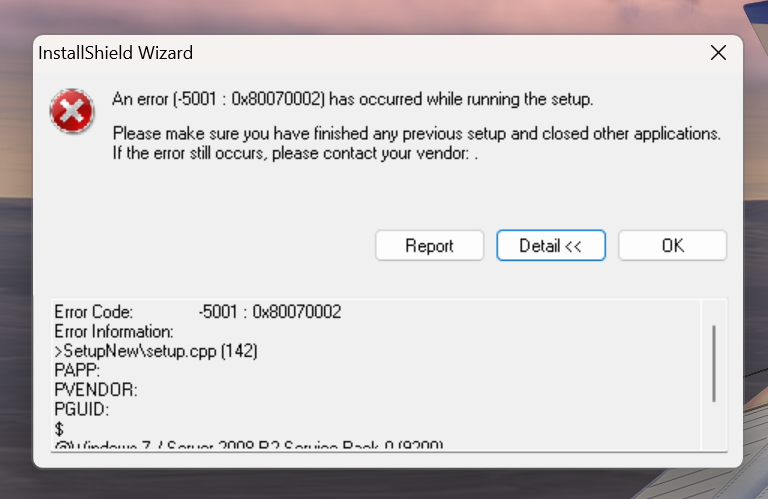
When I tried to run the first one, the following execution error appeared: "An error (-5001 : 0x80070002) has occurred while running the setup."
When I tried to run the second file, Windows failed, claiming it was not an operating system file. -
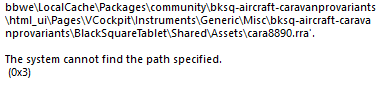
Why not changing the install app? Every single time I wanna install/update something from JF install app, it just doesn't works.. Now I get a install failure that it can't find some file.. seriously fix that install app of yours, or ask Claude how to do it.
-
Why not changing the install app? Every single time I wanna install/update something from JF install app, it just doesn't works.. Now I get a install failure that it can't find some file.. seriously fix that install app of yours, or ask Claude how to do it.
@gustavpicora
I am not sure if this is the case, but as far as I remember this is a windows issue due to long folder names. If you move your community folder to a shorter location it should be fine.f.e. I did move mine to c:\xboxgames\msfs2024….
You can do this from the inside of the sim if I remember correctly. -
Before running the update file, I remove the old version from Control Panel/Programs/Remove.
Then, during the new installation, I choose one of the options to install to my desired location or the default MSFS 2024 location.
But first, I remove the old version. -
Taking advantage of the comments, and despite already having a separate location for the "community" folder, I still uninstalled the previous version and tried the new version I received today, but it didn't help at all; the new version 0.1.2 didn't work and showed the same error as before.
-
Before running the update file, I remove the old version from Control Panel/Programs/Remove.
Then, during the new installation, I choose one of the options to install to my desired location or the default MSFS 2024 location.
But first, I remove the old version.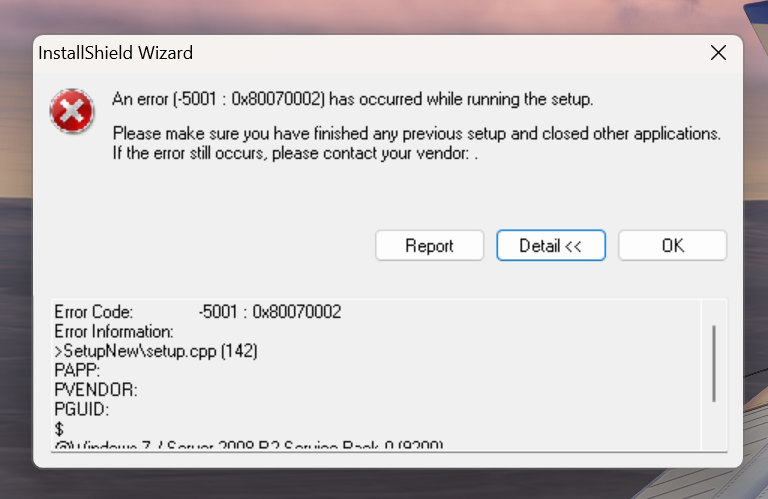
Taking advantage of the comments, and despite already having a separate location for the "community" folder, I still uninstalled the previous version and tried the new version I received today, but it didn't help at all; the new version 0.1.2 didn't work and showed the same error as before.
-
Taking advantage of the comments, and despite already having a separate location for the "community" folder, I still uninstalled the previous version and tried the new version I received today, but it didn't help at all; the new version 0.1.2 didn't work and showed the same error as before.
-
Taking advantage of the comments, and despite already having a separate location for the "community" folder, I still uninstalled the previous version and tried the new version I received today, but it didn't help at all; the new version 0.1.2 didn't work and showed the same error as before.
-
Simmarket MSFS2020 version is botched as explained by SenaCE. Two files, both named MSFS2024, one is the actual 2024 product and the other says missing download link.
-
Finally problem solved, I contacted JustFlight support directly and the correct file was made available. They claimed that they sent the correct files to simMarket, in short it was a problem with the store's support, and only today (8) did they correct the problem by making the correct aircraft file available.