Skip to content
  • Categories
  • Recent
  • Tags
  • Popular
  • Users
Collapse
Just Flight Community Forum
  1. Home
  2. Just Flight
  3. MSFS Products
  4. Black Square Add-Ons
  5. Caravan Professional
  6. Tablet options not saving

Tablet options not saving

Scheduled Pinned Locked Moved Caravan Professional
4 Posts 3 Posters 71 Views 1 Watching
  • Oldest to Newest
  • Newest to Oldest
  • Most Votes
Reply
  • Reply as topic
Log in to reply
This topic has been deleted. Only users with topic management privileges can see it.
  • U Offline
    U Offline
    UA176yp
    wrote last edited by
    #1

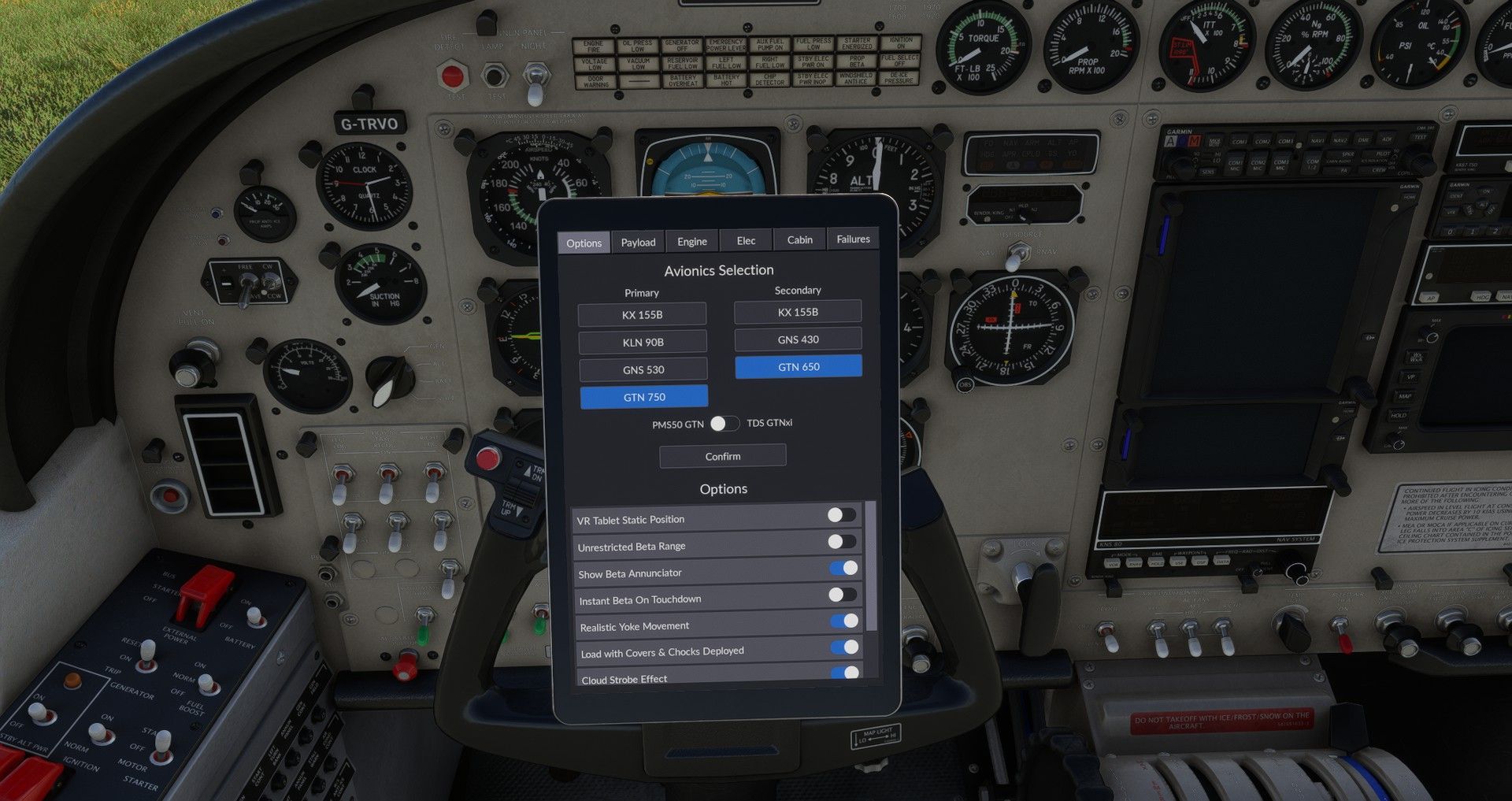
    It appears that the options that I set yesterday evening on the tablet is not saving for some reason. This afternoon when I reloaded again the options were default and had to reselect it again. 20260318142846_1.jpg

    1 Reply Last reply
    0
    • R Offline
      R Offline
      rostyk
      wrote last edited by
      #2

      0.1.0a update from yestreday actually provide correct 2024 model to cargomaster that can be a reason why options was not recovered
      mine for sure saved in today sessions

      1 Reply Last reply
      0
      • M Offline
        M Offline
        MiRexer
        wrote last edited by MiRexer
        #3

        State saving is an issue in 2024 right now. Try this workaround Nick posted yesterday in the Baron forum:

        Yes, unfortunately, state saving seems to be all sorts of bugged right now in MSFS 2024. You can read some more suggestions on this forum, but I believe the current workaround is to exit the flight, start another flight, and then you can exit the simulator and it will have saved your state. Asobo has told us that this will be fixed for the next update, thankfully. Let me know if there is ever anything else I can do for you! You know where to find me.

        (Note that personally I've found changing aircraft also helps)
        U 1 Reply Last reply
        0
        • M MiRexer

          State saving is an issue in 2024 right now. Try this workaround Nick posted yesterday in the Baron forum:

          Yes, unfortunately, state saving seems to be all sorts of bugged right now in MSFS 2024. You can read some more suggestions on this forum, but I believe the current workaround is to exit the flight, start another flight, and then you can exit the simulator and it will have saved your state. Asobo has told us that this will be fixed for the next update, thankfully. Let me know if there is ever anything else I can do for you! You know where to find me.

          (Note that personally I've found changing aircraft also helps)

          U Offline
          U Offline
          UA176yp
          wrote last edited by
          #4

          @MiRexer said in Tablet options not saving:

          State saving is an issue in 2024 right now.

          This is on MSFS 2020 by the way - I haven't tried it on 2024 yet due to known issues.

          1 Reply Last reply
          0
          Reply
          • Reply as topic
          Log in to reply
          • Oldest to Newest
          • Newest to Oldest
          • Most Votes


          • Login

          • Don't have an account? Register

          • Login or register to search.
          • First post
            Last post
          0
          • Categories
          • Recent
          • Tags
          • Popular
          • Users