King air master caution /warning flashing indicators.
-
Hi everyone. Ive built a full size king air cockpit. Ive done a few 737s in the past. Mainly FDS parts and desert air spares cockpit parts from the Mojave desert. Big missions to complete. This little beast has 3 x 75 inch tvs and the interior looks really great. Just starting to program switches etc with mobiflight, realsim gear and msfs 2020.
The master caution/warning lvars (im assuming i need lvars) have me stumped. I.cant get my relay to fire up or even a single led to flash. Im obviously doing things wrong and dont know the right lvars etc. I have used fsuipc log, and mobiflight "get lvars from sim button thingy" but still struggling. The 737s i buit used project magenta and interfaceIT boards, so it was cheating a bit. Lol. Lvars seem scary at the moment.
Could anyone give me a point in the right direction for the outputs.
Thanks you guys! -
Wow, that's quite the resume! I have quite the soft spot for cockpit builders, so please let me know any and all of your questions!
The master caution and warning L:Vars are...
(L:var_masterCautionLatching, number)
(L:var_masterWarningLatching, number)
0 = Off
1 = Illuminated
2 = AcknowledgedLet me know if you have any questions!
-
Thank you so much. Thats incredible!
I'll try not to be a pest and work things out myself in future. I'll post some photos aswell if that's ok. I haven't delved into other aircraft or addons or even fine tuning frame rates etc yet. Just solid building and the analogue king air (mainly sitting on the runway for hours on end)... which has saved my a$$ and made things possible. It's a very niche arm of cockpit building.
I have hundreds of design files for 3d prints and laser work for a king air, So if anyone needs anything to kick themselves off I'd be glad to help. It'll save you going down the road i did. -
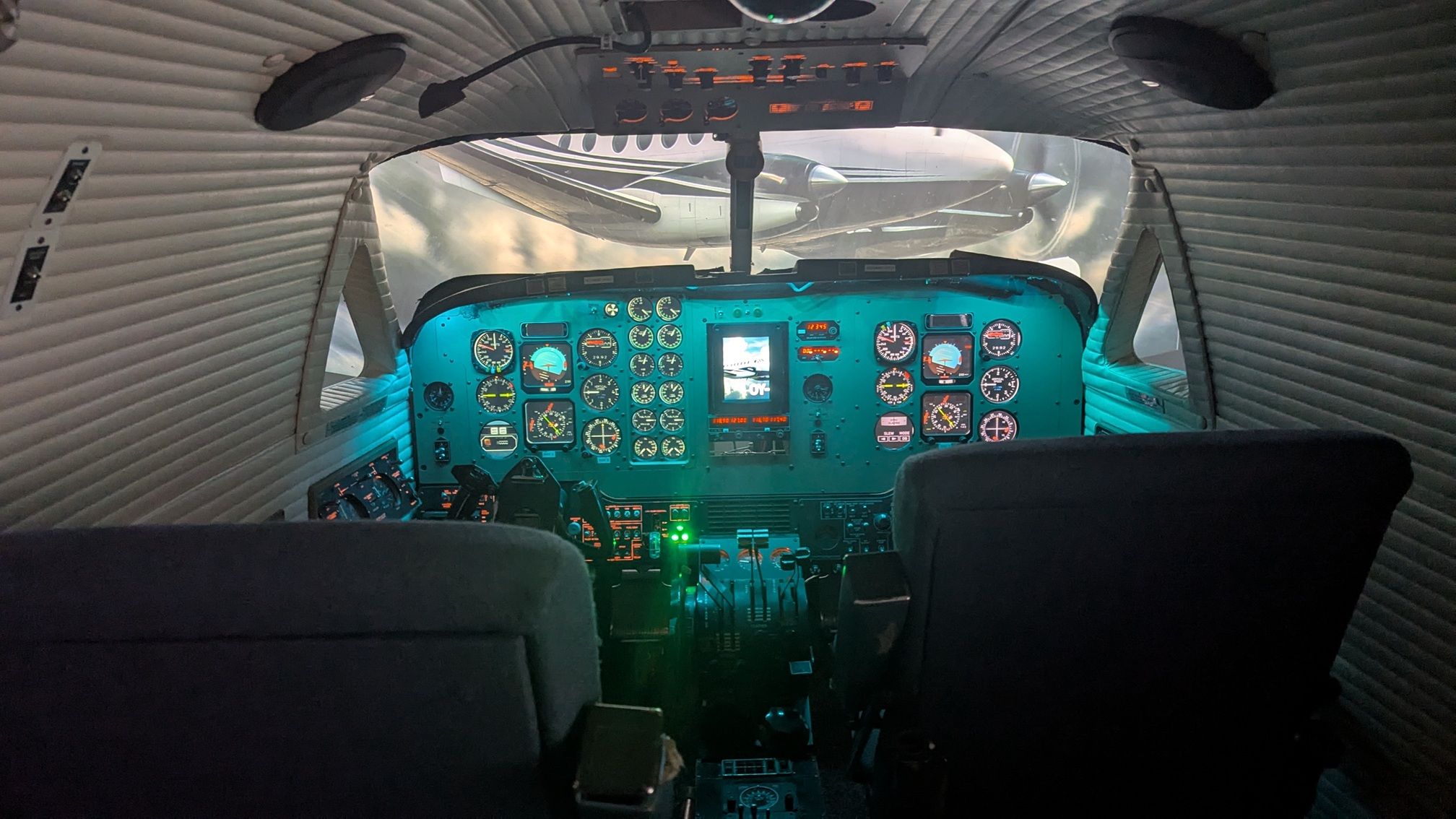
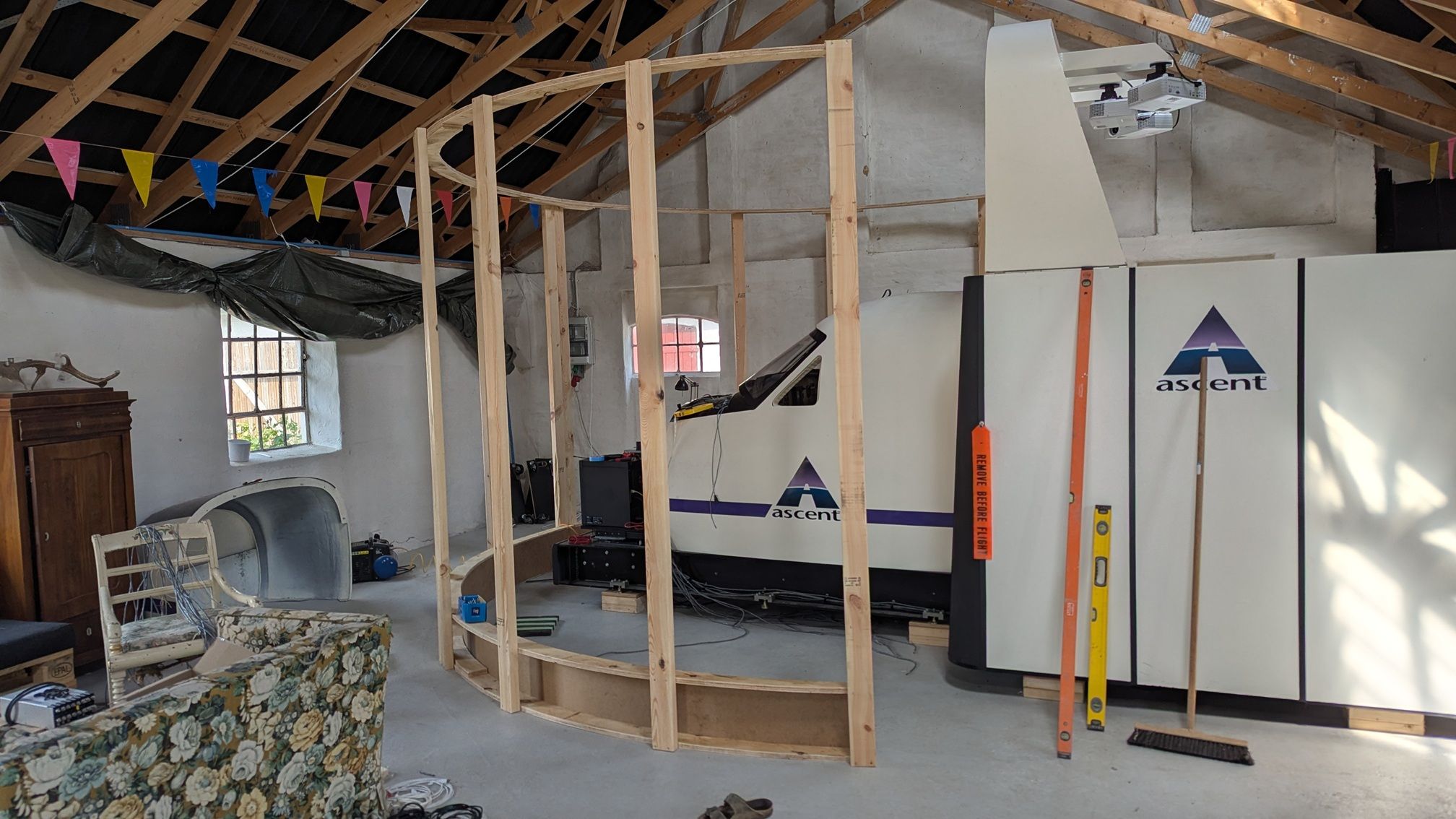
Then I would like to show my setup, I was so fortunate to get my hands on a real King Air simulator, that I am rebuilding for MSFS2024, using the Black Square King Air as a model.
The original setup was old, so I cut all connections and are using Mobiflight as connection to MSFS.
The setup is in an old stable on my farm, so in the winter it is too cold to work on it, so I am looking forward to spring


-
Then I would like to show my setup, I was so fortunate to get my hands on a real King Air simulator, that I am rebuilding for MSFS2024, using the Black Square King Air as a model.
The original setup was old, so I cut all connections and are using Mobiflight as connection to MSFS.
The setup is in an old stable on my farm, so in the winter it is too cold to work on it, so I am looking forward to spring
@reiler What a tremendous opportunity! Being sent photos of my software running on serious hardware is always one of my favorite parts of interacting with this community. I also accept cat photos
-
Wow, that's quite the resume! I have quite the soft spot for cockpit builders, so please let me know any and all of your questions!
The master caution and warning L:Vars are...
(L:var_masterCautionLatching, number)
(L:var_masterWarningLatching, number)
0 = Off
1 = Illuminated
2 = AcknowledgedLet me know if you have any questions!
Im really new to Lvars. Apologies.
I can make my master warning led light up, and flash via mobiflight now thankyou. Mobiflight shows me the on off state number as the light blinks etc. How do I tell it to turn off/reset when I press the master warning switch hardware or mouse click it?
I think once I get one Lvar under my belt ill be able to sort alot of the base ones. Out of the three numbers, o,1,2, which one should I attach after typing in the Lvar? Ive been searching the net every day and watching YouTube but im obviously missing or overthinking this. -
Im really new to Lvars. Apologies.
I can make my master warning led light up, and flash via mobiflight now thankyou. Mobiflight shows me the on off state number as the light blinks etc. How do I tell it to turn off/reset when I press the master warning switch hardware or mouse click it?
I think once I get one Lvar under my belt ill be able to sort alot of the base ones. Out of the three numbers, o,1,2, which one should I attach after typing in the Lvar? Ive been searching the net every day and watching YouTube but im obviously missing or overthinking this.@deepee Glad to hear that you're making progress. I wish I had more to offer, but I don't think I'm half the cockpit builder that you already are. As far as my software is concerned, a value of 2 means "acknowledged". It's a simple software latch, so...
0 = No caution condition exists.
1 = A caution condition exists, and has not been acknowledged.
2 = A caution condition exists, and has been acknowledged.Maybe I overcomplicated it with that last part, but I want to make sure you have all the information you need. I hope that helps. Let me know if there is anything else I can do for you!
-
OMG, that's so cool
 🥰 when can I visit you
  ?
? -
Thanks for the great offer, but it's a little too far away... I'm from Bavaria/Germany. And my wife is terrified of spiders
So maybe in the next life - but who knows....