
Continued WASM issues in SU4
-
Thanks mark, I have updated GSX a number of times to ensure this wasn't the case. As you say i checked again and a number of liveries work fine but there are a number that dont still. any other ideas would be grateful?
-
Mark, thanks for your help in this matter, reinstalling seemed to work and now i can atleast see the liveries in the main menu so hopefully this has corrected whatever went wrong. not sure what as i dont really touch any files as no idea what im doing lol but thanks again
-
Hi.
The RJ isn’t behaving for me in SU4 (Xbox):
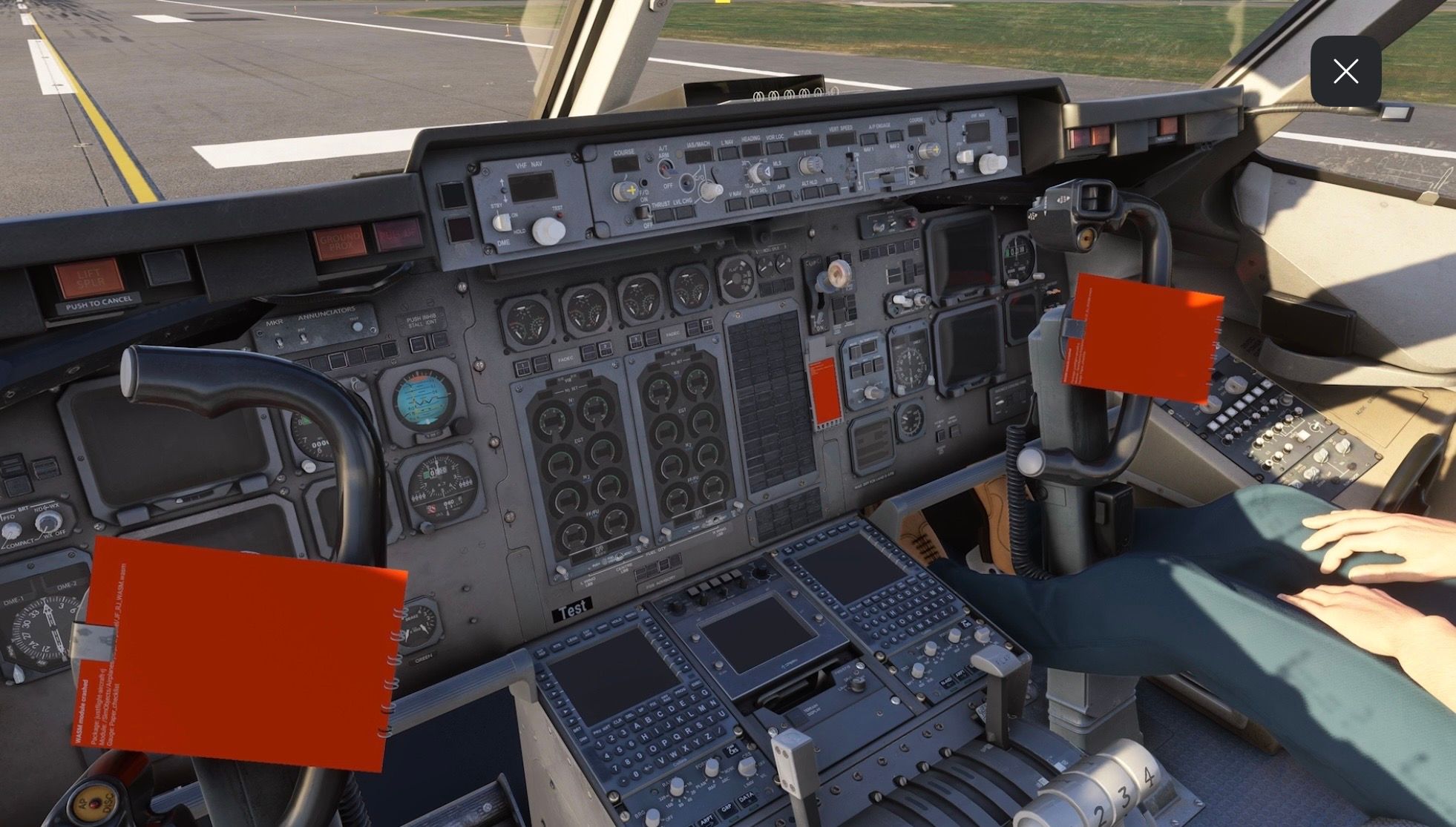
I’ve not seen this reported elsewhere so just wanted to ensure it’s known about.
Thanks.
@AlphaEcho I'm having this exact issue as well.
Seems like an issue stemming from SU4.
-
We are currently in the process of releasing updates to each of our MSFS 2024 products following a change in SimConnect behaviour in SU4. The following product updates are already available in your JustFlight.com accounts:
- 146 Professional (v2.5)
- Avro Vulcan B Mk.2, K.2 & MRR (v1.4)
- Hawk T1/A Advanced Trainer (v2.2)
- RJ Professional (v1.5)
- PA-38 Tomahawk (v1.5)
Updates for the rest of our MSFS 2024 products are currently in testing.
All these updates will make their way to the in-game marketplace and other third-party retailers as soon as possible. However, with the holidays fast approaching, it's difficult to say when these updates will appear on certain stores.
Mark - Just Flight
-
Hi - FYI. Yesterday my Arrows and Warrior received an update and today I’m having black screen issues and yoke stationary at full lock (although the ailerons still respond):
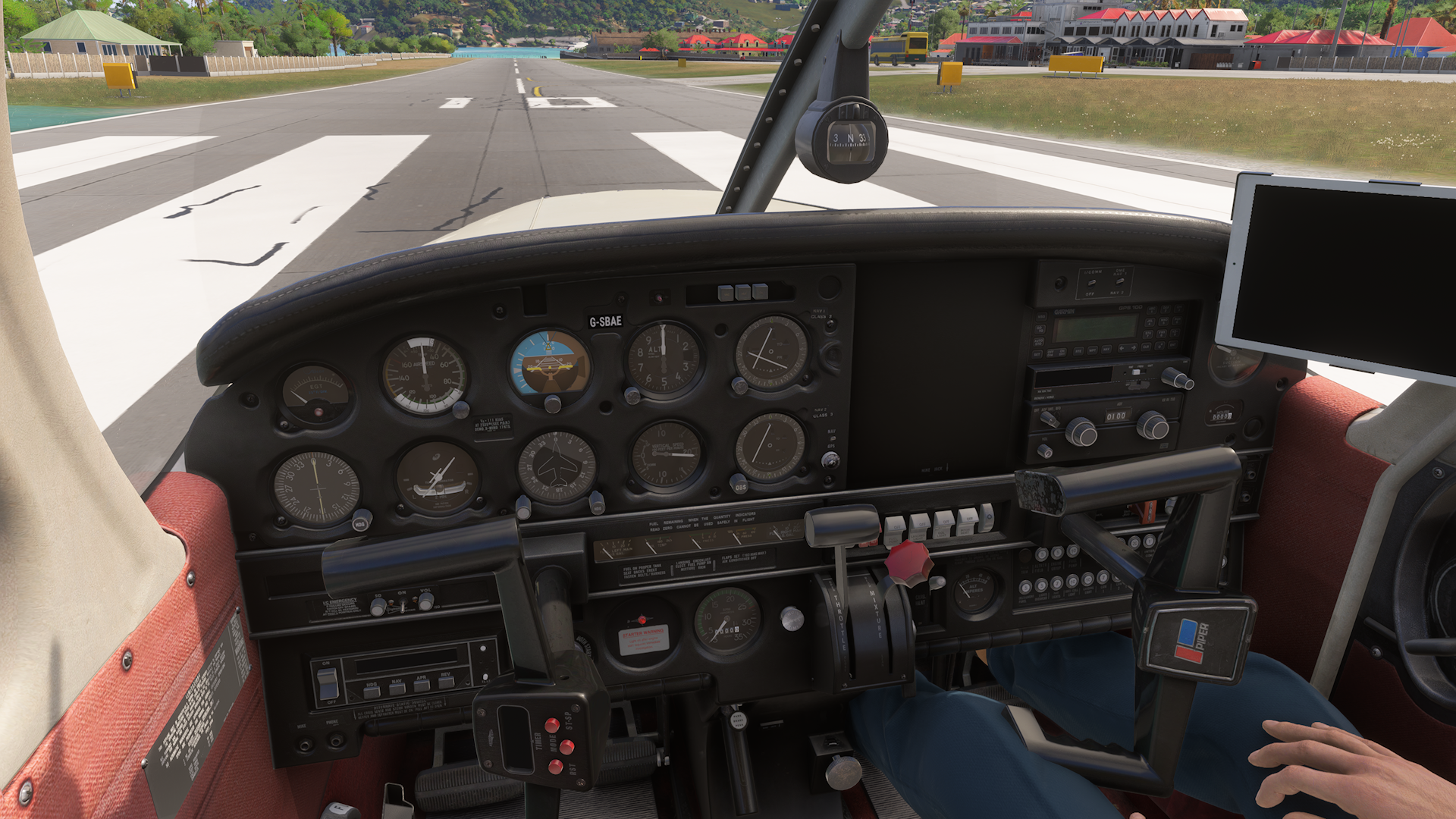
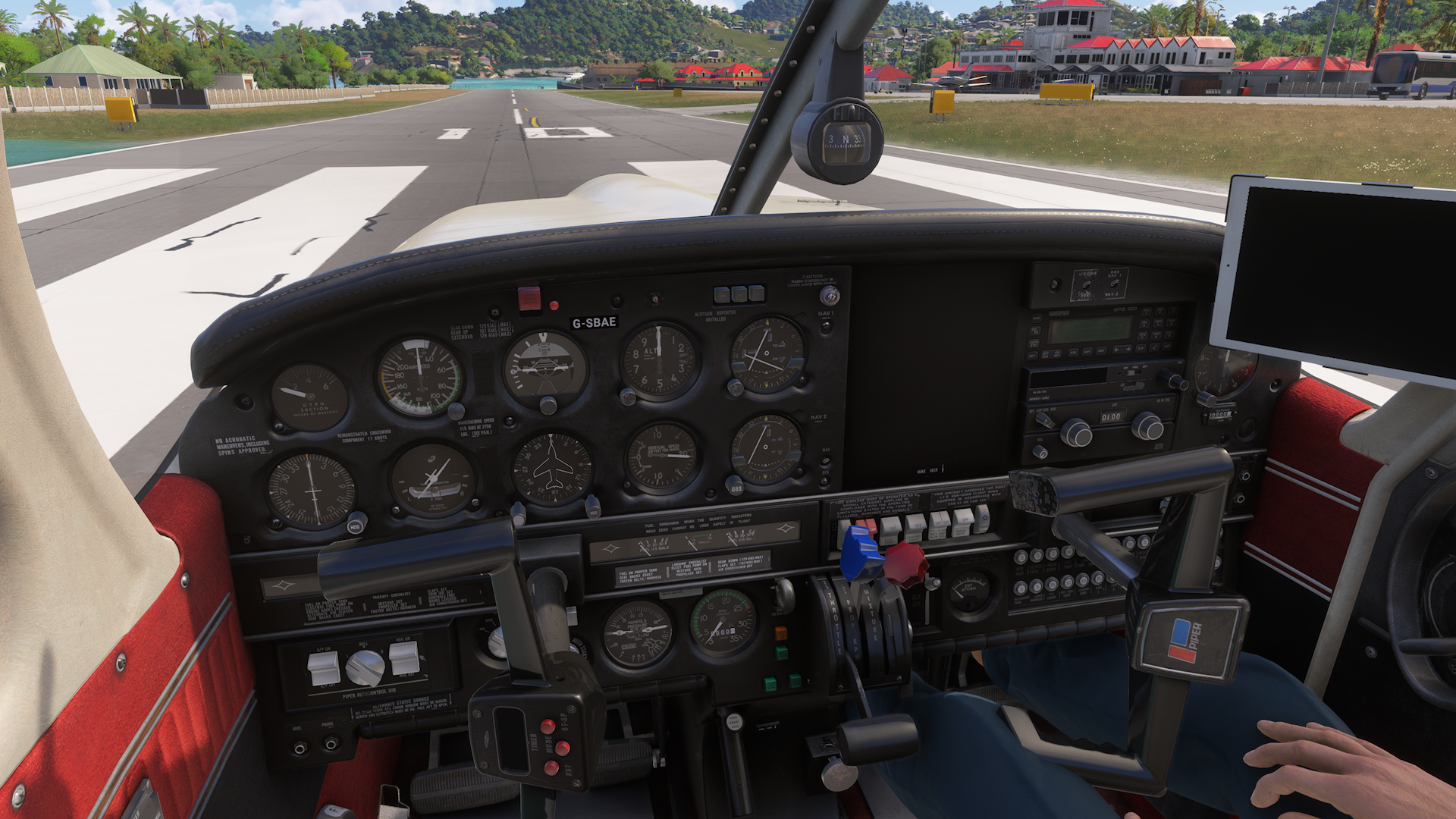
I’m on Xbox. Many thanks for the great support (and planes).
Regards.
Edit: For info the yoke simulates elevator movement, but not aileron.
-
I'm glad I found this , cause I thought it was just me. On Xbox Ive been trying to sort the 146, RJ, and Piper Arrows which keep telling me I require additional software and to restart the simulator or they make the sim unresponsive.
Since I'm on the Xbox I'm guessing I won't see a fix for a good while. I havent even gotten 146 2024 update yet.Whelp! Back to 2020!
-
I'm glad I found this , cause I thought it was just me. On Xbox Ive been trying to sort the 146, RJ, and Piper Arrows which keep telling me I require additional software and to restart the simulator or they make the sim unresponsive.
Since I'm on the Xbox I'm guessing I won't see a fix for a good while. I havent even gotten 146 2024 update yet.Whelp! Back to 2020!
@TJ-Turner 2024 should have the " Add-on Support" package. Have you installed that?
-
I'm glad I found this , cause I thought it was just me. On Xbox Ive been trying to sort the 146, RJ, and Piper Arrows which keep telling me I require additional software and to restart the simulator or they make the sim unresponsive.
Since I'm on the Xbox I'm guessing I won't see a fix for a good while. I havent even gotten 146 2024 update yet.Whelp! Back to 2020!
@TJ-Turner Hi. For the message regarding requiring additional software, just disable and re-enable the affected module(s).
Although you’ll still have black screens so we need to wait for the fix to propagate through.
Regards.
-
Update 12/26: Seems both the WASM and "Missing Content" issue have been fixed.
I have the Turbo Arrows and the RJ and all aircraft load and fly without issue.
Massive thanks to the Just Flight Team for getting these issues taken care of!
 ️
️ -
Just for info. The RJ still has issues on Xbox - orange WASM problems and black screens with yokes hard left.
Arrows and Warrior working fine now.
@AlphaEcho The RJ issue confirms my suspicion then.
The Orange Screens are a Sim issue, most likely introduced with SU4, as even people on PC are having the same problem. A couple examples being the 2024 PMDG 737 and Inibuilds A340 as I had seen on some streamers' channels. I myself even had the same issue in the Aerosoft CRJ on Xbox.
I'm hopeful we can possibly get a hot fix after Asobo returns from Holiday, because it would certainly suck having to wait until SU5, which won't likely come until Summer is my guess.
-
@AlphaEcho The RJ issue confirms my suspicion then.
The Orange Screens are a Sim issue, most likely introduced with SU4, as even people on PC are having the same problem. A couple examples being the 2024 PMDG 737 and Inibuilds A340 as I had seen on some streamers' channels. I myself even had the same issue in the Aerosoft CRJ on Xbox.
I'm hopeful we can possibly get a hot fix after Asobo returns from Holiday, because it would certainly suck having to wait until SU5, which won't likely come until Summer is my guess.
@KAPA-Flyer said in Continued WASM issues in SU4:
The Orange Screens are a Sim issue, most likely introduced with SU4
The orange screen was intentionally added in SU 4 partway through the beta to make it easier to identify a WASM crash and the error messages whenever one occurs, so they’re supposed to be there.
Whether a WASM crash occurs more often after SU 4…. Well that’s a different matter.

-
Just for info. The RJ still has issues on Xbox - orange WASM problems and black screens with yokes hard left.
Arrows and Warrior working fine now.
-
I am having problems with my 146 professional. It usually starts with wrong ZFW and Gross Weight showing high numbers on solid red background. No matter what changes I make on passenger number, cargo or fuel those numbers won't change. After a couple restarts I get the "WASM module crashed". At that point only solution is reinstalling the 146. It works well for a couple of flights before the weight issues come back.
Very frustrating. I have the feeling that "Shift+C" for entering the aircraft is triggering this issue. I know it sounds weird but I can reproduce the problem by repeatedly entering and leaving the plane with Shift+C. It only happens with 146 tho.
It is my favorite aircraft, so I hope a solution will be coming soon. -
The weight changes are a known limitation of how the MSFS 2024 walkaround mode interacts with the custom fuel/payload managers in third-party aircraft. However, we do have a workaround currently in testing, and if our testing team approves that workaround, we will include it in the next update to our products.
Mark - Just Flight
-
I would like to add that after the 146 became available on Xbox again 2 weeks ago. I've noticed that a CTD ofen occurs while in the aircraft selection screen when switching between different variants. I would estimate the frequency to be about 1 out of 3 times.
-
Update. The RJ was working fine, now experiencing consistent WASM crashes. Every time I load the place I get yokes hard left and orange rectangles here and there.
Edit: Disabling and re-enabling the RJ seems to have fixed the WASM issue for me.
-
Hello, I'm an enthusiastic BAe146 and RJ Professional user with MSFS2024 and Xbox. Unfortunately, both products still have their weaknesses: The RJ can finally be loaded onto the gate, but, for example, with the RJ in the Shopping Swiss livery, all the buttons and controls/displays are misconfigured.
I flew on several different A146-100, A146-200, and A146-300 aircraft today. Some of them displayed the red WASM warning cards again after boarding. On one occasion, as with the RJ, all the buttons were misaligned. I believe this WASM issue is still ongoing. Please take a look at it. Thank you very much, as it's a wonderfully sophisticated product.
-
For any WASM crash-related behaviour, we would recommend opening a ticket with Just Flight Support via the following link: https://www.justflight.com/support
If the WASM crash is reproducible, please provide steps on how to reproduce it in the ticket, as well as the platform you are using at this time (PC 2020, Xbox 2024, etc.). That will provide our support team with the best information for tracking and reproducing this behaviour.
As the initial topic of this thread has been fixed in the most recent updates to our products (changes in SimConnect logic in SU4 causing the flight to hang in the 2024 loading screen), we will lock this thread to prevent confusion with unrelated topics.
Mark - Just Flight
-
M Mark locked this topic on

