Skip to content
  • Categories
  • Recent
  • Tags
  • Popular
  • Users
Collapse
Just Flight Community Forum
  1. Home
  2. Just Flight
  3. MSFS Products
  4. 146 Professional
  5. 146 Professional MSFS 2024?

146 Professional MSFS 2024?

Scheduled Pinned Locked Moved 146 Professional
40 Posts 15 Posters 1.9k Views 2 Watching
  • Oldest to Newest
  • Newest to Oldest
  • Most Votes
Reply
  • Reply as topic
Log in to reply
This topic has been deleted. Only users with topic management privileges can see it.
  • R Offline
    R Offline
    RPGamerous
    wrote last edited by
    #18

    I'll be out of town and unable to fly from Wednesday evening through Sunday, so you can all rest easy -- it's sure to drop sometime during that time frame!

    1 Reply Last reply
    0
    • WooliesW Offline
      WooliesW Offline
      Woolies
      wrote last edited by
      #19

      Uh oh, week running out ... hope for something tomorrow ... or Friday ... or not ... gulp

      https://www.twitch.tv/woolies

      1 Reply Last reply
      0
      • D Offline
        D Offline
        david1964
        wrote last edited by
        #20

        I've waited since the release of 24. Now either today or tomorrow(hope)

        V 1 Reply Last reply
        0
        • D david1964

          I've waited since the release of 24. Now either today or tomorrow(hope)

          V Offline
          V Offline
          Voice of Reason
          JF Staff
          wrote last edited by
          #21

          @david1964 Will happen. Just bear with us.

          1 Reply Last reply
          1
          • WooliesW Offline
            WooliesW Offline
            Woolies
            wrote last edited by
            #22

            Excellent, thanks

            https://www.twitch.tv/woolies

            1 Reply Last reply
            0
            • A Online
              A Online
              Avionic
              wrote last edited by
              #23

              billede.png

              Shh 🀫

              1 Reply Last reply
              2
              • A Online
                A Online
                Avionic
                wrote last edited by
                #24

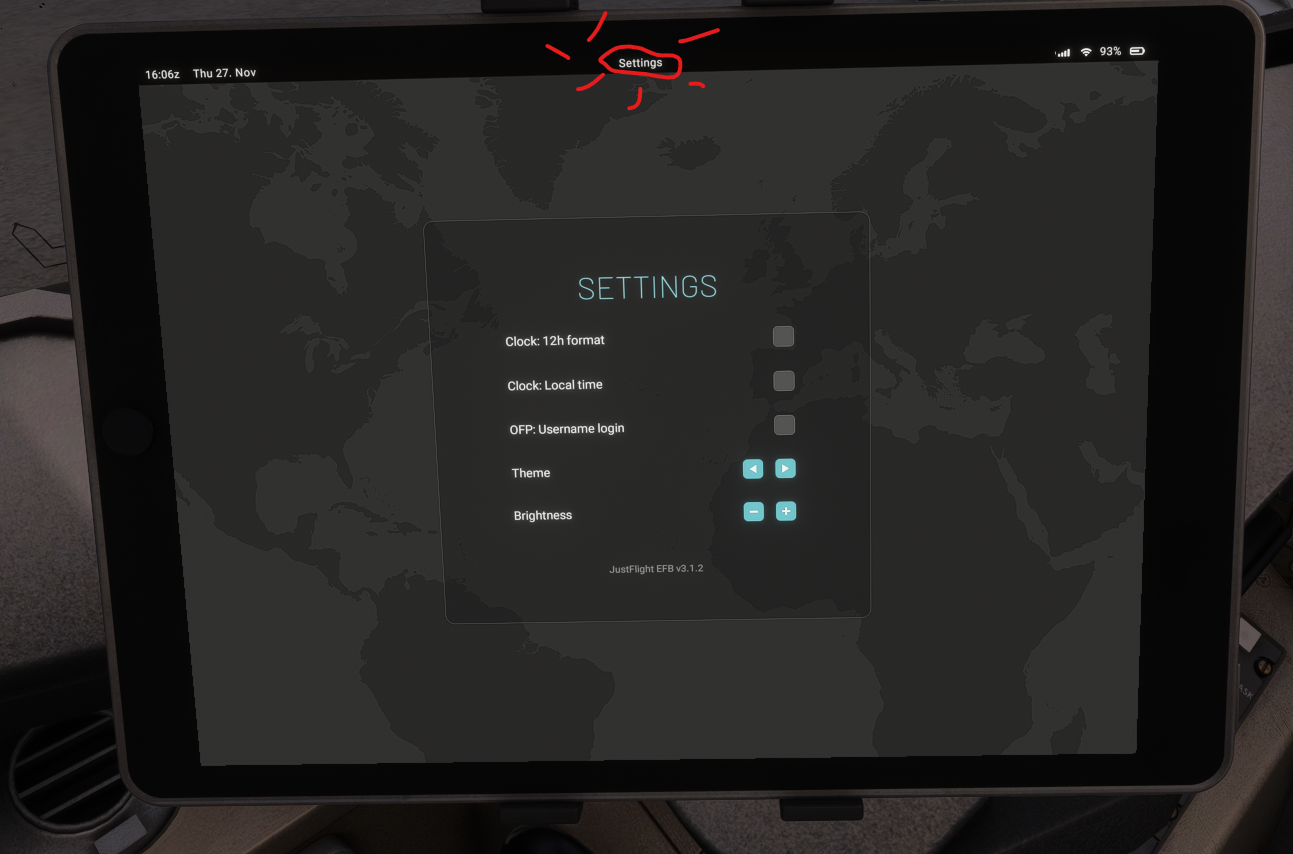
                Power button doesn't work as a home button on the tablet and there is no obvious return button on the interface. But after a bit of fiddling, I figured out that you have to click the small name up top to get back.
                Figured, I would share in case others got stuck in the new interface.
                billede.png

                1 Reply Last reply
                0
                • WooliesW Offline
                  WooliesW Offline
                  Woolies
                  wrote last edited by Woolies
                  #25

                  Lets go .... thanks to the team as always. Great work!! 🀟

                  https://www.twitch.tv/woolies

                  1 Reply Last reply
                  1
                  • G Offline
                    G Offline
                    GVA1055
                    wrote last edited by
                    #26

                    Good afternoon,
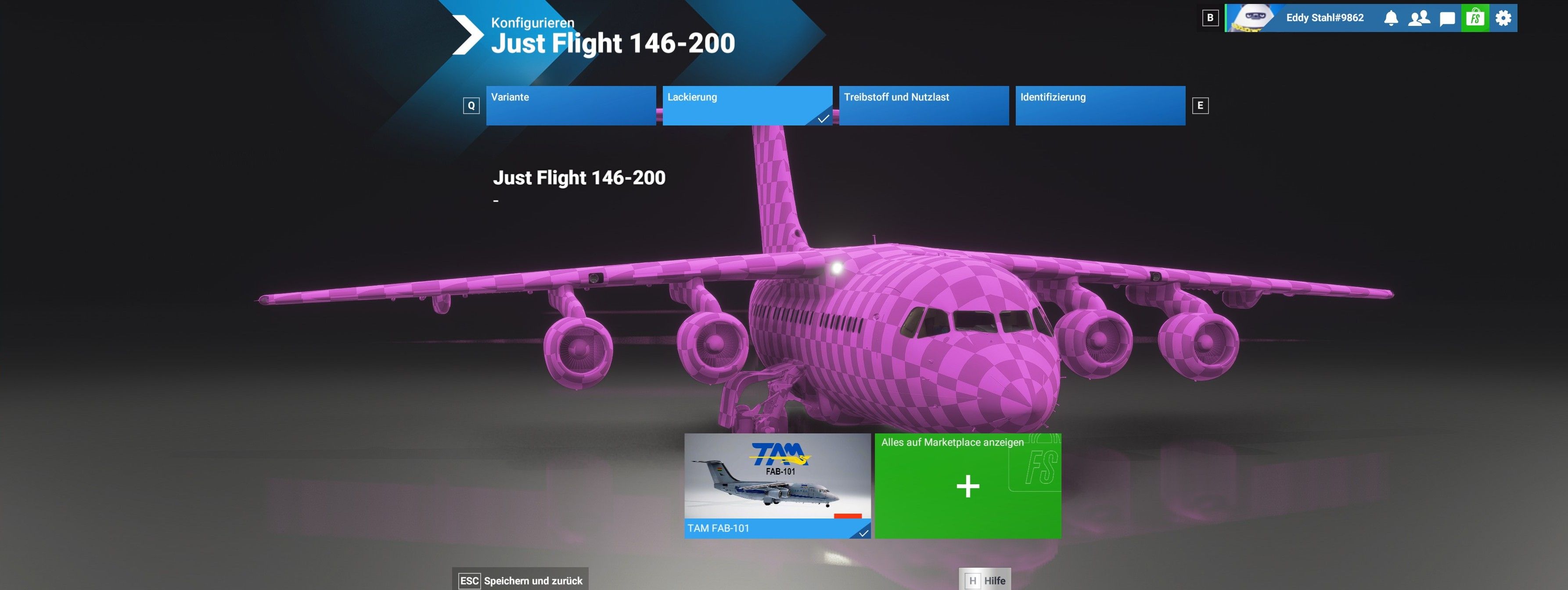
                    After installing and launching MSFS2024, I can access and use all BAe 146 aircraft EXCEPT the 146-200. I cannot see any liveries for this aircraft. β€œOnly” a red and white checkered aircraft is displayed.

                    2025-11-27-19-55-32.jpg

                    1 Reply Last reply
                    0
                    • G Offline
                      G Offline
                      GVA1055
                      wrote last edited by
                      #27
                      This post is deleted!
                      1 Reply Last reply
                      0
                      • MarkM Offline
                        MarkM Offline
                        Mark
                        JF Staff
                        wrote last edited by
                        #28

                        It looks like that is a third-party livery that isn't compatible with the latest MSFS 2024 native version of the 146 Professional.

                        MSFS 2024 native products use a different texture file format compared to MSFS 2020 products (KTX2 vs DDS), so unfortunately, MSFS 2020 liveries won't be compatible out of the box. Third-party liveries created for previous versions of the 146 will need to be updated by the creator before they will be compatible.

                        Mark - Just Flight

                        Just Flight Development Assistant

                        1 Reply Last reply
                        0
                        • WooliesW Offline
                          WooliesW Offline
                          Woolies
                          wrote last edited by
                          #29

                          Just an FYI and appreciate out of scope but I am getting WASM errors in current Su4 beta. I know quite rightly betas are not supported but just thought I would let you know especially as SU4 drop may not be too long
                          away.
                          Apart from that it is GREAT to be back in the skies above in the 146, many thanks for all the effors team!

                          https://www.twitch.tv/woolies

                          1 Reply Last reply
                          1
                          • A Online
                            A Online
                            Avionic
                            wrote last edited by Avionic
                            #30

                            It is quite the fun challenge to relearn the 146 after a long hiatus. First flights were not exactly perfect piloting from my side πŸ˜…

                            Have also had it load in with WASM errors displayed a couple of times now in SU4 beta here.
                            TMS display is also incredibly dark (can barely be seen when turned to full brightness at night) in SU4.
                            The Citation X suffers a similar issue with brightness due to the SU4 changes, so hope Justflight will be ready with a small fix once SU4 fully releases.

                            After being okay yesterday, I installed the hotfix patch, and my plane has been spawning with rudder and aileron trim at some NaN value or something. Spent an eternity trying to diagnose why the config check was failing, and then when i moved the trim, it suddenly snapped all the way from perfect center to all the way left, and once I moved it back to center, the config check was satisfied. I have now removed statesaving, but it still loads in like that. Several other dials/switches load in at their leftmost positions (pressurisation set at 930 Mb fx), instead of more natural states or where i left them.
                            Also can't load the cold and dark state to clear things. Stairs etc. work and brightness can be adjusted on the tablet, but all states and announcements can't be selected anymore. On a reload, trim is again out of whack.
                            Before the patch I could load states, so maybe I can try downgrading and see if it helps.

                            A 1 Reply Last reply
                            0
                            • WooliesW Offline
                              WooliesW Offline
                              Woolies
                              wrote last edited by
                              #31

                              All seems fine back in SU3

                              https://www.twitch.tv/woolies

                              1 Reply Last reply
                              0
                              • J Online
                                J Online
                                jmarkows
                                wrote last edited by
                                #32

                                Can't get the copilot to go away in SU3 with the 146-300QT. I loaded up one of the other variants the pilot avatar toggle on the EFB worked, but in the 300QT he's stuck there.

                                1 Reply Last reply
                                0
                                • MarkM Offline
                                  MarkM Offline
                                  Mark
                                  JF Staff
                                  wrote last edited by
                                  #33

                                  At the moment, the only way the copilot can be disabled is via the MSFS 2024 'Pilot Profile > Customise Identity' settings. Those settings can be accessed by clicking on your Xbox gamertag when in the MSFS 2024 main menu. We have less control over the pilot characters in 2024 compared to the avatars in 2020, so unfortunately, there are some limitations currently compared to their functionality in 2020. Hopefully, that will improve in future sim updates.

                                  Regarding the SU4 beta, officially, we don't support any of our products on the Sim Update betas; however, as soon as SU4 fully releases, we'll take stock and investigate what (if any) changes need to be made to make our products compatible.

                                  Mark - Just Flight

                                  Just Flight Development Assistant

                                  1 Reply Last reply
                                  0
                                  • J Online
                                    J Online
                                    jmarkows
                                    wrote last edited by
                                    #34

                                    Thanks Mark, that was my next step.

                                    1 Reply Last reply
                                    0
                                    • J Offline
                                      J Offline
                                      jackson
                                      wrote last edited by
                                      #35

                                      Was the release only for PC? I don’t see anything in my Xbox library yet.

                                      1 Reply Last reply
                                      0
                                      • MarkM Offline
                                        MarkM Offline
                                        Mark
                                        JF Staff
                                        wrote last edited by
                                        #36

                                        At the moment, v2.4 is available at JustFlight.com and other third-party retailers for PC. We are currently in the process of building and uploading the builds onto the 2020 and 2024 marketplaces for both PC and Xbox.

                                        Tricky to give exact dates on when they will become available, but based on experience, I would say it will be 1-2 weeks for the PC versions to release, and 2-3 weeks for the Xbox versions to release. Lots of factors may change that, but those are our best estimates at the moment.

                                        Mark - Just Flight

                                        Just Flight Development Assistant

                                        J 1 Reply Last reply
                                        1
                                        • A Avionic

                                          It is quite the fun challenge to relearn the 146 after a long hiatus. First flights were not exactly perfect piloting from my side πŸ˜…

                                          Have also had it load in with WASM errors displayed a couple of times now in SU4 beta here.
                                          TMS display is also incredibly dark (can barely be seen when turned to full brightness at night) in SU4.
                                          The Citation X suffers a similar issue with brightness due to the SU4 changes, so hope Justflight will be ready with a small fix once SU4 fully releases.

                                          After being okay yesterday, I installed the hotfix patch, and my plane has been spawning with rudder and aileron trim at some NaN value or something. Spent an eternity trying to diagnose why the config check was failing, and then when i moved the trim, it suddenly snapped all the way from perfect center to all the way left, and once I moved it back to center, the config check was satisfied. I have now removed statesaving, but it still loads in like that. Several other dials/switches load in at their leftmost positions (pressurisation set at 930 Mb fx), instead of more natural states or where i left them.
                                          Also can't load the cold and dark state to clear things. Stairs etc. work and brightness can be adjusted on the tablet, but all states and announcements can't be selected anymore. On a reload, trim is again out of whack.
                                          Before the patch I could load states, so maybe I can try downgrading and see if it helps.

                                          A Online
                                          A Online
                                          Avionic
                                          wrote last edited by
                                          #37

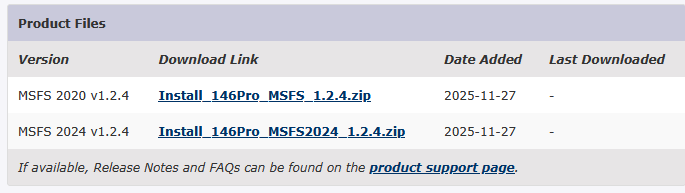
                                          Clearing WASM and reinstalling the update seems to have stopped my issues with loading odd states with every switch positioned far left, some of the tablet not working, and frequent WASM crash on load.
                                          License file is also in the WASM folder, so if you just delete everything, it might lead to problems until you repair the install.

                                          1 Reply Last reply
                                          0
                                          Reply
                                          • Reply as topic
                                          Log in to reply
                                          • Oldest to Newest
                                          • Newest to Oldest
                                          • Most Votes


                                          • Login

                                          • Don't have an account? Register

                                          • Login or register to search.
                                          • First post
                                            Last post
                                          0
                                          • Categories
                                          • Recent
                                          • Tags
                                          • Popular
                                          • Users