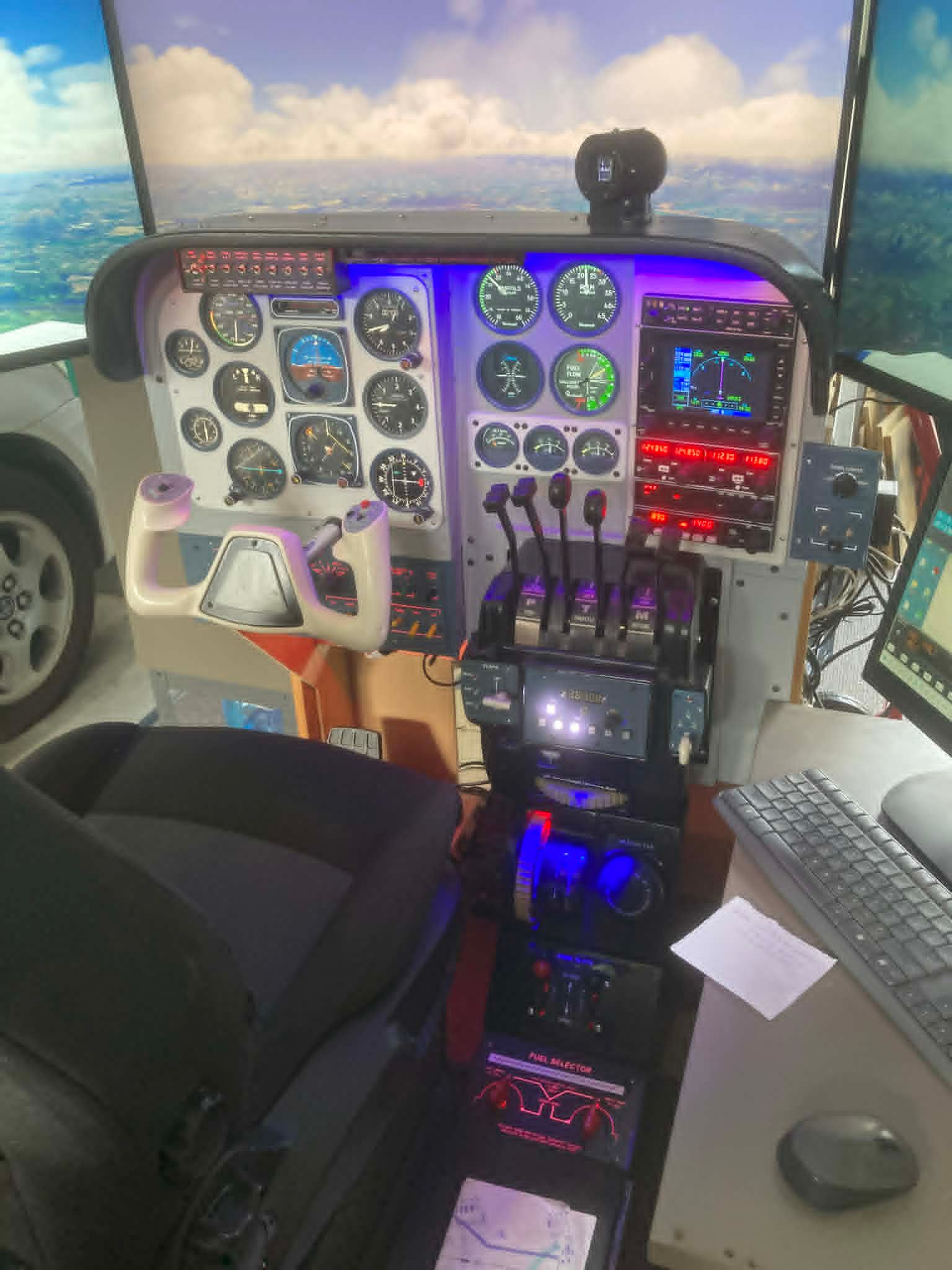
BKSQ Analog Baron Prop Feathering
-
Post to https://community.justflight.com/category/83/black-square-add-ons
I fly the BKSQ Baron Analog version in FS2020 and have my engine control levers (potentiometers) configured in MobiFlight v5.
All is working well except that I have noticed that when starting a flight scenario and I click the "Fly" button I see my props rotating to fine pitch from what I assume would have been their feathered setting. When I move my Prop levers through their full range the in-sim levers follow my movements but the pitch of the blades does not appear to change at all.
During flight and in the pre-flight run-up, moving the pitch levers does change the RPM and the engine sound appropriately.
With an in-flight engine failure, I set the prop lever to the feather position but since the prop continues to windmill I can’t see the blades. I suspect that continued wind-milling implies that the blades are not feathered.
During one trial I ditched the aircraft in the sea. That stopped the props. I was then able to see that they were not feathered. But I noticed that moving the prop levers forward and back produced the sound of the pitch mechanism. Even so, there was no visible animation of the blades.
The pot for the Prop 1 lever presents values ranging from 15 – 957 and the MobiFlight HubHop Tool suggested that the preset code should therefore be
@ 15 - 17.5595 * 0 max 16383 min (>K:PROP_PITCH1_SET)
There’s a similar looking one for prop2.I think that the pre-set code is simply not sending a low enough value to the sim to trigger the feather setting. But I have no idea how to edit the code to ensure that the zero value is sent to the sim.
What’s the collective opinion here about this?
-
The short answer is that my Analog Baron does not possess the feathering physics of my Baron Professional, and the animation of the propeller blades is the default, since I used the default exterior model. However, you should be able to feather the propellers during in-flight engine shut-down procedures for at least the physical effect.
The feather range of the propeller lever is actually negative (-25% minimum, I believe). I haven't tried this with MobiFlight myself, but I imagine that a negative value can be sent to PROP_PITCH1_SET. I haven't done any coding like this for hardware, but if you wanted to try, the required code for your setup would be...
@ 203.4 - 21.74 * -4096 max 16383 min (>K:PROP_PITCH1_SET) -
Always happy to help! I must add, however, if you like the Analog Baron, I really can't recommend the Baron Professional enough. I know that sounds like a sales pitch, but it really does bring me great joy to see my users enjoying the best simulation experience I can offer, and currently, that's the Baron Professional. Either way, let me know if there is anything else I can do for you

-
I understand your enthusiasm for the Baron Pro. It is truly sophisticated and must've been an absolute mission to create. Along with all the documentation. Hundreds and hundreds of hours of work.
When I read through the description of its features on the justflight web site, I get anxious with regard to my ability to cope with such complexity. My sim is built to replicate the cockpit environment that I experienced flying the Baron B55E back in 1994. I don't use a tablet interface or moving maps or anything like that - just the simplest, stripped down, fly-by-dead reckoning mindset. My motivation is not to enjoy the technology but to relive a memory. If there was a failure with any of our planes it would be sent straight to the LAME's workshop and wouldn't be flown again until they were sure there would be no failures. As it happened, there never was a 'failure' in the plane that I can recall. A most reliable and robust, speedy little aircraft. Everyone's favourite.
In my sim therefore, I' afraid that handling such things might well be a frustrating diversion from the main reason for flying.
Given that background, would you still advise me to move on to the Pro version of the plane?
Kind regards
David