
Aircraft Configuration Not Saved in MSFS2024
-
Hi, every time I use the aircraft in MSFS 2024 I set the configuration and it works for that session. Unfortunately, once I close MSFS24 and return, the aircraft configurations aren’t saved.
I purchased the aircraft via the MSFS marketplace.I’ve deleted and re-added the aircraft but the issue persists. Is this a bug?
-
I have just tested this on my side, and the state saving is working as intended. I'll list a few things below that may be worth checking:
-
"State Saving" must be enabled on the EFB prior to exiting a flight (the State Saving box will be light grey on the EFB when enabled). With State Saving enabled, the aircraft's state at the time of exiting the flight will be saved, and then reloaded the next time a flight is started in the aircraft. The State Saving should cover all controls in the cockpit, as well as external equipment such as the Chocks, Tie-downs, and Towbar.
-
Ensure the simulator is closed down correctly via the Main Menu, rather than using Alt+F4 or Task Manager to force it to close.
-
We don't officially support any of our products on the MSFS Sim Update Betas. Although you mentioned it in your post, I thought I would bring this up just on the off chance that you were using the SU4 Beta. The Sim Update betas are beta releases, so bugs are expected, and we have seen some odd behaviours like this in previous betas.
Mark - Just Flight
-
-
Hi Mark, thanks for your reply. I should have explained a bit more. The issue is that once I select the aircraft livery and other options they save and apply for the current session. However, when I restart Microsoft Flight Simulator 2024 they disappear and I have to select them all again.
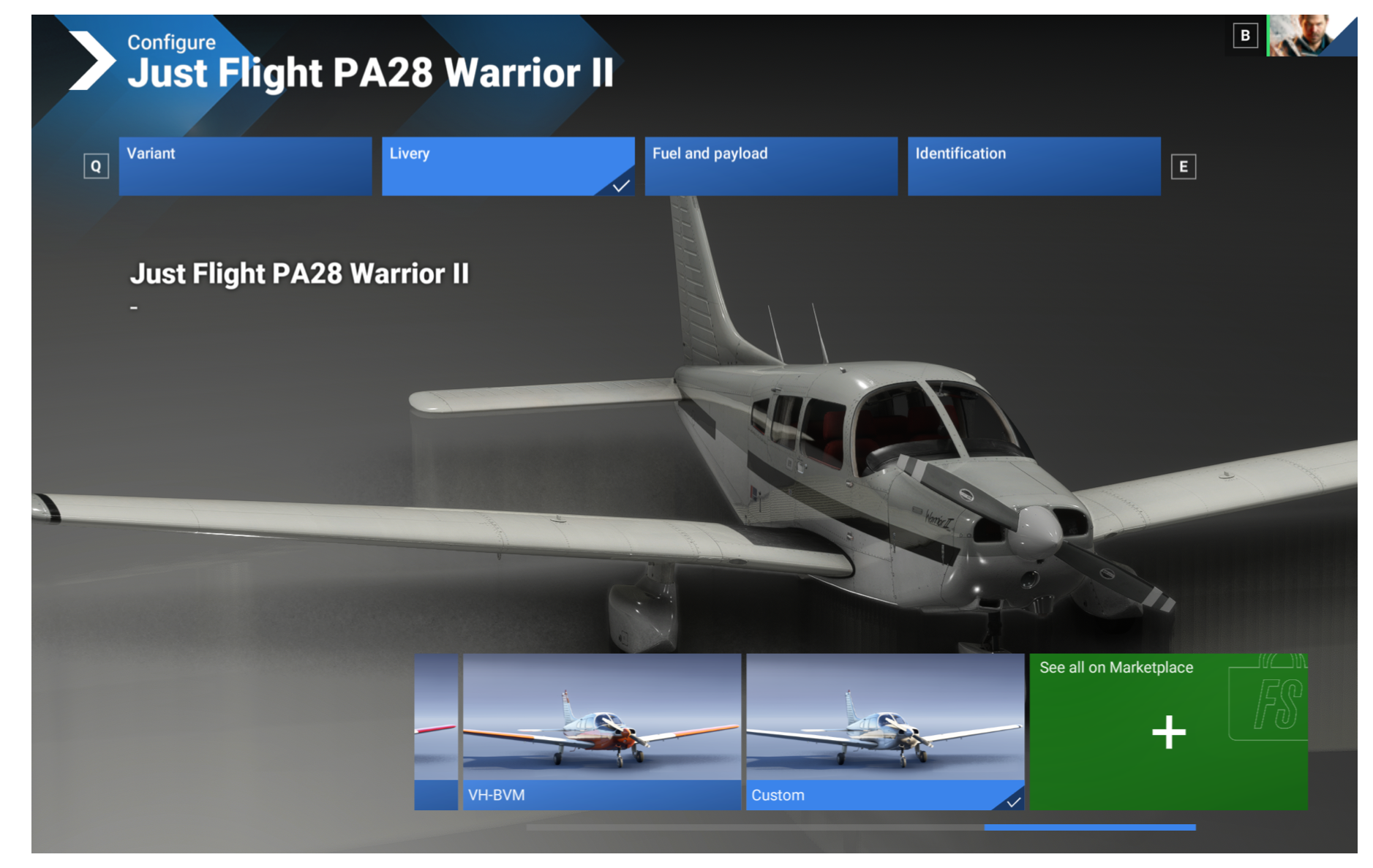
Not using a beta

I have also noticed the MSFS24 marketplace has version 0.4.2 not 0.4.3.
-
Controller profiles are something that is handled entirely by the simulator, and we don't have any influence over. MSFS 2024 allows you to have separate control schemes for each aircraft, which may cause the difference in controller profiles you're seeing. I believe there is also an option to "Apply to all aircraft" when creating a controller profile, which will apply the same profile to all aircraft, like how MSFS 2020 handles it.
Mark - Just Flight
-
Hi @Mark
Have you had any customers report that aircraft state saving in MSFS 2024 on PC does not work for them?
I am flying the Just Flight Warrior II and it does not save the state of anything upon ending the flight. I end one flight, start another in the same plane, and it resets everything back to how it was the first time after installation. For example, the transponder code is back to 7000 when it was 1200 after shutdown, and all of the comm frequencies are set back to 124.850 instead of what they were set as after shutdown.
The state saving button is lighter gray and I did hear the "State saving enabled message" after enabling and I exit to the desktop using MSFS, rather than pressing ALT-F4 or closing MSFS using the X.
Is there anything else that I would need to check that is set or functioning correctly?
Thanks for the assistance.
-
After doing some additional tests, it appears that only certain items save state properly for the instance.
The following ARE set back to the way they were (ie works properly) when I closed the flight and reloaded it:
Battery and Alt Switches
Fuel Pump Switch
Landing Light Switch
Anti Collision Light Switch
Pitot Heat
Avionics Master Switch
Transponder state switch - Off, Stby, On, Alt, Tst
Fan Speed - Hi, Off, LowThe following are NOT saving and are reverting back to their default:
Transponder Code - It resets to 7000 normally, but sometimes 2000 or 7004, which is odd.
Throttle - It would reset to fully closed (ie fully down)
Mixture - It would reset to cutoff (ie fully down)
Parking Brake Switch - It resets to ON
Carb Heat Switch - It resets to OFF
Comm 1 and Comm 2 Frequency - Each resets to 124.850 for both active and standby.
Nav 1 and Nav 2 Frequency - Each resets to 110.50 (Active) and 113.90 (Standby)
Altimeter Setting
Nav/GPS switch next to the Nav 2 VORNote 1: If it wasn't listed above as saving or not saving, I didn't test to see if its state saved or not.
Note 2: During each test I am using the save livery / tail number.
Note 3: It appears using End Flight or Main Menu to exit out of the active flight works when restarting. I also tested exiting out of MSFS 2024 and reloading, and it appeared to work but I didn't test multiple state changes for that.The aircraft is setup as follows in the EFB:
Auto Fuel Selector - Disabled (Black background)
GPS: WT GNS DUAL - Enabled (Light gray background)
State Saving - Enabled (Light gray background)
HSI - Enabled (Black background) -
Similar to what is being discussed in the following thread (https://community.justflight.com/topic/9694/state-saving-in-msfs-2024), we are currently investigating a few state-saving anomalies that have been introduced with MSFS 2024 Sim Update.
All of the items listed are included in our state-saving logic (and I have seen them save/recall correctly in the current build), but there is something which is causing discrepancies with the state saving with each load of an aircraft in a session.
It's something we are actively investigating across various products.
Mark - Just Flight
-
Similar to what is being discussed in the following thread (https://community.justflight.com/topic/9694/state-saving-in-msfs-2024), we are currently investigating a few state-saving anomalies that have been introduced with MSFS 2024 Sim Update.
All of the items listed are included in our state-saving logic (and I have seen them save/recall correctly in the current build), but there is something which is causing discrepancies with the state saving with each load of an aircraft in a session.
It's something we are actively investigating across various products.
Mark - Just Flight
@Mark said in Aircraft Configuration Not Saved in MSFS2024:
All of the items listed are included in our state-saving logic (and I have seen them save/recall correctly in the current build), but there is something which is causing discrepancies with the state saving with each load of an aircraft in a session.
It's something we are actively investigating across various products.
Mark - Just Flight
@Mark Thanks for the heads up about the other thread. I have commented on that one as well and put in on watch in hopes something will turn up one day about it being resolved, or at least a work around of some sort. Although, as things tend to trend with MSFS from version to version, it might just be broken the next update.
It's interesting that you mention you have seen them save/recall correctly in the current SU4 build; I would believe that. When testing earlier, there was an inconsistency in the behaviour of state saving, as not all items saved and recalled correctly on the first try.
During the initial tests mentioned previously, the Fuel Pump Switch state reset back to OFF, even though it was switched ON before exiting the flight. However, all of the following tests it would remain in the ON or OFF state as expected upon save and restart. Likewise, the Transponder Code wouldn't always reset back to 7000, but would rather reset back to another value such as 2000, 7004, along with the standard 7000 - it would never set back to the pre-save value of 1200 though.
The inconsistency adds to the frustration and makes it more difficult to debug, especially if the person trying to debug it doesn't have the code in front of them.
Question for you and others on this thread: Have there been any workarounds that seem to result in an improved state recall, or has it just been inconsistent no matter the method?
Thanks.
-
D dukman821 referenced this topic on
