
Missing Nav Data in the FMC
-
Hello,
I purchased the Avro RJ product yesterday, and wanted to try it on a first flight today.
Before launching the sim, I made sure that the Navigraph Navdata was installed and up to date for the aircraft in Navigraph Hub :

However, when I start a new flight and spawn with the plane, it looks like the navdata is not loaded at all :
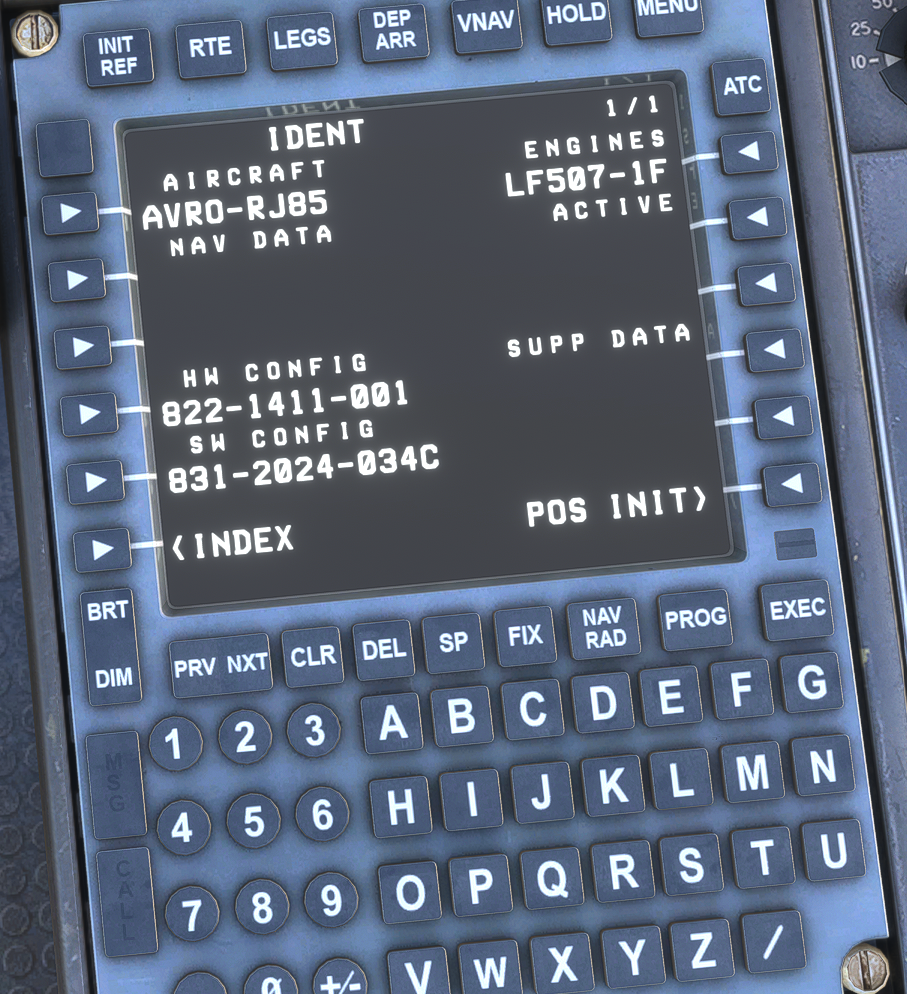
If I go in the Index => Navdata page on the FMC :
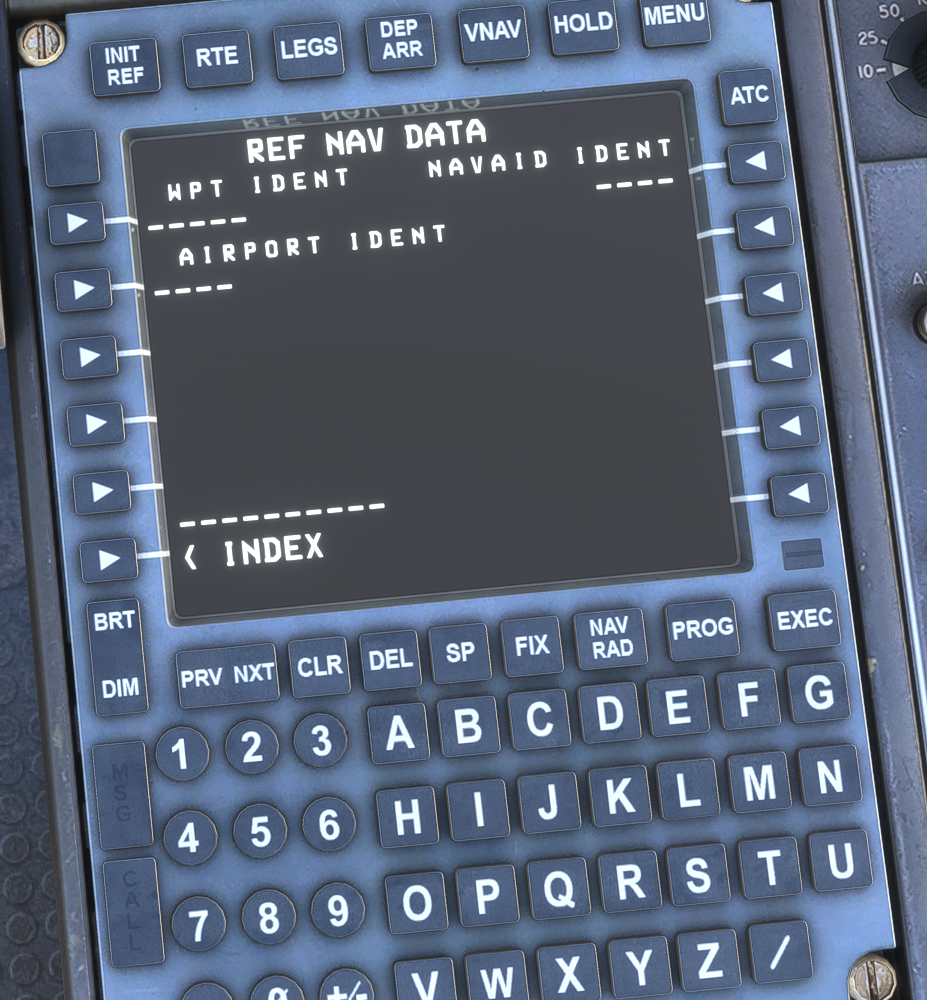
Is this supposed to behave like this ? If not, how can I fix this ?
I am using MSFS 2024, Navigraph Hub is up to date, and other payware aircrafts are working properly (Just Flight F70&F100 included).
Thanks!
-
I'm also seeing this, although I checked and the nav data is definitely up to date. It's just not showing it.
The Ref Nav Data page is for inputting fixes and getting information about them, so that screen looks normal, but I'm also seeing a blank space where the AIRAC cycle info should be on the IDENT page.
-
Thanks for reporting this. We can replicate this on our end, and we can confirm that it's just a visual bug and that the navdata is being handled correctly by the FMS.
There have been no recent changes to the FMS/navdata on our side, so we suspect there may have been a recent change in the navdata format that has caused this.
We are currently investigating this with Navigraph.
Mark - Just Flight
