
F70 and RNAV approach
-
Hello,
I just bought the F70 a fews days ago, this is my first Just Flight purchase. So far I'm very satisfied, this is an excellent product and i'm very happy with it!My question is about RNAV. It may be a stupid question because I am not very experienced in flying complex aircrafts and still in the learning process :
Is the F70 RNAV capable ? If so, is there any documentation of some sort anywhere that I can find so I can learn how to do this approach properly ?
Thanks!
-
It is RNAV-capable (up to RNAV 1) but cannot legally perform RNP approaches, as those require GPS, which Just Flight doesn't simulate as a retrofit option.
You can still fly these approaches in the sim as a non-precision approach with LNAV guidance only. I've seen some people use the PROF mode as well, but I personally can't get it to reliably perform any kind of CDA, so the safest way is to V/S it all the way down from the IAF. The included manual has some great tips for these approaches.
-
I’ve been unable to find enough information on flying RNAV approaches in the manual (RNAV gives 14 hits).
Does anyone know if there exists a YouTube tutorial about flying these in the JF Fokker F70/100?
Most YouTube videos cover ILS or VOR/DME which I am comfortable with, and I can plug in the RNAV and fly laterally using NAV and follow the profile using VS, so I’m not at a total loss.
PRF mode confuses me as I can’t find a speed override mode such that I can dial in the IAS and keep the aircraft on the VDEV in PRF.
In both real world and in-sim, RNAV/RNP are steadily taking over, so there is a need to better understand how to fly these approaches so we can maximise our use of this excellent product. -
I’ve been unable to find enough information on flying RNAV approaches in the manual (RNAV gives 14 hits).
Does anyone know if there exists a YouTube tutorial about flying these in the JF Fokker F70/100?
Most YouTube videos cover ILS or VOR/DME which I am comfortable with, and I can plug in the RNAV and fly laterally using NAV and follow the profile using VS, so I’m not at a total loss.
PRF mode confuses me as I can’t find a speed override mode such that I can dial in the IAS and keep the aircraft on the VDEV in PRF.
In both real world and in-sim, RNAV/RNP are steadily taking over, so there is a need to better understand how to fly these approaches so we can maximise our use of this excellent product.@Fab10 As long as you are in PROF mode, you need to control the speed by using the FMC. You select a speed in the FMC in the Tactical Mode page.
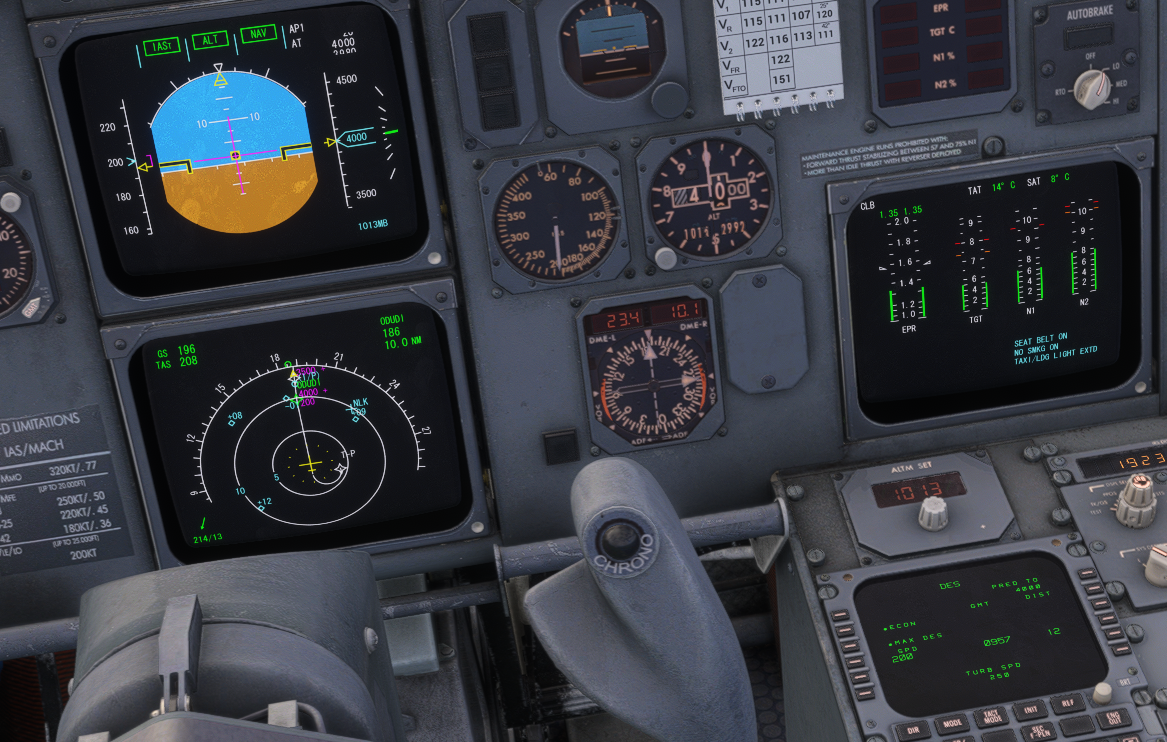
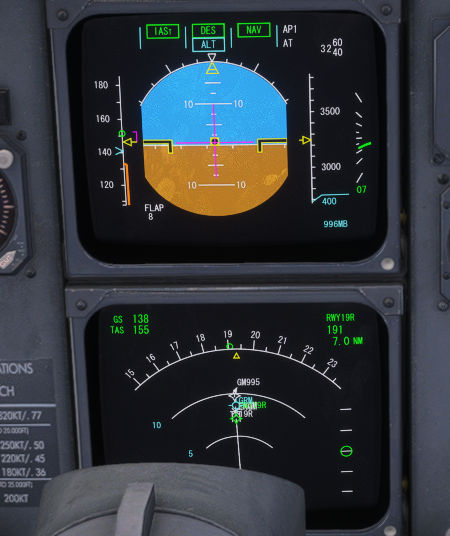
If you do not set the speed manually in the FMC, the speeds are automatically set according to your flaps setting, simmilar to the A320.
-
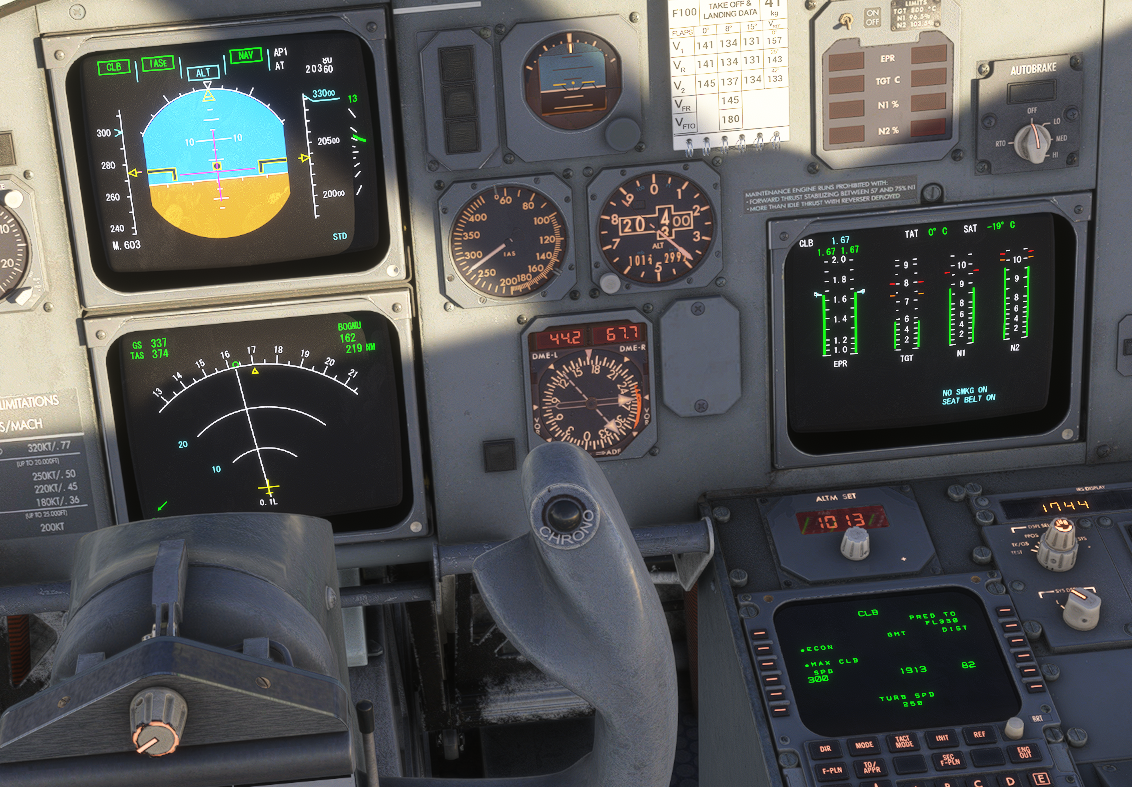
In PROF mode, during climb, cruise, or descent, a box appears around the corresponding mode on the annunciator panel, indicating that it is being controlled by the FMS/MCDU.
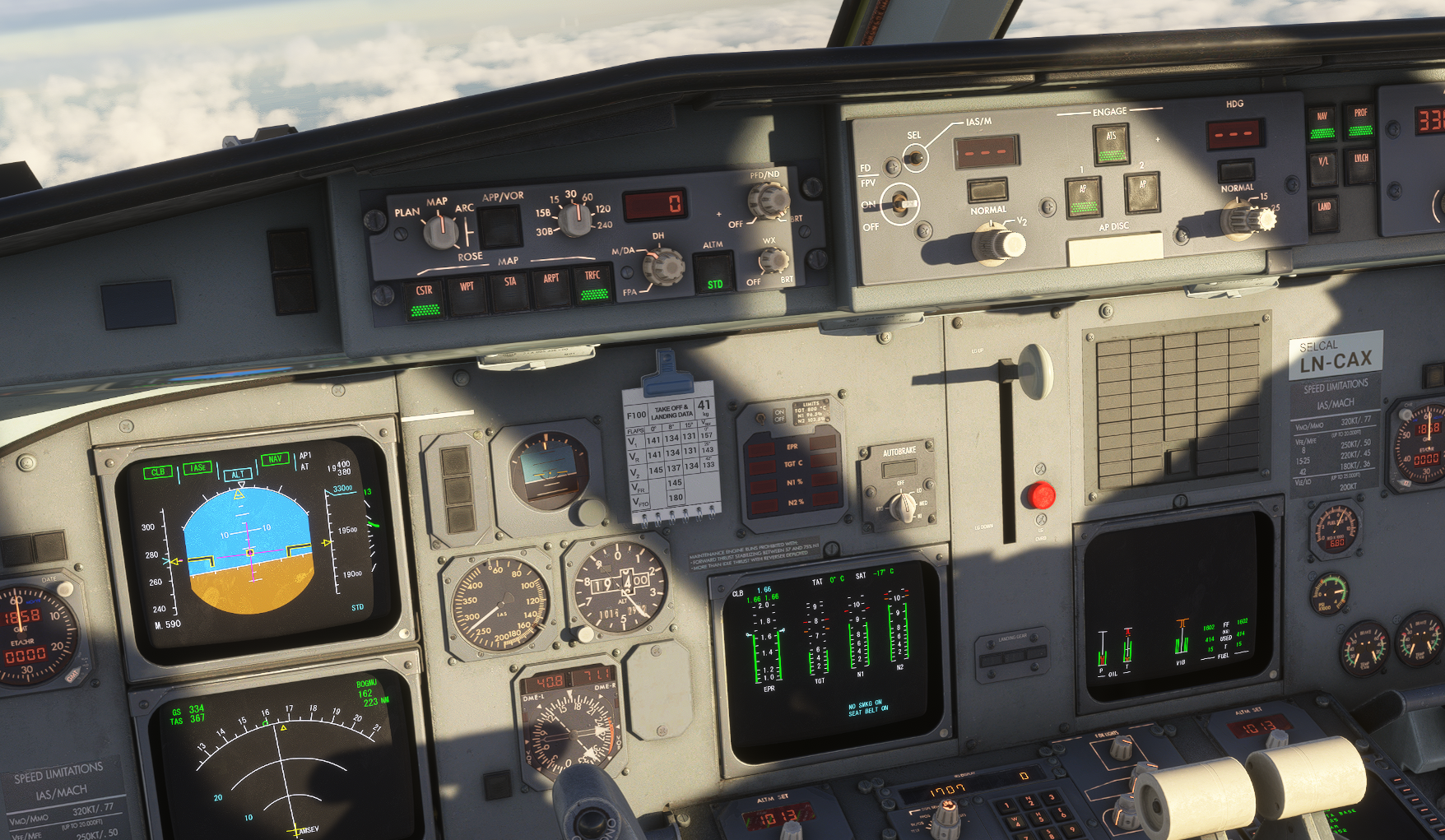
To manually enter a speed into the FMC/MCDU, open the "TACT MODE" page and enter the speed at LSK 4L. An asterisk appears next to the entered speed; this indicates that the action affects the active flight plan and requires pilot confirmation.
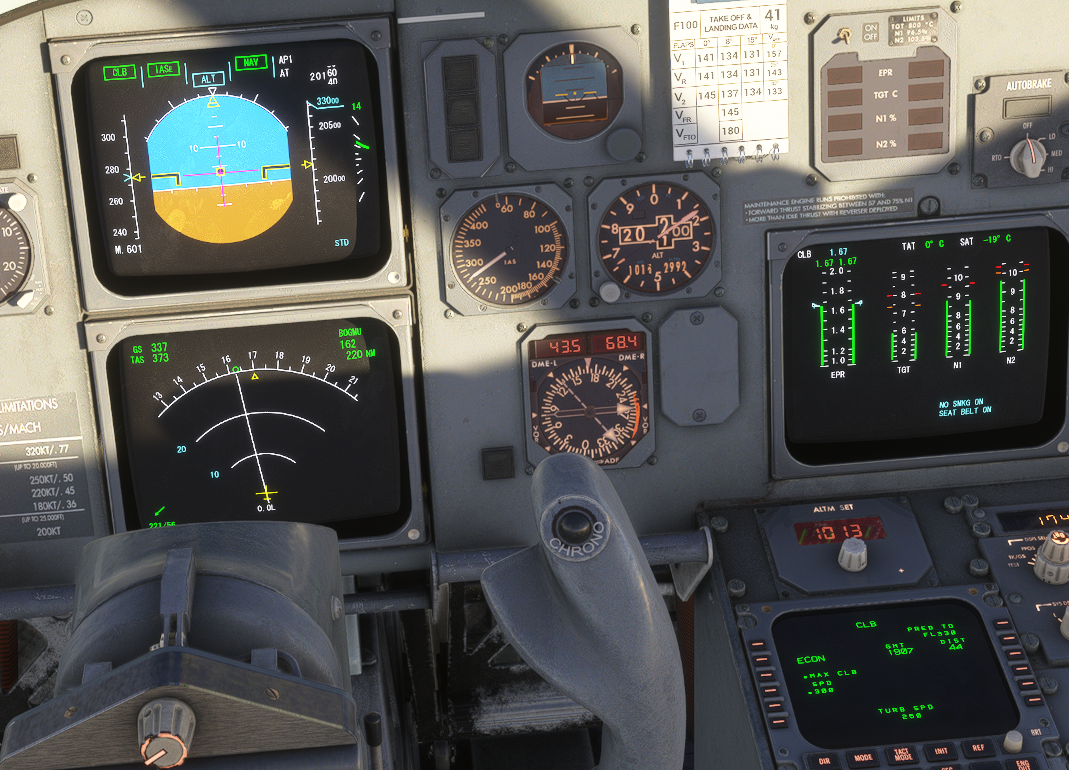
Pressing the LSK 4L button again confirms the speed change. The asterisk disappears, the speed is displayed in large font, and the speed indication on the speed tape switches to the selected value. The autopilot should now follow the selected speed.
I'm not sure if that was your question, but I hope it helps.
-
In PROF mode, during climb, cruise, or descent, a box appears around the corresponding mode on the annunciator panel, indicating that it is being controlled by the FMS/MCDU.
To manually enter a speed into the FMC/MCDU, open the "TACT MODE" page and enter the speed at LSK 4L. An asterisk appears next to the entered speed; this indicates that the action affects the active flight plan and requires pilot confirmation.
Pressing the LSK 4L button again confirms the speed change. The asterisk disappears, the speed is displayed in large font, and the speed indication on the speed tape switches to the selected value. The autopilot should now follow the selected speed.
I'm not sure if that was your question, but I hope it helps.
@Photonenbremse Thank-you, yes, perfectly, it's now working for me. Again, thanks!