Takeoff V-speeds exported from EFB do not appear on the PFD
-
Hi,
I have noticed a possible issue with the transfer of takeoff V-speeds from the EFB performance calculator to the FMS/PFD.
Steps to reproduce
- Calculate the takeoff performance in the EFB.
- Use EXPORT ALL to transfer the calculated data to the aircraft.
- Open the FMS TAKEOFF page.
- Confirm that the calculated V1, VR and V2 values are correctly displayed in the FMS.
- Check the PFD.
- Actual behaviour
Although V1, VR and V2 have been successfully inserted into the FMS by the EFB, the PFD continues to display:
---V1/---V2
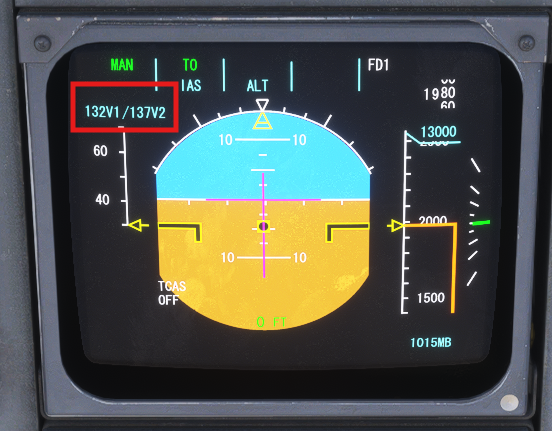
The takeoff speed indications are therefore not transferred to, or refreshed on, the PFD.
However, if I delete the exported V-speeds from the FMS TAKEOFF page and enter the exact same values manually, the PFD immediately updates and correctly displays V1 and V2.
Expected behaviour:
When the EFB exports V1, VR and V2 to the FMS, the aircraft should process them in exactly the same way as manually entered values, and the V1/V2 indication should automatically appear on the PFD.It appears that the EFB export is updating the visible FMS fields, but may not be triggering the internal validation or refresh required by the PFD.
Could you please confirm whether this is a known issue?
Thank you.