Skip to content
  • Categories
  • Recent
  • Tags
  • Popular
  • Users
Collapse
Just Flight Community Forum
  1. Home
  2. Just Flight
  3. MSFS Products
  4. F70 & F100 Professional
  5. ND Misalignment on SID Departure Waypoints & Inconsistent FD Behavior

ND Misalignment on SID Departure Waypoints & Inconsistent FD Behavior

Scheduled Pinned Locked Moved F70 & F100 Professional
13 Posts 4 Posters 120 Views 1 Watching
  • Oldest to Newest
  • Newest to Oldest
  • Most Votes
Reply
  • Reply as topic
Log in to reply
This topic has been deleted. Only users with topic management privileges can see it.
  • S Offline
    S Offline
    SliderCDN
    wrote last edited by
    #4

    You are showing RNP1/GNSS required SID. This aircraft is not certified to do them, so do not expect FMS to display correctly either.

    jvtbaldsJ pedropolakP 2 Replies Last reply
    0
    • S SliderCDN

      You are showing RNP1/GNSS required SID. This aircraft is not certified to do them, so do not expect FMS to display correctly either.

      jvtbaldsJ Offline
      jvtbaldsJ Offline
      jvtbalds
      wrote last edited by
      #5

      @SliderCDN

      I am fully aware of the aircraft's limits regarding RNP1/GNSS SIDs.

      Precisely to rule out that exact variable and isolate the drawing issue, I made sure to test this on a purely conventional departure as well.

      I flew an OMNI departure out of SBCT (RWY 33). This is a standard conventional profile that simply requires a climb on runway heading until reaching a specific altitude (3500ft in this case) before initiating a turn toward a transition or a VOR outbound radial.

      Even under these basic conventional parameters, the Navigation Display exhibited the exact same misalignment bug for the altitude-based turn point along the extended centerline.
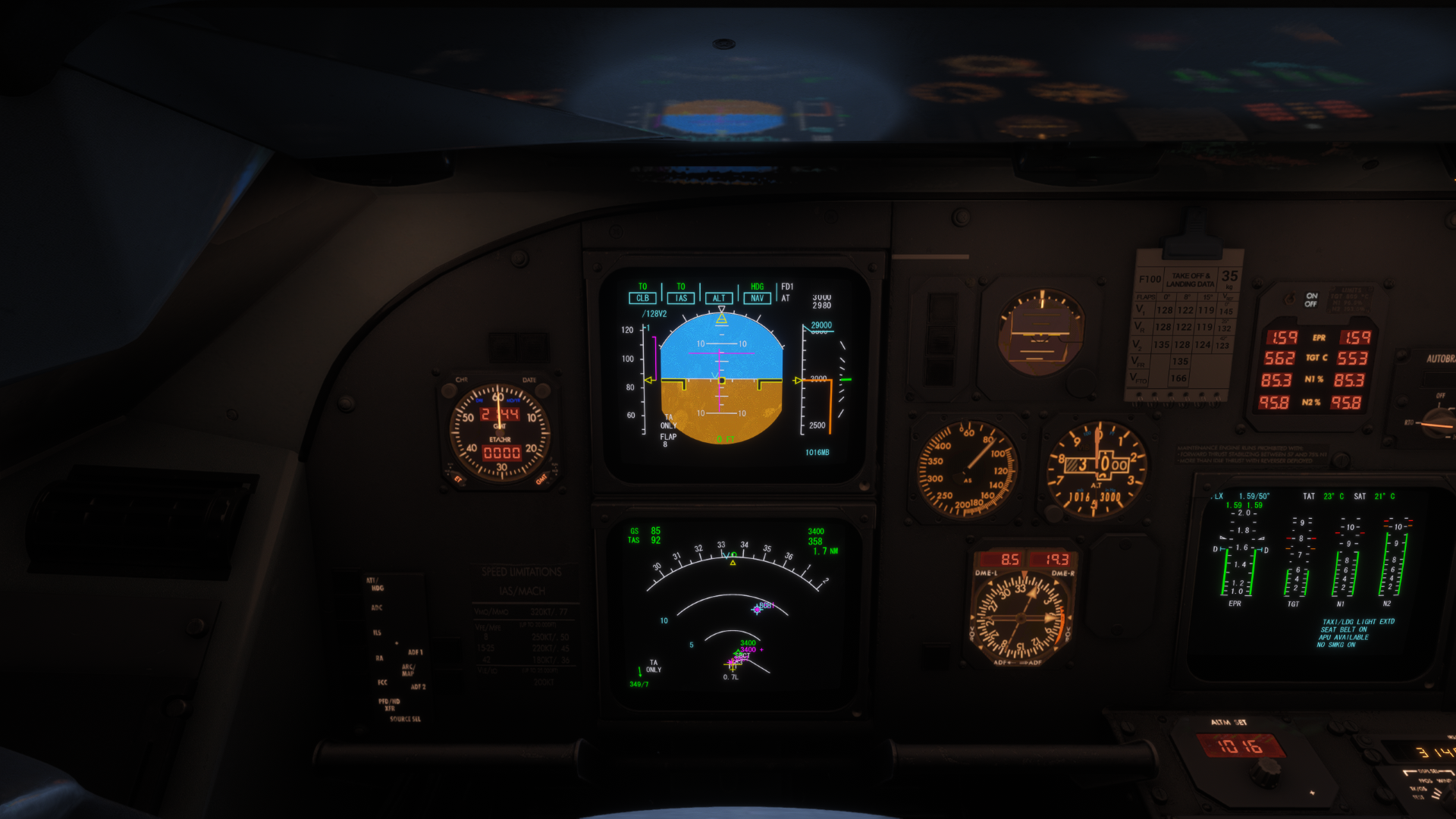
      Screenshot (1324).png

      So, the graphical offset and the subsequent Flight Director inconsistency are not tied exclusively to RNAV/RNP data. It appears to be a broader parsing or drawing issue within the ND logic whenever a turn is triggered by a point (whether it's a waypoint or a strict altitude restriction) straight ahead on the runway axis.

      1 Reply Last reply
      0
      • S SliderCDN

        You are showing RNP1/GNSS required SID. This aircraft is not certified to do them, so do not expect FMS to display correctly either.

        pedropolakP Offline
        pedropolakP Offline
        pedropolak
        wrote last edited by pedropolak
        #6

        @SliderCDN From my side the chart was a pure representation of what I've experienced. This specific case show GNSS required, however it's also a RNAV1 SID, wich if not considering the GNSS requirement the F100 is capable of, and should correctly fly it.

        So, chart was used only as an example, but if needed we can link thousand of other procedures that the F100 behaves exactly the same.

        S 1 Reply Last reply
        0
        • pedropolakP pedropolak

          @SliderCDN From my side the chart was a pure representation of what I've experienced. This specific case show GNSS required, however it's also a RNAV1 SID, wich if not considering the GNSS requirement the F100 is capable of, and should correctly fly it.

          So, chart was used only as an example, but if needed we can link thousand of other procedures that the F100 behaves exactly the same.

          S Offline
          S Offline
          SliderCDN
          wrote last edited by
          #7

          @pedropolak Not to go off topic much, but if it says GNSS required, then it's GNSS required ๐Ÿ˜‰

          pedropolakP 1 Reply Last reply
          0
          • S SliderCDN

            @pedropolak Not to go off topic much, but if it says GNSS required, then it's GNSS required ๐Ÿ˜‰

            pedropolakP Offline
            pedropolakP Offline
            pedropolak
            wrote last edited by pedropolak
            #8

            @SliderCDN "not to go off topic but pretending I didnt understood"
            As said I can link thousand of other procedures that do not have the same GNSS requirement and still does the same thing. ๐Ÿ˜œ

            1 Reply Last reply
            1
            • S Offline
              S Offline
              SliderCDN
              wrote last edited by SliderCDN
              #9

              Please, do link them and keep insults to yourself.

              1 Reply Last reply
              0
              • pedropolakP Offline
                pedropolakP Offline
                pedropolak
                wrote last edited by pedropolak
                #10

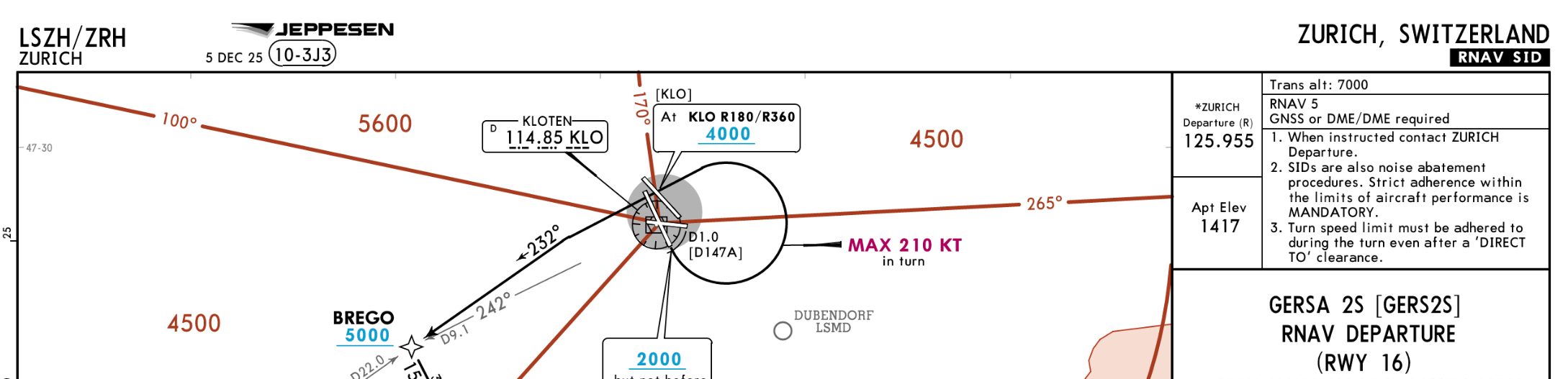
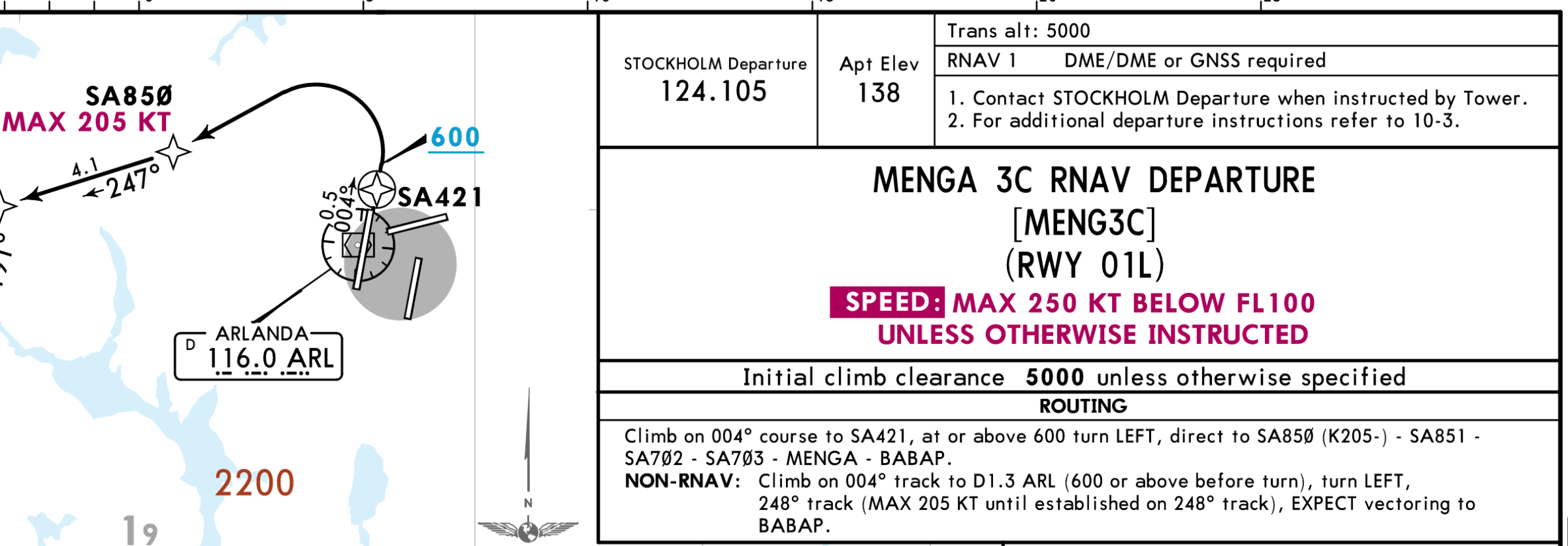
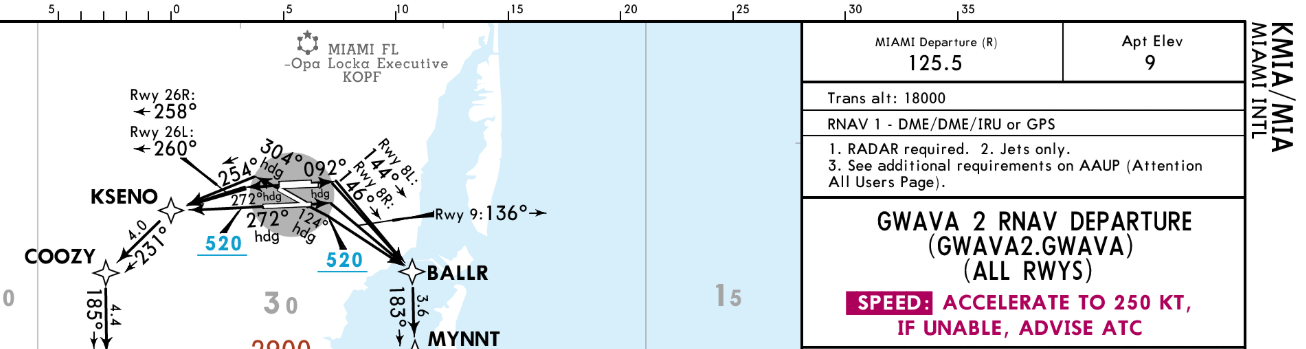
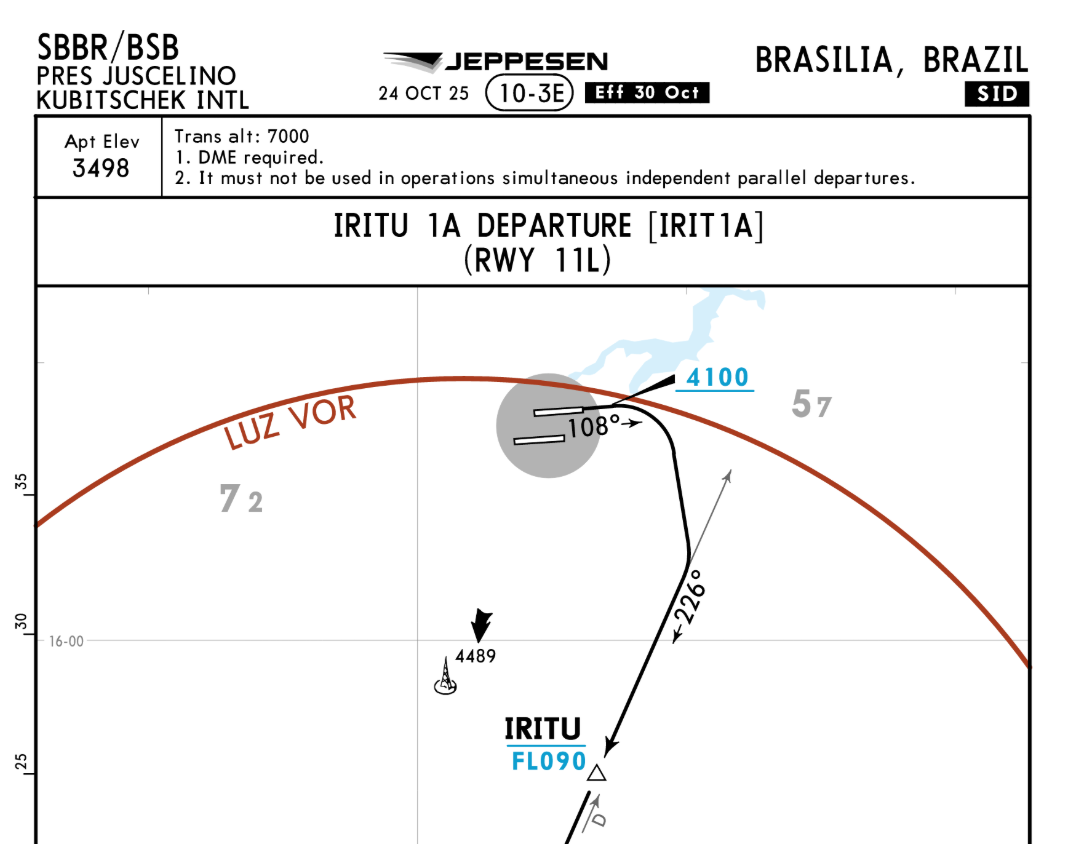
                Here it goes, only some that I remember using with the F100
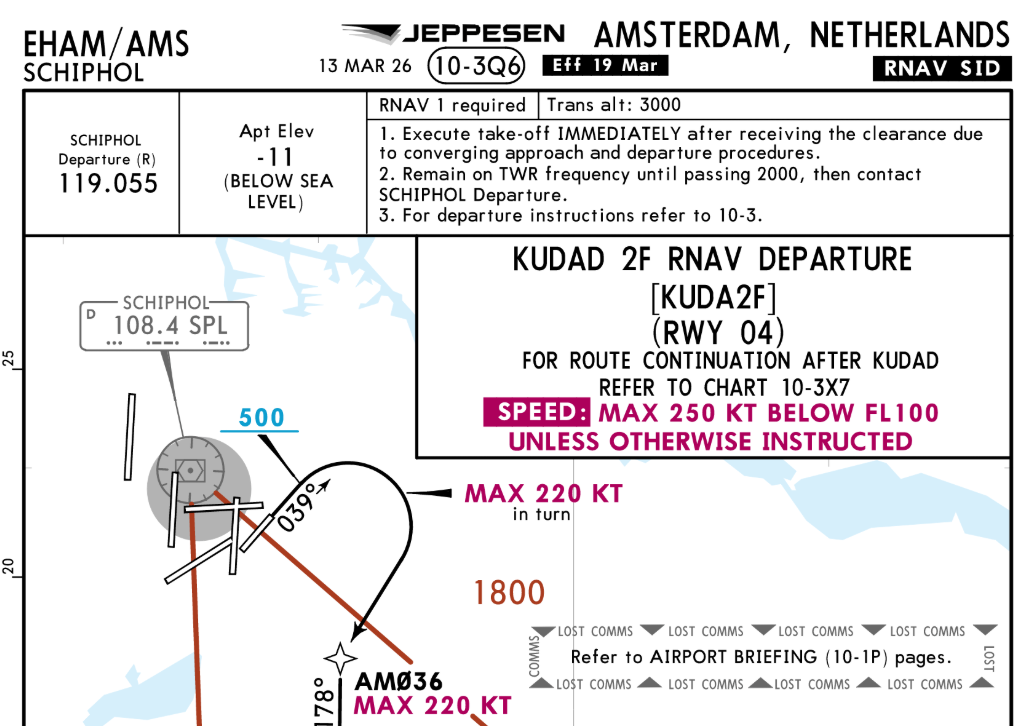
                image.png
                image.png
                image.png
                image.png
                image.png
                *This last one isn't even an RNAV one ๐Ÿคจ

                1 Reply Last reply
                0
                • S Offline
                  S Offline
                  SliderCDN
                  wrote last edited by
                  #11

                  Firstly, you need to learn differences between equipment requirements and certifications. Incidentally, I used KUDAD2F dep few days ago and it worked as intended.

                  pedropolakP 1 Reply Last reply
                  0
                  • S SliderCDN

                    Firstly, you need to learn differences between equipment requirements and certifications. Incidentally, I used KUDAD2F dep few days ago and it worked as intended.

                    pedropolakP Offline
                    pedropolakP Offline
                    pedropolak
                    wrote last edited by pedropolak
                    #12

                    Yeah, keep you accusation to yourself
                    But thanks for the tip, I'll have a look on the differences between requirements and certification. ๐Ÿค”
                    And thank you for helping bump this topic! That might help us to be seen reporting the bug. ๐Ÿค

                    1 Reply Last reply
                    0
                    • MarkM Offline
                      MarkM Offline
                      Mark
                      JF Staff
                      wrote last edited by
                      #13

                      If you see that behaviour again, could I kindly ask you to raise a support ticket for this with Just Flight Support at the following link: https://www.justflight.com/support

                      In the ticket, if you could provide a video of the behaviour, as well as a log file generated by the product, then our support team will be best positioned to be able to further assist.

                      Instructions for locating the log file can be found here: https://support.justflight.com/en/support/solutions/articles/17000152594-where-to-find-the-log-file-s-

                      Mark - Just Flight

                      Just Flight Development Assistant

                      1 Reply Last reply
                      0
                      • MarkM Mark locked this topic
                      Reply
                      • Reply as topic
                      Log in to reply
                      • Oldest to Newest
                      • Newest to Oldest
                      • Most Votes


                      • Login

                      • Don't have an account? Register

                      • Login or register to search.
                      • First post
                        Last post
                      0
                      • Categories
                      • Recent
                      • Tags
                      • Popular
                      • Users