
Cannot find transitions (EHAM)
-
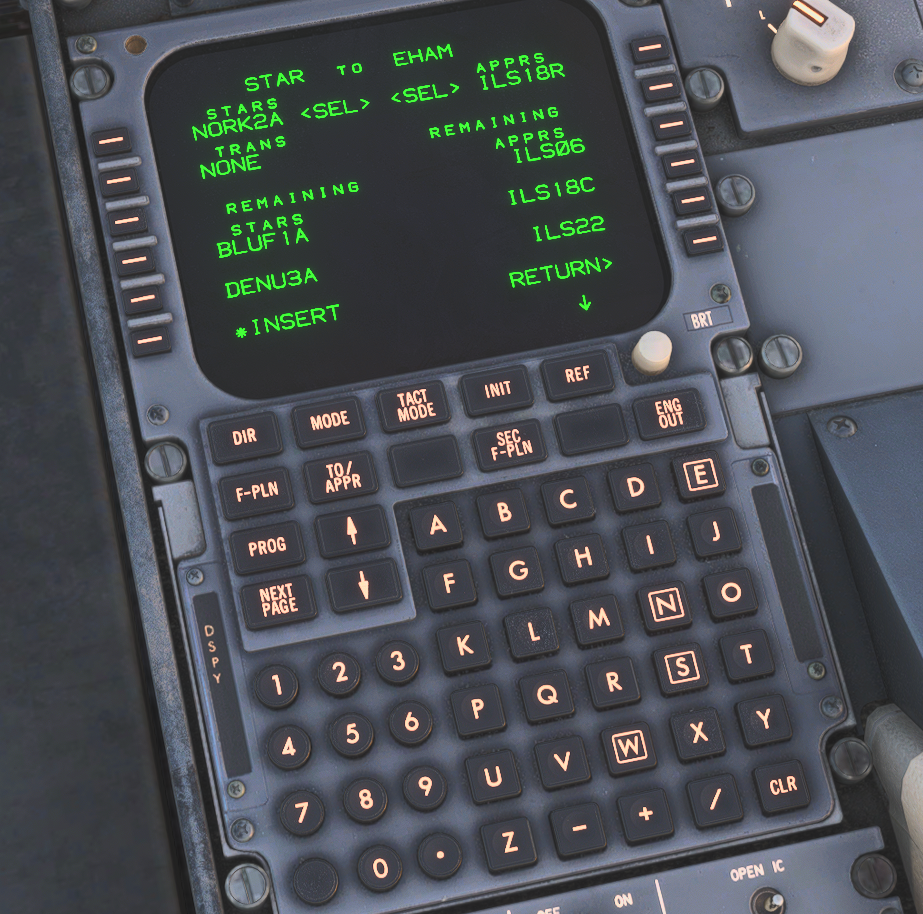
I have updated nav data using navigraph hub to latest for the F70. As I was arriving at EHAM, landing runway 18R with NORK2A STAR, the FMS does not show any transitions to approach runway. Just as a test, I loaded the Fenix A320 and I see all the transitions for this given STAR.
The manual says: "If a transition is available in the Navdata for the selected SID, a SID Transition (SID TRANS) page will open, allowing for selection of the transition. Pressing the LSKL key next to the desired transition, followed by the LSK6L (INSERT) key, will input the transition into the flight plan."
However I do not see this option. There should be about seven transitions for this runway, but none show in the FMS.
Wondering if I am doing something wrong?
-
OK, found what I was doing wrong. Sharing my finding in case someone has this same question. The way you select a transition is different from other planes. It seems in this one you have to click on *INSERT first and then it will give you the transitions.
-
Yes, its a quirk of the older CDU's. We spent quite a bit of time comparing this to the real world unit to get this right. If you ever need to only enter an approach without a transition, you simply hit RETURN on the APPR transition page. Counter intuitive but correct.
-
I'm having this problem with LOWW and EGLL. When I press *INSERT, I am still not seeing the transitions
-
Reinstalling my navdata fixed it for me
-
Yes, its a quirk of the older CDU's. We spent quite a bit of time comparing this to the real world unit to get this right. If you ever need to only enter an approach without a transition, you simply hit RETURN on the APPR transition page. Counter intuitive but correct.
@JF-John dawd
I'm a bit confused. I had this happen twice to me. Once on EGKK and LFBO. I wasn't able to choose a transition to the approach, but it seemed like the FMS chose the correct Transiiton itself. TIMBA for EGKK and FUZAP for LFBO.
Is that intended behaviour? If I wanted to take a different transition to the approach For example in EGKK WILLO. How would i do that in the FMS?
-
I noticed when installing the F70 and F100 that it contains SID and STAR data for pretty much every airport in the world.
Look in the aircraft directory under \Work\NavData\Proc
I would guess that their connection with Navigraph data is not finalized and maybe this is a workaround that will eventually be removed? Depending on how old the data is that they put in, it would not be surprising if some things in current Navigraph data are missing or different than in the FMS.
-
@JF-John dawd
I'm a bit confused. I had this happen twice to me. Once on EGKK and LFBO. I wasn't able to choose a transition to the approach, but it seemed like the FMS chose the correct Transiiton itself. TIMBA for EGKK and FUZAP for LFBO.
Is that intended behaviour? If I wanted to take a different transition to the approach For example in EGKK WILLO. How would i do that in the FMS?
-
I noticed when installing the F70 and F100 that it contains SID and STAR data for pretty much every airport in the world.
Look in the aircraft directory under \Work\NavData\Proc
I would guess that their connection with Navigraph data is not finalized and maybe this is a workaround that will eventually be removed? Depending on how old the data is that they put in, it would not be surprising if some things in current Navigraph data are missing or different than in the FMS.
@Dreadnought1906 The aircraft comes with a default database from cycle 2503 installed to that location.
Not sure what you mean by 'connection' with Navigraph, but you'll be able to update the the navdata through the Navigraph hub if you have a subscription.
-
@Dreadnought1906 The aircraft comes with a default database from cycle 2503 installed to that location.
Not sure what you mean by 'connection' with Navigraph, but you'll be able to update the the navdata through the Navigraph hub if you have a subscription.
@JF-John said in Cannot find transitions (EHAM):
@Dreadnought1906 The aircraft comes with a default database from cycle 2503 installed to that location.
Not sure what you mean by 'connection' with Navigraph, but you'll be able to update the the navdata through the Navigraph hub if you have a subscription.
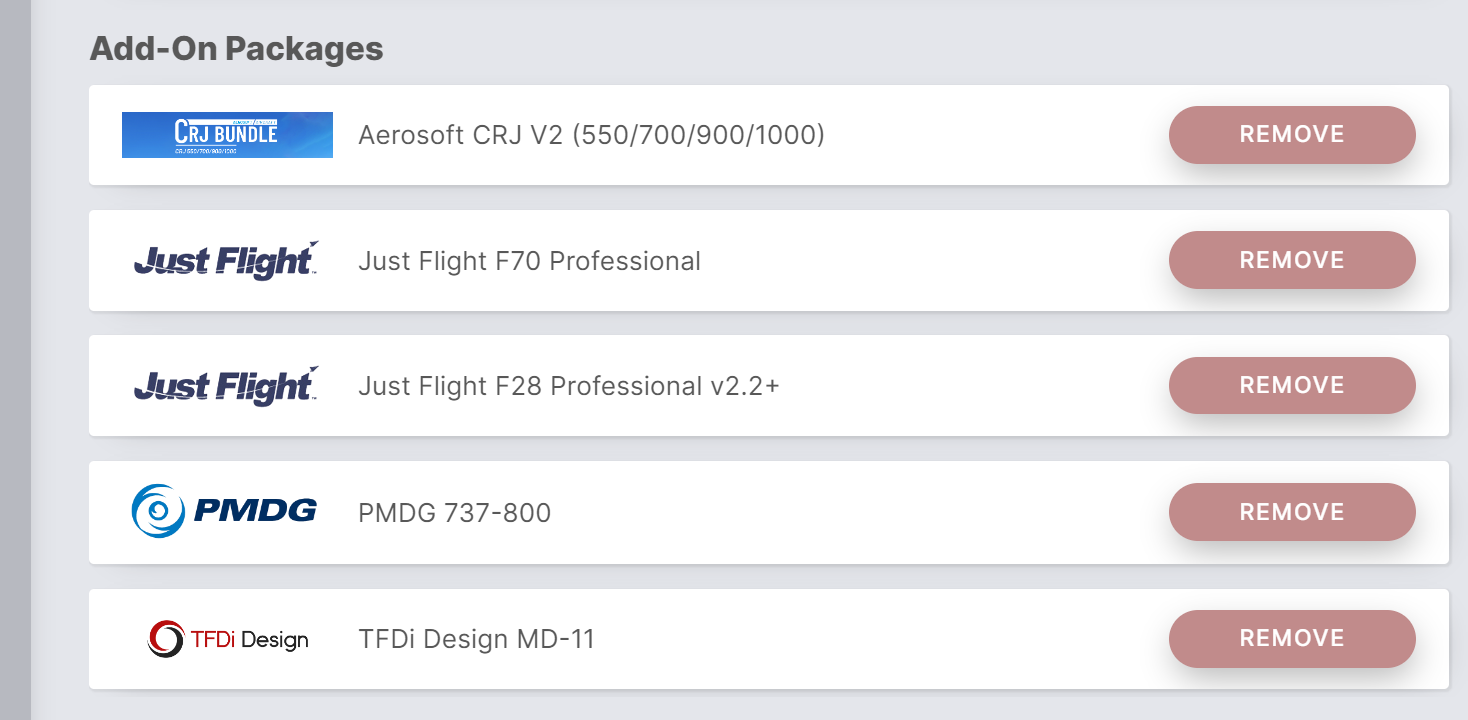
I do have a subscription and it updated. But I have both the F100 and the F70. Does the F70 entry cover both aircraft? Is the inclusion of all those files just in case the buyer doesn't have Navigraph?
-
The F70 Professional and F100 Professional will appear as separate products in the Navigraph Hub, with each product requiring its respective navdata to be updated.

If a product doesn't appear in the Navigraph Hub, that usually means the Navigraph Hub hasn't detected that it is installed. We would recommend reinstalling the product that isn't appearing in the Navigraph Hub, then launching a flight in it so that the 'work' folder for the product in LocalState gets created.
Mark - Just Flight
-
Yes, its a quirk of the older CDU's. We spent quite a bit of time comparing this to the real world unit to get this right. If you ever need to only enter an approach without a transition, you simply hit RETURN on the APPR transition page. Counter intuitive but correct.
-
@TheFly77 There are no labelled transitions for RWY27 per the eAIP
-
@TheFly77 There are no labelled transitions for RWY27 per the eAIP
@ScotchMist OK, lets put it differently. In all other aircraft I cab select the ILS27 final, starting with TIDVO. With this aircraft, I always get the SPL, AMSxxx waypoints in between. How do I load the ILS27 approach with a direct to TIDVO instead of the SPL as first point?

