Thrustmaster TCA Captain Pack X Airbus - reversers not working
-
Hi everyone,
I’m trying to configure my Thrustmaster TCA Captain Pack X Airbus throttle quadrant with the Just Flight F70/F100 Professional in Microsoft Flight Simulator 2020, but I can’t get the thrust reversers to work.
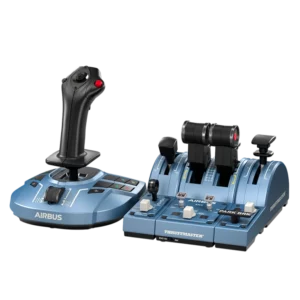
My current setup is:
- Throttle 1 assigned to Throttle 1 Axis
- Throttle 2 assigned to Throttle 2 Axis
- I am not using the “0 to 100%” throttle axis assignments
- Sensitivity is set to 0%, reactivity 100%
- I have created a dedicated MSFS control profile for the F70/F100
- I have checked for duplicated throttle bindings on other devices
- The physical throttle levers move correctly for forward thrust
- The aircraft reaches idle correctly
The issue is that when I lift the reverse levers on the TCA quadrant and move the throttles below the idle detent, the reversers do not activate in the aircraft. There is no reverse deployment and I do not get any clear indication that reverse thrust is being selected.
Could someone please confirm the correct MSFS control bindings for the Thrustmaster TCA Captain Pack X Airbus with this aircraft?
Specifically, I would like to know:
- Which exact throttle axis assignments should be used?
- Are the reversers supposed to work through the throttle axis below idle, or do they need separate button assignments?
- Which commands should be assigned to the reverse levers/buttons?
- Is there any calibration step required either in MSFS, the Thrustmaster control panel, or inside the Just Flight aircraft/EFB?
- Are there any known issues with the TCA Airbus quadrant and the F70/F100 reversers?
Forward thrust works fine, but reverse thrust does not engage at all.
Thanks in advance for your help.
-
We would recommend using the "THROTTLE AXIS (0 to 100%)" control assignment if you wish to have reverse thrust on the same axis as the throttle. With linear sensitivities, that would place the changeover between forward and reverse thrust at the 50% point of your axis, and that can be adjusted in the sensitivity options within the simulator.
If you would like to control the reverse thrust using buttons, we would recommend using the THROTTLE DECREASE control assignments.
Hope that helps.
Mark - Just Flight
-
Thanks @Mark! If i could humbly suggest implementing the "TOGGLE REVERSE THRUST" command in MSFS. We all use it for all our addons to toggle between regular and reverse thrust through a single button. It makes is super easy to finely adjust reverse thrust as well.
-
Works here with a configured profile out of the box. Same profile as I use for eg. Citation X.
-
Thanks @Mark! If i could humbly suggest implementing the "TOGGLE REVERSE THRUST" command in MSFS. We all use it for all our addons to toggle between regular and reverse thrust through a single button. It makes is super easy to finely adjust reverse thrust as well.
-
@Torbjørn Thanks for the feedback. We'll get that logged on our internal trackers with the aim of supporting it in the next update.
Mark - Just Flight
@Mark Tks, I'd make use of it!
-
Hi everyone,
After some additional testing, I have managed to get the throttles working correctly between IDLE and TOGA with these settings. Forward thrust now works fine and both throttle levers move correctly through the normal range.
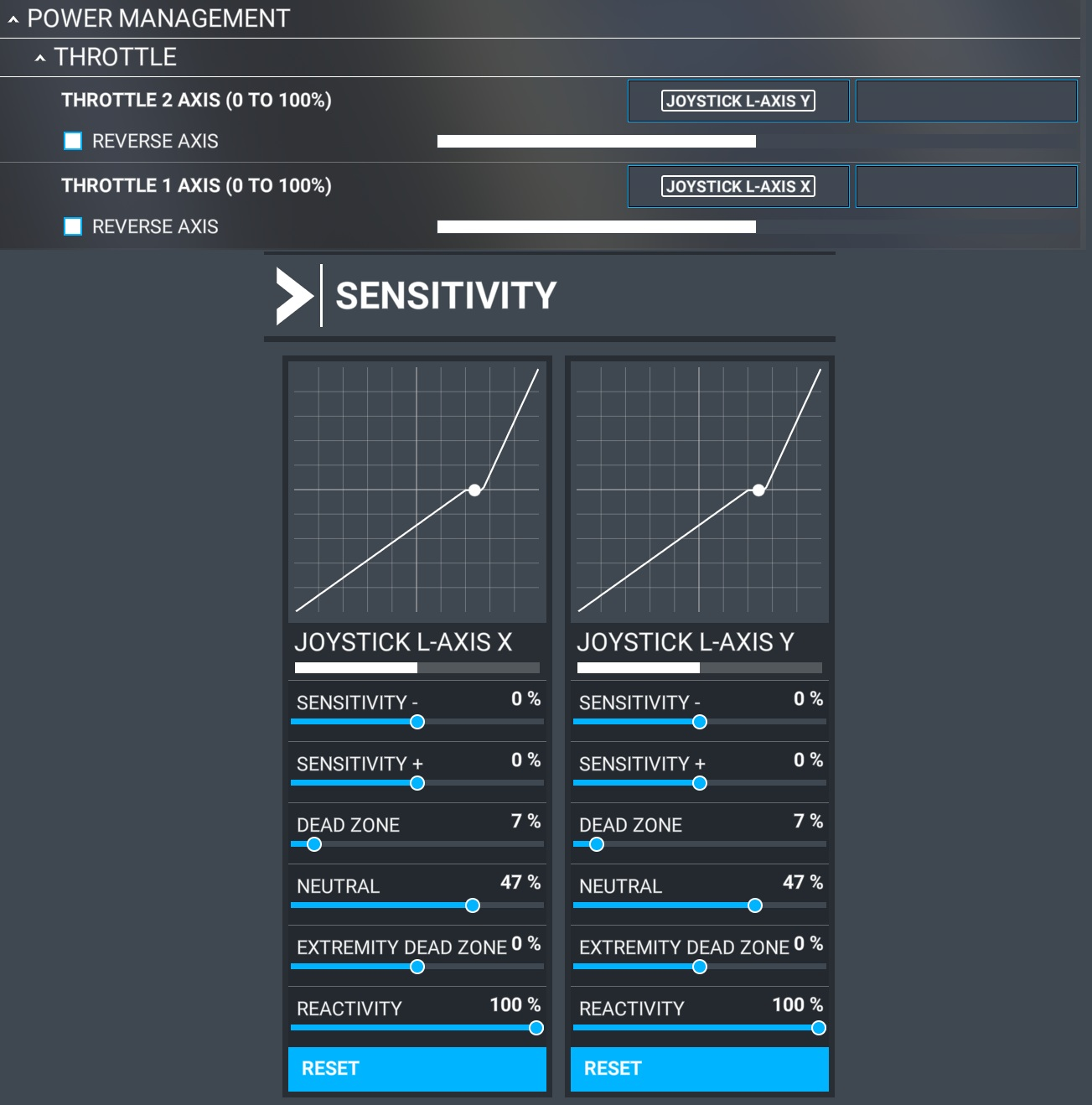
However, the thrust reversers still do not work.
What I have found is the following:
- If I configure only Throttle 2, the reverser seems to work correctly.
- For some reason, Throttle 1 does not work properly with reverse thrust.
- If I configure both levers normally, with each physical lever assigned to its corresponding engine, reverse thrust does not engage properly.
- When I move both levers into reverse, both engines automatically drop back to idle instead of entering reverse.
- I also tried assigning both engines to the physical right throttle lever, but the reversers still do not work correctly.
- So there seems to be something strange happening when both throttle axes are configured at the same time.
- It looks as if the reversers are being blocked or cancelled as soon as both engines are involved.
I also tested with the joystick/throttle hardware disconnected. Even when pressing and holding F2 continuously, the reversers still do not deploy. They appear to remain locked or blocked.
So at this point I do not think this is only a Thrustmaster TCA binding issue. It may be something related to how the aircraft is interpreting reverse thrust, throttle axis input, or the reverser logic itself.
Forward thrust from idle to TOGA is working correctly now, but reverse thrust remains unavailable.
Has anyone else experienced this behaviour, especially with Throttle 1 or with both engines configured together?
Thanks again for any help.
-
Mine works just fine with these numbers on both throttles: Axis (0 to 100%), sensitivity -44, +62, dead zone 4, neutral 50.
@Veeze Thanks!
Sorry everyone, the reversers do actually work!, even with the default calibration reset.
The issue was that I was testing them in a cold and dark state, and for some reason the reversers only work when the aircraft is fully operational with the engines running.
Thanks for your help!