
MSFS2024 Product Status and Navigraph Question
-
I've been flying the RJ70 in MSFS2020 and it works fine.
However, in MSFS2024, I noticed that the FMS was not using the latest Navigraph AIRAC 2605. I read another post that recommended uninstalling/reinstalling RJ Professional, but that was for FS20. When I look at the product in My Library, I see the 146 AND RJ PROFESSIONAL BUNDLE. That line can be expanded. I see the 146 PROFESSIONAL is being streamed so I assume the latest version is always loaded. Also, it shows "Aircraft BY JUST FLIGHT | 0.2.5". Is this the version? Doesn't look right.
Also, I see a line for RJ PROFESSIONAL that is disable. Why would it be disabled? I loaded it and started preflighting the plane when I noticed that Navigraph data was not the latest.
In FS24, how does one uninstall/reinstall a product that is being streamed? What can I do about RJ being disabled?
I have found no other problems with other planes in FS24.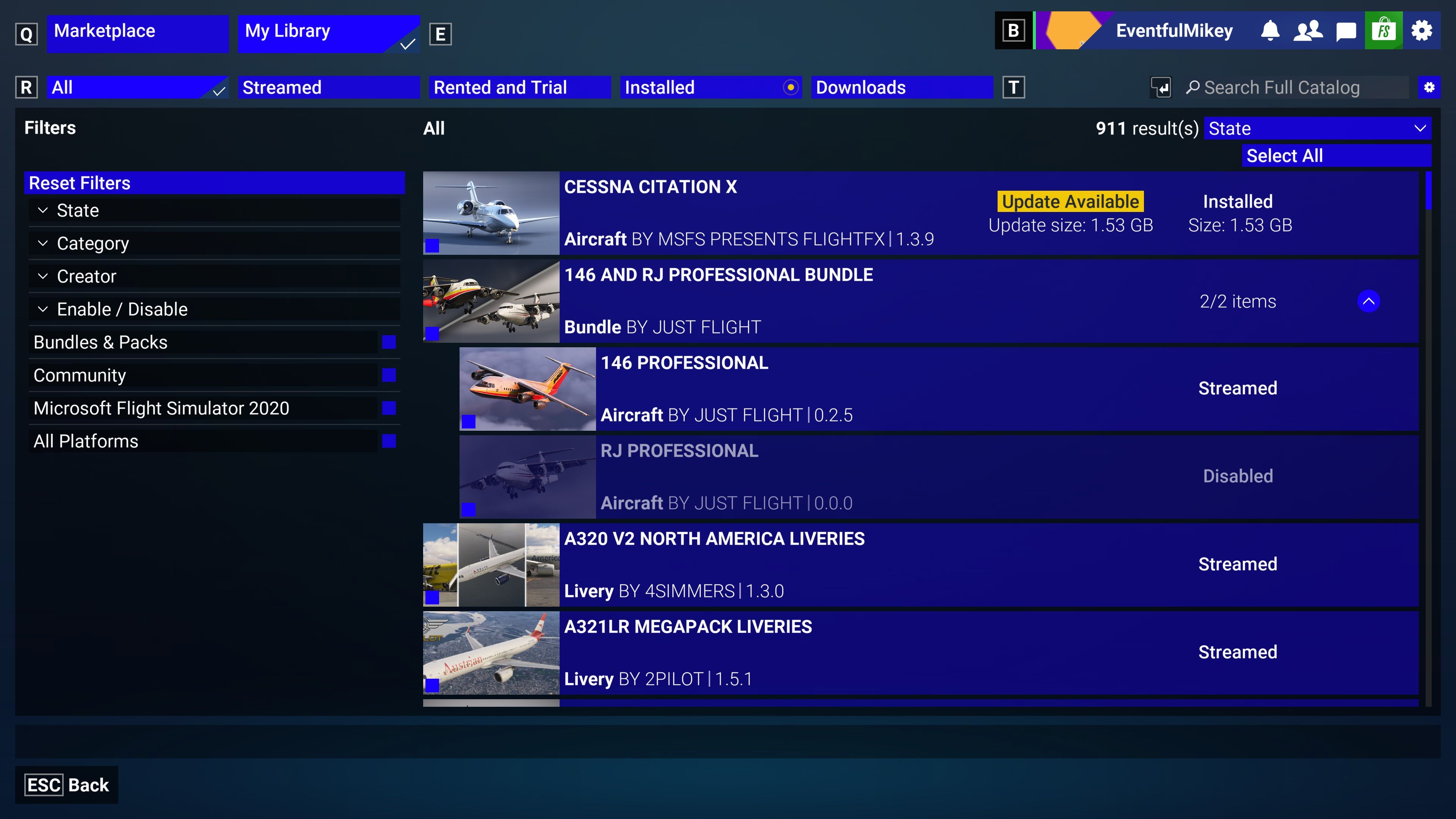
-
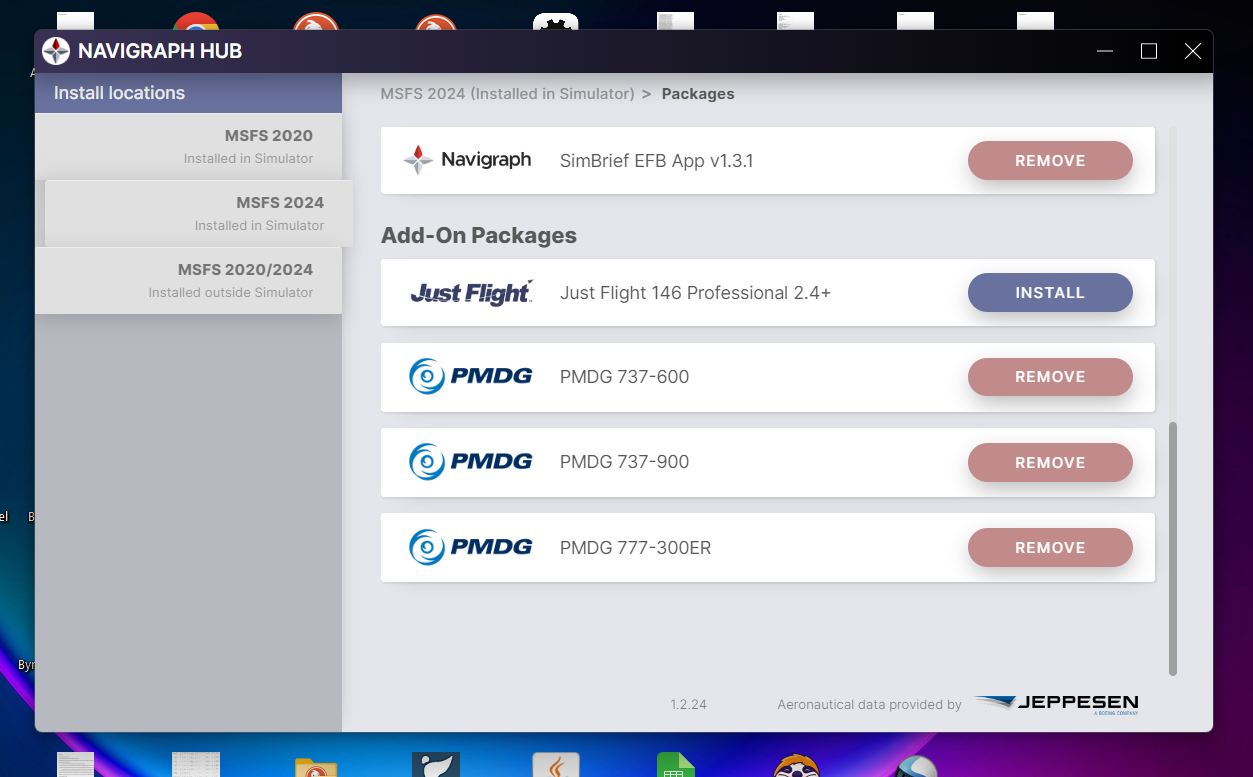
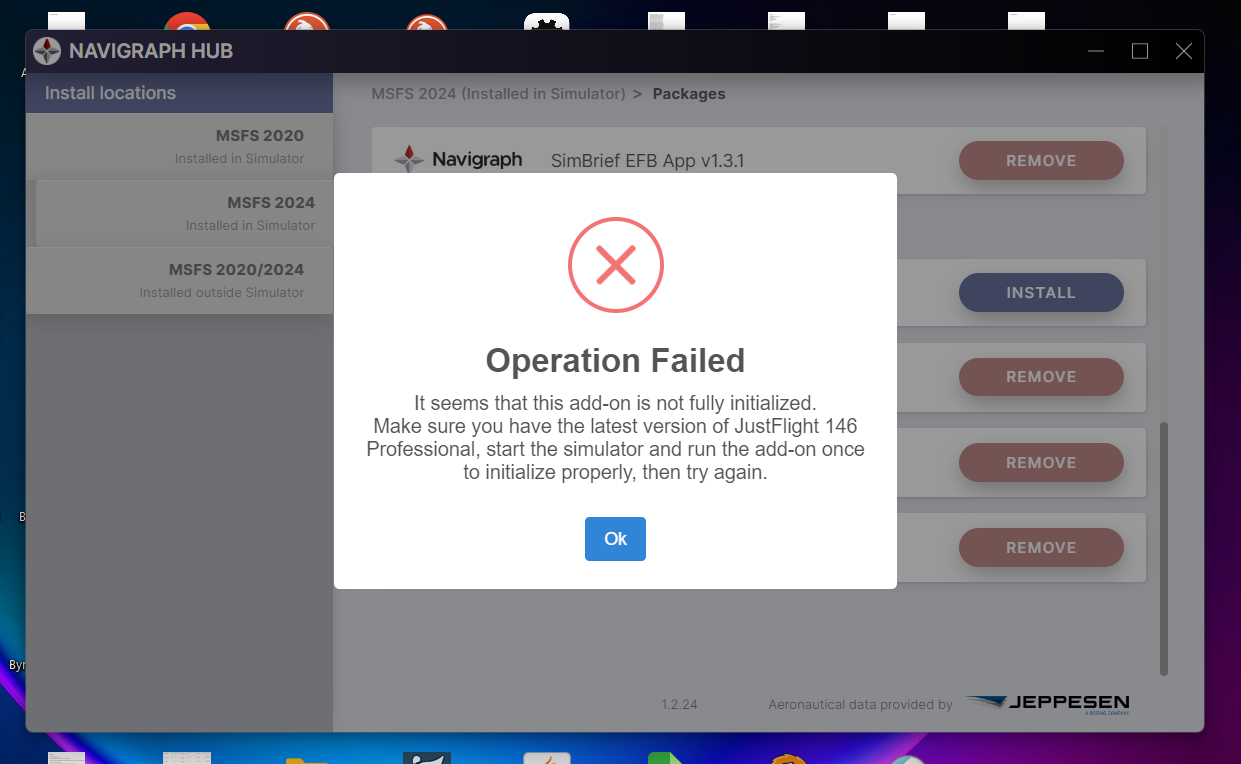
I remembered something that might be relevant to my problem. When I open Navigraph Hub and select MSFS 2024 on the right, I see an add-on package Just Flight 146 Professional and an install button. I really don't know what this is. When I click on the install button, I get a white error box. If somebody can explain to me what this is, I would be appreciative. Is this something I need to install?
-
I only see that error message if it's a brand new installation and I haven't yet started a flight with it in the sim. Most aircraft need to initialize or compile WASM the first time they're loaded and the hub is not finding the folders it's expecting to be there post compilation.
-
Hi @Mikey,
Starting with the version numbers, the latest version of the 146 Professional (MSFS 2024) is v0.2.5, so that is all correct: https://support.justflight.com/en/support/solutions/articles/17000124987-146-professional-msfs-changelog
The latest version of the RJ Professional (MSFS) is v0.1.5: https://support.justflight.com/en/support/solutions/articles/17000143705-rj-professional-msfs-changelog
Products on the MSFS 2024 marketplace can be installed (downloaded locally), streamed, or disabled based on user selection. In your screenshot, the RJ Professional is currently selected as disabled, so it won't appear in the Aircraft Selection menu. To enable a product, click on it in My Library, and then click the "Enable" button at the bottom of the page.
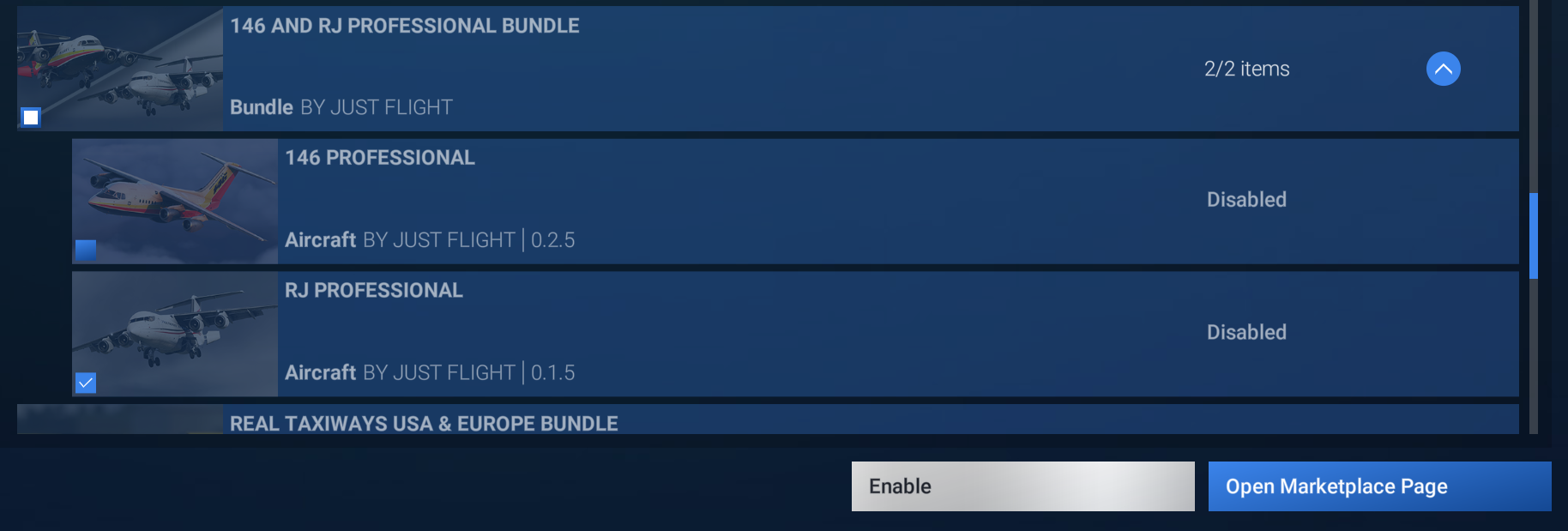
Once enabled, the product state will then be changed to "Streamed", and a streamed version of the product will be available in the Aircraft Selection menu. If you wish to download a product so it's stored locally on your PC, click on it in My Library, and then click the "Download" button at the bottom of the page.
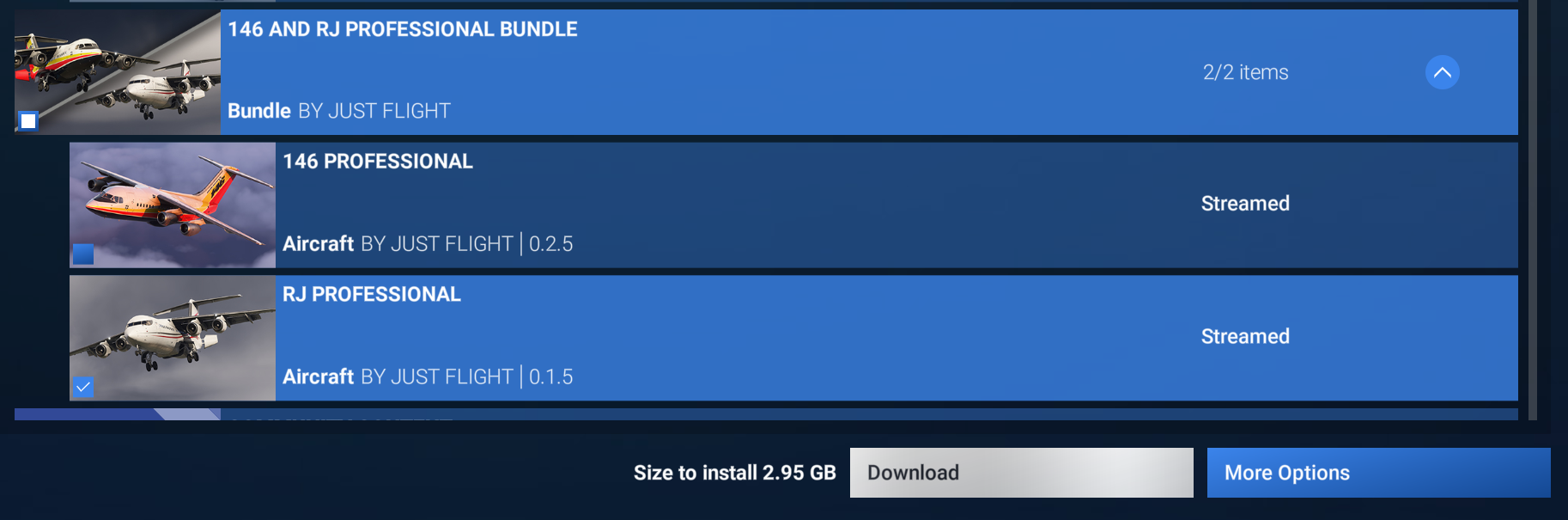
Once the download is complete, you will then be prompted to "Install" the product.
With regards to Navdata, as @jmarkows said above, the folders where updated navdata files are installed are created when loading a flight in the aircraft for the first time. I'm not 100% sure how the Marketplace handles it, but those folders may also be deleted if a product is disabled/uninstalled.
My recommendation would be to ensure both the 146 Professional and RJ Professional are enabled (or installed) in My Library, load a flight in each of them, and then exit the simulator and install the updated navdata via the Navigraph Hub app.
Hope that helps.
Mark - Just Flight
