
Recommended settings for MSFS 2024
-
I am using FS Traffic just recently in MSFS 2024.
The FS Traffic manual is not based on the new settings structure of MSFS 2024. Therefore I am not sure, whether my settings are really suitable.
I would be happy for any comments and advices in order to achieve a very good result.
Right now I have parking aircraft and traffic. But many liveries are manufacturer liveries (A 220, A 330, B 737, ...) instead of airline liveries (Lufthansa, Iberia, Eurowings, ...).
-
The essential MSFS 2024 settings for FS Traffic can be found on page 9 of the FS Traffic Operations Manual: https://downloads.justflight.com/products/JFF003616/FSTraffic_MSFS_manual.pdf
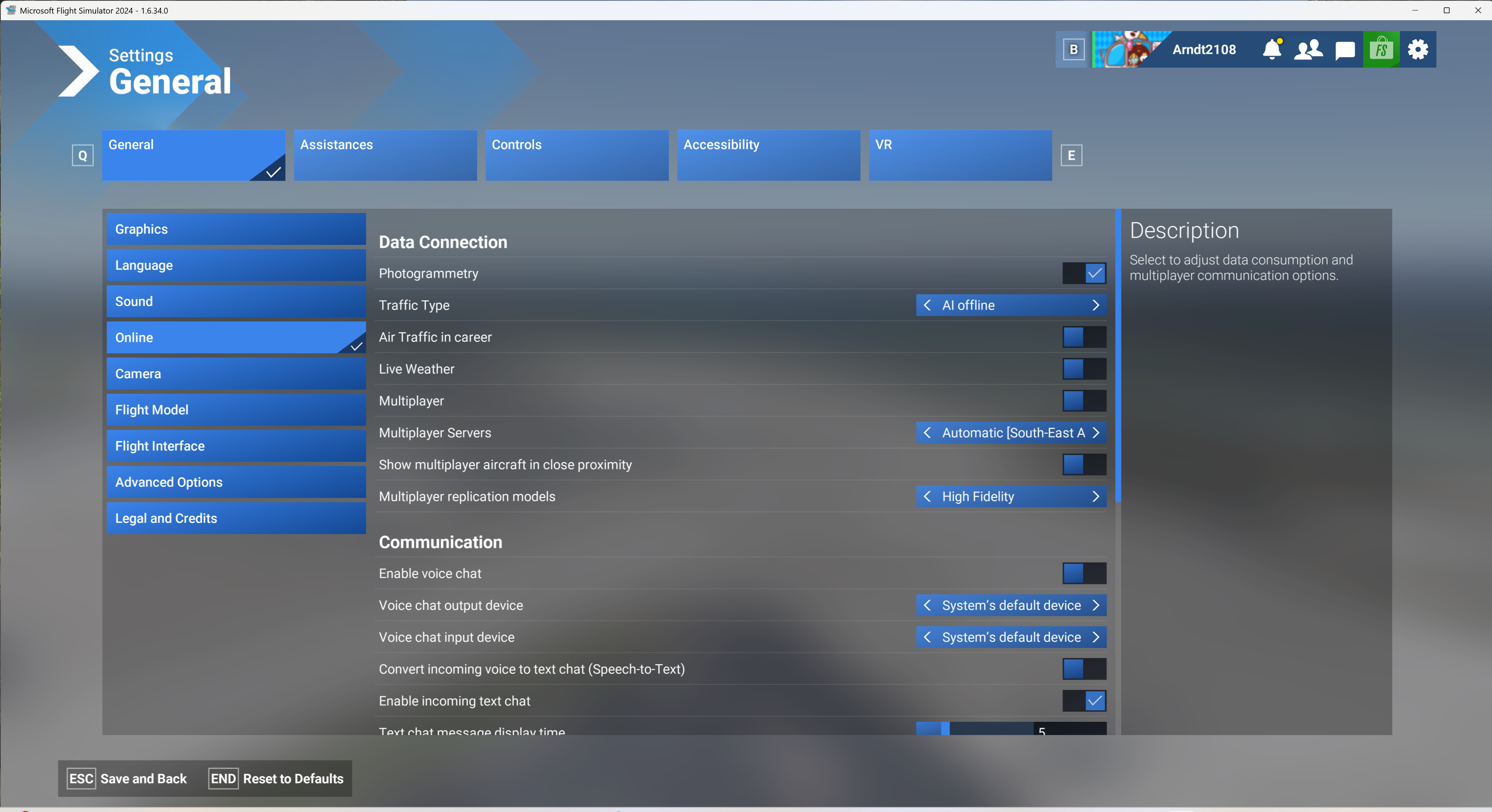
Looking at the screenshots you have provided, we would recommend setting Traffic Type to OFF in the first screenshot (this is a requirement for FS Traffic to prevent the simulator from generating its own default traffic in addition to FS Traffic).
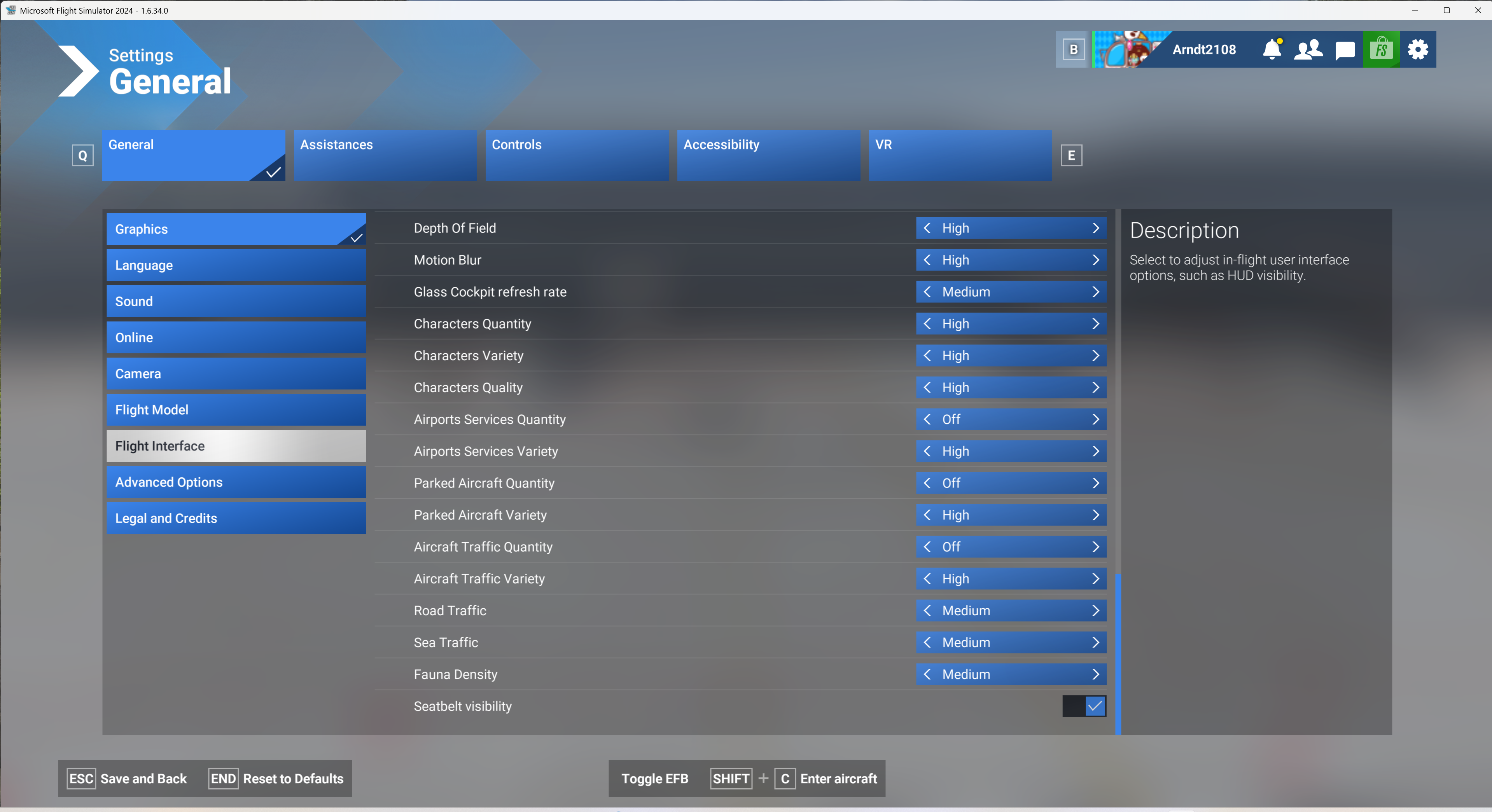
In the second screenshot, we would recommend that every setting from Character Quality down to Fauna Density be set to OFF or LOW. Most of these aren't a requirement (apart from Parked Aircraft Quantity, which generates default aircraft at gates), but we recommend setting these to their lowest settings for the best performance, as well as to reduce the likelihood of MSFS reaching a hard-coded limit on how many objects can be loaded in the simulator at any one time.
Hope that helps.
Mark - Just Flight

