Skip to content
  • Categories
  • Recent
  • Tags
  • Popular
  • Users
Collapse
Just Flight Community Forum
  1. Home
  2. Just Flight
  3. MSFS Products
  4. F70 & F100 Professional
  5. THR RED and CLB ACC altitude amendment don't change performance

THR RED and CLB ACC altitude amendment don't change performance

Scheduled Pinned Locked Moved F70 & F100 Professional
10 Posts 3 Posters 274 Views 1 Watching
  • Oldest to Newest
  • Newest to Oldest
  • Most Votes
Reply
  • Reply as topic
Log in to reply
This topic has been deleted. Only users with topic management privileges can see it.
  • S Offline
    S Offline
    StefanBravo
    wrote last edited by
    #1

    Hi,

    It seems that when I change the thrust reduction and climb acceleration altitude in the FMS, the aircraft sticks to 1500 ft AGL for both altitudes.

    Stefan

    1 Reply Last reply
    0
    • MarkM Offline
      MarkM Offline
      Mark
      JF Staff
      wrote last edited by
      #2

      I've just tested this by increasing the THR RED and ACCEL to 3,000 ft (from the default 1,700ft at this airport), and the thrust reduction and acceleration have worked as expected at the newly entered altitude.

      If you see that behaviour again, could I kindly ask you to raise a support ticket for this with Just Flight Support at the following link: https://www.justflight.com/support

      In the ticket, if you could provide a video of the behaviour, as well as a log file generated by the product, then our support team will be best positioned to be able to further assist.

      Instructions for locating the log file can be found here: https://support.justflight.com/en/support/solutions/articles/17000152594-where-to-find-the-log-file-s-

      Mark - Just Flight

      Just Flight Development Assistant

      1 Reply Last reply
      0
      • S Offline
        S Offline
        StefanBravo
        wrote last edited by
        #3

        Thanks for your answer. I am able to reproduce the problem on all flights I'm doing.

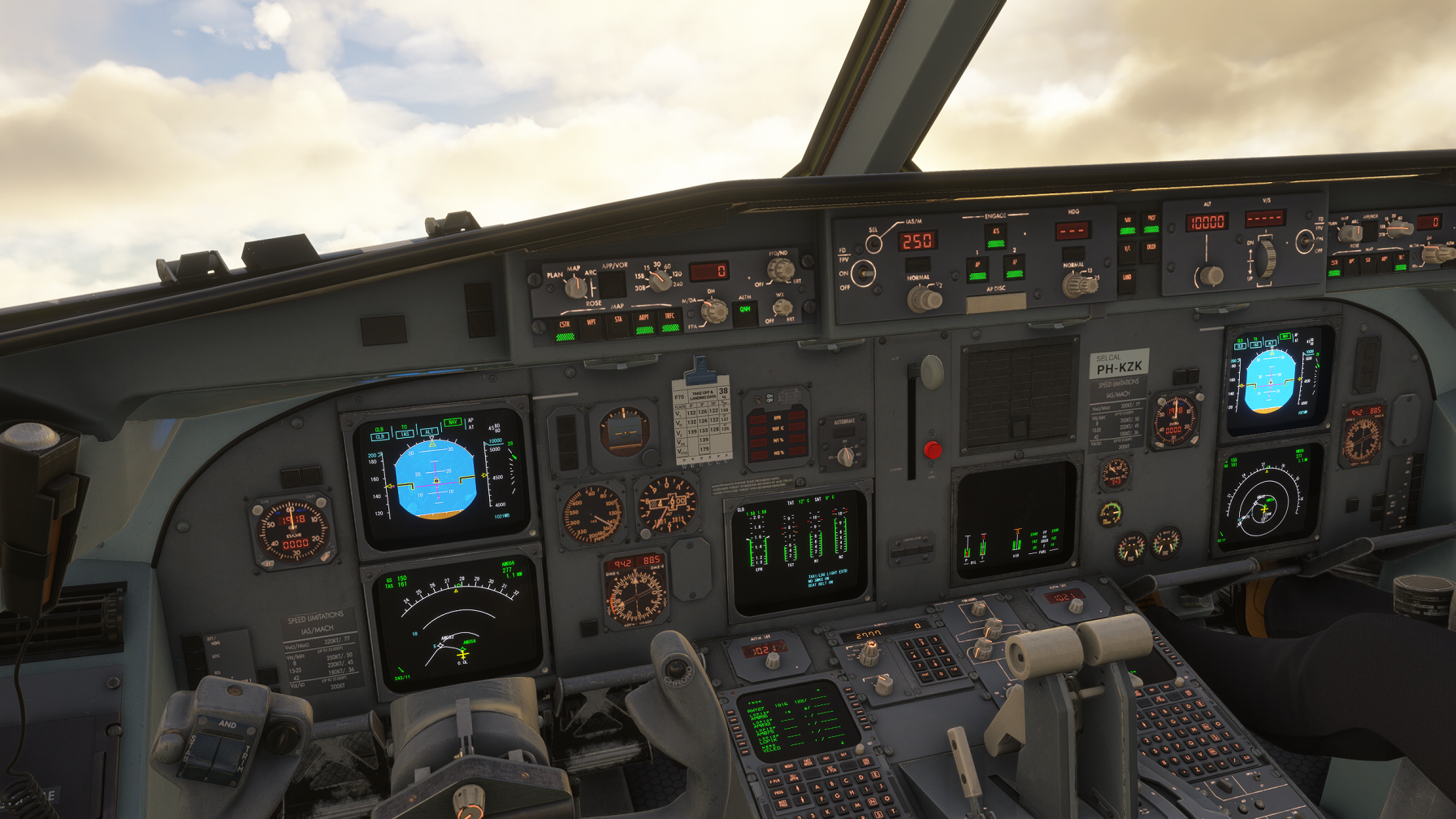
        Attached a screenshot of a departure out of Amsterdam, with NAV, PROF and ATS already armed on the ground. I amended the THR RED altitude to 1000 ft and CLB ACC to 1500 ft, just for testing purposes.
        Screenshot_3.png

        In the screenshot I am well above these altitudes, and I've manually engaged climb mode, but climb mode is also still armed. The vertical mode is still in TO.

        I will also open a ticket for this issue.

        1 Reply Last reply
        0
        • pedropolakP Offline
          pedropolakP Offline
          pedropolak
          wrote last edited by
          #4

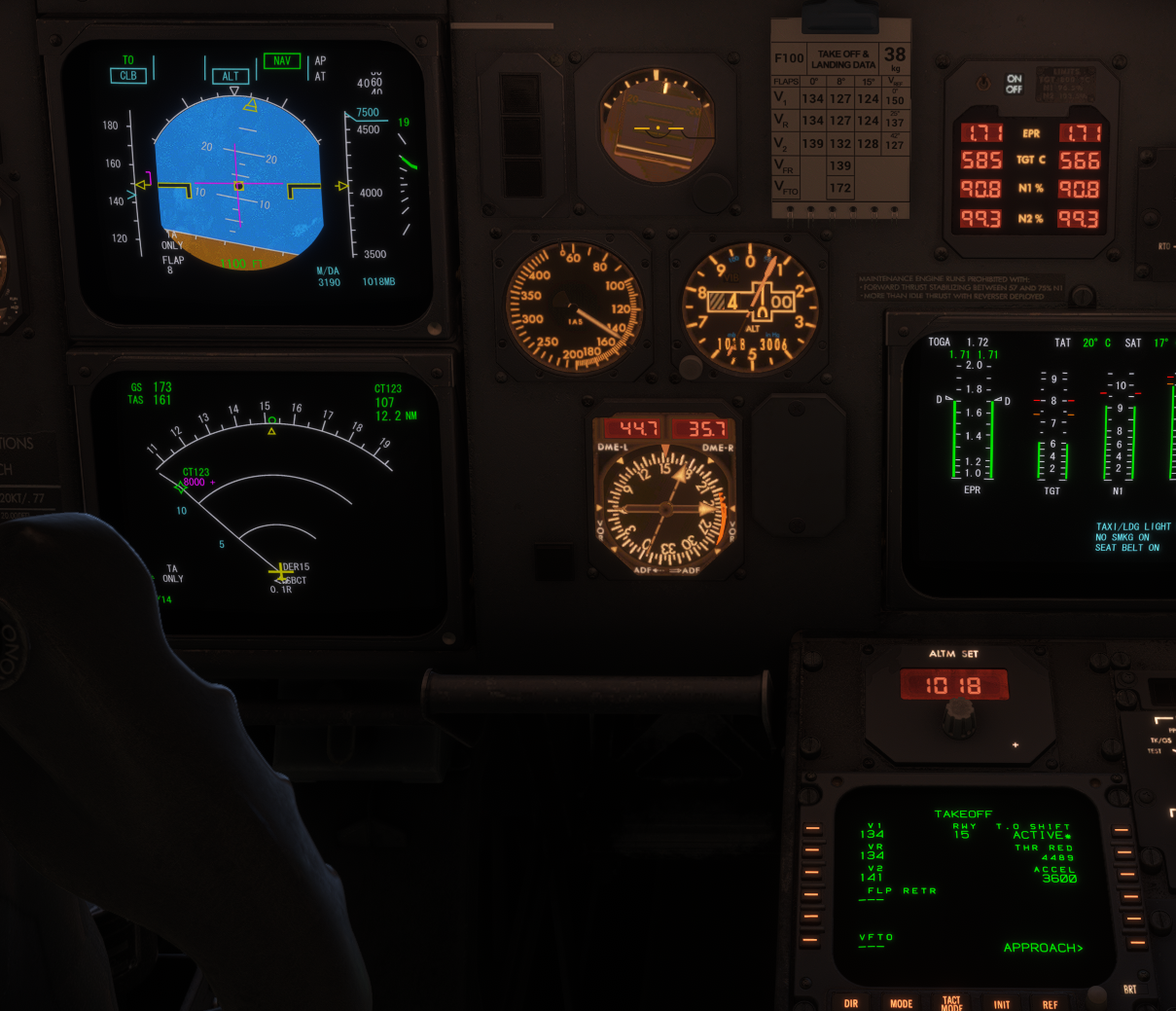
          Also happened here, THR RED even reverted itself after rotation
          ACCEL HT.png

          1 Reply Last reply
          0
          • MarkM Offline
            MarkM Offline
            Mark
            JF Staff
            wrote last edited by
            #5

            In both screenshots above, there are signs that the FMS doesn't have complete data entry (fields with dashed lines "-----"). It is important that all mandatory fields in the FMS are completed prior to takeoff (square boxes on the INIT A/INIT B pages) in order for the FMS to have sufficient data to operate.

            Mark - Just Flight

            Just Flight Development Assistant

            1 Reply Last reply
            0
            • S Offline
              S Offline
              StefanBravo
              wrote last edited by
              #6

              Okay, I did a new test with all fields filled in (I used the 'ready for take off' panel state for my previous tests) and everything seemed to work now!

              1 Reply Last reply
              0
              • S Offline
                S Offline
                StefanBravo
                wrote last edited by
                #7

                Update: one more test flight with all FMS data loaded out of Amsterdam with THR RED and CLB ACC set to 800 ft, but the aircraft remained in TO | TO mode until passing 1500 ft.

                1 Reply Last reply
                0
                • MarkM Offline
                  MarkM Offline
                  Mark
                  JF Staff
                  wrote last edited by
                  #8

                  Thanks for reporting. We'll investigate that further.

                  Mark - Just Flight

                  Just Flight Development Assistant

                  1 Reply Last reply
                  0
                  • MarkM Offline
                    MarkM Offline
                    Mark
                    JF Staff
                    wrote last edited by Mark
                    #9

                    Looking into this further, the real aircraft has a lower limit of 1000ft AGL for both the THR RED and ACCEL fields, which we have simulated, but we're not preventing inputs of less than 1000ft AGL. I've logged that on our internal tracks for our development team to implement.

                    Mark - Just Flight

                    Just Flight Development Assistant

                    1 Reply Last reply
                    2
                    • S Offline
                      S Offline
                      StefanBravo
                      wrote last edited by
                      #10

                      Okay, thanks! Good to know that the lower limit is 1000 ft AGL, I'll stick to that then. By the way, I really appreciate the way you guys provide support. Great work!


                      1 Reply Last reply
                      1
                      Reply
                      • Reply as topic
                      Log in to reply
                      • Oldest to Newest
                      • Newest to Oldest
                      • Most Votes


                      • Login

                      • Don't have an account? Register

                      • Login or register to search.
                      • First post
                        Last post
                      0
                      • Categories
                      • Recent
                      • Tags
                      • Popular
                      • Users