
Honeycomb Bravo and reverse thrust
-
No. You don't need FSUIPC or Spad or AAO to do this (although I use AAO). Just assign the "reverse thrust lever" buttons to HOLD REVRSE THRUST. When the reverse thrust levers are pulled up you will get idle reverse and as you push the throttles forward you will get an increasing amount of reverse thrust.
-
With my Honeycomb Bravo, I have the respective THROTTLE DECREASE control assignments assigned to the detents on the throttle axis. So after landing, I move the throttles aft into the detents, and that activates the reverse thrust in the aircraft.
Mark - Just Flight
-
With my Honeycomb Bravo, I have the respective THROTTLE DECREASE control assignments assigned to the detents on the throttle axis. So after landing, I move the throttles aft into the detents, and that activates the reverse thrust in the aircraft.
Mark - Just Flight
-
Apologies for the belated reply. I try to keep a fairly basic profile on my Honeycomb Bravo; otherwise, I forget something is assigned to one of the switches and end up chasing a bug that isn't actually a bug!
The following screenshots show everything I have assigned to my Honeycomb Bravo:
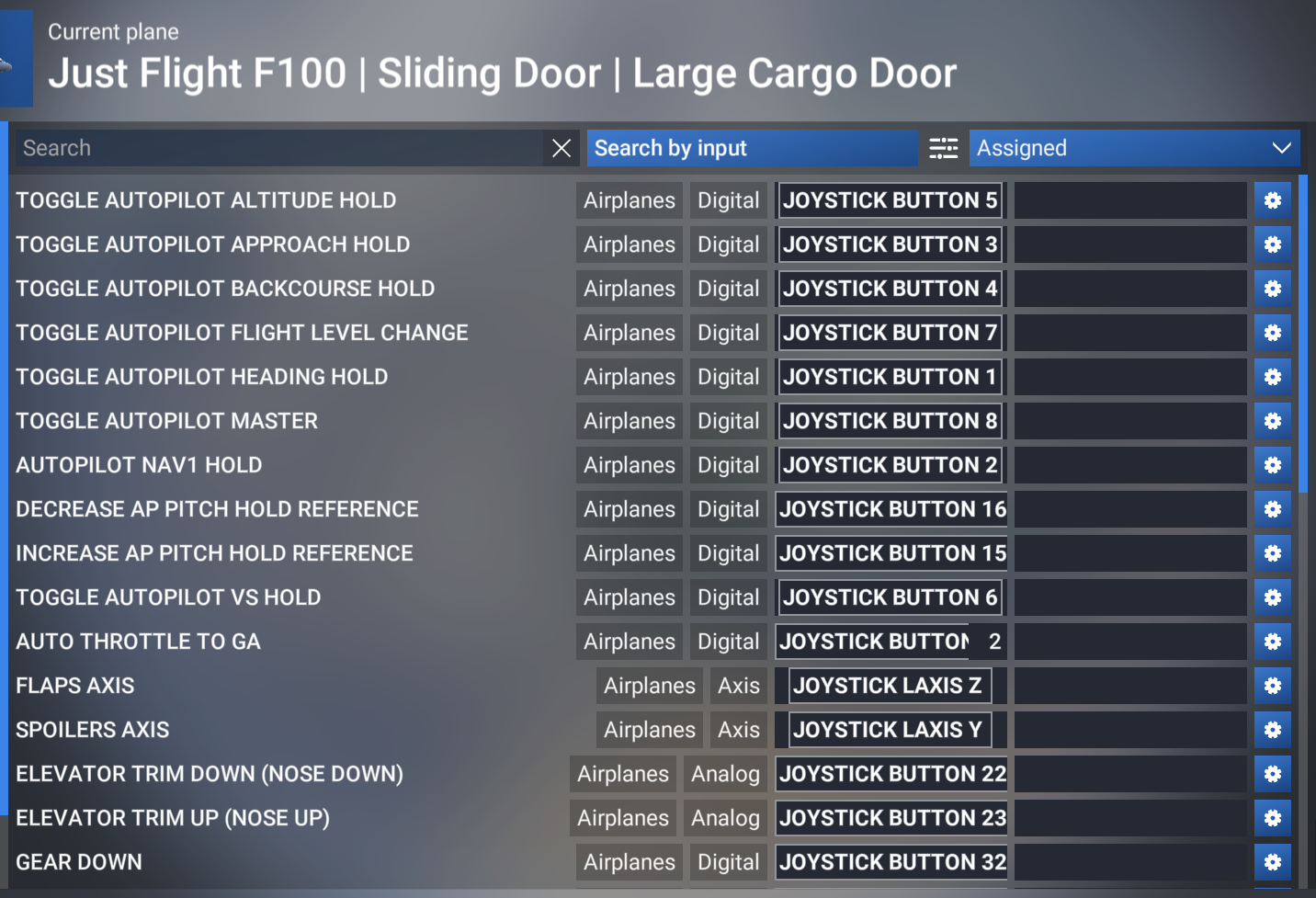
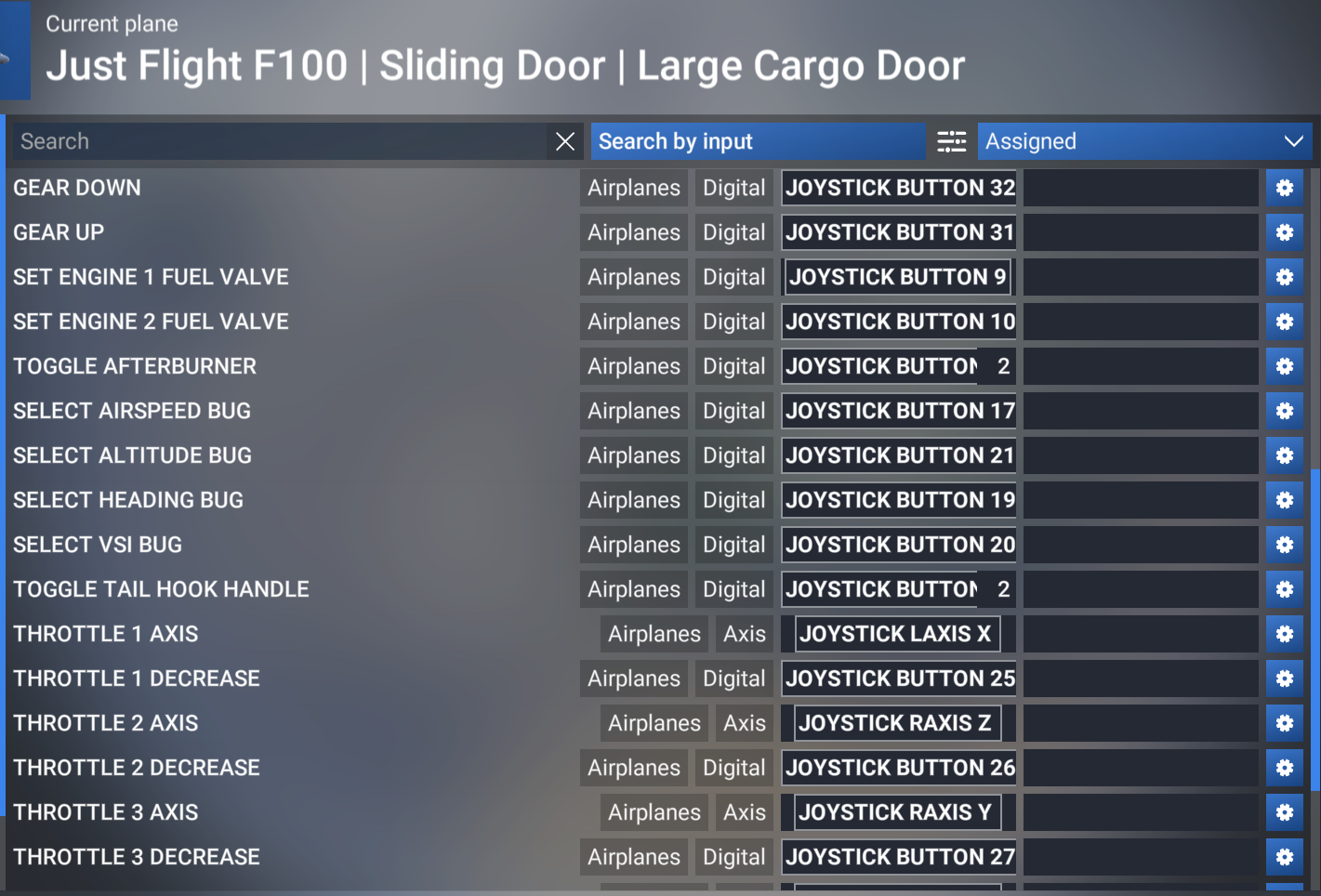
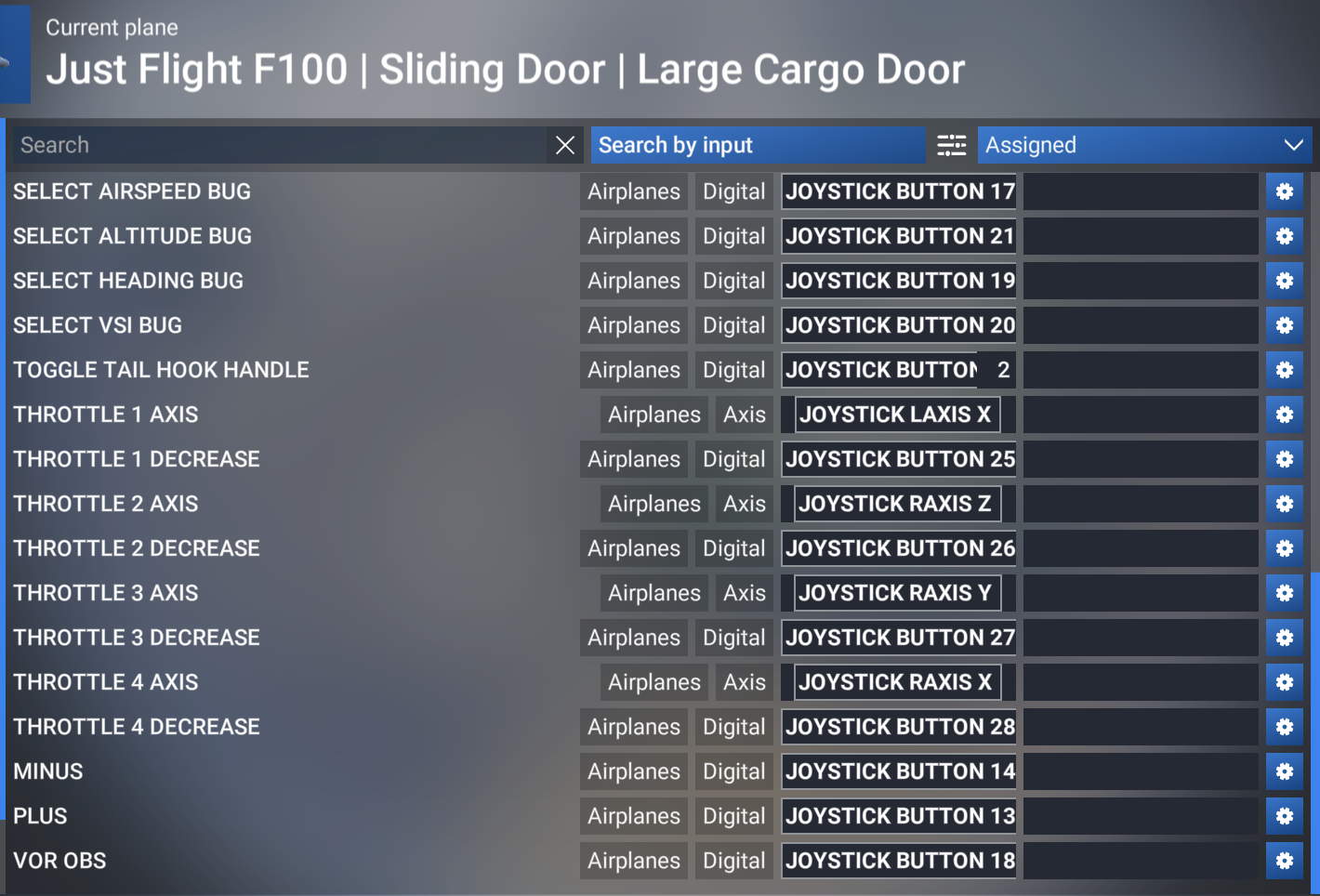
All my sensitivity curves are at the deafult (linear) settings.
Hope that helps.
Mark - Just Flight
-
No. You don't need FSUIPC or Spad or AAO to do this (although I use AAO). Just assign the "reverse thrust lever" buttons to HOLD REVRSE THRUST. When the reverse thrust levers are pulled up you will get idle reverse and as you push the throttles forward you will get an increasing amount of reverse thrust.
I followed Crabby's advice and it was working before. The same profile has working reverser logic in the Inibuilds A300, the Fenix 320 and Citation X, to name a few examples. What happens in the Fokker is that throttle 2 works as expected, until I also use throttle 1. As soon as I move throttle 1 forward both throttles start to click/shake and the green R flashes on and off. Does anyone have a working reverser setting for the Honeycomb Bravo that is also working in the update 1.3a?
-
-
No. You don't need FSUIPC or Spad or AAO to do this (although I use AAO). Just assign the "reverse thrust lever" buttons to HOLD REVRSE THRUST. When the reverse thrust levers are pulled up you will get idle reverse and as you push the throttles forward you will get an increasing amount of reverse thrust.
@Crabby I just tried this and it works well on my end, thanks!
-
I followed Crabby's advice and it was working before. The same profile has working reverser logic in the Inibuilds A300, the Fenix 320 and Citation X, to name a few examples. What happens in the Fokker is that throttle 2 works as expected, until I also use throttle 1. As soon as I move throttle 1 forward both throttles start to click/shake and the green R flashes on and off. Does anyone have a working reverser setting for the Honeycomb Bravo that is also working in the update 1.3a?
@KLM284 That's odd, are you sure you don't have any other button bindings / conflicts? I just tried Crabby's approach and it works totally well on my end

