
Autopilot Altitude and Vertical speed
-
Per the manual, the altitude hold is triggered by the top white button above the test white button and changing the vertical speed is by placing the mouse and using the scroll, in between that space. I can't seem to find in the manual if this is indicated anywhere, ie. if it is activated or what my current vertical speed setting is currently set at. I'm able to get it to work but it would be helpful to have the above information. I am also using the PMS50 GTN750, not sure if that matters.
-
The real aircraft isn't fitted with an altitude hold/vertical speed function (we just added it as a quality of life feature in a previous update), so there isn't anywhere in the cockpit that can display the V/S set by the autopilot.
The vertical speed clickspot simply toggles the autopilot Vertical Speed Hold mode with every mouse click, and every 'notch' up/down of a mouse wheel adds/subtracts 100ft to the selected vertical speed. When Vertical Speed Hold is engaged, it will set the aircraft's current vertical speed as the target.
The vertical speed set by the autopilot should be closely replicated by the Vertical Speed indicator in the cockpit, and the exact vertical speed set by the autopilot is also visible via a tooltip (if enabled).
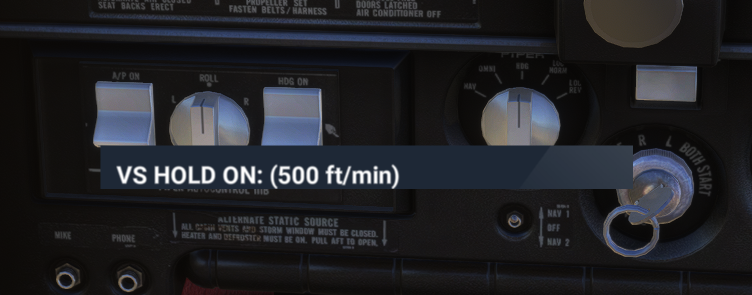
Hope that helps.
Mark - Just Flight
