
Simbrief
-
Hi...
Loading the RJ for the first time in quite some time, I found that the Navigraph databases were not loading into the fms. I therefore re-installed the RJ and tried again - Navigraph updated fine...However, I cannot load a Simbrief flight plan into the FMS. When attempting to load a route, there is no option to load a flightplan; either from Simbrief or from a file.
I have checked the directory structure and a .RTE file is located in C:\Users\RobSy\AppData\Local\Packages\Microsoft.FlightSimulator_8wekyb3d8bbwe\LocalState\packages\justflight-aircraft-rj\work\JustFlight\FlightPlans
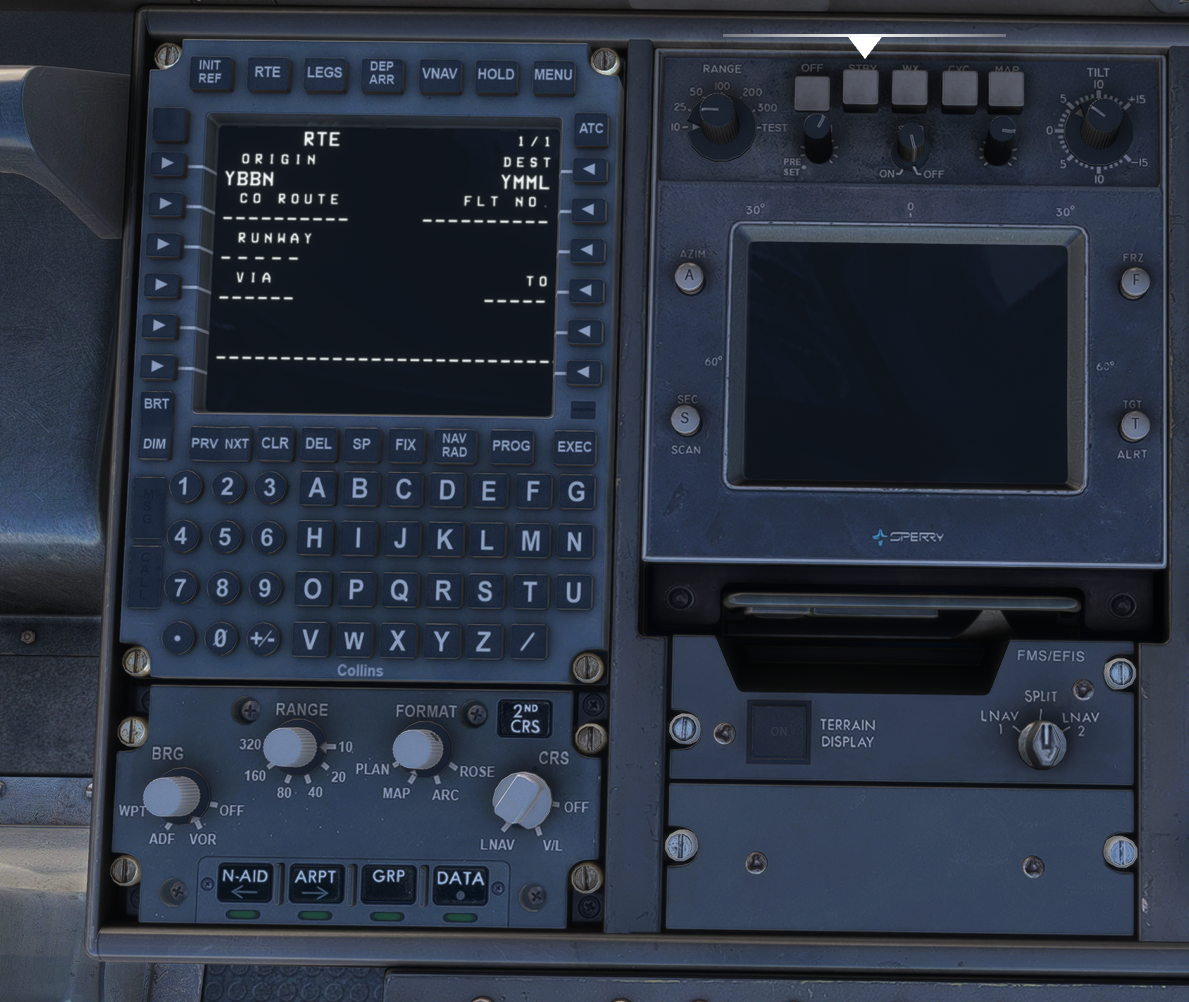
I'm somewhat at a loss with this...
Thoughts?
Thanks,
Rob
-
Hi RobSys,
If your using MSFS2024 ...
I've just had a quick look at my RJ setup (I'm using the store version) and I have the following location for my downloaded Simbrief flight plans:
.. \AppData\Local\Packages\Microsoft.Limitless_8wekyb3d8bbwe\LocalState\WASM\MSFS2024\justflight-aircraft-rj\work\JustFlight\FlightPlansWith the Simbrief flight plans downloaded and saved in the above folder - was able to load my EGFFEGJJ01.RTE file into the FMS, as seen in the picture below.
From memory the folder used was changed when making the MSFS 2024 native versions of the RJ Pro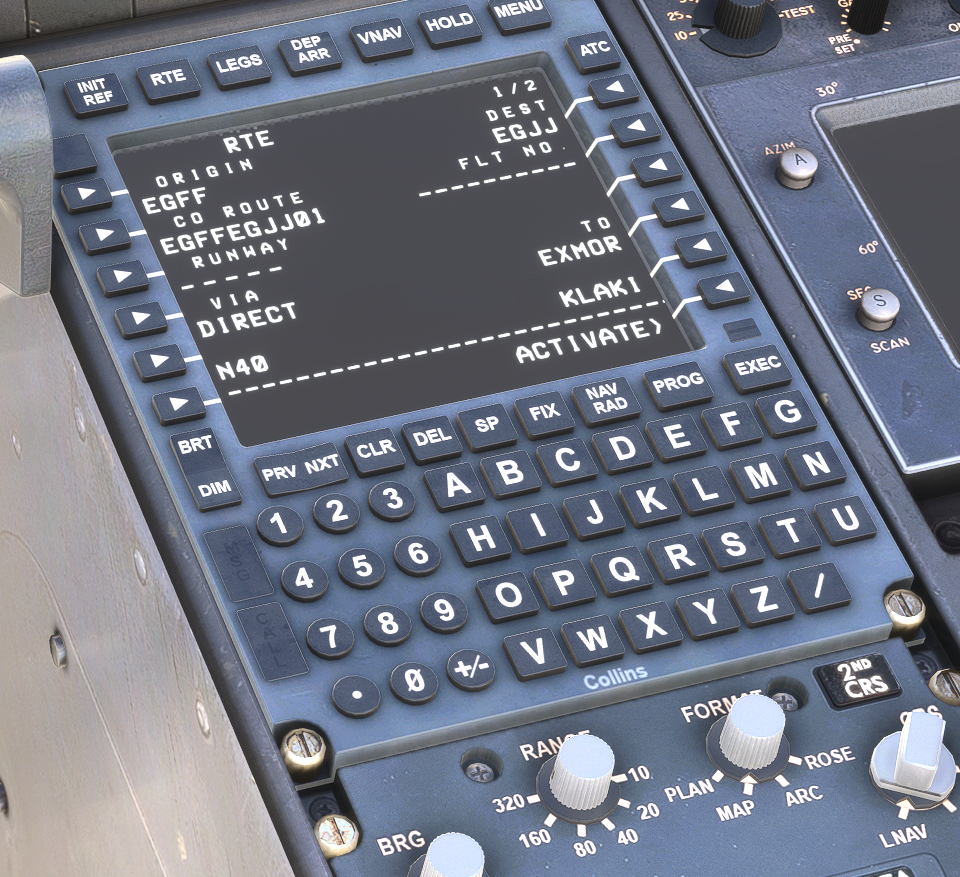
-
The exact file path for flight plan imports using locally stored files varies depending on which version of the simulator is being used (2020/2024) and which store version is being used (Microsoft Store/Steam). The relevant file paths are listed in the following FAQ under Method 1 CO ROUTE (Company Route): https://support.justflight.com/en/support/solutions/articles/17000142837-gnlu-910a-fms-how-can-i-import-a-flight-plan-from-simbrief-
A direct Simbrief import was also added to the GNLU-910A in a recent update to the RJ that doesn't require locally saved flight plan files. The process of directly importing a Simbrief flight plan into the GNLU-910A is covered under Method 3: SimBrief Import: https://support.justflight.com/en/support/solutions/articles/17000142837-gnlu-910a-fms-how-can-i-import-a-flight-plan-from-simbrief-
If either of those two options isn't available/aren't functional, we would recommend reinstalling the latest version of the RJ Professional to ensure that you have the latest version.
If you continue to have any issues with the flight plan import, we would recommend opening a support ticket at Just Flight Support via the following link, and one of our support team will be able to assist with further troubleshooting: https://www.justflight.com/support
Mark - Just Flight
-
Hi Mark,
I have uninstalled, re-installed the RJ several times - all to no avail... In response to a support ticket, all that JF Support had to say was:"When trying to import a flightplan into the FMS, have you populated the "CO ROUTE"
In the co route box, if you enter your route as YBBNYMML, this will import the flight plan."
Manually entering the co route does work but that was not previously required - and is an unnecessary nuisance...
Even with a brand new MSFS 2020 installation (a massive download) and only the RJ installed, the problem persists. I have two copies of the RJ. One from the MS online store, and a .exe install file from Justflight. Both versions react the same.
This is immensely frustrating - so I have relegated the aircraft onto the back burner.
