Adding Paper Charts
-
It's been great to go flying in the Arrow again recently. I hadn't really touched it since 2024 was released, but with all the new ground details, GA is the best it's ever been.
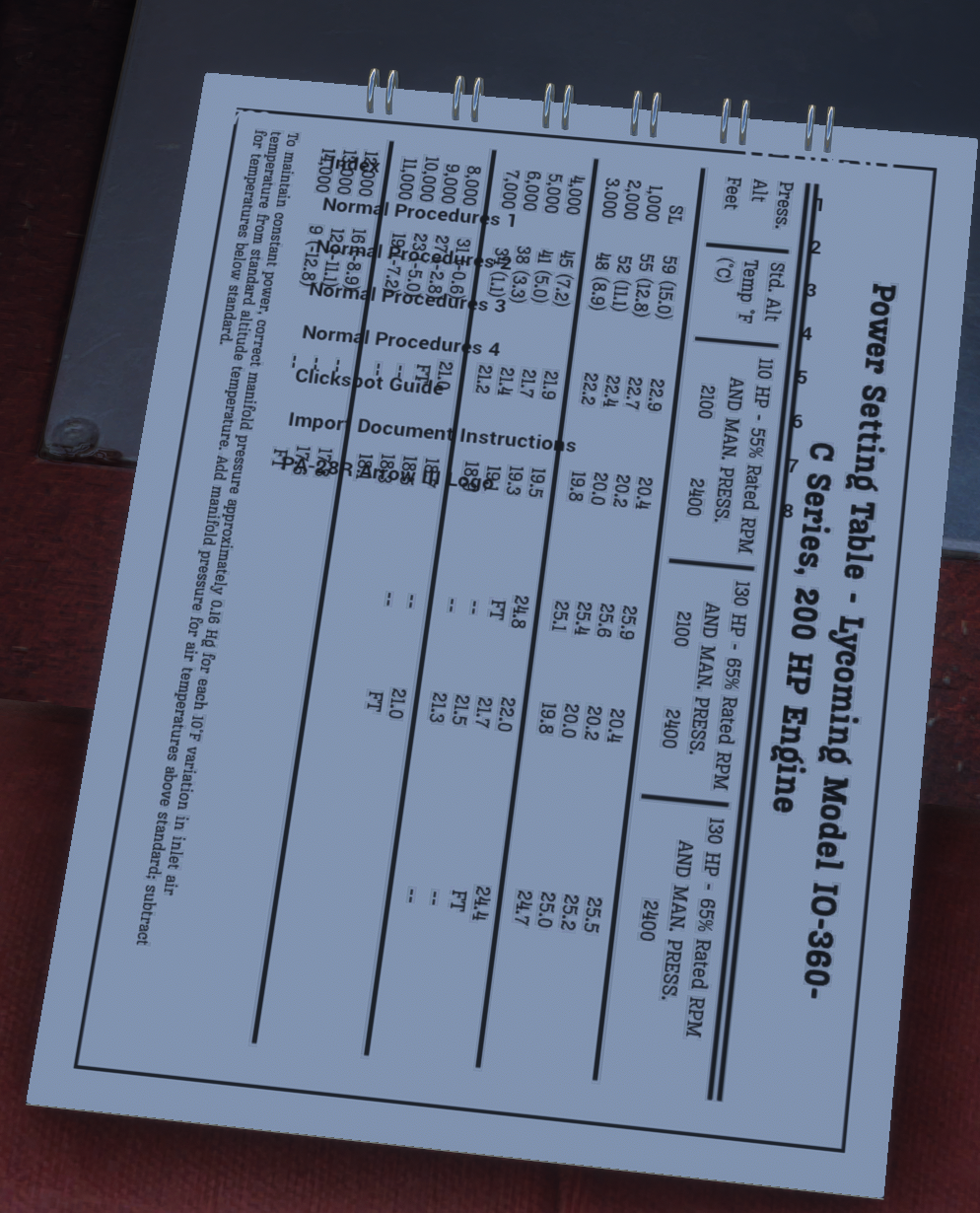
My query relates to adding charts to the little paper chart binder, which pops out where the pilot's left knee would be. I hadn't previously been aware that this feature even existed, so imagine my delight when I figured I could put the engine power tables, glide ratio table, and other performance charts in there.
I have added the image file to the folder required (Community\justflight-aircraft-pa28-arrow-iii\Data\Images\Chart) and updated the .ini file with the relevant details. I figured it would be easier to copy item 8 (the last one on the list) and then change the details individually rather than write out the whole code string.
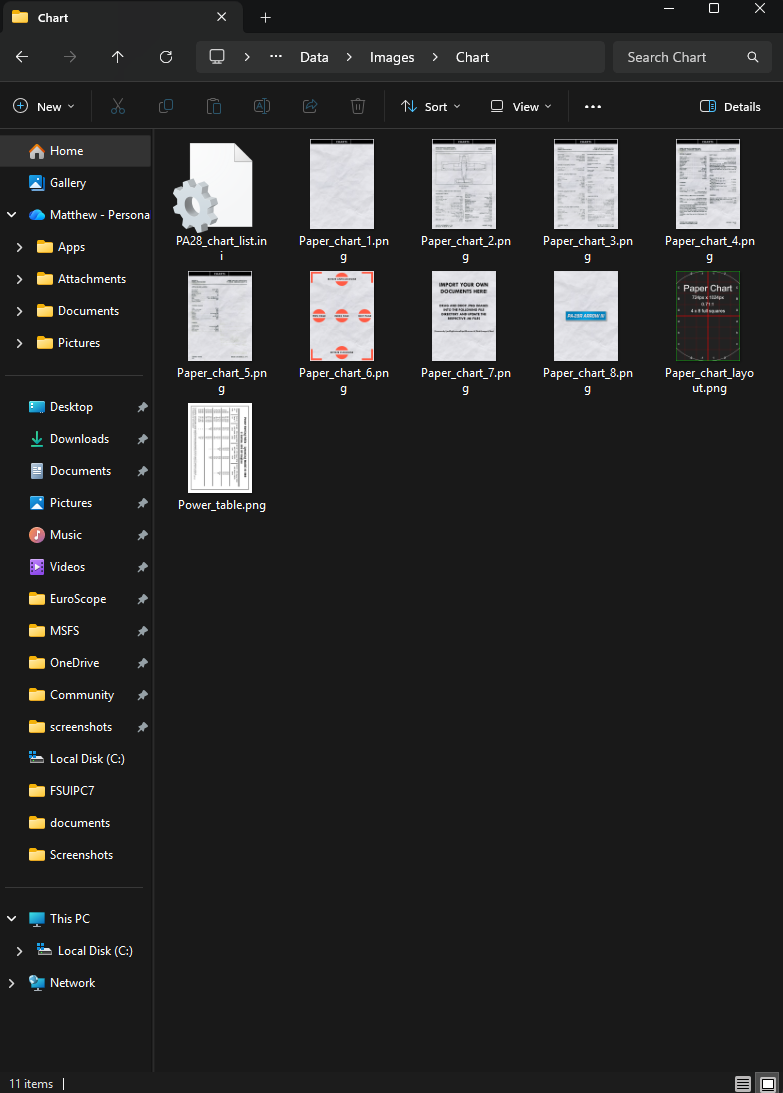
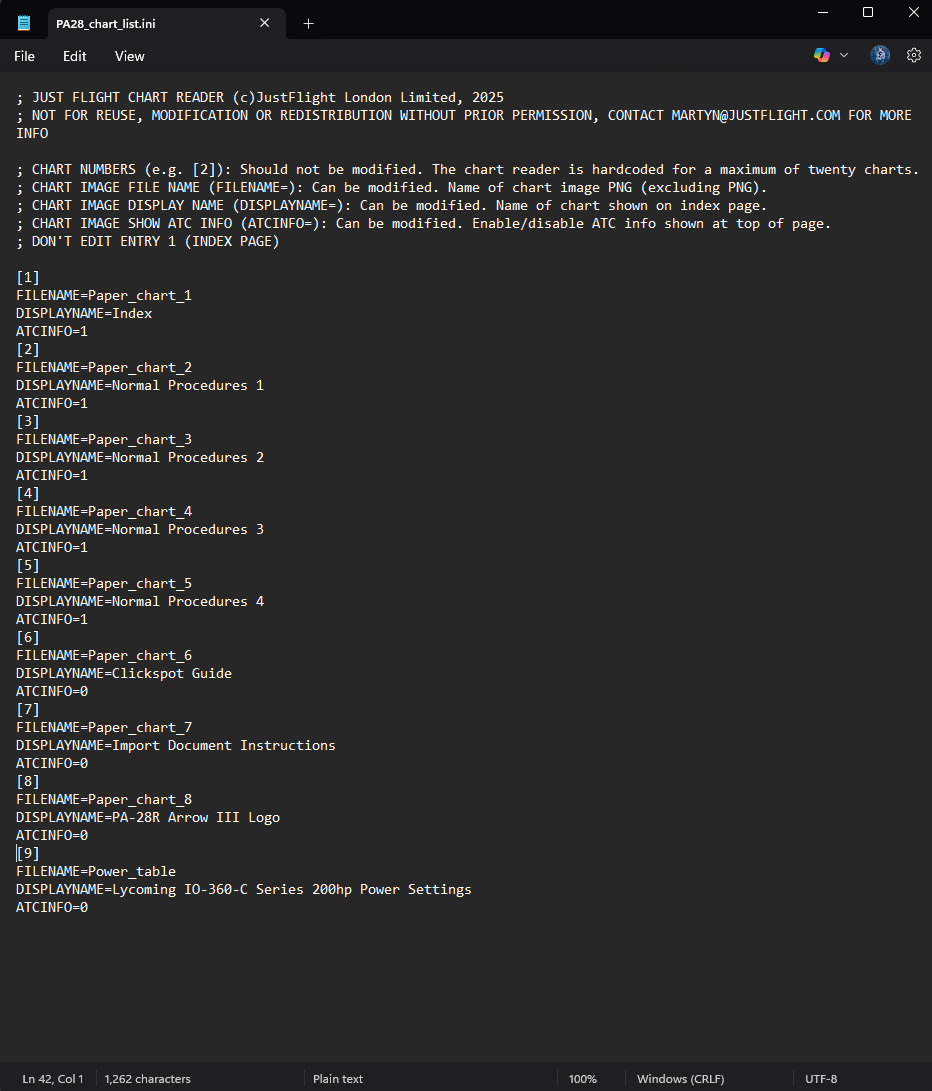
Unfortunately, this has not worked. No,w when I open the paper charts in the sim, none of the charts, including the ones contained by default, are viewable anymore. Instead, I simply have a white page.

Any suggestions as to how I could remedy this? I have checked that the image is the correct resolution (724x1024) as specified in JF documentation (https://support.justflight.com/support/solutions/articles/17000140445-how-can-i-import-custom-documents-for-the-interactive-paper-charts-)
Images attached.
-
Thanks, @Martyn. Per your suggestion, I added a 9th entry to the ini file with a display name of 'Power Settings'. To make things as simple as possible, I also followed the file naming convention using Paper_chart_9.
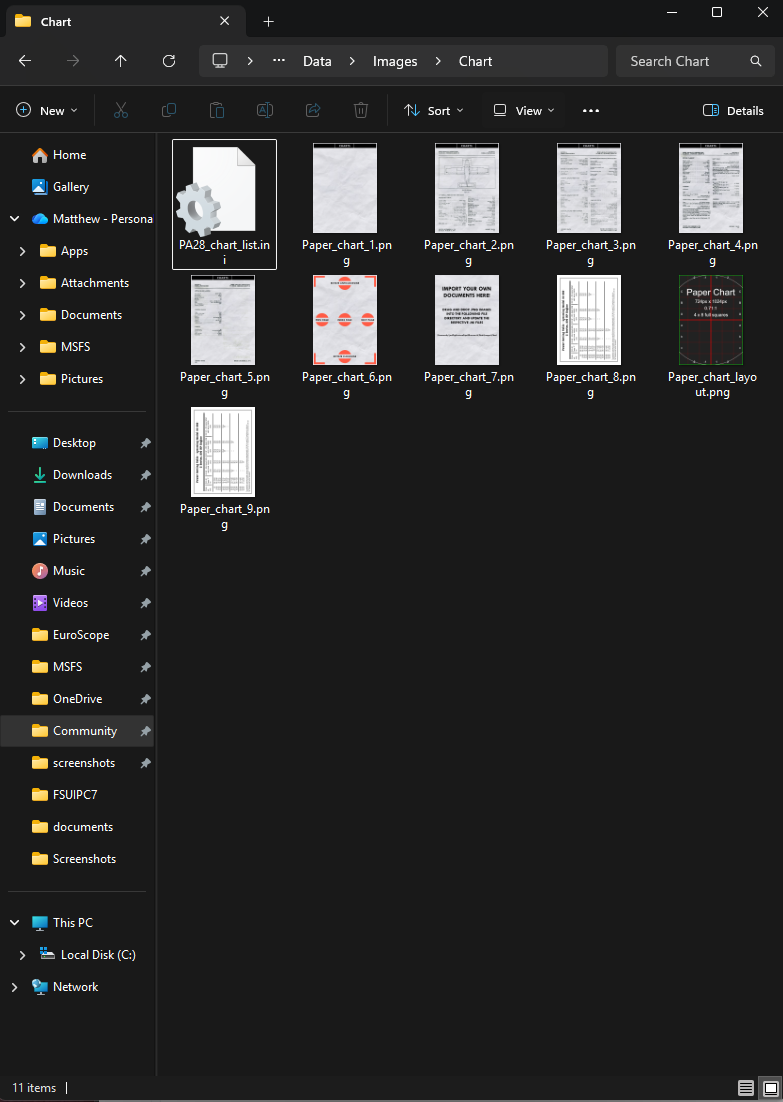
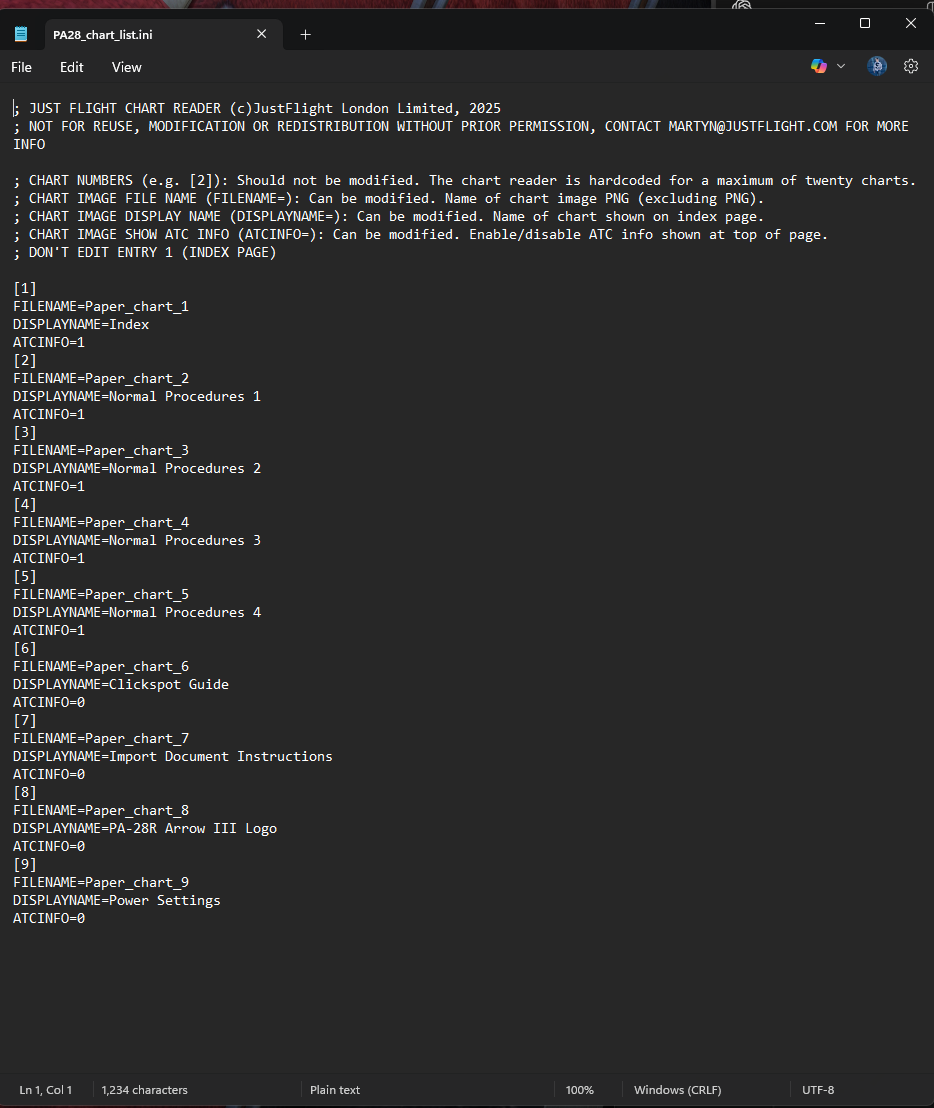
However, this has again broken the chart viewer in the sim, with nothing but a blank notepad visible.

-
Hi there,
Do you already have found a solution for this issue? I have bought, two weeks ago, the PA-28R Arrow III and PA-28R Turbo Arrow III/IV and I am facing the same issue or worst because after remove the *.PNG file from .../charter folder and remove the three lines of code from *.INI file the MSFS2024 (Steam) continue to freezing or close during the fly loading with the Arrow III/IV. To solve the issue was necessary remove and reinstall the plane.
Adding documentation, it's a functionality that I would like to use and for my surprise I have founded this post already posted December 2025 but the issue remains.
I´ll appreciate any help or recommendation to put the documentation adding work
In advance many thanks
Note: I haven´t tested add documentation with the PA-28R Arrow III to avoid more issues with MSFS2024 while I haven't a solution. I have already created a post in the Just Flight Support and I’m waiting for an answer. -
Hi there
I am facing an issue when try to add one more page into the Plaine documentation on left door plain (PA-28 Turbo Arrow III/IV). What is the issue:
I have created a png file call “test01.png” and paste it on the bellow directory:
C:\Users\User\AppData\Roaming\Microsoft Flight Simulator 2024\Packages\Community\justflight-aircraft-pa28-turboarrow\Data\Images\Chart
After I have added one more line inside “PA28_chart_list.ini” as fallow
[14] FILENAME=test01
DISPLAYNAME=Test Page
ATCINFO=0
After I loaded the MSFS 2024 (Steam), I choose the PA-28E Turbo Arrow III or IV plain, start loading the flight and when I pick up the documentation inside the plain the index page is clear, blank without the links for others pages and the MSFS 2024 simulator start stopping to run and freezing the computer or close. I have faced this error any time that I have loaded this plain even after to delete the test01.png file and remove from INI fil the line #14.
The solution was to uninstall the “pa28-turbo arrow III/IV” and reinstalled it again. No everything is running fine.
After that I created another file “test02.png” ensuring that this file was built 8bits RGB and without alfa layer and replace inside *.INI file line [14], test01.png by test02.png but without results because the error remains
Please, I would like to use this Just Flight feature Plaine, so could you give me a tip what Is happening or what I am doing wrong?
Note: I have created the second PNG file, “test02.png” with GIMP, the file has 724 x 1024, 8bits RGB, no alfa layer and 20,9 KB size.
I have already reported this issue inside another topic with the same error but for “PA-28 Arrow III” plain and until now, no comment so I decided to create this new topic because my issue is with the “PA-28 Turbo Arrow III/IV”. I have opened also a ticket in the JustFlight support but until now, no comments also.
I would like to have any comment. I have bought two weeks ago these plains, the PA – 28R arrow III and the PA-28R Turbo Arrow III/IV and this error occurs in all plains. This feature makes part of plain advertising (Fully interactable and customisable paper charts) so, at least a comment to understanding if it's my mistake or a Software bug not solved yet by justFlight team.
Many Thanks -
We are aware that it is not currently possible to add any additional checklists to the interactive paper checklists in our PA-28s. This is something we have logged on our internal tracker, and we will look into it ahead of the updates to our PA-28s.
As a workaround until the next updates, it should be possible to replace the existing 8 checklists with your own custom documents. As long as the existing documents are replaced and the total number of checklists remains less than or equal to 8, then the documents should display in the simulator.
As a reminder, any changes to the package contents will require you to update the package's layout.json. For that, we would recommend using the free MSFSLayoutGenerator tool: https://tapeapp.com/just-flight/record/170946294
Mark - Just Flight
-
Thanks Mark,
Now it's clear to me. It's not my mistake, you are aware about it and working on issue and, until there, I can use an intermediate solution.
Best regards