Skip to content
  • Categories
  • Recent
  • Tags
  • Popular
  • Users
Collapse
Just Flight Community Forum
  1. Home
  2. Just Flight
  3. MSFS Products
  4. 146 Professional
  5. A new Simbrief profiles

A new Simbrief profiles

Scheduled Pinned Locked Moved 146 Professional
7 Posts 3 Posters 147 Views 1 Watching
  • Oldest to Newest
  • Newest to Oldest
  • Most Votes
Reply
  • Reply as topic
Log in to reply
This topic has been deleted. Only users with topic management privileges can see it.
  • D Offline
    D Offline
    dosendo
    wrote last edited by
    #1

    From 146 Professional changelog - v0.2.4

    SimBrief import payload option now syncs the correct passenger number, cargo quantity and ZFW (updated SimBrief profiles for each 146 will be available)

    Are these profiles included direct to SimBrief or should I download them somewhere?

    Thank You
    Rolf

    J 1 Reply Last reply
    0
    • D dosendo

      From 146 Professional changelog - v0.2.4

      SimBrief import payload option now syncs the correct passenger number, cargo quantity and ZFW (updated SimBrief profiles for each 146 will be available)

      Are these profiles included direct to SimBrief or should I download them somewhere?

      Thank You
      Rolf

      J Offline
      J Offline
      just737
      wrote last edited by
      #2

      @dosendo
      Yes is it.

      1 Reply Last reply
      0
      • D Offline
        D Offline
        dosendo
        wrote last edited by
        #3

        Thank You!

        1 Reply Last reply
        0
        • MarkM Offline
          MarkM Offline
          Mark
          JF Staff
          wrote last edited by
          #4

          There were no changes to the Simbrief profiles themselves with the v2.4 update, so the profiles that are already available via Simbrief can continue to be used. That item in the changelog relates to some updated logic within the EFB/tablet to ensure that the weights generated by Simbrief are correctly synchronised with the weights on the EFB/tablet.

          Mark - Just Flight

          Just Flight Development Assistant

          J 1 Reply Last reply
          0
          • MarkM Mark

            There were no changes to the Simbrief profiles themselves with the v2.4 update, so the profiles that are already available via Simbrief can continue to be used. That item in the changelog relates to some updated logic within the EFB/tablet to ensure that the weights generated by Simbrief are correctly synchronised with the weights on the EFB/tablet.

            Mark - Just Flight

            J Offline
            J Offline
            just737
            wrote last edited by
            #5

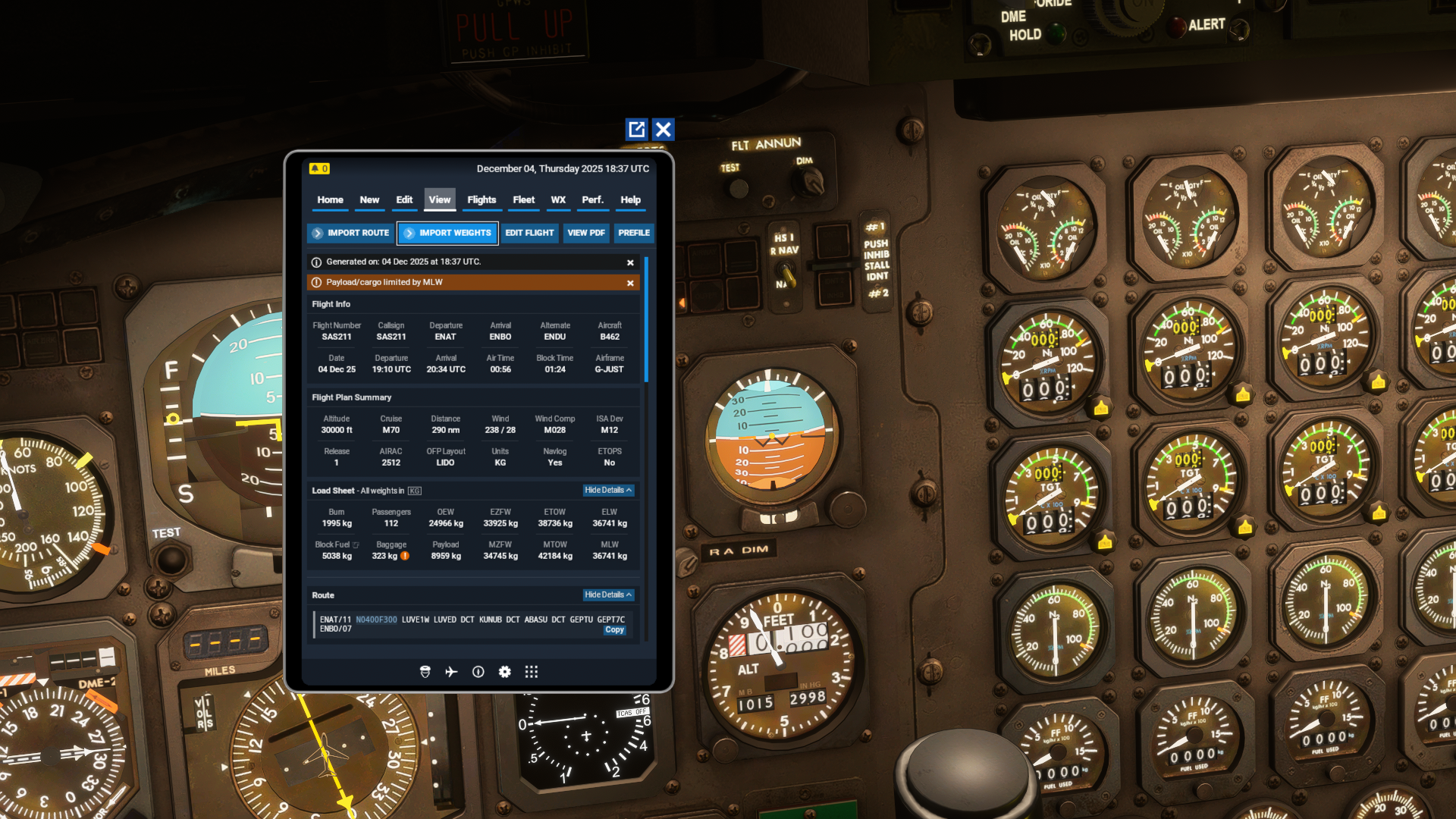
            @Mark are the wights as I can import from the panel right ?

            1 Reply Last reply
            0
            • J Offline
              J Offline
              just737
              wrote last edited by
              #6

              ![alt text](Screenshot (108).png image url)

              1 Reply Last reply
              0
              • MarkM Offline
                MarkM Offline
                Mark
                JF Staff
                wrote last edited by
                #7

                The weights generated by SimBrief will be correct as long as one of the "Just Flight (MSFS)" airframe profiles are selected when generating the flight.

                However, the 146 Professional features a custom Fuel and Payload manager within the EFB/tablet, which must be used to import any fuel/payload from SimBrief. It does not support imports via the SimBrief in-game panel, nor any changes to the simulator's default Weight and Balance menu.

                Further info on the EFB/Tablet can be found in the 146 Professional EFB manual: https://support.justflight.com/en/support/solutions/articles/17000134438-146-professional-msfs-manuals

                Mark - Just Flight

                Just Flight Development Assistant

                1 Reply Last reply
                0
                Reply
                • Reply as topic
                Log in to reply
                • Oldest to Newest
                • Newest to Oldest
                • Most Votes


                • Login

                • Don't have an account? Register

                • Login or register to search.
                • First post
                  Last post
                0
                • Categories
                • Recent
                • Tags
                • Popular
                • Users