
JF Forum Dark Mode / Theme
-
Is there any possibility to set up a dark mode theme for this forum?
The vast whiteness is not so pleasant to read when I should probably already be asleep and my bright monitor is keeping me awake, despite being heavily dimmed and with Night Mode enabled.
Thanks for the consideration!
Regards,
Martyn -
This would be great!
-
I use the extension 'Dark Reader' in the Mozilla Firefox browser.
Turns all website pages to dark mode, unless you turn it off or disable it for specific websites.
-
You should now see dark/night styling automatically based on the options configured in your browser/system.
If you wish to override the light/dark styling without changing your browser or system settings you can do so using the 'Developer Tools' in your browser - simply add a
stylePreferencekey to the local storage under the 'Application' tab and set the value todarkorlightas shown in the screenshot below: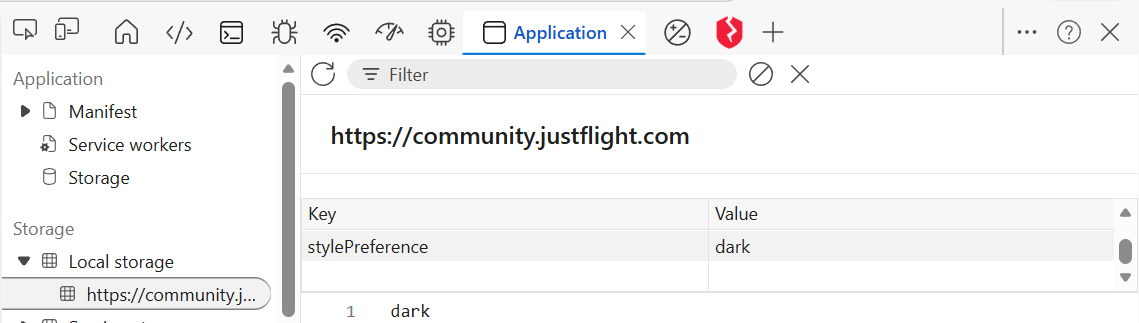
I should also point out that this is a fairly rudimentary dark mode, so if you encounter any issues please do add them to this thread.
-
You should now see dark/night styling automatically based on the options configured in your browser/system.
If you wish to override the light/dark styling without changing your browser or system settings you can do so using the 'Developer Tools' in your browser - simply add a
stylePreferencekey to the local storage under the 'Application' tab and set the value todarkorlightas shown in the screenshot below:I should also point out that this is a fairly rudimentary dark mode, so if you encounter any issues please do add them to this thread.
@ch0llis thanks for the response on this. I appreciate your efforts to set up an automated dark mode!

On the whole it looks good. A quick glance shows a few small areas to improve as and when time allows.
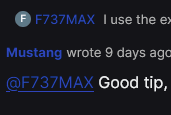
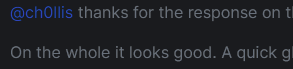
The dark blue in the usernames (hyperlinks) are slightly hard to read on the dark background.
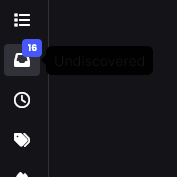
Some of the text is very difficult to read as on this tooltip flyout:
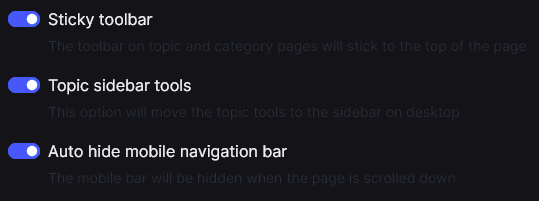
Profile settings, subtitles to options:
Preview text as I write this post:
But on the whole it's a great way to start. I don't know if it's possible to make it a user-selectable theme. I'm just conscious that people that use dark mode in general might not want the forum to auto-switch to this theme (though they can set the preference if comfortable with your dev tools guide above).
I don't use dark mode for everything all the time. I find it works better in some applications than others.
-
@Mustang I've made some further changes to the dark mode that should fix most of the issues you've highlighted.
I will also look into making the dark mode user-selectable, but can't give a date as to when that will be right now.

